Renting a GPU server is no longer just about finding the fastest NVIDIA accelerator. For AI inference, machine learning, video processing, and graphics workloads, the right decision depends on GPU memory, deployment flexibility, CPU resources, storage performance, and how consistently the hardware will be used.
This OVHcloud GPU Server review examines its dedicated GPU servers and Public Cloud GPU instances, explaining where each option fits and how to evaluate the total cost of GPU infrastructure.
The central question is whether your application needs an entire physical server or simply access to a dedicated accelerator when processing demand appears.
OVHcloud GPU Server Review: Quick Verdict
OVHcloud is worth considering for organizations seeking GPU acceleration within a broader infrastructure platform that includes dedicated servers, cloud instances, networking, and storage services.
Its dedicated GPU offerings can suit sustained AI inference, video processing, virtual desktops, and applications requiring control over the physical server environment.
Public Cloud GPU instances are more flexible for development, experiments, and workloads that do not need uninterrupted access to expensive accelerators.
Our verdict: OVHcloud offers useful GPU infrastructure choices, but buyers should distinguish whole-server ownership of resources from cloud GPU passthrough and select hardware according to measured workload requirements.
Dedicated GPU Servers vs Public Cloud GPU Instances
OVHcloud provides two important approaches to GPU hosting: physical dedicated servers equipped with accelerators and virtual cloud instances with GPU access.
A dedicated server assigns the complete physical machine to one customer. CPU, system memory, local storage, and installed GPUs belong to that server environment.
Public Cloud GPU instances instead provide virtualized computing resources with GPU devices assigned through PCI passthrough.
This allows the instance operating system to communicate directly with the assigned GPU, but it does not mean the customer controls every component of the underlying physical host.
| Factor | Dedicated GPU Server | Public Cloud GPU |
|---|---|---|
| Hardware control | Entire physical server | Cloud instance and assigned GPU |
| Billing model | Typically monthly | Usage-based instance billing |
| Scaling | Hardware configuration dependent | Deploy or remove instances |
| Best use | Continuous production workloads | Variable or temporary workloads |
| Administration | Server management required | Cloud instance management required |
Our GPU vs CPU server comparison explains when acceleration provides meaningful benefits.
OVHcloud Dedicated GPU Hardware
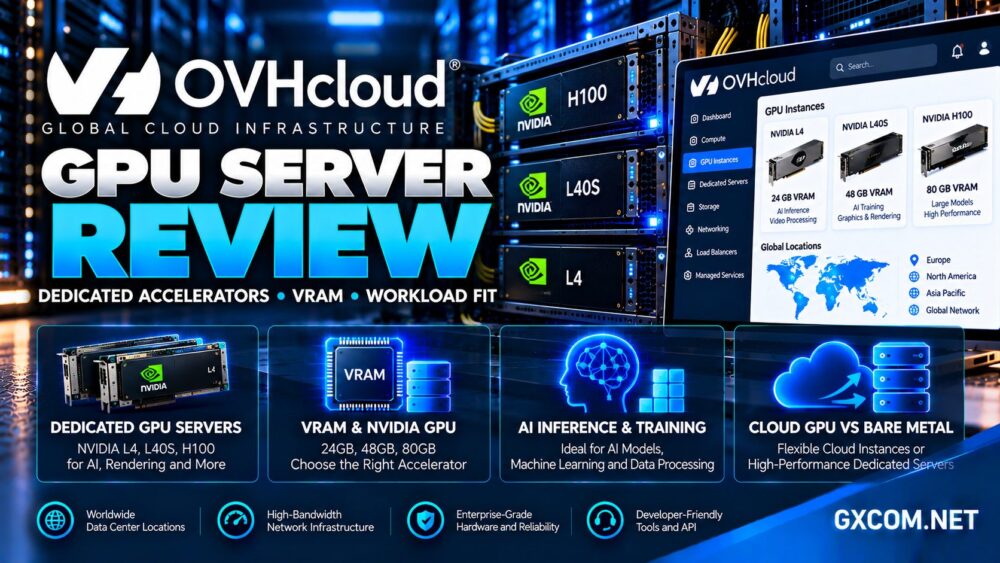
OVHcloud’s Scale-GPU family combines server-grade AMD EPYC processors, ECC memory, NVMe storage, and NVIDIA accelerators.
For example, the Scale-GPU-3 configuration supports NVIDIA L4 cards, with options for two or four GPUs depending on availability and configuration.
Each L4 provides 24GB of GPU memory. That capacity is useful for many inference, graphics, and video workloads, although it may be insufficient for larger models without optimization or multi-GPU strategies.
The surrounding hardware matters as much as the accelerator. Insufficient system RAM, slow data loading, or constrained storage can leave powerful GPUs waiting for work.
Why Multiple GPUs Do Not Automatically Combine VRAM
A server with four 24GB GPUs has 96GB of aggregate GPU memory, but it does not automatically behave like one GPU with a unified 96GB memory pool.

Applications must explicitly support model parallelism, distributed processing, or workload distribution to use memory across devices effectively.
For large language models, communication between GPUs and software architecture can become significant performance constraints.
VRAM Requirements: Choosing the Right Accelerator
GPU memory determines which models, datasets, rendering scenes, and processing batches can fit on an accelerator.
OVHcloud’s broader cloud portfolio includes NVIDIA L4 configurations with 24GB of memory and L40S configurations with 48GB.
Its GPU cloud offerings also include higher-memory accelerator families for more demanding AI workloads, subject to regional availability.
Before selecting a GPU, estimate model weights, runtime overhead, key-value cache requirements, batch size, and application memory consumption.
Inference vs Training
Inference typically focuses on serving an existing model efficiently. Quantization and optimized runtimes can reduce memory requirements, sometimes making smaller GPUs practical.
Training and fine-tuning can require substantially more memory because gradients, optimizer states, and intermediate activations consume additional capacity.
A 24GB GPU may be appropriate for certain compact models but unsuitable for training a much larger model without specialized techniques.
Our NVIDIA GPU server providers guide helps compare accelerator choices.
Workload Fit: AI, Video and Graphics
AI Inference and Model Serving
Dedicated L4 servers can be useful for continuously operating inference services, especially when several models or application workers share the same machine.
For occasional requests, a cloud instance that can be stopped or removed may reduce idle compute spending.
Measure tokens per second, request latency, concurrent users, and GPU memory utilization before committing to long-term capacity.
Video Encoding and Transcoding
NVIDIA L4 accelerators support media-processing use cases, making them relevant to video pipelines and streaming infrastructure.
Actual throughput depends on codecs, resolution, simultaneous streams, software configuration, and hardware encoding capabilities.
Test your production encoding profile rather than assuming vendor throughput claims apply to every media format.
3D Rendering and Virtual Desktops
GPU-equipped infrastructure can also support rendering, visualization, and virtual desktop environments.
These applications may require specific drivers, graphics APIs, remote display software, or licensing arrangements.
Confirm compatibility before choosing a GPU based only on its memory capacity.
Storage, Networking and Data Movement
GPU performance can be limited by how quickly data reaches the accelerator.
OVHcloud’s Scale-GPU configurations include NVMe storage options and configurable public and private networking.
Private network capacity can be useful when applications exchange datasets with storage servers or other internal infrastructure.
However, advertised interface capacity does not guarantee that every remote storage source will deliver equivalent throughput.
For cloud GPU instances, consider object storage access, dataset transfer, persistent volumes, and any charges associated with moving data.
Large training datasets can create substantial operational overhead if they must be repeatedly transferred between environments.
Deployment, Drivers and CUDA Compatibility
OVHcloud documents GPU instance deployment through its Public Cloud control panel, including operating system selection and GPU driver installation.
GPU instances use PCI passthrough, allowing supported operating systems to access assigned NVIDIA hardware directly.
Developers should verify NVIDIA driver compatibility, CUDA versions, container runtimes, and framework support before deployment.
PyTorch, TensorFlow, rendering software, and media tools may require different combinations of drivers and libraries.
For reproducible deployments, maintain tested container images and document the complete software environment.
GPU Server Pricing and Total Ownership Costs
Dedicated GPU servers and hourly cloud instances have fundamentally different cost structures.
A dedicated server may be attractive when the accelerator operates continuously and the organization can use its capacity consistently.
However, setup charges, monthly rental, additional storage, bandwidth options, and software administration should all be considered.
Cloud GPU instances can be more economical for intermittent processing, provided instances are properly terminated when no longer required.
Calculate Effective GPU Utilization
Estimate the number of hours per month that the GPU will perform useful work rather than merely remain powered on.
Then compare the full monthly cost of a dedicated server with cloud instance charges for the same processing demand.
Include data transfer, storage, backup requirements, software licensing, and engineering time.
Our affordable GPU servers comparison explores the broader cost trade-offs.
OVHcloud vs Other GPU Hosting Providers
OVHcloud competes with providers offering different GPU and server deployment models.
Cherry Servers is relevant to organizations comparing dedicated infrastructure and available GPU server configurations.
Vultr offers cloud GPU products that may appeal to developers seeking alternative accelerator types and cloud deployment options.
GPU Mart is another provider to evaluate for GPU-oriented hosting, particularly when specific accelerator configurations are available.
Kamatera provides configurable cloud infrastructure and can be relevant for supporting CPU-based application services, even when GPU acceleration is sourced separately.
These products are not interchangeable. Compare actual GPU availability, VRAM, dedicated access, geographic location, storage, support, and billing arrangements.

Our AI GPU VPS providers guide provides additional context for cloud-based alternatives.
Who Should Choose OVHcloud GPU Servers?
OVHcloud dedicated GPU servers can suit organizations running sustained inference, video processing, rendering, and GPU-backed applications requiring a controlled server environment.
Public Cloud GPU instances are better candidates for development, testing, temporary workloads, and teams that need flexible deployment rather than permanent hardware allocation.
Neither approach eliminates the need for monitoring, security updates, driver maintenance, and tested recovery procedures.
Frequently Asked Questions
Does OVHcloud offer dedicated GPU servers?
Yes. OVHcloud offers physical dedicated server configurations equipped with NVIDIA GPUs, including L4-based Scale-GPU options.
Are OVHcloud cloud GPUs dedicated?
OVHcloud uses PCI passthrough to provide direct access to assigned GPU devices. This does not mean the entire underlying physical server is dedicated to the instance.
Is 24GB of VRAM enough for AI?
It can be sufficient for many compact inference models and optimized workloads, but larger models or training tasks may require additional memory.
Can multiple GPUs share memory automatically?
No. Applications must support appropriate multi-GPU processing techniques to distribute workloads or model data across devices.
Should I choose a dedicated GPU server or cloud GPU?
Dedicated servers generally make more sense for sustained utilization, while cloud GPU instances offer flexibility for temporary or variable workloads.
Final Verdict: Is OVHcloud GPU Hosting Worth It?
This OVHcloud GPU Server review finds a capable infrastructure option for businesses and developers requiring NVIDIA acceleration with a choice between physical servers and cloud instances.
Its strongest advantages are dedicated GPU hardware options, cloud deployment flexibility, configurable networking, and integration with broader infrastructure services.
The main considerations are VRAM suitability, regional inventory, software compatibility, GPU utilization, and the complete cost of running workloads.
For continuous GPU processing, OVHcloud dedicated servers deserve consideration. For variable workloads, compare its Public Cloud GPU offerings with alternatives from Vultr and other specialist providers before committing.