Renting an NVIDIA GPU in the cloud can eliminate the upfront expense of buying specialized hardware. However, choosing a GPU instance involves more than comparing accelerator models or advertised hourly rates. GPU memory, storage persistence, network transfer, and idle resources can significantly change the cost of an AI project.
In this Vultr Cloud GPU review, we examine NVIDIA instance options, deployment tools, storage considerations, and the operational costs of training, inference, and GPU-accelerated applications.
Vultr provides cloud GPU infrastructure ranging from smaller virtualized configurations to high-performance accelerators for demanding AI workloads. The right choice depends on the model, software stack, and utilization pattern.
Vultr Cloud GPU Review: Quick Verdict
Vultr is worth considering for developers and businesses seeking GPU infrastructure with familiar cloud management tools, API access, and deployment options for AI applications.
Its advantages include several NVIDIA accelerator families, GPU-enabled images, cloud networking, and integration with other infrastructure services.
The main limitation is cost management. GPU resources can remain billable even when an instance is powered off, while storage and networking requirements may increase the total expense.
Our verdict: Vultr can be a practical choice for AI development and production inference, provided buyers select the appropriate GPU memory, understand resource allocation, and manage instance lifecycles carefully.
Which NVIDIA GPU Instances Does Vultr Offer?
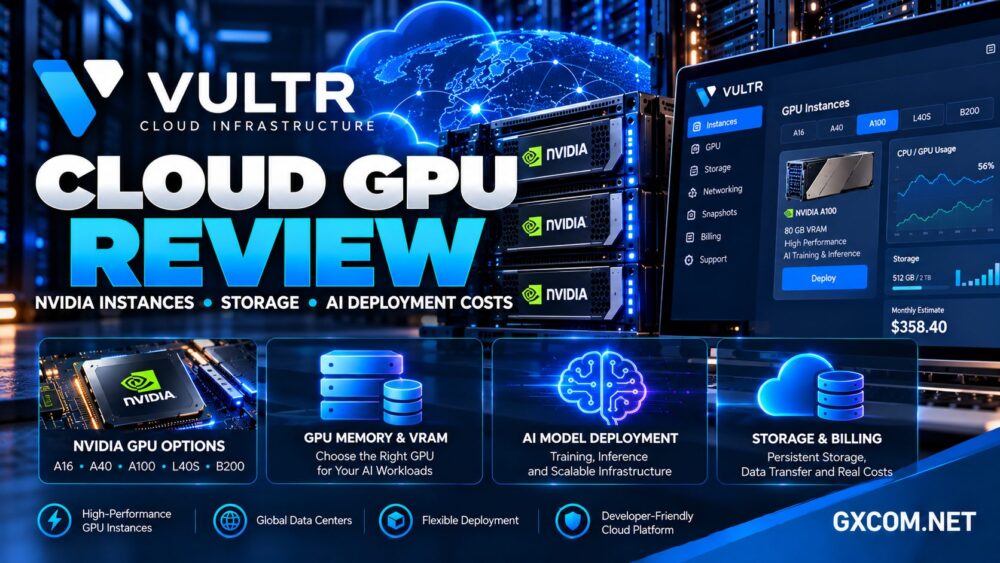
Vultr’s GPU portfolio includes NVIDIA A16, A40, A100, L40S, and newer high-performance accelerator platforms. Availability depends on region, product category, and capacity.
NVIDIA A16: Entry-Level GPU Workloads
A16-based instances can support virtual desktops, video processing, and selected inference applications. Some configurations allocate a portion of a physical GPU rather than an entire device.
Check the assigned VRAM and virtualization model before selecting A16 for CUDA applications.
NVIDIA A40 and L40S
A40 offers substantial graphics memory and is relevant to visualization, rendering, and GPU-accelerated computing.
L40S combines 48 GB of GPU memory with an architecture suited to AI inference, graphics, and media processing. It may be useful for teams balancing model serving and visual workloads.
NVIDIA A100 and High-End Accelerators
A100 configurations target demanding machine learning, scientific computing, and memory-intensive applications. Vultr also advertises newer NVIDIA platforms, including HGX B200, for larger AI workloads.
These options can deliver more computational capability but may be unnecessary for smaller models or occasional experimentation.
Our NVIDIA GPU server providers comparison explains how to evaluate different accelerator hosting options.
GPU Memory Matters More Than Model Names
GPU memory, commonly called VRAM, determines how much model data and intermediate computation can remain on the accelerator.
A workload that exceeds available VRAM may fail, require quantization, or move data between GPU and system memory. These alternatives can affect latency and throughput.
For inference, calculate the memory required for model weights, key-value caches, concurrent requests, and framework overhead.
For training, account for gradients, optimizer states, activations, and batch size. Training often requires substantially more memory than inference with the same model.
Do not assume that the advertised memory of a physical accelerator is entirely assigned to every virtual GPU instance.
Virtual GPU vs GPU Passthrough
Vultr documents different GPU allocation models, including virtualized GPUs and passthrough configurations.

With vGPU, physical accelerator resources can be divided among virtual machines. Passthrough generally assigns a physical GPU device directly to an instance.
These approaches may differ in available memory, software compatibility, resource isolation, and supported features.
For workloads requiring predictable access to a complete accelerator, verify the exact allocation model before deployment.
Our AI GPU VPS providers guide covers additional considerations when comparing shared and dedicated GPU resources.
Deploying AI Applications on Vultr
Vultr allows users to provision Cloud GPU instances through its management console and supported automation interfaces.
The deployment process involves choosing a GPU configuration, region, operating system or prepared image, authentication method, and related resources.
GPU-enabled images can simplify setup by providing preconfigured components for supported AI environments.
However, application compatibility still depends on NVIDIA driver versions, CUDA libraries, Python packages, and framework requirements.
Practical Deployment Checklist
- Confirm GPU model, assigned VRAM, and allocation method.
- Select a region with available GPU capacity.
- Verify CUDA and framework compatibility.
- Estimate model download and storage requirements.
- Configure SSH access, firewall rules, and secrets securely.
- Run a small inference or training test before scaling.
Production deployments should also include monitoring, restart procedures, access controls, and an appropriate recovery strategy.
Storage: The Hidden Part of GPU Hosting
GPU memory and disk storage serve different purposes. VRAM holds active computation data, while instance disks and cloud storage hold model files, datasets, application code, and generated outputs.
Large language models, checkpoints, and training datasets can consume significant storage capacity even when the GPU itself is sufficient.
Before deploying, distinguish between storage attached to the instance and separately managed persistent storage services.
Deleting a GPU instance may remove data stored on its local disk. Snapshots, backups, and independently retained datasets should therefore be planned before destroying resources.
Storage performance also matters. Repeatedly loading large model weights or reading training datasets from slow storage can delay otherwise powerful GPU workloads.
Networking and Regional Availability
Vultr operates cloud infrastructure across multiple geographic regions, but not every NVIDIA accelerator is available in every location.
For production inference, proximity to application servers and customers can reduce network latency. Training workloads may place greater emphasis on data transfer capacity and storage connectivity.
Check transfer allowances, regional availability, private networking options, and applicable bandwidth charges.
A GPU with excellent compute performance may still be inefficient if datasets must repeatedly move across distant regions.
Vultr Cloud GPU Pricing: What Actually Costs Money?
Vultr uses hourly billing for GPU instances, subject to its published billing rules. The displayed instance rate is only the starting point for a realistic deployment budget.
Potential cost components include:
- GPU instance runtime and allocated CPU or RAM
- Persistent storage, snapshots, and backups
- Network transfer and related infrastructure
- Data preparation and model downloads
- Monitoring, security, and operational tools
- Idle resources and development environments
Stopped GPU Instances Can Still Cost Money
One important Vultr billing rule is that stopping an instance does not stop its normal billing cycle. Reserved resources remain allocated until the instance is destroyed.
Destroying an instance can stop future compute charges, but it also releases the instance and may permanently remove its data.
Before destruction, preserve required files and confirm which storage or backup resources continue generating separate charges.
Calculate Cost per Completed Workload
For batch inference, compare total processing cost against the number of successful requests. For training, measure the complete expense of reaching a target model quality.
A cheaper GPU can become more expensive if it takes substantially longer to finish the same workload.
Our GPU vs CPU server comparison helps determine when acceleration is financially justified.
Vultr vs Other GPU and Cloud Providers
Vultr competes with providers offering different approaches to accelerated computing and infrastructure management.
RunPod focuses on GPU computing and AI deployment workflows. It is worth comparing for developers prioritizing GPU-centric infrastructure and flexible workload execution.
GPU Mart offers GPU-oriented hosting products that may appeal to customers seeking more traditional GPU server arrangements. Confirm hardware allocation, operating system support, and contract terms.
OVHcloud provides GPU-related infrastructure and dedicated server options. It deserves consideration when hardware isolation and broader infrastructure requirements matter.
Kamatera is relevant as a configurable cloud infrastructure alternative for surrounding application services, databases, and deployment components. Its available accelerator options should be verified separately rather than assumed equivalent to Vultr Cloud GPU.

Compare the actual GPU model, VRAM allocation, storage persistence, region, and complete workload cost.
Our affordable GPU servers guide provides a broader framework for infrastructure purchasing decisions.
Who Should Choose Vultr Cloud GPU?
Vultr may suit AI developers, machine learning teams, visualization projects, and businesses deploying GPU-accelerated applications alongside conventional cloud services.
It is especially relevant when teams value API-driven infrastructure management and the ability to select from several NVIDIA accelerator families.
It may be less attractive for occasional experiments if users frequently leave expensive instances allocated while idle.
Projects requiring a specific GPU, guaranteed capacity, or extensive multi-GPU networking should confirm availability and deployment requirements before committing.
Frequently Asked Questions
Does Vultr offer NVIDIA GPU instances?
Yes. Vultr advertises several NVIDIA GPU families, including A16, A40, A100, L40S, and higher-end accelerator platforms. Availability varies.
Can Vultr Cloud GPU run large language models?
Yes, when the selected GPU memory, compute capacity, and software environment meet the model’s requirements.
Are all Vultr GPU instances dedicated GPUs?
No. Vultr documents both virtualized GPU and passthrough configurations. Check the selected plan’s allocation method.
Does stopping a GPU instance stop billing?
No. Vultr states that stopped instances continue billing until they are destroyed.
Should I choose A100 or L40S?
The answer depends on model memory requirements, training versus inference needs, framework compatibility, and measured cost per completed workload.
Final Verdict: Is Vultr Cloud GPU Worth It?
This Vultr Cloud GPU review finds a versatile option for organizations that want NVIDIA acceleration integrated with a broader cloud infrastructure platform.
Its main strengths are GPU selection, deployment tooling, and infrastructure flexibility. Its biggest purchasing risks involve VRAM allocation, storage planning, regional availability, and charges for unused instances.
Before ordering, identify your workload, estimate total runtime, verify persistent storage, and compare the complete cost against alternatives such as RunPod, GPU Mart, and OVHcloud.