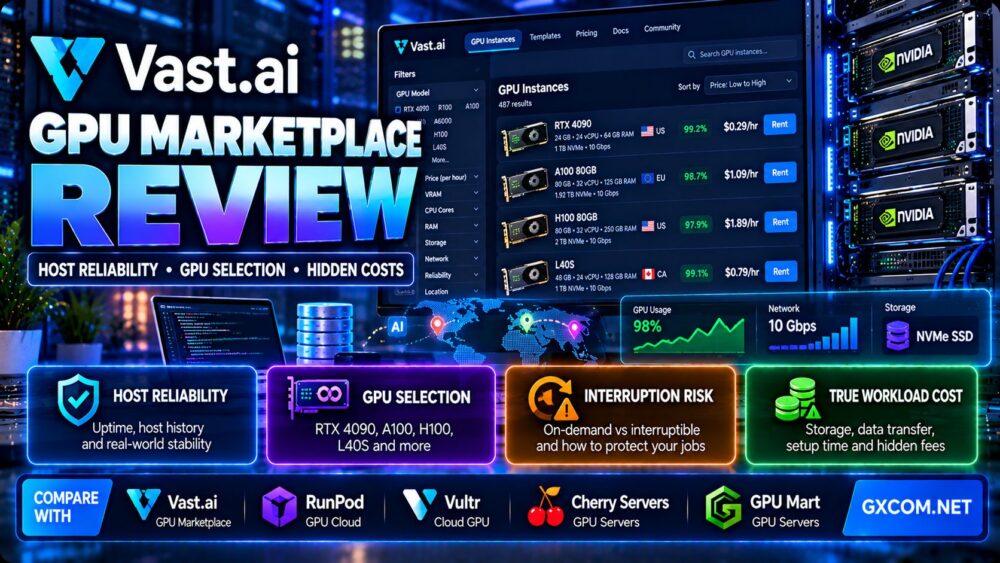
This Vast.ai GPU marketplace review examines host reliability, GPU selection, instance interruptions, storage and networking considerations, and the hidden costs that can affect AI training and inference workloads. Vast.ai offers access to GPU computing through a marketplace where individual machines can differ significantly in hardware configuration, availability, and operating conditions.
That flexibility makes Vast.ai interesting for developers, researchers, and AI teams seeking a wider range of GPU rental options. However, finding an attractive hourly GPU rate is only the beginning of the purchasing decision.
Two machines advertising the same GPU can deliver different experiences because of CPU allocation, system RAM, storage speed, network connectivity, PCIe configuration, and host reliability.
In this review, we explain how to evaluate Vast.ai listings, what to check before renting a GPU, how interruptions affect training jobs, and how to calculate the total cost of completing a workload.
We also compare Vast.ai with RunPod, Vultr, Cherry Servers, and GPU Mart to help identify when a marketplace instance or a more conventional GPU infrastructure service may be appropriate.
Editorial methodology: This article provides a technical evaluation framework based on Vast.ai's marketplace model and general GPU infrastructure principles. GXCOM.NET has not independently benchmarked marketplace hosts, measured instance reliability, or verified individual listing prices. Availability, billing policies, and service terms can change and should be confirmed before deployment.
Vast.ai GPU Marketplace Review: Quick Verdict
Vast.ai is worth evaluating for technically capable users who want to compare GPU rental offers across a marketplace and are comfortable assessing individual machine characteristics.
Its main attraction is the ability to choose among different GPU configurations and hosting offers rather than relying on a single standardized instance catalog.
The main trade-off is that the user must evaluate more variables. GPU performance, storage, network quality, host availability, and interruption risks can differ between listings.
Vast.ai can be particularly attractive for experimentation, model fine-tuning, batch processing, and workloads that tolerate infrastructure variation.
For business-critical production systems requiring strict availability or predictable performance, customers should apply additional testing and operational safeguards before relying on any specific listing.
| Evaluation Area | Vast.ai Marketplace Assessment |
|---|---|
| Infrastructure model | GPU compute marketplace |
| GPU selection | Varies by host and current listings |
| Hardware consistency | Depends on the selected machine |
| Host reliability | Requires offer-level evaluation |
| Deployment | Container-based GPU instances and supported templates |
| Pricing | Offer-specific, with potential additional resource charges |
| Interruptible options | Available under applicable marketplace conditions |
| Storage | Capacity and charges depend on the selected instance and terms |
| Networking | Host-dependent bandwidth and connectivity |
| Best fit | Flexible GPU workloads and technically managed AI jobs |
| Main risk | Variation in host quality and effective workload cost |
What Is Vast.ai GPU Marketplace?
Vast.ai is a marketplace for renting GPU computing resources. Instead of presenting only a small set of standardized virtual machine types, the platform allows customers to search available machines with different GPU models, system specifications, and rental conditions.
This marketplace structure creates opportunities to find hardware suited to specific workloads.
It also introduces additional responsibilities for customers, who must evaluate the machine behind each offer.
How GPU Marketplace Rentals Work
A typical Vast.ai workflow includes:
- Search available GPU offers.
- Filter by GPU model, memory, and hardware requirements.
- Evaluate host reliability and instance characteristics.
- Review storage, networking, and rental terms.
- Select an appropriate deployment image or template.
- Launch the instance.
- Upload or connect the required data and models.
- Run training, inference, or development workloads.
- Monitor resource usage and job progress.
- Save results and terminate resources when appropriate.
Unlike a standardized cloud service, two offers with similar advertised GPU specifications may not be interchangeable.
For a broader look at the market, see our NVIDIA GPU server providers guide.
Vast.ai Host Reliability: What Should You Check?
Host reliability is one of the most important considerations in this Vast.ai GPU marketplace review.
Marketplace infrastructure may be operated by different providers with different hardware, connectivity, maintenance practices, and availability histories.
A low hourly price can become expensive if a machine repeatedly fails, disconnects, or requires the workload to restart.
Reliability Indicators
Vast.ai listings may provide reliability-related information that helps customers compare available machines.
Customers should examine the current marketplace indicators, their definitions, and whether the information describes a particular machine or broader host history.
A high historical reliability indicator is useful, but it does not guarantee future availability.
Host Verification
Where the platform displays verification or qualification indicators, examine what those signals actually represent.
Verification should not be interpreted as a guarantee of performance, data durability, or uninterrupted service.
Availability History
For long-running training jobs, sustained machine availability matters more than it does for short experiments.
A model training run lasting several days can be disrupted by host maintenance, hardware faults, connectivity issues, or changes in instance availability.
Network Stability
A reliable GPU host also needs dependable networking.
Connection instability can interrupt remote development sessions, dataset downloads, checkpoint uploads, and distributed processing.
For production-sensitive tasks, evaluate both network performance and the ability to recover from interruptions.
Storage Reliability
GPU compute reliability does not automatically imply durable storage.
Customers should understand which data survives an instance stop, interruption, deletion, or host failure under the selected service conditions.
Critical model checkpoints and training outputs should be copied to independent storage.
Host Reliability Checklist
- Review the current reliability indicators.
- Confirm the exact GPU and machine specifications.
- Check expected instance availability.
- Understand interruption conditions.
- Evaluate network performance.
- Verify storage persistence rules.
- Confirm sufficient disk space.
- Test the environment before starting expensive jobs.
- Use independent checkpoint storage.
- Prepare a recovery plan for interrupted workloads.
Vast.ai GPU Selection: Which Hardware Matters Most?
Vast.ai offers access to different GPU configurations, but choosing the right hardware requires more than comparing model names.
The most important characteristics depend on whether the workload involves model training, fine-tuning, inference, image generation, or rendering.
GPU Architecture
GPU architecture affects compute capability, supported precision formats, memory performance, and software compatibility.
Newer hardware may support more efficient AI operations, but the benefit depends on the framework and model.
Always check whether the application supports the selected GPU architecture.
GPU Memory
Video memory, or VRAM, determines whether model weights and runtime data can fit on the device.
For language model inference, VRAM usage may include model weights, activations, runtime overhead, and key-value cache.
For training, optimizer states, gradients, and intermediate activations can increase memory requirements substantially.
A GPU with insufficient VRAM may require quantization, offloading, smaller batches, or a different model configuration.
CUDA Compatibility
Many AI applications depend on NVIDIA CUDA libraries and compatible drivers.
Before renting a GPU, verify that the selected image, driver environment, framework version, and application dependencies work together.
Hardware availability alone does not guarantee software compatibility.
GPU Memory Bandwidth
Memory bandwidth can strongly influence certain AI workloads, particularly inference operations that move large quantities of model data.
However, performance depends on the complete model execution pattern.
PCIe and GPU Interconnects
PCIe generation and lane allocation can affect transfers between CPU memory and GPU memory.
For multi-GPU training, communication between devices can become a major performance factor.
Do not assume that every machine with multiple GPUs provides identical interconnect bandwidth or topology.
CPU and System RAM
GPU-intensive applications still depend on CPU resources for preprocessing, data loading, orchestration, and other tasks.
Insufficient CPU capacity or RAM can leave an expensive GPU waiting for data.
Evaluate the full machine configuration rather than the GPU alone.
Choosing a Vast.ai GPU for AI Training
Training and fine-tuning workloads often have different hardware requirements from inference.
Small Model Fine-Tuning
Smaller models and parameter-efficient techniques such as LoRA may fit on relatively modest GPU configurations.
Actual memory requirements depend on model architecture, precision, batch size, sequence length, and training framework.

Large Model Training
Large-scale training may require high-memory GPUs, multiple devices, and fast interconnects.
Distributed training performance depends on network and GPU communication, not simply the total number of accelerators.
Checkpointing
Checkpointing is essential when training on infrastructure that may become unavailable.
Save model weights, optimizer state, and other required training information at appropriate intervals.
Store critical checkpoints outside the rented instance so they can be restored on another machine.
Training Efficiency
Measure completed training steps per hour, not just GPU utilization.
A high utilization figure does not guarantee that the workload is making efficient progress.
Data pipeline delays, inefficient kernels, and communication overhead can reduce useful throughput.
For further hardware planning, read our NVIDIA GPU servers for AI training guide.
Vast.ai for AI Inference and Model Deployment
Vast.ai can also support inference workloads, including language models, image generation, embeddings, and computer vision.
However, a marketplace GPU instance is not automatically equivalent to a managed serverless inference platform.
Persistent Inference Services
Customers can run supported inference applications on rented GPU instances.
This approach may be suitable for development, internal APIs, and services where the team can manage deployment and monitoring.
Latency Considerations
Inference latency depends on the model, GPU, CPU, network, batching, and serving framework.
Geographic distance and host connectivity can affect end-user response time.
Scaling
Scaling a custom inference service may require additional instances, load balancing, health checks, and deployment automation.
Customers should evaluate whether the workload needs managed autoscaling or whether a manually managed GPU environment is sufficient.
When Serverless May Be Easier
For applications with highly variable request traffic, a managed serverless GPU product may reduce some orchestration work.
See our RunPod Serverless GPU review for a discussion of cold starts, worker scaling, and inference cost per request.
Vast.ai On-Demand vs Interruptible Instances
Vast.ai offers different rental conditions, including options where an instance may be interrupted under the applicable marketplace rules.
Customers should examine the current offer terms rather than assuming every GPU rental has the same availability guarantees.
On-Demand Instances
On-demand instances are generally more appropriate when customers want to avoid the additional preemption exposure associated with interruptible rentals.
However, on-demand status does not eliminate hardware failures, connectivity incidents, or other operational risks.
Interruptible Instances
Interruptible rentals may offer attractive pricing for workloads that can tolerate interruption.
They are most useful when jobs can save progress and resume elsewhere.
Possible applications include experimentation, batch inference, distributed task queues, and checkpointed model training.
Why Interruption Risk Matters
If a training job runs for several hours without saving progress, an interruption may require repeating substantial work.
The true cost of a cheaper instance therefore depends on how much useful progress survives interruption.
Which Model Should You Choose?
| Workload | Preferred Evaluation Direction |
|---|---|
| Interactive development | Stable instance with predictable access |
| Short experiments | On-demand or interruptible, depending on tolerance |
| Checkpointed training | Interruptible may be viable |
| Production inference API | Prioritize availability and recovery architecture |
| Batch image processing | Interruptible may suit retryable jobs |
| Long training without checkpoints | Avoid interruption-sensitive configurations |
For additional context, see our spot vs on-demand GPU server comparison.
Vast.ai Hidden Costs: What Can Increase Your Bill?
The lowest advertised GPU hourly price does not necessarily represent the lowest total workload cost.
Additional expenses and inefficiencies can arise from storage, network transfers, initialization, interrupted jobs, and underutilized compute.
Storage Charges
GPU workloads often require substantial disk capacity for model weights, datasets, dependencies, and checkpoints.
Storage charges and persistence behavior depend on the current marketplace rules and selected instance.
Customers should check whether storage continues to generate charges when compute is stopped or otherwise inactive.
Data Transfer
Downloading large datasets and uploading checkpoints can consume time and network resources.
Network-related charges, if applicable, should be verified for the selected offer.
Even when transfers do not generate separate usage fees, slow connectivity can increase billable compute time.
Model Download Time
A large model may require significant time to download, extract, and initialize.
If compute billing begins before useful processing starts, initialization time contributes to the effective workload cost.
Container Setup
Installing dependencies and preparing the environment can consume GPU rental time.
Prebuilt images and tested deployment scripts may reduce repeated setup work.
Failed Training Runs
Failed jobs can waste compute spending without producing usable results.
Common causes include out-of-memory errors, dependency conflicts, data pipeline failures, and application bugs.
Interruptions and Restarts
An interrupted job may require restoring checkpoints, downloading data again, or repeating work.
The cost of interruption includes both additional compute and lost productivity.
Idle Instances
A rented GPU can generate charges while waiting for the user to begin work or while an application is idle, according to the applicable billing rules.
Monitor running instances and understand the difference between stopping, deleting, and retaining storage.
Multi-GPU Communication
For distributed training, slower interconnects can reduce scaling efficiency.
Renting twice as many GPUs does not guarantee that a training job completes twice as fast.
How to Calculate the Real Cost of a Vast.ai GPU Job
The most useful metric is often cost per completed training job, cost per processed dataset, or cost per successful inference request.
A basic formula is:
Total job cost = Compute charges + Storage charges + Applicable network charges + Setup and recovery overhead + Other required services.
Then calculate:
Cost per successful job = Total attributable spending / Number of successfully completed jobs.
Hypothetical Example: Cheap GPU vs Reliable GPU
Consider two fictional GPU rental options.
| Metric | GPU Offer A | GPU Offer B |
|---|---|---|
| Illustrative hourly rate | $0.50 | $0.80 |
| Useful compute time | 10 hours | 8 hours |
| Setup and recovery time | 4 hours | 1 hour |
| Total billable compute time | 14 hours | 9 hours |
| Illustrative compute cost | $7.00 | $7.20 |
These numbers are hypothetical and do not represent measured Vast.ai listings or provider reliability statistics.
Offer A has a lower hourly price, but its additional setup and recovery time reduces the cost advantage.
Offer B costs more per hour but completes the illustrative workload sooner.
Storage, network, and other applicable charges could change the comparison further.
Hypothetical Example: Interrupted Training
Suppose a job requires 12 hours of useful GPU processing.
On a hypothetical interruptible machine priced at $0.60 per hour, the job runs for 8 hours before interruption.
If only 5 hours of progress were preserved, 3 hours of compute would need to be repeated.
The total useful-work requirement becomes 15 billable compute hours, excluding additional setup and storage.
Illustrative compute cost = 15 × $0.60 = $9.00.
Without the lost work, 12 hours would cost $7.20.
The interruption therefore adds $1.80 in compute expense in this simplified example.
This demonstrates why checkpoint frequency and recovery design can matter as much as the advertised hourly price.
How to Evaluate GPU Performance on Vast.ai
Performance comparisons should use the actual workload and identical software settings whenever possible.
Training Throughput
Measure samples per second, tokens per second, or training steps per hour.
Include the impact of data loading and checkpoint saving.
Inference Throughput
Measure requests per second, output tokens per second, and time to first token for supported language models.
Use consistent prompt lengths, batch sizes, and model precision.
GPU Utilization
GPU utilization can help identify whether the device is busy, but it should not be the only performance metric.
High utilization can coexist with inefficient kernels or slow overall job progress.
Memory Utilization
Monitor GPU memory usage to avoid out-of-memory failures.
Leave capacity for runtime overhead and workload variation.
Disk and Network Performance
Measure dataset loading speed, checkpoint writing time, and data transfer performance.
Slow storage can reduce effective GPU utilization.
Repeatability
Run multiple tests and record hardware, driver, CUDA, framework, and workload versions.
Results from different machines should not be treated as equivalent unless their relevant configurations are comparable.
Vast.ai vs RunPod vs Vultr vs Cherry Servers vs GPU Mart
Vast.ai competes with several GPU infrastructure services, but the platforms follow different deployment and purchasing models.
| Provider | Infrastructure Approach | Primary Evaluation Focus |
|---|---|---|
| Vast.ai | GPU marketplace | Offer selection, host reliability, and workload cost |
| RunPod | GPU cloud and serverless services | GPU deployment and managed inference workflows |
| Vultr | Cloud GPU infrastructure | Cloud instance control and supported GPU configurations |
| Cherry Servers | Dedicated and cloud infrastructure | Physical hardware allocation and server control |
| GPU Mart | GPU servers and hosting | Fixed GPU hardware and resource configurations |
Vast.ai vs RunPod
RunPod offers GPU infrastructure and managed Serverless products.
Vast.ai emphasizes marketplace selection, where users evaluate individual GPU offers and host characteristics.
RunPod may be more convenient for teams seeking managed endpoint scaling, while Vast.ai may appeal to users who want to compare a wider variety of individual machine offers.
Both require evaluation of the specific workload and current service terms.
Vast.ai vs Vultr
Vultr offers cloud GPU infrastructure with supported instance configurations and cloud management features.
Vast.ai users select from marketplace listings that can differ more substantially in hardware and host characteristics.
Vultr may suit organizations prioritizing conventional cloud infrastructure workflows.
Vast.ai may suit users willing to evaluate individual offers for specific hardware requirements.
For more information, read our Vultr Cloud GPU review.
Vast.ai vs Cherry Servers
Cherry Servers offers dedicated physical infrastructure, including GPU-capable server options.
Dedicated GPU servers may be attractive for sustained workloads, predictable hardware allocation, and specialized infrastructure requirements.
Vast.ai may be more convenient for shorter experiments or workloads that benefit from marketplace flexibility.
Vast.ai vs GPU Mart
GPU Mart offers GPU-oriented server products and hosting configurations.
It may suit customers seeking fixed hardware arrangements and a more conventional server rental model.
Vast.ai provides a marketplace approach with greater variation between individual offers.
Compare the actual GPU model, CPU, RAM, storage, network, operating responsibilities, and total job cost before choosing.
Best Use Cases for Vast.ai GPU Marketplace
AI Research and Experimentation
Researchers testing different models may value access to a range of GPU configurations.
Short experiments can help identify hardware requirements before committing to longer deployments.
Model Fine-Tuning
Fine-tuning can be a suitable marketplace workload when the training environment is reproducible and checkpoints are stored independently.
Batch Inference
Batch inference jobs that can be retried or divided into smaller units may tolerate infrastructure variation.
Image Generation
Image generation workloads can benefit from GPUs with sufficient VRAM and compatible inference software.
Evaluate output throughput and total cost per generated image.
Computer Vision
Computer vision workloads can use GPU acceleration for training and inference.
Data loading and preprocessing performance should be included in hardware selection.
Development and Testing
Temporary GPU development environments can help teams validate software compatibility and model requirements before production deployment.
When Vast.ai May Not Be the Best Choice
Vast.ai is not necessarily the best fit for every organization.

Strict Production Availability Requirements
Business-critical applications may require stronger availability architecture, redundancy, and operational guarantees than a single marketplace instance can provide.
Teams Without Infrastructure Experience
Users unfamiliar with Linux, containers, GPU drivers, and workload recovery may find a managed platform easier to operate.
Highly Sensitive Data
Organizations processing regulated or confidential information should verify data location, contractual protections, security controls, and applicable compliance requirements.
Do not assume a marketplace GPU instance meets a particular compliance standard without documentation.
Long-Running Jobs Without Checkpoints
Training workloads that cannot resume after interruption face greater financial and operational risk.
Predictable Continuous Workloads
For consistently high GPU utilization, a dedicated server or conventional cloud contract may offer more predictable operational characteristics.
The correct choice depends on actual pricing and workload performance.
Vast.ai Pros and Cons
Advantages
- Marketplace access to varied GPU hardware.
- Ability to compare individual machine offers.
- Flexible GPU selection for different AI workloads.
- Potentially attractive options for experimentation.
- Useful for model fine-tuning and batch processing.
- Support for container-based deployment workflows.
- Multiple hardware configurations and memory classes.
- Options for users comfortable managing their own environments.
Limitations
- Host reliability varies across listings.
- Hardware configurations may differ even with the same GPU model.
- Interruptible instances can disrupt workloads.
- Storage and network terms require careful review.
- Setup and recovery time can increase effective costs.
- Availability of specific GPUs can change.
- Users may need stronger infrastructure management skills.
- Production reliability requires appropriate monitoring and recovery.
- Lowest hourly price does not guarantee lowest workload cost.
Vast.ai GPU Rental Checklist
- Identify the exact workload and framework.
- Calculate required GPU memory.
- Check GPU architecture and CUDA compatibility.
- Review the current host reliability indicators.
- Confirm CPU and system RAM allocations.
- Check PCIe and multi-GPU topology where relevant.
- Verify available disk capacity.
- Review storage persistence and billing conditions.
- Evaluate network speed and data transfer requirements.
- Choose an appropriate rental and interruption model.
- Prepare a tested container environment.
- Store important data outside the instance.
- Enable regular training checkpoints.
- Run a short workload benchmark.
- Monitor utilization and failed jobs.
- Calculate effective cost per successful workload.
- Confirm how to stop or delete resources and end charges.
Frequently Asked Questions
What is Vast.ai GPU Marketplace?
Vast.ai is a GPU compute marketplace where customers can compare available machines with different hardware configurations, host characteristics, and rental conditions.
Is Vast.ai reliable?
Reliability depends on the selected host, machine, network, and workload. Customers should review current marketplace indicators and use backups and recovery procedures for important jobs.
Why are Vast.ai GPU prices different?
Prices can vary because offers differ in GPU model, hardware configuration, availability, host conditions, and rental terms.
Does Vast.ai have hidden costs?
Total costs can exceed the advertised GPU compute rate because of storage, applicable network charges, initialization time, idle resources, failed jobs, and interruptions. Check the current billing rules for each offer.
Can Vast.ai instances be interrupted?
Some rental models can be interruptible under marketplace rules. Customers should confirm the selected offer's conditions and use checkpoints for interruption-sensitive jobs.
Is Vast.ai good for AI training?
It can be suitable for training and fine-tuning when the selected GPU meets model requirements and the workload has appropriate data protection and recovery procedures.
Can Vast.ai run large language models?
Yes, if the selected hardware provides sufficient memory and supports the required inference or training software.
Is Vast.ai cheaper than RunPod?
Neither platform is always cheaper. Compare equivalent GPU configurations and the total cost of completing the same workload, including setup, storage, interruptions, and operating time.
Should I choose Vast.ai or a dedicated GPU server?
Vast.ai may suit flexible or temporary workloads. Dedicated GPU infrastructure may be preferable for sustained workloads requiring predictable hardware and greater operational control.
How can I reduce Vast.ai GPU costs?
Choose suitable hardware, optimize model loading, use checkpoints, monitor idle instances, minimize failed jobs, and compare cost per completed task rather than hourly GPU price alone.
Final Verdict: Is Vast.ai GPU Marketplace Worth It?
Our Vast.ai GPU marketplace review finds that the platform is worth evaluating for developers, researchers, and AI teams seeking flexible GPU infrastructure through a marketplace model.
The strongest opportunities come from selecting hardware that closely matches the workload and carefully evaluating individual host characteristics.
However, customers should treat reliability, storage persistence, network performance, interruption conditions, and recovery procedures as essential purchasing factors.
The cheapest advertised GPU is not necessarily the least expensive option once setup time, failed jobs, interruptions, and total task duration are included.
Before renting, compare Vast.ai with RunPod, Vultr, Cherry Servers, and GPU Mart according to actual workload requirements and operational responsibilities.
WORKLOAD → GPU MODEL → VRAM → HOST RELIABILITY → STORAGE → NETWORK → INTERRUPTION RISK → TOTAL JOB COST → GPU RENTAL DECISION