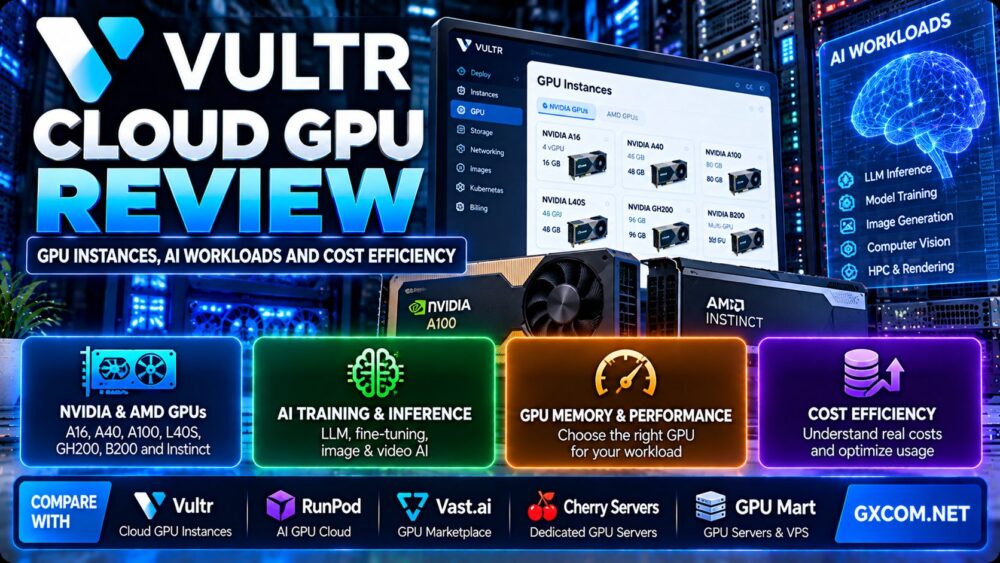
This Vultr Cloud GPU review examines GPU instance options, AI training and inference workloads, NVIDIA and AMD accelerator choices, deployment flexibility, and the real cost of GPU cloud computing. Vultr offers infrastructure for developers and businesses that need GPU acceleration without purchasing and maintaining physical hardware.
However, selecting a GPU cloud provider requires more than comparing advertised hourly prices. GPU memory, accelerator allocation, framework compatibility, data transfer, storage, utilization, and billing behavior can have a greater impact on the final cost of an AI project.
In this review, we explain where Vultr Cloud GPU fits, how to choose between GPU families, and when alternatives such as RunPod, Vast.ai, Cherry Servers, and GPU Mart deserve consideration.
Our evaluation is based on published product documentation, hardware characteristics, and practical infrastructure selection criteria. We have not independently benchmarked Vultr GPU instances, measured production inference throughput, or verified individual customer uptime.
Vultr Cloud GPU Review: Quick Verdict
Vultr Cloud GPU is worth considering for developers, AI startups, and enterprises that want GPU-accelerated virtual machines within a broader cloud infrastructure platform.
Its GPU portfolio includes options for virtual desktops, professional visualization, machine learning, inference, and demanding AI workloads. The platform also provides cloud networking, storage, deployment tools, and GPU-enabled operating system images.
The main advantage is the ability to combine GPU computing with conventional cloud infrastructure. The main challenge is selecting the right accelerator and controlling ongoing infrastructure costs.
| Evaluation Area | Assessment |
|---|---|
| Service category | GPU-accelerated cloud infrastructure |
| GPU vendors | NVIDIA and AMD |
| GPU examples | A16, A40, A100, L40S, GH200, B200 and AMD Instinct families |
| Primary workloads | AI inference, model training, visualization, HPC and VDI |
| Deployment | Cloud console, API, CLI and infrastructure automation |
| Software environment | GPU-enabled images and customer-configured environments |
| Billing | Hourly usage with GPU-specific monthly billing rules |
| Key strength | GPU resources integrated with a broader cloud platform |
| Key limitation | Availability, allocation models and costs vary by configuration |
What Is Vultr Cloud GPU?
Vultr Cloud GPU is a cloud computing service that provides GPU-accelerated virtual machine environments for workloads requiring parallel processing, graphics acceleration, or specialized AI computation.
Unlike a standard CPU-only cloud server, a GPU instance provides access to accelerator hardware that can execute suitable mathematical operations at high throughput.
Common use cases include:
- Large language model inference.
- Machine learning training and fine-tuning.
- Computer vision and image processing.
- Generative image and video workflows.
- Scientific computing.
- GPU-accelerated data analytics.
- Professional visualization.
- Virtual desktop infrastructure.
Vultr also offers conventional cloud compute, storage, networking, and bare metal services, allowing customers to build broader application architectures around GPU resources.
For a broader comparison of accelerator infrastructure, read our NVIDIA GPU server providers guide.
Vultr Cloud GPU Instances: NVIDIA and AMD Options
Vultr advertises several GPU families, but the available instance types differ in memory, architecture, virtualization, performance characteristics, and regional availability.
Customers should verify the exact hardware configuration and allocation model in the deployment console.
| GPU Family | Technical Focus | Potential Use Cases |
|---|---|---|
| NVIDIA A16 | Virtualized GPU and graphics workloads | VDI, visualization and selected inference workloads |
| NVIDIA A40 | Data-center graphics and compute | Visualization, rendering and AI applications |
| NVIDIA A100 | Tensor Core acceleration and high-bandwidth memory | Training, inference and scientific computing |
| NVIDIA L40S | Ada Lovelace AI and graphics acceleration | Inference, image generation, video and rendering |
| NVIDIA GH200 | Grace Hopper architecture | Memory-intensive AI and HPC applications |
| NVIDIA HGX B200 | Blackwell AI acceleration | Large-scale training and demanding inference |
| AMD Instinct | High-memory AI and HPC acceleration | ROCm-compatible inference, training and HPC |
GPU availability, memory allocations, supported deployment types, and regions can change. Not every listed GPU is available as an identical self-service virtual machine.
NVIDIA A16: Virtual Desktops and Graphics
NVIDIA A16 is designed around virtualized graphics and virtual desktop infrastructure.
Vultr's documentation describes vGPU configurations that can allocate portions of physical accelerator resources to virtual machines.
This makes A16 relevant for certain desktop, media and visualization scenarios.
However, customers should not assume that an A16 virtual GPU provides the same compute capabilities as a full A100 or newer high-end AI accelerator.
NVIDIA A40: Graphics and General GPU Compute
The NVIDIA A40 is a data-center GPU suitable for professional graphics, visualization and compatible GPU-accelerated applications.
Its memory capacity can be useful for selected model workloads, but architectural differences matter when comparing it with newer Tensor Core accelerators.
Check framework support and workload benchmarks before selecting it for AI training.
NVIDIA A100: Established AI Infrastructure
The NVIDIA A100 is an established accelerator for deep learning, high-performance computing and data processing.
It supports Tensor Core acceleration and technologies designed for parallel AI workloads.
A100 configurations can be relevant to model training, fine-tuning and inference, particularly when software compatibility and mature tooling are priorities.
However, an A100 instance is not automatically the best value for every model size or inference workload.
NVIDIA L40S: Inference, Rendering and Generative AI
NVIDIA L40S combines AI acceleration with professional graphics capabilities.
It is relevant to generative image applications, video processing, visualization and certain LLM inference workloads.
Its 48 GB physical GPU memory specification can be useful for models and applications that fit within that capacity.
Actual usable memory may depend on the virtualized instance configuration.
NVIDIA GH200 and B200: Advanced AI Workloads
Vultr also advertises advanced NVIDIA infrastructure, including Grace Hopper and Blackwell-based configurations.
These products target more demanding AI and high-performance computing environments.
However, buyers must distinguish between an individual GPU instance, a multi-GPU server, and a cluster deployment.
Hardware architecture, memory topology, interconnect bandwidth and deployment availability all influence suitability.
AMD Instinct: An Alternative AI Accelerator Ecosystem
Vultr's GPU portfolio also includes AMD Instinct products such as MI300X, MI325X and MI355X.
These accelerators are relevant to high-memory AI inference, training and HPC workloads.
The key consideration is software compatibility.
AMD workloads commonly use ROCm rather than NVIDIA's CUDA software ecosystem.
For a detailed comparison, read our AMD Instinct GPU server guide.
Shared GPU vs Dedicated GPU: What Are You Actually Renting?
GPU allocation is one of the most important technical details in this Vultr Cloud GPU review.
GPU hosting can involve virtual GPU allocation, passthrough access, or dedicated physical GPU infrastructure.
Virtual GPU Allocation
A virtual GPU allows compatible physical GPU resources to be partitioned or shared among virtual machines.

This can make GPU acceleration accessible for workloads that do not require a complete physical device.
However, virtualized GPU allocations may have different memory limits, driver requirements and performance characteristics from full-device access.
GPU Passthrough
GPU passthrough assigns a physical accelerator directly to a virtual machine.
This approach can provide more direct device access, although overall application performance still depends on CPU, memory, storage, drivers and workload design.
Dedicated Multi-GPU Infrastructure
Large model training and high-throughput inference may require multiple GPUs connected through high-bandwidth interconnects.
For these workloads, GPU-to-GPU communication and memory topology can matter as much as the individual accelerator model.
Do not compare a single virtual GPU with an eight-GPU training server using hourly price alone.
Vultr Cloud GPU for AI Inference
AI inference involves running a trained model to generate predictions, text, images, embeddings or other outputs.
Inference workloads differ substantially in model size, request concurrency, latency requirements and memory consumption.
Small and Medium Language Models
Smaller language models may run on relatively modest GPU configurations, particularly when quantization is supported.
However, memory requirements depend on the model architecture, precision, context length and inference engine.
A GPU with enough memory to load model weights may still lack sufficient headroom for key-value caches and concurrent requests.
Large Language Model Serving
Larger models may require higher-memory accelerators or multi-GPU deployments.
Important measurements include:
- Time to first token.
- Output tokens per second.
- Concurrent request capacity.
- GPU memory utilization.
- Prompt processing throughput.
- Latency at high request volumes.
A faster GPU may reduce processing time, but the cheapest configuration depends on actual throughput per dollar.
Image Generation
Diffusion models and image generation pipelines can benefit from GPU acceleration.
Vultr documents deployment workflows involving ComfyUI and GPU-enabled images.
GPU memory, image resolution, batch size and model architecture affect throughput.
Video AI and Multimodal Workloads
Video generation, computer vision and multimodal inference may involve high memory usage and substantial data movement.
For these applications, GPU memory, encoding capabilities, storage throughput and network transfer requirements should be evaluated together.
Vultr Cloud GPU for AI Training and Fine-Tuning
Training workloads can be more demanding than inference because they may require model parameters, gradients, optimizer states and intermediate activations to remain in accelerator memory.
Full Model Training
Training a large model from scratch can require multiple high-memory GPUs, substantial datasets and high-bandwidth communication between devices.
The cheapest hourly GPU is rarely the only relevant metric.
Training efficiency depends on utilization, scaling efficiency, checkpointing and time to completion.
LoRA and Parameter-Efficient Fine-Tuning
Parameter-efficient fine-tuning techniques can reduce the resources required to adapt certain pretrained models.
They may allow projects to use smaller GPU configurations than full-parameter training.
However, memory requirements still depend on model size, precision, batch size and implementation.
Distributed Training
Multi-GPU training introduces additional considerations:
- Interconnect bandwidth.
- GPU memory capacity.
- Network latency.
- Storage throughput.
- Checkpoint frequency.
- Distributed framework support.
- Communication overhead.
For additional background, see our NVIDIA GPU servers for AI training guide.
Vultr GPU-Enabled Images and Deployment Experience
Vultr provides GPU-enabled operating system images designed to simplify supported AI and machine learning deployments.
Its documentation describes preconfigured software environments for NVIDIA and AMD accelerators.
NVIDIA Software Stack
NVIDIA workloads typically rely on compatible drivers, CUDA libraries and framework builds.
Customers should verify that the selected image supports the accelerator and required software versions.
AMD ROCm Software Stack
AMD GPU-enabled images can include AMD drivers, ROCm components and container tools.
ROCm compatibility should be checked against the specific GPU and machine learning framework.
Deployment Methods
Vultr documents provisioning through its web console, API, command-line tools and Terraform.
This can be useful for developers who need repeatable infrastructure deployment.
Before launching a production environment, verify region availability, authentication settings, firewall rules and backup requirements.
Security Considerations
GPU servers often contain proprietary models, datasets, API credentials and application secrets.
Customers should restrict management access, use secure authentication, encrypt sensitive data and avoid exposing development notebooks directly to the public internet.
Vultr Cloud GPU Pricing: How Does Billing Work?
Vultr publishes hourly GPU pricing, but the total cost depends on the selected instance, runtime, storage, networking and optional services.
GPU products follow billing rules that differ from some ordinary cloud compute products.
Hourly GPU Billing
Vultr bills GPU instances by the hour and documents a GPU-specific monthly calculation based on a 730-hour model.
Customers should check the current billing documentation and live pricing page before assuming a particular monthly cap or total.
Stopping an Instance Does Not Stop Billing
This is one of the most important cost considerations.
Vultr states that a stopped instance continues to incur charges while resources remain allocated.
To stop the instance's compute billing, customers generally need to destroy it.
Destroying an instance deletes its associated data, so required files, models and checkpoints must be preserved beforehand.
Additional Infrastructure Costs
Depending on the architecture, additional charges may include:
- Persistent storage.
- Object storage.
- Snapshots and backups.
- Network transfer.
- Load balancing.
- Public IP resources.
- Additional CPU-only servers.
- Data preparation and storage pipelines.
Not every component is charged separately for every plan. The applicable price depends on the selected service.
Vultr GPU Cost Efficiency: Price per Useful Result
The most important economic question is not simply how much a GPU costs per hour.
It is how much useful work the GPU completes for that cost.
Cost per Million Tokens
For LLM inference, a useful metric is the infrastructure cost per million generated tokens.
Cost per million output tokens = Total relevant infrastructure cost / Output tokens generated × 1,000,000
This calculation should use actual measured throughput, including realistic request concurrency and idle periods.
Cost per Training Run
For model training, compare total completed-run cost:
Training run cost = Billable GPU hours × Effective hourly infrastructure rate + Other relevant costs
A faster GPU may have a higher hourly rate but finish the same job sooner.
Therefore, the lowest hourly price does not necessarily produce the lowest training cost.
Cost per Generated Image
Image generation workloads can be evaluated by dividing total infrastructure cost by the number of successfully generated images.
Include model loading, initialization, retries and idle time in the calculation.
GPU Utilization Matters
Low utilization increases the effective cost per result.
A server billed continuously while processing only a small number of requests may be less economical than an architecture designed around variable demand.
For further guidance, see our spot vs on-demand GPU servers comparison.
Hypothetical GPU Cost Comparison
The following example demonstrates why runtime and throughput matter more than hourly pricing alone.
| Metric | GPU Configuration A | GPU Configuration B |
|---|---|---|
| Illustrative hourly rate | $1.00 | $2.00 |
| Illustrative throughput | 100 units/hour | 300 units/hour |
| Cost for 3,000 units | $30.00 | $20.00 |
| Processing time | 30 hours | 10 hours |
All figures are hypothetical and do not represent current Vultr pricing or measured GPU benchmarks. The example excludes other infrastructure costs.
In this example, Configuration B costs more per hour but completes the workload at a lower total compute cost.
Real-world performance must be tested with the same model, precision, software stack and workload.
Vultr vs RunPod vs Vast.ai vs Cherry Servers vs GPU Mart
Vultr is one of several providers worth evaluating for GPU infrastructure.
RunPod, Vast.ai, Cherry Servers and GPU Mart represent different deployment and infrastructure approaches.
| Provider | Primary Comparison Angle | Best Evaluation Scenario |
|---|---|---|
| Vultr | GPU compute integrated with a broader cloud platform | Developers building GPU-backed cloud applications |
| RunPod | GPU workloads, pods and serverless-oriented deployment options | AI inference and development workflows |
| Vast.ai | GPU marketplace with varied hosts and configurations | Cost-sensitive users willing to compare individual offers |
| Cherry Servers | Dedicated infrastructure and GPU server options | Workloads needing greater hardware control |
| GPU Mart | GPU server and VPS-oriented products | Buyers comparing predefined GPU hosting configurations |
Vultr vs RunPod
RunPod is relevant for customers focused on AI development, GPU pods and serverless inference workflows.
Vultr may be more appealing when GPU compute needs to integrate closely with conventional cloud networking and other infrastructure services.
Compare GPU availability, deployment overhead, idle-time billing, persistent storage and measured inference cost.
Vultr vs Vast.ai
Vast.ai operates a GPU marketplace with infrastructure offered by different hosts.
This model can provide a broad range of hardware and pricing choices.
However, customers should examine host reliability, storage arrangements, networking and data security requirements.
Vultr offers a more conventional integrated cloud infrastructure environment.
Vultr vs Cherry Servers
Cherry Servers is worth evaluating for dedicated infrastructure and GPU server requirements.
Dedicated GPU hardware may be relevant for long-running workloads requiring predictable access to physical resources.
Vultr's cloud GPU approach may offer greater flexibility for workloads that benefit from virtual machine provisioning and integration with cloud services.
Vultr vs GPU Mart
GPU Mart offers GPU-oriented hosting products that may appeal to customers seeking specific server configurations.
Vultr provides a broader cloud infrastructure ecosystem with multiple GPU families.
Compare actual GPU allocation, VRAM, software compatibility, contract length, storage and total cost.
Vultr Cloud GPU Pros and Cons
Advantages
- Multiple NVIDIA and AMD accelerator families.
- Support for AI inference, training, visualization and HPC.
- GPU resources integrated with cloud networking and storage.
- GPU-enabled images for supported software environments.
- API and infrastructure automation options.
- Hourly billing model.
- Multiple GPU allocation and deployment models.
- Options for advanced multi-GPU infrastructure.
Limitations
- GPU availability differs by region and configuration.
- Virtual GPU and dedicated GPU access are not equivalent.
- Stopped instances continue to incur charges.
- Additional storage and network services can increase costs.
- Advanced accelerators may be unnecessary for smaller workloads.
- AMD ROCm and NVIDIA CUDA software compatibility differs.
- Customers remain responsible for workload optimization.
- Actual cost efficiency requires representative benchmarks.
Who Should Choose Vultr Cloud GPU?
Good Candidates
- Developers building AI-powered cloud applications.
- Startups deploying persistent inference services.
- Teams requiring GPU compute with conventional cloud infrastructure.
- Organizations experimenting with NVIDIA and AMD accelerators.
- Projects needing infrastructure automation.
- Businesses evaluating GPU-accelerated visualization or analytics.
Who Should Consider Alternatives?
- Users seeking only the lowest advertised GPU hourly rate.
- Workloads requiring a GPU unavailable in the desired region.
- Projects needing a specialized managed inference API rather than infrastructure.
- Teams unable to manage GPU drivers, frameworks or deployment security.
- Workloads requiring guaranteed dedicated physical hardware under specific contract terms.
Vultr Cloud GPU Buying Checklist
- Identify whether the workload is inference, training, rendering or HPC.
- Estimate GPU memory requirements.
- Check CUDA or ROCm compatibility.
- Confirm GPU model and allocation type.
- Verify regional availability.
- Calculate CPU, RAM and storage requirements.
- Review networking and data transfer needs.
- Check GPU billing and stopped-instance policies.
- Plan for snapshots and persistent data.
- Measure actual application throughput.
- Calculate cost per useful result.
- Compare alternative GPU hosting providers.
- Set budget alerts and monitor resource utilization.
Frequently Asked Questions
Is Vultr Cloud GPU good for AI?
Vultr Cloud GPU is worth considering for AI inference, training and development workloads. Suitability depends on GPU memory, framework compatibility, regional availability and total cost.

Does Vultr offer NVIDIA GPUs?
Yes. Vultr advertises NVIDIA GPU options including A16, A40, A100, L40S and advanced GPU infrastructure.
Does Vultr offer AMD GPUs?
Yes. Vultr advertises AMD Instinct GPU infrastructure, including MI300X-family products and newer configurations.
Can Vultr Cloud GPU run large language models?
Yes, when the selected GPU configuration has sufficient memory and compatible software. Model size, quantization, context length and concurrency determine requirements.
Does Vultr support GPU model training?
Yes. Vultr offers GPU infrastructure suitable for supported machine learning training and fine-tuning workloads.
Does Vultr charge for stopped GPU instances?
Yes. Vultr states that stopped instances continue to incur charges while allocated resources are retained.
Does Vultr provide GPU-enabled images?
Yes. Vultr documents preconfigured GPU-enabled images for supported NVIDIA and AMD environments.
Is Vultr cheaper than RunPod?
Neither provider is universally cheaper. Compare the same GPU allocation, workload throughput, storage, networking and billable runtime.
Is Vultr better than Vast.ai?
Vultr offers integrated cloud infrastructure, while Vast.ai operates a marketplace with different host offerings. The better choice depends on cost, operational requirements and workload constraints.
How can I reduce Vultr GPU costs?
Choose the smallest suitable GPU, improve utilization, measure cost per completed task, remove unused resources safely, and monitor additional storage and network charges.
Final Verdict: Is Vultr Cloud GPU Worth It?
Our Vultr Cloud GPU review finds that the platform offers a useful range of NVIDIA and AMD GPU infrastructure for AI inference, machine learning, visualization and high-performance computing.
Its main appeal is the combination of GPU acceleration, conventional cloud services and infrastructure automation.
However, buyers should carefully evaluate GPU allocation models, memory capacity, software compatibility, regional availability and ongoing billing rules.
For AI workloads, the most meaningful purchasing metric is not the advertised hourly GPU price. It is the total cost of completing the required work at an acceptable performance and reliability level.
Compare Vultr with RunPod, Vast.ai, Cherry Servers and GPU Mart using representative application tests before committing to a production deployment.
WORKLOAD → GPU MEMORY → SOFTWARE COMPATIBILITY → THROUGHPUT → UTILIZATION → TOTAL COST → GPU DECISION