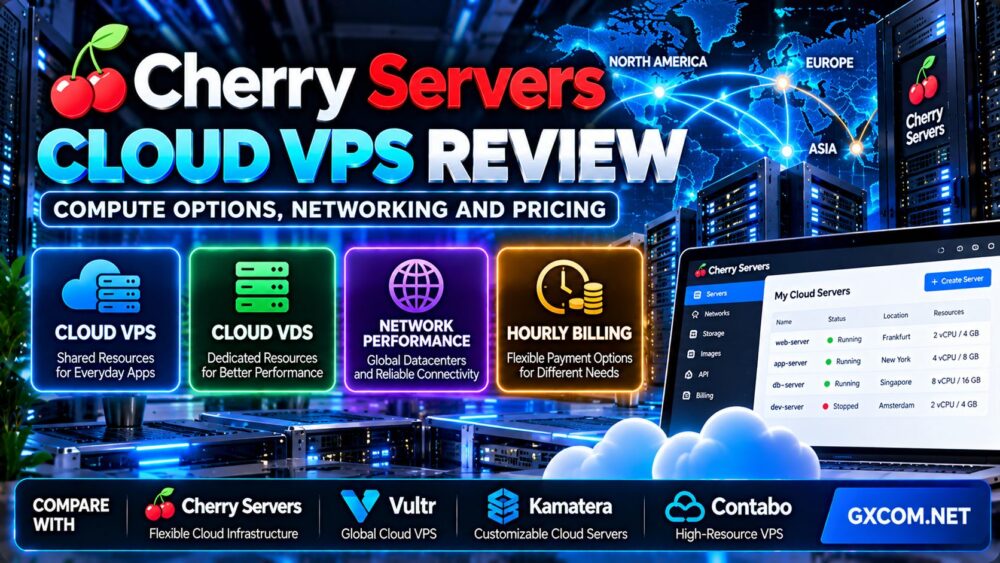
This Cherry Servers Cloud VPS review examines the provider's virtual server options, shared versus dedicated computing resources, network capabilities, pricing structure, and practical limitations. We also compare Cherry Servers with other cloud VPS providers to help developers, website owners, and businesses choose the right infrastructure.
Cherry Servers is known for cloud infrastructure and bare metal hosting, but its virtual server portfolio deserves separate attention. Rather than offering only a conventional shared-resource VPS, the company provides several virtual server families designed for different performance and storage requirements.
That flexibility can be useful. However, it also means buyers must understand the differences between Cloud VPS, Cloud VDS, Premium VDS, and Performance VDS before choosing a plan.
Editorial note: This review was prepared in October 2026 using Cherry Servers' official product listings and technical documentation. GXCOM.NET has not independently benchmarked the provider's servers or conducted a long-term uptime test. Pricing, availability, and specifications may change. Some provider mentions may be affiliate-linked.
Cherry Servers Cloud VPS Review: Quick Verdict
Cherry Servers is worth considering for customers who want a choice between affordable shared-resource VPS hosting and more predictable dedicated-resource virtual servers.
Its strongest selling points include multiple compute families, KVM virtualization, automated deployment, API-based management, configurable billing options, and a broader infrastructure portfolio for projects that may eventually require dedicated hardware.
The most important consideration is choosing the correct product family. An inexpensive Cloud VPS and a dedicated-resource Cloud VDS serve different purposes, even if both are virtual machines.
| Evaluation Area | Assessment |
|---|---|
| Virtualization | KVM-based virtual servers |
| Compute options | Shared-resource VPS and dedicated-resource VDS families |
| Storage choices | SSD, NVMe, and storage-focused configurations depending on product |
| Deployment | Automated provisioning; provider advertises approximately three minutes on average |
| Management | Web interface, CLI, and API |
| Billing | Hourly and fixed-term options, subject to product availability |
| Networking | Plan-specific bandwidth allowances and optional network services |
| Support | 24/7 technical support advertised |
| Best suited to | Developers, small businesses, and infrastructure-focused teams |
| Key limitation | Different plans have substantially different resource and network characteristics |
What Is Cherry Servers Cloud VPS?
Cherry Servers Cloud VPS is a virtual server service based on Kernel-based Virtual Machine (KVM) virtualization. It allows customers to deploy operating systems and applications without purchasing or maintaining physical server hardware.
Customers receive an isolated virtual machine environment with allocated compute, memory, and storage resources. However, the underlying physical hardware and resource-sharing model depend on the selected product.
For smaller websites, development projects, and lightweight APIs, a shared-resource Cloud VPS may be sufficient. More demanding applications may benefit from dedicated-resource virtual servers.
Understanding the infrastructure model is essential. Read our cloud hosting vs VPS comparison for a broader explanation of virtualization, scalability, and hosting architecture.
Cherry Servers Compute Options Compared
One of the provider's main advantages is its range of virtual server products. These should not be treated as interchangeable.
Cloud VPS: Shared Resources for Everyday Applications
Cloud VPS is the entry-level virtual server category. It uses shared underlying hardware resources and is intended for relatively modest workloads.
Potential applications include:
- Small websites and blogs.
- Development and staging environments.
- Lightweight APIs and application backends.
- Testing containers and deployment scripts.
- Small monitoring services.
Cherry Servers lists both original and second-generation Cloud VPS configurations. Specifications, bandwidth allowances, and regional availability can differ between generations.
For example, its published Cloud VPS 2 configuration lists two vCores, 2 GB RAM, 40 GB SSD storage, and a 1 Gbps uplink. The current plan page must be checked for its specific traffic allowance and regional availability.
Shared resources are appropriate for many light applications, but they should not be confused with guaranteed dedicated physical CPU capacity.
Storage VPS: Capacity-Oriented Virtual Servers
Storage VPS configurations prioritize disk capacity rather than maximizing CPU performance.
They may be relevant for applications that require larger storage volumes but relatively modest processing resources.
However, storage capacity is not the same as storage speed. Some published configurations use HDD storage with SSD caching, making them different from NVMe-oriented compute plans.
Customers running latency-sensitive databases should evaluate random I/O performance, not simply the number of terabytes included.
Cloud VDS: Dedicated Computing Resources
Cloud VDS is designed for customers seeking dedicated underlying compute resources within a virtualized environment.
Cherry Servers advertises Cloud VDS configurations with dedicated physical core allocations and NVMe storage.
This distinction may matter for applications with sustained CPU demand, including:
- Dynamic business websites.
- Database-backed applications.
- Moderately sized Kubernetes deployments.
- Application servers with continuous background tasks.
- Services requiring more predictable compute allocation.
Dedicated-resource virtual servers can reduce some uncertainty associated with shared CPU scheduling. Nevertheless, performance still depends on processor generation, clock speed, storage, application design, and other factors.
Premium VDS: Higher-Performance Virtual Machines
Premium VDS is another dedicated-resource option positioned toward stronger compute and memory performance.
It is worth investigating when a workload requires more than a basic shared-resource VPS but does not justify an entire physical server.
Compare actual CPU models, physical core allocations, memory, storage, and network specifications before selecting this family.
Performance VDS: Compute-Intensive Workloads
Performance VDS targets applications that benefit from stronger CPU performance.
Published product listings include higher-performance processor configurations and NVMe storage, although exact specifications depend on the generation and selected plan.
These configurations may be suitable for compute-intensive applications, but buyers should benchmark their own workload before assuming a particular performance advantage.
Cherry Servers Cloud VPS vs Cloud VDS: Which Should You Choose?
| Factor | Cloud VPS | Cloud VDS |
|---|---|---|
| Underlying CPU resources | Shared | Dedicated allocations |
| Typical positioning | Budget-friendly general workloads | More demanding sustained workloads |
| Storage | SSD on listed standard plans | NVMe on listed VDS plans |
| Suitable applications | Blogs, testing, lightweight APIs | Dynamic applications, databases, heavier services |
| Cost structure | Generally lower entry cost | Higher cost for dedicated resources |
| Primary buying criterion | Affordable virtual server capacity | More predictable compute resources |
The best choice depends on the workload rather than the product name.
A lightly visited website may perform perfectly well on a Cloud VPS. A busy application with expensive database queries may benefit from a dedicated-resource configuration.
Before upgrading, investigate inefficient application code, memory pressure, database bottlenecks, and disk activity.
Cherry Servers CPU Performance: What Should You Expect?
Cherry Servers publishes CPU allocations and other specifications for its virtual server products, but advertised vCore counts alone cannot establish real-world performance.
For example, four shared vCores on one processor generation are not necessarily equivalent to four vCores backed by dedicated physical resources on another generation.
Shared CPU Performance
Shared-resource virtual machines may experience performance variation when underlying infrastructure is handling competing workloads.

This does not make shared VPS hosting unsuitable. It simply means customers should understand the workload's tolerance for performance variability.
Dedicated CPU Performance
Dedicated-resource VDS plans are designed to provide a more defined allocation of underlying compute resources.
They may be attractive for applications that sustain CPU usage over longer periods.
However, a dedicated allocation does not eliminate application-level bottlenecks or guarantee a particular benchmark score.
Recommended CPU Testing Method
A useful comparison should record:
- Exact server product and region.
- Processor model and allocated resources.
- Operating system and software versions.
- Single-thread and multi-thread performance.
- Sustained CPU behavior over time.
- Performance variation during repeated test windows.
- Actual application response times.
Run benchmarks only on servers you own or are authorized to test, and respect the provider's acceptable use rules.
Testing transparency: GXCOM.NET has not independently verified Cherry Servers CPU benchmark scores for this review.
Cherry Servers Storage Performance: SSD vs NVMe
Storage performance is another important difference between Cherry Servers product families.
Standard Cloud VPS listings include SSD storage, while several dedicated-resource VDS products advertise NVMe storage.
Storage VPS configurations may emphasize larger HDD capacity with caching.
Why NVMe Matters
NVMe storage can offer advantages for workloads involving frequent random I/O operations, but actual performance depends on the underlying hardware and virtualization environment.
Applications that may benefit include databases, search indexes, and transaction-heavy services.
How to Evaluate Storage
Measure sequential throughput, random read/write performance, latency, and sustained behavior.
Do not compare providers using storage capacity alone.
A server with more disk space can still be a poor fit for an I/O-sensitive application if its latency and random I/O performance are insufficient.
Cherry Servers Network Review: Bandwidth, Latency and Routing
Cherry Servers advertises multiple datacenter locations and virtual server networking features, including private networking options, floating IP addresses, and DDoS-related services.
These capabilities are relevant for customers operating applications across different regions or requiring more advanced network arrangements.
Datacenter Locations
The provider's virtual server pricing interface lists locations across Europe, North America, and Asia, including options associated with Lithuania, the Netherlands, the United States, Singapore, Sweden, Germany, and Japan.
However, not every product family is available in every region.
Customers should check the current location filter for the exact plan they intend to deploy.
Understanding the 1 Gbps Network Port
Many published Cloud VPS configurations list a 1 Gbps uplink.
This represents an advertised interface capacity, not a guarantee that every internet destination will receive 1 Gbps of throughput.
Actual performance depends on the remote endpoint, congestion, routing, packet loss, protocol overhead, and server resources.
Monthly Transfer Allowances
Cherry Servers includes traffic allowances with its virtual server products. Its documentation explains that Cloud VPS usage accounting focuses on outbound transfer.
Traffic allowances vary by product and generation, so buyers should verify the selected plan rather than assuming all Cloud VPS instances have identical limits.
For example, some current second-generation listings show a different included transfer allowance from earlier-generation plans.
How to Test Network Quality
- Select the target server location.
- Measure latency from your primary customer regions.
- Test packet loss and route stability.
- Compare peak-hour and off-peak performance.
- Measure sustained application throughput.
- Review outbound traffic usage against the plan allowance.
- Check whether optional network services add costs.
Do not select a region solely because it appears geographically closest. Internet routing and the audience's ISP can materially affect performance.
Cherry Servers Pricing: Hourly vs Monthly vs Annual Billing
Pricing flexibility is an important part of this Cherry Servers Cloud VPS review.
Cherry Servers advertises hourly billing and fixed-term payment options for virtual servers, including monthly and annual arrangements where available.
This allows customers to evaluate different cost structures based on the expected lifetime of a workload.
Hourly Billing
Hourly billing may suit temporary environments, short development projects, and infrastructure experiments.
However, customers must confirm when billing starts and stops, how suspended resources are charged, and whether additional services remain billable after a virtual machine is deleted.
Monthly Billing
Monthly billing can be easier to budget for applications that remain online continuously.
It may be appropriate for production websites, business applications, and other stable workloads.
Annual Billing
Longer fixed-term commitments may provide a lower effective monthly cost on eligible products.
The trade-off is reduced flexibility if the workload changes or the service no longer meets requirements.
Hypothetical Cost Calculation
Consider a fictional virtual server priced at $0.04 per hour.
| Usage Scenario | Illustrative Cost |
|---|---|
| 24 hours | $0.96 |
| 100 hours | $4.00 |
| 730 hours | $29.20 |
This example is hypothetical and does not represent an actual Cherry Servers quotation.
Compare the estimated hourly total with the actual monthly or annual checkout amount before committing.
Watch for Additional Infrastructure Costs
Depending on the configuration, total spending may also include:
- Additional block storage.
- Backup storage.
- Floating IP addresses.
- Load balancing services.
- Additional network traffic.
- Other optional infrastructure services.
Not every item applies to every deployment. Confirm which services are included and which are separately billed.
For broader purchasing options, see our affordable cloud VPS deals comparison.
Cherry Servers API, Automation and Deployment
Cherry Servers provides tools for deploying and managing infrastructure through its web interface, CLI, and API.
This is useful for development teams that want repeatable infrastructure provisioning rather than configuring every server manually.
Automated Provisioning
The provider advertises automated virtual server deployment, with an average provisioning time of approximately three minutes.
This is a provider-reported average, not an independently verified deployment guarantee.
Cloud-Init
Cherry Servers documents cloud-init functionality for supplying configuration data when provisioning supported Cloud VPS instances through its API.
Cloud-init can help automate tasks such as initial configuration and application setup.
Scaling a Cloud VPS
The provider documents an upgrade path from a Cloud VPS to a higher-tier configuration.
Although the platform describes upgrades without data loss, important production data should always be backed up before resource changes.
Customers should also verify whether resizing requires downtime and whether the desired destination plan is available.
Is Cherry Servers Cloud VPS Good for WordPress?
Cherry Servers Cloud VPS can host WordPress when the virtual machine has adequate resources and the required software stack is installed.
A typical deployment may require Linux, a web server, PHP, a database, TLS certificates, backups, monitoring, and regular security updates.
For technically experienced users, this can provide flexibility and control.
For customers who want application management handled by a hosting provider, a managed WordPress service may be more convenient.
Our managed vs unmanaged hosting guide explains the responsibilities involved.
Cherry Servers Cloud VPS vs Bare Metal Servers
Cherry Servers also offers dedicated physical servers, but those products should be evaluated separately from its Cloud VPS range.
A Cloud VPS provides virtualized resources on shared infrastructure. A dedicated bare metal server provides access to an entire physical machine.
Cloud VDS occupies a different position by offering dedicated underlying resource allocations within a virtualized server environment.
| Factor | Cloud VPS | Cloud VDS | Bare Metal |
|---|---|---|---|
| Compute model | Shared virtual resources | Dedicated resource allocation in a VM | Entire physical server |
| Deployment model | Virtual machine | Virtual machine | Physical hardware |
| Typical workload | Lightweight applications | More demanding applications | High-resource or specialized workloads |
| Hardware control | Limited | Limited by virtualization | Greater hardware-level control |
| Primary consideration | Cost and flexibility | Predictable compute allocation | Dedicated hardware requirements |
For projects evaluating physical infrastructure, read our bare metal server comparison.
Cherry Servers vs Vultr vs Kamatera vs Contabo
Cherry Servers competes with other cloud infrastructure providers, but the best choice depends on the workload, required resources, region, and billing model.
Three alternatives worth considering are Vultr, Kamatera, and Contabo.
| Provider | Primary Comparison Angle | Suitable Evaluation Scenario |
|---|---|---|
| Cherry Servers | Shared VPS, dedicated-resource VDS, and broader infrastructure options | Customers comparing multiple compute models |
| Vultr | Cloud compute platform and regional deployment options | Applications requiring configurable cloud infrastructure |
| Kamatera | Customizable cloud server configurations | Projects seeking flexible resource combinations |
| Contabo | Resource-oriented VPS offerings | Customers prioritizing RAM, storage, and overall resource value |
Cherry Servers vs Vultr
Vultr is a relevant alternative for developers evaluating cloud compute products and regional infrastructure.
Cherry Servers is worth investigating when its specific shared VPS and dedicated-resource VDS product families match the workload.
Compare equivalent compute allocations, storage technology, bandwidth, management tools, and actual billing terms.
Cherry Servers vs Kamatera
Kamatera may appeal to customers seeking configurable cloud server resources.
Cherry Servers provides clearly differentiated virtual server families, which can help customers choose between shared and dedicated resource models.
The best option depends on the required configuration and the total cost of operating it.
Cherry Servers vs Contabo
Contabo is worth investigating for resource-oriented VPS packages.
However, larger advertised RAM or storage allocations do not necessarily indicate better application performance.
Compare CPU allocation, storage latency, network quality, and resource policies before choosing.
Cherry Servers Pros and Cons
Advantages
- Multiple virtual server families for different workloads.
- Shared-resource and dedicated-resource computing options.
- KVM virtualization.
- Automated server deployment.
- UI, CLI, and API management.
- Hourly and fixed-term billing choices on eligible products.
- SSD and NVMe options across different product families.
- Regional infrastructure and optional networking services.
- Potential upgrade path toward more demanding infrastructure.
Limitations
- Product families have different CPU and storage characteristics.
- Some locations or configurations may be unavailable.
- Bandwidth allowances vary by product and generation.
- Optional services can increase total spending.
- Shared CPU resources may not suit sustained compute-heavy workloads.
- Self-managed deployments require system administration skills.
- Advertised deployment times and uptime commitments are not independently verified here.
- Higher-performance VDS plans may cost more than basic cloud VPS offerings.
Who Should Choose Cherry Servers Cloud VPS?
Good Candidates
- Developers deploying Linux applications.
- Small businesses needing virtual servers.
- Teams using infrastructure automation.
- Projects that may need to move from shared to dedicated compute resources.
- Customers comparing hourly and fixed-term infrastructure costs.
- Technical users comfortable managing operating systems and applications.
Who Should Consider Alternatives?
- Beginners requiring fully managed application hosting.
- Customers seeking a particular region unavailable for their chosen plan.
- Applications needing specialized physical hardware control.
- Buyers who need guaranteed performance metrics not established by their own testing.
- Projects whose budget cannot accommodate optional storage or networking costs.
Cherry Servers Cloud VPS Buying Checklist
- Define your application and expected workload.
- Choose between Cloud VPS, Storage VPS, and dedicated-resource VDS.
- Verify the exact CPU allocation and processor generation.
- Check RAM and storage capacity.
- Confirm SSD, NVMe, or HDD storage technology.
- Select an available region close to your actual audience.
- Check included outbound transfer and network port speed.
- Compare hourly, monthly, and annual billing.
- Include optional backup and networking services in your budget.
- Review the service-level agreement and refund terms.
- Plan system administration and security maintenance.
- Benchmark the application after deployment.
For additional managed cloud infrastructure alternatives, explore our managed cloud hosting comparison.

Frequently Asked Questions
Is Cherry Servers Cloud VPS good?
Cherry Servers is worth considering for customers who want KVM-based virtual servers, multiple compute families, automation tools, and different billing options. Suitability depends on the specific plan and workload.
What is the difference between Cloud VPS and Cloud VDS?
Cloud VPS uses shared underlying resources, while Cloud VDS offers dedicated resource allocations within a virtualized environment.
Does Cherry Servers use KVM virtualization?
Yes. Cherry Servers identifies KVM as the virtualization technology used for its virtual servers.
Does Cherry Servers offer hourly billing?
Yes. The provider advertises hourly billing alongside fixed-term options, subject to product and billing availability.
Does Cherry Servers include bandwidth?
Virtual server plans include traffic allowances, but the amounts vary by product and generation. Check the selected plan's current terms.
Can I upgrade a Cherry Servers Cloud VPS?
The provider documents upgrades to higher Cloud VPS tiers. Confirm the destination plan's availability, downtime implications, and backup requirements before proceeding.
Is Cherry Servers Cloud VPS suitable for WordPress?
Yes, provided the server has sufficient resources and the customer configures and maintains the required WordPress software environment.
Does Cherry Servers offer NVMe storage?
Yes. NVMe storage is listed on several dedicated-resource virtual server products. Standard Cloud VPS and storage-focused plans may use different technologies.
Is Cherry Servers better than Vultr?
Neither is universally better. Compare equivalent resources, available regions, network performance, management tools, and total cost.
Should I choose Cherry Servers Cloud VPS or bare metal?
Choose Cloud VPS for lightweight virtualized workloads, consider Cloud VDS for dedicated resource allocation, and evaluate bare metal when entire physical server access is necessary.
Final Verdict: Is Cherry Servers Cloud VPS Worth It?
Our Cherry Servers Cloud VPS review finds that the provider offers a useful range of virtual server options for customers who want more choice than a basic shared-resource VPS.
Cloud VPS can suit lightweight websites, development environments, and smaller applications. Cloud VDS and higher-performance virtual server families may be more appropriate when predictable compute resources and stronger hardware configurations become important.
The main buying decision is not whether Cherry Servers is universally faster or cheaper than its competitors. It is whether the selected compute model, region, networking package, and billing structure fit your workload.
Compare the exact configuration with suitable alternatives such as Vultr, Kamatera, and Contabo. Verify the checkout terms and test the application before making a long-term commitment.
WORKLOAD → COMPUTE MODEL → CPU & STORAGE → NETWORK → BILLING → TOTAL COST → DEPLOYMENT DECISION