


Redis Object Cache vs Page Cache: Which Makes WordPress Faster?
Caching is one of the most effective ways to improve WordPress performance, but not every caching method solves the same problem. Redis object caching and page caching operate at different layers of the application. Understanding…

WordPress Two-Factor Authentication: How to Secure Admin Logins
A strong password is important, but it may not be enough to protect your WordPress administrator account. Phishing, credential reuse, and stolen passwords can allow attackers to access websites even when the password itself appears…

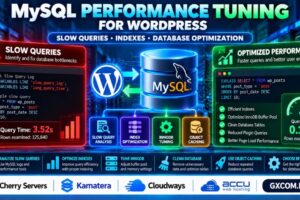
MySQL Performance Tuning for WordPress: Slow Queries, Indexes and Database Optimization
A WordPress website can have fast hosting and still suffer from slow page loads when MySQL queries become inefficient. Large database tables, missing indexes, expensive plugins, and insufficient database memory can increase response times. Effective…

How to Protect WordPress from Malware: Detection, Cleanup and Prevention
A hacked WordPress website can redirect visitors to suspicious pages, inject spam links, display unfamiliar advertisements, or expose sensitive information. Some infections remain hidden until search engines or security tools detect them. Effective WordPress malware…
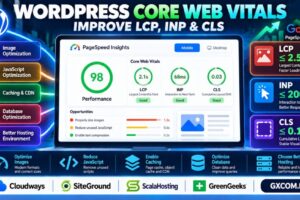
How to Improve WordPress Core Web Vitals: LCP, INP and CLS Optimization
A WordPress website can look fast on your computer but still deliver a frustrating experience to real visitors. Large hero images, heavy JavaScript, unstable layouts, and slow server responses can all affect Google’s Core Web…


SSH Brute Force Protection: How to Detect and Block Login Attacks on Linux
Thousands of automated bots scan internet-facing Linux servers for exposed SSH services. Once they find port 22 open, they may repeatedly attempt usernames and passwords to gain unauthorized access. Effective SSH brute force protection starts…

WordPress Schema Markup Guide: How to Add Structured Data for Google
Want to help Google better understand your WordPress content? WordPress schema markup adds structured information about articles, organizations, breadcrumbs, products, and other page elements. Schema markup can make eligible pages easier for search engines to…

Wildcard SSL vs Multi-Domain SSL: Which Certificate Do You Need?
Choosing between a Wildcard SSL certificate and a Multi-Domain SSL certificate can be confusing, especially when you manage multiple websites, subdomains, or cloud applications. Both certificates secure HTTPS connections, but they differ in hostname coverage,…


XML Sitemap vs Robots.txt: How to Control Google Crawling and Indexing
Should you use an XML sitemap or robots.txt to control how Google discovers and accesses your website? Both are essential technical SEO tools, but they perform very different functions. An XML sitemap helps search engines…

HTTP to HTTPS Redirect Guide: Fix Redirect Loops and Mixed Content
Switching from HTTP to HTTPS is essential for protecting website connections, but an incorrect redirect can cause ERR_TOO_MANY_REDIRECTS, broken pages, or mixed content warnings. This HTTP to HTTPS redirect guide explains how to configure permanent…
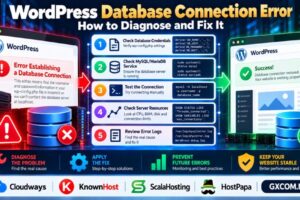
WordPress Database Connection Error: How to Diagnose and Fix It
Seeing “Error Establishing a Database Connection” on your WordPress website? This message usually means WordPress cannot connect to its MySQL or MariaDB database. The cause may be incorrect database credentials, an unavailable database server, exhausted…

How to Monitor Server Performance: CPU, RAM, Disk I/O and Network Metrics
Is your server running slowly, consuming too much memory, or struggling during traffic spikes? Effective server performance monitoring helps you identify whether CPU, RAM, disk I/O, or network activity is responsible. Without reliable metrics, upgrading…
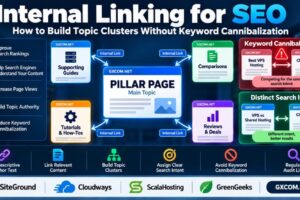
Internal Linking for SEO: How to Build Topic Clusters Without Keyword Cannibalization
Internal linking is one of the most practical ways to improve website navigation, help search engines discover related content, and organize pages around clear topics. However, adding links without a strategy can create confusing site…

Let’s Encrypt SSL Auto-Renewal Failed: How to Diagnose and Fix It
Did your Let’s Encrypt SSL auto-renewal fail? An expired certificate can trigger browser security warnings, interrupt HTTPS connections, and undermine visitor trust. Common causes include failed ACME challenges, incorrect DNS records, blocked ports, broken Certbot…

Dedicated Server Backup Strategy: 3-2-1 Backups, Snapshots and Disaster Recovery
A dedicated server gives you control over hardware resources, applications, and data. But what happens if its storage fails, a database becomes corrupted, or ransomware encrypts your files? Without a reliable dedicated server backup strategy,…