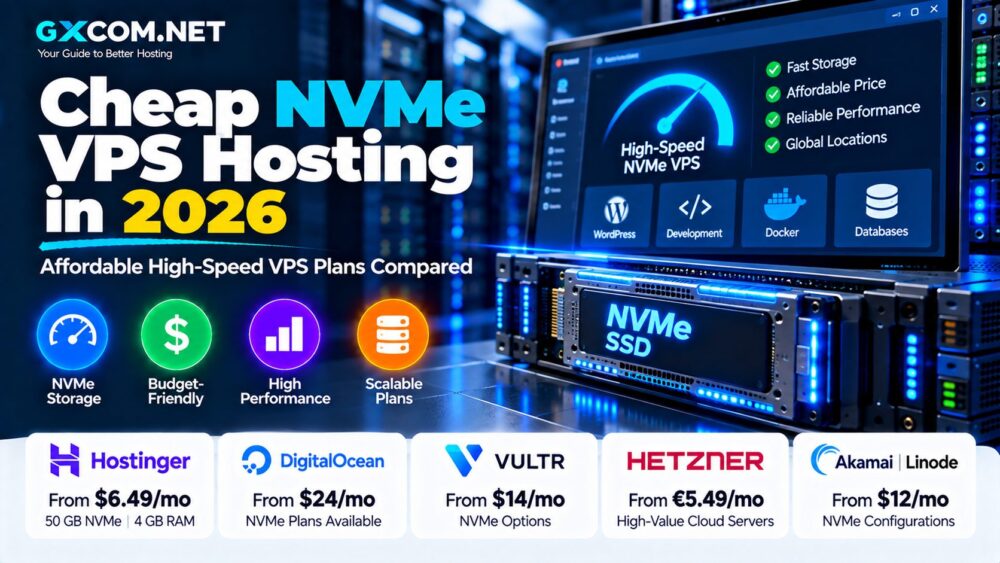
NVMe storage has become an important feature in modern VPS hosting, especially for databases, WordPress websites, ecommerce stores, Docker workloads and applications that frequently read or write data.
But choosing the Best NVMe VPS Hosting in 2026 requires more than finding a provider that puts “NVMe” on its pricing page. CPU performance, RAM, storage capacity, virtualization, bandwidth, backups and renewal pricing can matter just as much as the storage interface.
This guide compares leading NVMe VPS options and explains when faster storage can actually improve server performance.
Pricing and specifications checked in September 2026. VPS promotions, hardware, regions and renewal prices can change. Always verify the current configuration with the provider before purchasing.
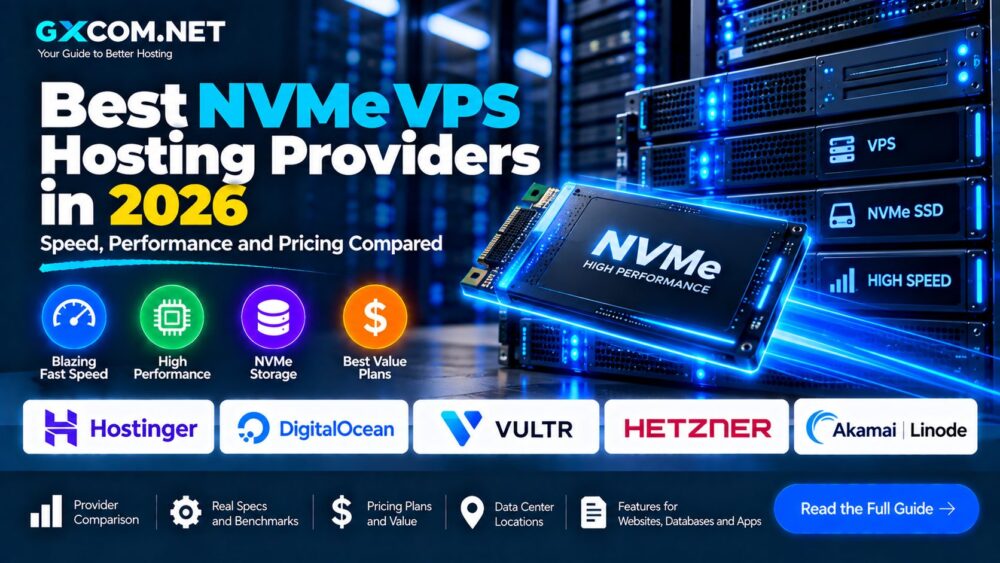
Best NVMe VPS Hosting 2026: Quick Comparison
| Provider | NVMe Availability | Example Pricing | Best For |
|---|---|---|---|
| Hostinger | All current KVM VPS plans | From $6.49/mo promo | Value and large NVMe allocations |
| DigitalOcean | Premium and specialized Droplets | Depends on Droplet family | Developers and cloud workloads |
| Vultr | Selected compute products | Varies by compute family | Global cloud deployments |
| Hetzner | Selected server infrastructure | Region and product dependent | Value-focused infrastructure |
| Akamai / Linode | Product and region dependent | Varies by compute plan | Cloud applications |
NVMe availability can vary by product family and location. Do not assume every VPS offered by a provider uses NVMe storage.
What Is NVMe VPS Hosting?
NVMe stands for Non-Volatile Memory Express. It is a storage protocol designed specifically for modern solid-state drives connected through PCI Express.
Traditional SATA SSDs were a major improvement over mechanical hard drives, but the SATA interface was originally designed around older storage technology. NVMe was built for flash storage and can process many operations in parallel.
An NVMe VPS combines virtual-server resources with NVMe-based storage.
Typical VPS resources include:
- Virtual CPU cores
- RAM
- NVMe storage
- Network bandwidth
- Public IP addresses
- Root or administrator access
NVMe can reduce storage latency and increase I/O throughput, but it does not automatically make every VPS faster in every workload.
1. Hostinger – Affordable KVM VPS with NVMe Storage
Hostinger is one of the clearest examples of a mainstream VPS provider currently using NVMe storage across its KVM VPS lineup.
Its entry KVM 1 plan is currently advertised at $6.49 per month and includes:
- 1 vCPU core
- 4 GB RAM
- 50 GB NVMe storage
- 4 TB bandwidth
- AMD EPYC processors
- 1 Gbps network
- Weekly backups
The KVM 2 configuration currently costs $8.99 per month during the promotional term and increases resources to 2 vCPU cores, 8 GB RAM, 100 GB NVMe storage and 8 TB bandwidth.
Larger plans scale to 200 GB and 400 GB of NVMe storage.
The major pricing caveat is renewal cost. The current KVM 1 promotional price renews at $11.99 per month for the applicable two-year renewal period, while KVM 2 renews at $14.99 per month.
Best for: users looking for relatively large RAM and NVMe allocations at an affordable introductory price.
2. DigitalOcean – Premium NVMe Cloud VPS for Developers
DigitalOcean requires more careful comparison because not every Droplet uses NVMe.
Its low-cost Regular Basic Droplets use SSD storage. DigitalOcean's Premium configurations and specialized Droplet families provide NVMe storage.
For example, DigitalOcean states that Premium variants of CPU-Optimized and General Purpose Droplets use NVMe SSDs. Memory-Optimized Droplets also use NVMe, while Storage-Optimized Droplets are specifically designed around high-performance NVMe storage.
DigitalOcean describes its Storage-Optimized NVMe implementation as capable of disk performance significantly above its regular SSD storage for appropriate workloads.
Storage-Optimized plans currently begin at:
- 2 vCPUs
- 16 GiB RAM
- 300 GiB NVMe storage
- 4,000 GiB transfer
- $131 per month
This is clearly not a budget VPS. It targets storage-intensive applications rather than small websites.
Best for: developers and businesses that need cloud infrastructure with workload-specific NVMe configurations.
3. Vultr – NVMe Options with Global Cloud Infrastructure
Vultr offers multiple compute families across a large international infrastructure footprint. Selected compute products use NVMe storage, making the platform relevant for users who want both fast storage and geographic deployment flexibility.
The important point is to check the exact product rather than assuming every Vultr instance has identical storage.
Vultr's broader platform also provides:
- Multiple compute families
- Linux operating systems
- Snapshots
- Backups
- Private networking
- Cloud firewall
- API automation
- Multiple global locations
Vultr can be particularly useful when applications need to be deployed closer to users across multiple regions.
Best for: geographically distributed cloud applications where NVMe is one part of a broader infrastructure requirement.
4. Hetzner – Performance-Focused Infrastructure for Value Seekers
Hetzner is frequently considered by developers looking for strong server resources at competitive prices.
Its product portfolio includes cloud and server infrastructure using modern solid-state storage, although the exact storage technology depends on the product family and configuration.
Hetzner is especially attractive for users running:
- Web applications
- Databases
- Docker workloads
- Development environments
- Self-hosted services
Pricing can vary by server type, architecture and location. Hetzner also adjusted cloud pricing in June 2026, making older comparison articles potentially inaccurate.
When NVMe is a hard requirement, verify that the specific instance you are ordering explicitly lists NVMe rather than relying on a general provider-level claim.
Best for: technically experienced users focused on infrastructure value.
5. Akamai Cloud / Linode – Flexible Compute for Cloud Workloads
Akamai's Linode compute platform provides several virtual-machine families, including Shared CPU, Dedicated CPU and High Memory configurations.
The platform is relevant to developers who want predictable cloud infrastructure, Linux support and a straightforward upgrade path.
However, storage specifications can vary between product generations, locations and compute families.
For an NVMe-focused purchase, verify the current storage technology for the exact Akamai compute plan and region you intend to deploy.
Best for: developers already using Akamai Cloud or users who value its compute ecosystem and network footprint.
NVMe VPS vs SSD VPS: What Is the Difference?
| Feature | NVMe VPS | SATA SSD VPS |
|---|---|---|
| Interface | PCIe / NVMe | SATA |
| Parallel Operations | Designed for high parallelism | More limited |
| Latency | Generally lower | Generally higher |
| I/O Potential | Higher | Lower |
| Best Use | Databases and I/O-heavy apps | General workloads |
This does not mean that an NVMe VPS will always make a website dramatically faster.
If your application is CPU-bound, network-bound or poorly optimized, replacing SATA SSD storage with NVMe may produce only a modest real-world improvement.
We will cover the technical differences in more detail in our dedicated NVMe VPS vs SSD VPS comparison.
When Does NVMe VPS Actually Matter?
NVMe becomes particularly valuable when applications frequently access storage.
Databases
MySQL, MariaDB and PostgreSQL can benefit from lower storage latency when workloads involve frequent queries and transactions.
WooCommerce
Dynamic ecommerce sites perform database operations for products, carts, sessions and orders. Storage performance can become more important as traffic and database activity increase.
Docker
Container-heavy environments may perform frequent image, log and storage operations. Fast storage can help when disk I/O becomes a bottleneck.
Development
Package installation, builds, database operations and container creation can benefit from faster storage.
Large WordPress Sites
High-traffic WordPress installations with substantial database activity may benefit from NVMe, especially when combined with sufficient CPU, RAM and caching.
NVMe Does Not Fix a Slow VPS
This is one of the most important points when comparing NVMe hosting.
A provider can advertise NVMe storage while the server still suffers from:
- Weak CPU performance
- Insufficient RAM
- Heavy CPU contention
- Network congestion
- Poor application configuration
- Slow database queries
Storage is only one part of VPS performance.
A balanced server with adequate CPU and RAM can outperform an undersized VPS simply advertising fast NVMe storage.
Shared CPU vs Dedicated CPU
Many inexpensive NVMe VPS plans combine fast storage with shared CPU resources.
This can be perfectly adequate for:
- WordPress
- Small ecommerce sites
- Development
- APIs
- Docker
- Low-to-medium traffic applications
For sustained CPU-intensive workloads, dedicated CPU resources can provide more predictable compute performance.
DigitalOcean, for example, separates Basic shared CPU Droplets from CPU-Optimized and General Purpose configurations with dedicated vCPUs.
How Much NVMe Storage Do You Need?
| NVMe Capacity | Typical Use |
|---|---|
| 25–50 GB | Small websites and development |
| 50–100 GB | WordPress, APIs and applications |
| 100–200 GB | Multiple sites and Docker workloads |
| 300 GB+ | Databases and storage-intensive applications |
These are general guidelines. Logs, backups, container images and databases can cause storage usage to grow faster than expected.
NVMe VPS for WordPress
NVMe can be useful for WordPress, but it should be part of a balanced hosting stack.
A fast WordPress VPS should also consider:
- Modern CPU
- Enough RAM
- PHP configuration
- MariaDB or MySQL optimization
- Redis object caching
- Page caching
- CDN
Moving a poorly optimized WordPress installation onto NVMe storage alone will not solve every performance problem.
NVMe VPS for Databases
Database servers are one of the clearest use cases for high-performance storage.
Frequent reads, writes and transactions can make storage latency important, particularly when the working dataset exceeds available memory.
DigitalOcean specifically positions its NVMe-based Storage-Optimized Droplets for workloads requiring substantial storage capacity and higher disk performance.
NVMe VPS for Docker and Applications
Developers increasingly use VPS servers to run Docker containers, APIs and self-hosted applications.
NVMe can help with:
- Container image operations
- Application builds
- Database containers
- Log-intensive applications
- Persistent container storage
However, container workloads also depend heavily on RAM. Do not choose a VPS with large NVMe storage but insufficient memory for the containers you intend to run.
How Much Does NVMe VPS Hosting Cost?
NVMe no longer automatically means expensive VPS hosting.
Hostinger currently offers 50 GB NVMe storage with 4 GB RAM from a promotional $6.49 per month. Its KVM 2 configuration provides 100 GB NVMe and 8 GB RAM for a promotional $8.99 per month.
At the opposite end of the market, DigitalOcean's Storage-Optimized NVMe instances start at $131 per month because they target substantially heavier workloads with 16 GiB RAM and 300 GiB high-performance storage.
This demonstrates why “NVMe VPS” is a broad category rather than a single type of server.
Users primarily concerned with price should also compare our Affordable Linux VPS options rather than paying for storage performance they may not need.
Check Promotional and Renewal Pricing
Some VPS providers advertise introductory rates that apply only to longer prepaid terms.
Hostinger's current KVM 1 plan is advertised at $6.49 per month but renews at $11.99 per month for the applicable two-year renewal term.
KVM 2 currently advertises $8.99 per month and renews at $14.99 per month.
When comparing NVMe VPS providers, calculate long-term cost rather than ranking plans only by introductory pricing.
How to Choose the Best NVMe VPS
1. Verify that the storage is actually NVMe. Do not assume “SSD VPS” means NVMe.
2. Check the CPU. Compare processor generation and shared versus dedicated resources where information is available.
3. Choose enough RAM. Memory shortages can erase the benefits of fast storage.
4. Compare NVMe capacity. A fast 25 GB drive may still be too small for your workload.
5. Check bandwidth. High transfer requirements can change the real monthly cost.
6. Compare data center locations. Low storage latency cannot compensate for unnecessary network latency.
7. Check backups. NVMe performance does not protect your data from deletion or corruption.
8. Calculate renewal pricing. Promotional VPS prices can change significantly after the initial term.
9. Check scalability. Make sure CPU, RAM and storage can grow with the application.
Do Beginners Need NVMe VPS?
Not necessarily.
If you are learning Linux or running a small personal website, a conventional SSD VPS can already provide excellent performance.
NVMe becomes more compelling when storage operations are a meaningful part of the workload or when the price difference is small.
If this is your first virtual server, our VPS Hosting for Beginners guide explains CPU, RAM, storage and server management before you buy.
NVMe VPS vs Cheap VPS
The cheapest VPS and the best-value NVMe VPS are not necessarily the same product.
A low-cost VPS might provide less RAM, slower storage or fewer resources, while a slightly more expensive NVMe plan can offer significantly more capacity.
Likewise, paying extra for NVMe makes little sense when the application is lightweight and rarely performs storage-intensive operations.
Compare the complete configuration rather than buying based on one specification.
Best NVMe VPS Hosting 2026: Final Thoughts
NVMe storage is increasingly accessible in VPS hosting, but the label alone does not determine server quality.
Hostinger currently provides an attractive combination of NVMe capacity, RAM and promotional pricing for general VPS workloads. DigitalOcean offers a much broader range of NVMe configurations for developers and demanding applications, including dedicated and storage-optimized infrastructure. Vultr, Hetzner and Akamai/Linode provide additional options for users whose requirements include geographic coverage, cloud infrastructure or specific compute characteristics.
Before choosing a provider, verify the exact storage technology on the plan you intend to purchase. Then compare CPU, RAM, bandwidth, data center location, backups and long-term pricing.
For storage-intensive applications, NVMe can provide a meaningful performance advantage. For lightweight websites, a balanced VPS with sufficient CPU and RAM may matter more than chasing the fastest possible storage specification.