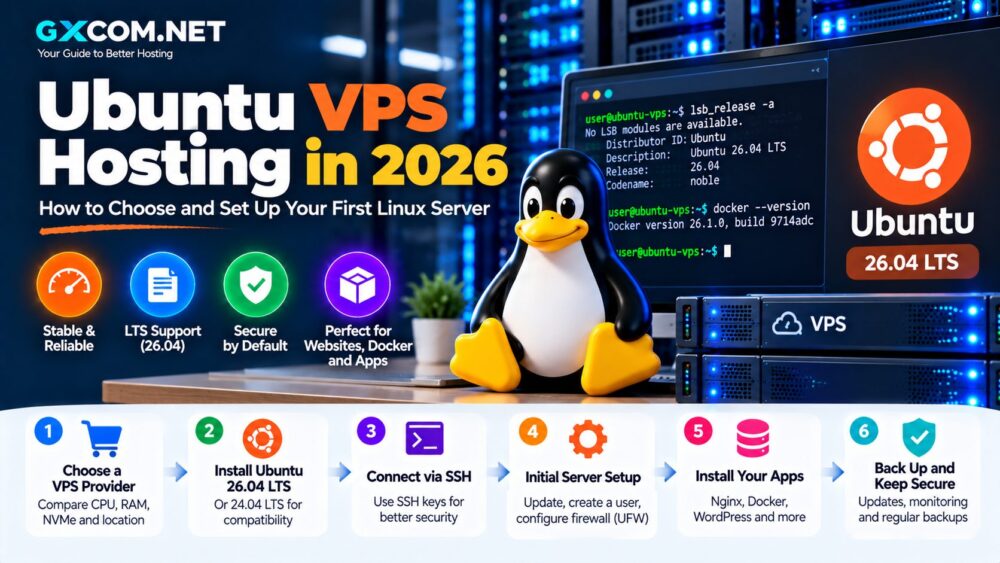
A cheap Linux VPS can provide significantly more server control than shared hosting without requiring the cost of a dedicated server. But the lowest advertised monthly price does not always deliver the best value. CPU allocation, RAM, NVMe storage, bandwidth, backups and renewal pricing can completely change the real cost of a VPS.
In this guide to Cheap Linux VPS Hosting in 2026, we compare affordable Linux server options for websites, developers, Docker, testing and small applications. We also explain when paying extra for NVMe storage, more RAM or better CPU resources actually makes sense.
Pricing checked in September 2026. VPS prices, promotions, taxes, regional availability and renewal rates can change. Always verify the final price with the provider before purchasing.

Cheap Linux VPS Hosting 2026: Quick Comparison
| Provider | Example Starting Price* | Storage | Best For |
|---|---|---|---|
| DigitalOcean | $4/mo | SSD; Premium options use NVMe | Developers & testing |
| Akamai / Linode | $5/mo standard Shared CPU | SSD | Simple Linux workloads |
| Hetzner | €5.49/mo CX23 | Cloud storage | Value-focused users |
| Hostinger | $6.49/mo promo | 50 GB NVMe | Websites & larger resource allocations |
| Vultr | Varies by compute plan | SSD/NVMe depending on product | Global deployments |
*Representative entry pricing checked in September 2026. Prices are not directly comparable because resources, billing terms, regions, taxes and storage technology differ.
What Is Cheap Linux VPS Hosting?
A Linux VPS is a virtual private server running a Linux operating system such as Ubuntu, Debian or AlmaLinux.
Cheap VPS hosting generally refers to entry-level virtual servers designed for workloads that do not require large amounts of dedicated CPU or memory.
Common uses include:
- Small websites
- WordPress
- Development servers
- Docker containers
- APIs
- VPN servers
- Testing environments
- Self-hosted applications
Linux also avoids the operating-system licensing costs associated with Windows Server, making it particularly attractive for budget VPS deployments.
1. DigitalOcean – Low-Cost Linux VPS from $4/Month
DigitalOcean remains one of the easiest places for developers to deploy an inexpensive Linux virtual machine.
Its Basic Droplets currently start at $4 per month. The entry configuration includes 512 MiB RAM, 1 vCPU, 10 GiB SSD storage and 500 GiB outbound transfer. Moving to $6 per month increases the configuration to 1 GiB RAM, 1 vCPU, 25 GiB SSD and 1,000 GiB transfer.
DigitalOcean also offers Premium Shared CPU Droplets using newer processor generations and NVMe SSD storage for workloads where higher storage performance matters.
Key advantages:
- Entry pricing from $4/month
- Linux-based virtual machines
- Per-second billing
- Monthly caps on bundled plans
- Multiple Linux distributions
- SSH and root-level administration
- Cloud Firewalls
- API and Terraform support
Since January 2026, DigitalOcean Droplets have used per-second billing with a 60-second or $0.01 minimum charge. This is particularly useful for short-lived development and testing servers.
2. Akamai / Linode – Affordable Shared CPU Linux VPS
Akamai's Linode Shared CPU instances remain another straightforward option for inexpensive Linux compute.
Its standard Shared CPU family currently starts at $5 per month in core North American pricing, providing 1 GB RAM, 1 shared CPU, 25 GB storage and 1 TB transfer.
Shared CPU instances are designed for cost-efficient workloads rather than sustained maximum CPU usage. Akamai recommends them for uses such as development, staging, low-traffic websites, blogs and lower-intensity production applications.
Key advantages:
- Simple monthly pricing
- 1 GB entry configuration
- 1 TB transfer on the standard entry plan
- Linux distribution support
- Cloud Manager
- API access
- Upgrade path to dedicated CPU
Pricing can vary by region and hardware generation, so check the exact data center before deploying.
3. Hetzner – Competitive Linux Cloud Pricing
Hetzner is frequently considered by experienced Linux users looking for strong resource value, particularly in European locations.
However, older VPS comparisons can now be misleading because Hetzner changed its cloud pricing on June 15, 2026.
For Germany and Finland, the CX23 plan changed from €3.99 to €5.49 per month excluding VAT and IPv4. The ARM-based CAX11 increased from €4.49 to €5.99 per month under the same pricing conditions.
Why consider Hetzner:
- Competitive Linux cloud infrastructure
- Hourly and monthly pricing
- x86 and ARM options
- Cloud networking
- Firewalls
- Snapshots
- API automation
Hetzner can still offer attractive value, but compare the current 2026 pricing rather than relying on older articles quoting pre-June rates.
4. Hostinger – Affordable NVMe VPS with More RAM
Hostinger takes a different approach to budget VPS hosting. Its entry promotional price is higher than DigitalOcean's smallest Droplet, but the included resources are substantially larger.
The current KVM 1 promotional plan is advertised at $6.49 per month and includes:
- 1 vCPU core
- 4 GB RAM
- 50 GB NVMe storage
- 4 TB bandwidth
- Weekly backups
Hostinger currently states that this plan renews at $11.99 per month on the applicable two-year renewal term.
This distinction matters. A promotional VPS may look inexpensive during the initial term but become substantially more expensive after renewal.
Other features include:
- AMD EPYC processors
- NVMe SSD storage
- KVM virtualization
- Firewall management
- 1 Gbps network
- Public API
- Linux OS templates
Hostinger can be attractive when you want more RAM and NVMe capacity at a relatively low introductory price.
5. Vultr – Flexible Linux Cloud VPS
Vultr is another option for users who want inexpensive Linux infrastructure combined with a broad international deployment footprint.
Rather than evaluating Vultr only by its smallest advertised instance, compare the compute family that matches your workload. Different products can use different CPU and storage configurations.
Reasons to consider Vultr:
- Linux OS support
- Root access
- Multiple compute families
- Hourly infrastructure billing
- Global server locations
- API and automation tools
- Upgrade options beyond basic VPS
Vultr is particularly relevant when geographic flexibility matters more than simply finding the absolute lowest monthly price.
Cheap Linux VPS: Price vs Resources
Headline pricing can be deceptive because a $4 server and a $7 server may include dramatically different resources.
Instead of asking only “Which VPS is cheapest?”, compare:
| Resource | Why It Matters |
|---|---|
| vCPU | Determines available compute capacity |
| RAM | Affects applications, databases and caching |
| Storage | Determines capacity and can affect I/O performance |
| Bandwidth | Can significantly affect real monthly cost |
| Backups | May be included or charged separately |
| Renewal Price | Determines long-term hosting cost |
Is NVMe VPS Hosting Worth Paying More For?
NVMe is an interface designed for modern solid-state storage using PCIe. It can provide significantly higher I/O performance and lower latency than older SATA SSD configurations.
NVMe can be particularly useful for:
- WordPress databases
- WooCommerce
- MySQL and MariaDB
- Application servers
- Docker workloads
- High-I/O applications
But an important SEO and buying distinction is that cheap Linux VPS does not automatically mean NVMe VPS.
For example, DigitalOcean's $4 Basic Regular Droplet uses SSD storage, while its Premium Shared CPU options use NVMe SSDs. Hostinger's KVM VPS plans currently advertise NVMe storage across the lineup.
Always verify the actual storage specification rather than assuming every modern VPS uses NVMe.
Shared CPU vs Dedicated CPU
Most extremely cheap VPS plans use shared CPU resources.
Shared CPU means your virtual machine shares physical processor resources with other instances. This helps providers keep entry prices low.
Shared CPU is generally suitable for:
- Blogs
- Small websites
- Development
- Testing
- Low-intensity applications
Akamai notes that its Shared CPU instances can use CPU resources heavily for short bursts, but sustained average usage should remain below its stated threshold because CPU cores are shared with other Linodes.
For continuous CPU-intensive applications, dedicated CPU instances are usually more appropriate even if they cost more.
How Much RAM Do You Need?
Extremely cheap VPS plans can start with 512 MB or 1 GB of RAM, but this does not mean that amount is suitable for every website.
| RAM | Typical Use |
|---|---|
| 512 MB–1 GB | Testing, lightweight Linux services |
| 2 GB | Small websites and simple applications |
| 4 GB | WordPress, Docker and multiple services |
| 8 GB+ | Growing websites, databases and heavier apps |
These are general guidelines. Application optimization can significantly change memory requirements.
Cheap Linux VPS for WordPress
A budget Linux VPS can run WordPress effectively, particularly when configured with a lightweight web stack and caching.
A typical stack may include:
- Ubuntu or Debian
- Nginx or Apache
- PHP
- MariaDB or MySQL
- Redis
- Let's Encrypt SSL
For a production WordPress website, 2–4 GB RAM is often a more practical starting point than the smallest 512 MB VPS.
Users without Linux administration experience should also consider the cost of server management rather than focusing exclusively on the VPS price.
Cheap Linux VPS for Docker
Linux VPS is a popular low-cost environment for Docker containers.
A small server can host development containers, APIs and lightweight self-hosted applications. Larger container stacks may require considerably more memory.
When comparing VPS plans for Docker, prioritize:
- RAM
- CPU allocation
- Storage capacity
- Storage I/O
- Network transfer
For users new to virtual servers, our VPS Hosting for Beginners guide explains these resources in more detail.
Managed vs Unmanaged Cheap Linux VPS
Most of the lowest-priced Linux virtual machines are infrastructure products rather than fully managed hosting.
With an unmanaged VPS, you are normally responsible for tasks such as:
- Linux updates
- SSH security
- Firewall configuration
- Web server setup
- Database administration
- Monitoring
- Backup strategy
This is one reason unmanaged VPS hosting can be inexpensive.
Experienced Linux users can compare our Best Unmanaged VPS Hosting options, while businesses wanting provider assistance should consider Managed VPS Hosting.
Hidden Costs to Check Before Buying
Renewal Pricing
Promotional hosting prices can expire. Always calculate what the VPS will cost after the initial term.
Backups
Some providers include backups, while others sell them as an additional service.
IPv4 Addresses
IPv4 pricing policies vary. For example, Hetzner's published 2026 cloud price adjustment lists the relevant cloud-server prices separately from IPv4.
Bandwidth Overage
Check both the included transfer allowance and the cost of additional traffic.
Control Panels
Commercial control panels can cost more than an entry-level VPS itself.
Taxes
Advertised infrastructure prices may exclude VAT or other applicable taxes depending on provider and location.
How to Choose an Affordable Linux VPS
1. Start with your workload. A testing server and a production ecommerce site should not use the same buying criteria.
2. Compare RAM before price. A slightly more expensive server with significantly more memory may offer better value.
3. Check the CPU model. The number of vCPUs alone does not describe actual performance.
4. Verify NVMe claims. Do not assume every SSD VPS uses NVMe.
5. Compare bandwidth. Included transfer can matter more than a $1 difference in monthly server price.
6. Calculate renewal cost. This is essential when comparing promotional VPS plans.
7. Check the upgrade path. Migrating providers later can be more difficult than resizing an existing VPS.
Cheap Linux VPS vs Cheap Shared Hosting
Shared hosting can still be cheaper and easier for a basic website.
Choose a Linux VPS when you need:
- Root access
- Custom server software
- Docker
- Custom PHP or database configuration
- Private application environments
- More infrastructure control
Choose shared hosting when you simply need to publish a small website and do not want to administer Linux.
Should You Choose the Cheapest VPS?
Usually, no.
The cheapest plan is useful when the workload is genuinely small. A $4–$6 VPS can be excellent for learning Linux, development, staging or lightweight services.
But saving $2 per month makes little sense if the server lacks enough memory, storage or network capacity for the application.
For a broader comparison that is not focused solely on price, see our Linux VPS Hosting Providers guide.
Cheap Linux VPS Hosting 2026: Final Thoughts
Affordable Linux VPS hosting remains widely available in 2026, but comparing plans requires more than sorting providers by their lowest advertised price.
DigitalOcean offers one of the lowest straightforward entry points at $4 per month. Akamai/Linode provides inexpensive Shared CPU instances with predictable resources. Hetzner remains a value-focused option despite its June 2026 price adjustment, while Hostinger combines a higher introductory price with substantially more RAM, bandwidth and NVMe capacity.
The best value depends on what your application actually needs.
Compare CPU allocation, RAM, storage technology, bandwidth, backup costs and renewal pricing. For many users, paying slightly more for enough memory and appropriate storage will provide better value than choosing the cheapest VPS and immediately outgrowing it.