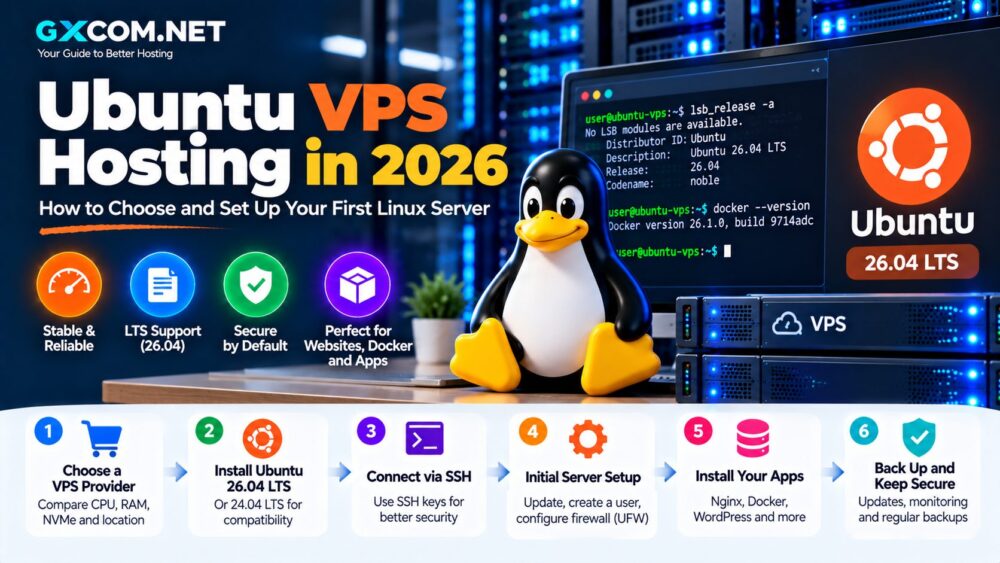
Linux VPS hosting is one of the most flexible ways to run websites, applications, databases, development environments and self-hosted services without paying for an entire dedicated server.
But choosing the best Linux VPS hosting is not as simple as comparing the number of vCPU cores and gigabytes of RAM.
Two Linux VPS plans with apparently identical specifications can deliver very different real-world performance because of CPU generation, shared versus dedicated compute, storage I/O, virtualization, network quality, server location and resource contention.
The right provider also depends on how you intend to use Linux.
A small WordPress site has very different requirements from a Docker host, database server, SaaS application or high-traffic production environment.
In this guide, GXCOM.NET compares leading Linux VPS providers including DigitalOcean, Vultr, Kamatera, Contabo, Hostwinds, ScalaHosting, RackNerd, Database Mart and other infrastructure options based on performance, flexibility, management, scalability and overall value.
Use this framework:
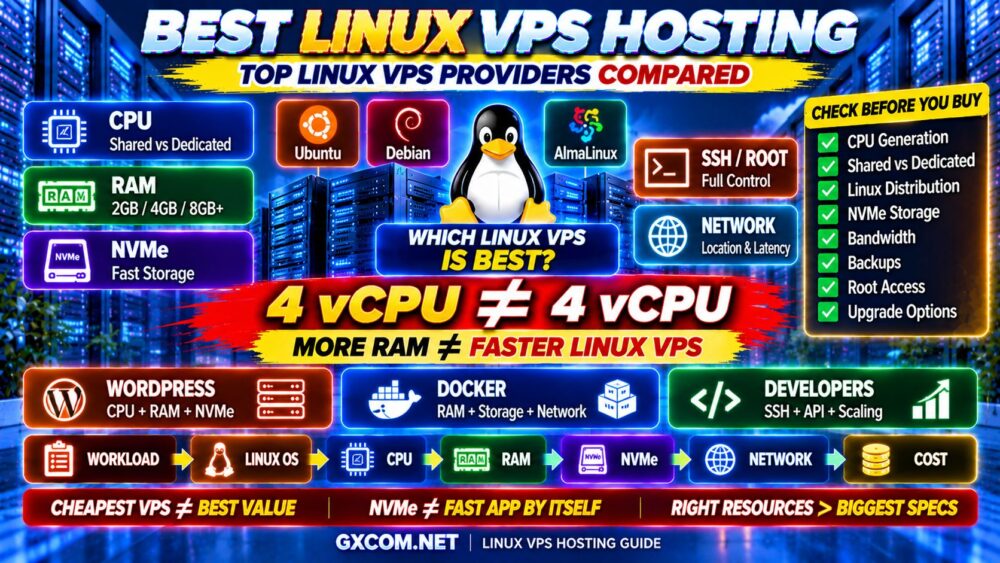
WORKLOAD → LINUX OS → CPU → RAM → NVMe → NETWORK → MANAGEMENT → COST
Best Linux VPS Hosting Providers at a Glance
| Provider | Best For | Key Strength |
|---|---|---|
| DigitalOcean | Best Overall for Developers | Developer-friendly cloud infrastructure |
| Vultr | Best for Global Deployment | Flexible cloud compute and locations |
| Kamatera | Best for Custom Linux VPS | Flexible resource configuration |
| ScalaHosting | Best Managed Linux VPS | Management-focused VPS environment |
| Contabo | Best for High Resource Value | Large RAM and storage configurations |
| Hostwinds | Best Managed/Unmanaged Choice | Multiple Linux VPS approaches |
| RackNerd | Best for Budget Linux VPS | Value-oriented VPS offers |
| Database Mart | Best for Broader Server Options | VPS and dedicated server upgrade paths |
Important: VPS specifications, Linux distributions, data center locations, promotions and included services change over time. Always verify the current configuration and billing terms directly with the provider before purchasing.
What Is Linux VPS Hosting?
A Linux VPS is a virtual private server running a Linux operating system.
Common distributions include:
- Ubuntu
- Debian
- AlmaLinux
- Rocky Linux
Instead of sharing one hosting account with other websites, a VPS gives you an isolated virtual environment with allocated CPU, RAM, storage and networking resources.
Users commonly receive root or administrative-level access, allowing them to configure the server according to their workload.
This makes Linux VPS useful for:
- WordPress
- PHP websites
- Node.js applications
- Python applications
- Docker containers
- Databases
- APIs
- Development environments
- Self-hosted software
- Web servers
Linux VPS sits between traditional shared hosting and dedicated infrastructure in terms of control, flexibility and cost.
Why Choose Linux VPS Hosting?
Linux dominates many server workloads because it is flexible, efficient and supported by a large open-source ecosystem.
A Linux VPS gives you much more control than conventional shared hosting.
You can choose:
- Operating system
- Web server
- PHP version
- Database
- Firewall
- Runtime environment
- Caching stack
- Container platform
- Monitoring software
For technical users, this flexibility is one of the biggest reasons to move from shared hosting to VPS infrastructure.
But flexibility also creates responsibility.
If you choose unmanaged Linux VPS hosting, server security, updates, backups and troubleshooting may become your responsibility.
1. DigitalOcean — Best Overall Linux VPS for Developers
Best for: Developers, SaaS projects, websites, APIs, staging environments and cloud applications.
DigitalOcean is one of the most recognizable developer-oriented cloud infrastructure platforms.
Its virtual machines are called Droplets, and different compute types can serve different workloads.
Shared CPU infrastructure can be appropriate for:
- Development
- Testing
- Small websites
- Low-to-medium traffic applications
- Personal projects
More demanding workloads can move toward configurations designed for greater compute consistency.
DigitalOcean Strengths
- Popular Linux distributions
- Developer-friendly deployment
- Shared and dedicated compute choices
- Fast storage options
- Snapshots and backups
- Block storage
- Private networking
- Load balancing
- API support
- Scaling options
DigitalOcean is particularly attractive when your VPS is part of a larger application stack rather than simply a standalone web server.
Best fit: Developers who want Linux infrastructure that can grow with an application.
2. Vultr — Best Linux VPS for Global Deployment
Best for: Websites, developers and applications that benefit from geographic deployment flexibility.
Vultr provides cloud compute infrastructure suitable for a wide variety of Linux workloads.
One of the most important considerations when choosing a VPS is location.
A server physically closer to your users can reduce network latency.
That matters for:
- Dynamic websites
- APIs
- Administrative dashboards
- Databases accessed remotely
- Interactive applications
Vultr Strengths
- Multiple Linux operating systems
- Global infrastructure
- Different compute categories
- Cloud-style deployment
- Developer tooling
- Scalable infrastructure
Vultr is worth comparing when server geography is a major part of your infrastructure strategy.
SERVER LOCATION MATTERS.
3. Kamatera — Best Custom Linux VPS
Best for: Businesses and developers who want more control over the exact resource configuration.
Fixed VPS packages are convenient, but workloads do not always fit neatly into predefined plans.
For example, you might need:
MORE CPU + LESS RAM
or:
MORE RAM + LESS STORAGE
Kamatera’s cloud-server approach is useful when you want to size infrastructure closer to the actual workload.
Kamatera Strengths
- Custom CPU and RAM configurations
- Linux operating system choices
- Flexible cloud infrastructure
- Storage configuration options
- Private networking
- Scaling options
- Multiple deployment locations
Custom sizing can also improve cost efficiency.
Instead of upgrading an entire VPS package because you need one additional resource, a more flexible configuration can help reduce unnecessary capacity.
BUY THE RESOURCES YOU NEED.
4. ScalaHosting — Best Managed Linux VPS
Best for: WordPress, business websites and users who want VPS performance without managing the entire Linux stack themselves.
Linux is powerful, but server administration requires time and technical knowledge.
A typical unmanaged Linux server may require you to handle:
- Operating system updates
- SSH security
- Firewall configuration
- Web server configuration
- PHP
- Database management
- Backups
- Monitoring
- Troubleshooting
ScalaHosting is particularly relevant to buyers who want the benefits of VPS infrastructure with more management assistance.
This can be valuable for businesses migrating away from shared hosting.
The real equation becomes:
SERVER COST + MANAGEMENT TIME + BACKUPS + SOFTWARE + SUPPORT = REAL COST
For more detail, read our Managed VPS vs Unmanaged VPS comparison.
5. Contabo — Best Linux VPS for High Resource Value
Best for: Users who prioritize RAM, storage and overall resource capacity.
Contabo is frequently considered by VPS buyers looking for relatively large resource allocations.
This can be attractive for workloads that genuinely require memory or storage capacity.
However, large specifications should not be confused with guaranteed application performance.
Consider:
- CPU architecture
- CPU allocation
- RAM
- Storage performance
- Network
- Workload type
A database with heavy CPU demand may benefit more from stronger compute than simply adding more memory.
A storage-heavy workload may have entirely different priorities.
MORE RAM ≠ FASTER LINUX VPS.
MORE vCPU ≠ MORE CONSISTENT PERFORMANCE.
6. Hostwinds — Best for Managed and Unmanaged Linux VPS Choice
Best for: Users who want flexibility between server management models.

Hostwinds provides VPS options that can appeal to users with different levels of technical experience.
An experienced Linux administrator may prefer greater control.
A business owner may prefer management assistance.
Neither approach is universally better.
The correct choice depends on:
- Linux experience
- Available administration time
- Security requirements
- Business criticality
- Budget
Do not automatically choose unmanaged VPS simply because the direct hosting cost appears lower.
CHEAPER SERVER ≠ LOWER TOTAL COST.
7. RackNerd — Best Budget Linux VPS
Best for: Budget-conscious users, development, testing and lightweight Linux workloads.
RackNerd is frequently considered in the value-oriented VPS market.
Low-cost Linux VPS infrastructure can be useful for:
- Learning Linux
- Development servers
- Small websites
- Testing
- Secondary services
- Personal projects
But promotional pricing should never be the only buying criterion.
Check:
- CPU
- RAM
- Storage
- Bandwidth
- Server location
- IPv4
- Backup policy
- Renewal terms
For a broader budget comparison, see our Best Cheap VPS Hosting guide.
8. Database Mart — Best for Linux VPS With a Broader Server Upgrade Path
Best for: Users who may eventually need larger virtual or dedicated infrastructure.
Database Mart provides multiple server products, making it relevant to workloads that may grow beyond an entry-level VPS.
A common infrastructure path looks like:
SMALL LINUX VPS
↓
LARGER VPS
↓
HIGH-PERFORMANCE SERVER
↓
DEDICATED SERVER
This can matter for growing applications, databases and business workloads.
Before purchasing, compare the specific Linux distributions, CPU resources, storage, network and management options available for the plan you are considering.
Best Linux VPS Provider by Use Case
| Use Case | Providers to Compare |
|---|---|
| Developers | DigitalOcean, Vultr |
| Custom Resource Configuration | Kamatera |
| Managed Linux VPS | ScalaHosting, Hostwinds |
| High Resource Value | Contabo |
| Budget Linux VPS | RackNerd |
| Growing Server Infrastructure | Database Mart |
Ubuntu vs Debian vs AlmaLinux vs Rocky Linux
Choosing the provider is only half the decision.
You also need a Linux distribution.
Ubuntu
Ubuntu is one of the most popular choices for VPS users because of its broad software ecosystem, documentation and community support.
It is particularly suitable for:
- Beginners
- Developers
- WordPress
- Docker
- Cloud applications
Debian
Debian is known for stability and is popular among experienced Linux administrators who prefer a conservative server environment.
AlmaLinux
AlmaLinux is widely used in hosting environments and can be attractive for users familiar with the Red Hat Enterprise Linux ecosystem.
Rocky Linux
Rocky Linux is another enterprise-oriented Linux distribution commonly considered for server workloads.
There is no universal winner.
The best operating system is the one that supports your application stack and administration workflow.
How Much RAM Does a Linux VPS Need?
Linux can run efficiently with relatively modest resources, but the application stack determines the actual requirement.
| RAM | Typical Starting Workload |
|---|---|
| 1 GB | Lightweight Linux services, testing |
| 2 GB | Small websites and lightweight applications |
| 4 GB | WordPress, Docker and moderate applications |
| 8 GB | Growing websites, databases and multiple services |
| 16 GB+ | Heavy databases and memory-intensive workloads |
These are general planning ranges, not fixed requirements.
A lightweight Nginx application may use very little memory.
A database, control panel and multiple application services can require much more.
RIGHT-SIZED RAM > MAXIMUM RAM.
Shared CPU vs Dedicated CPU Linux VPS
This distinction can be more important than the advertised number of vCPUs.
Shared CPU VPS
Shared CPU infrastructure is suitable for workloads that do not constantly consume compute resources.
Examples include:
- Small websites
- Development
- Testing
- Low-to-medium traffic applications
- Bursty workloads
Dedicated CPU VPS
More predictable compute access can benefit:
- Busy databases
- High-traffic websites
- Ecommerce
- Data processing
- Sustained application workloads
Remember:
4 SHARED vCPU ≠ 4 DEDICATED vCPU.
Even two shared-CPU VPS products advertising the same core count may perform differently because the underlying processor and resource allocation policies can differ.
Does NVMe Matter for Linux VPS?
Yes, particularly for I/O-intensive applications.
NVMe storage can benefit:
- MySQL and MariaDB
- PostgreSQL
- WordPress
- Ecommerce
- Search indexes
- Logging
- Container workloads
However, simply seeing “NVMe” in a VPS specification does not guarantee identical storage performance between providers.
Actual results can depend on:
- Storage architecture
- I/O limits
- Contention
- Workload pattern
Our NVMe VPS Performance Explained guide covers IOPS and disk I/O in more detail.
Best Linux VPS for WordPress
Linux is the natural VPS environment for most WordPress installations.
A balanced WordPress VPS should prioritize:
- Fast CPU
- Enough RAM
- NVMe storage
- PHP workers
- Page caching
- Object caching
- Database performance
- Backups
Do not assume a WordPress site needs a huge VPS simply because traffic increases.
Caching and optimization can dramatically reduce origin-server workload.
OPTIMIZATION BEFORE UPGRADE.
Best Linux VPS for Docker
Linux VPS is also an excellent platform for Docker.
Containers make it easier to isolate applications and deploy reproducible environments.
When selecting a Docker VPS, consider:
- Available RAM
- CPU performance
- Storage I/O
- Disk capacity
- Network requirements
Multiple containers can consume resources quickly, so size the VPS according to the combined workload rather than the number of containers alone.
Best Linux VPS for Developers
Developers often prioritize flexibility over management.
Useful features include:
- Fast deployment
- SSH access
- API
- Snapshots
- Custom images
- Private networking
- Block storage
- Easy scaling
This is where developer-focused infrastructure such as DigitalOcean, Vultr and Kamatera becomes particularly attractive.
You can build the environment around the application rather than adapting the application to a traditional hosting plan.
Best Linux VPS for High-Traffic Websites
High traffic does not automatically mean you need the VPS with the most RAM.
Look at:
- Concurrent users
- Dynamic requests
- Database queries
- PHP workers
- Cache hit rate
- Background tasks
- Peak CPU utilization
A properly cached site can handle significantly more visitors than an inefficient dynamic application using the same VPS.
If sustained CPU demand becomes the bottleneck, stronger or dedicated compute may matter more than adding memory.
MONTHLY TRAFFIC ≠ PEAK SERVER LOAD.
Managed vs Unmanaged Linux VPS
This is one of the most important Linux VPS decisions.
Unmanaged Linux VPS
You normally handle:
- SSH
- Updates
- Firewall
- Web server
- Database
- Security
- Backups
- Monitoring
Unmanaged VPS is ideal for experienced administrators and developers who want maximum control.
Managed Linux VPS
Managed VPS reduces the amount of system administration you need to perform yourself.
It can make sense for:
- Businesses
- Agencies
- WordPress site owners
- Users without Linux administration experience
Do not compare these services by server price alone.
SERVER COST ≠ TOTAL OPERATING COST.
Linux VPS Security: What You Need to Manage
Root access provides control, but it also gives you responsibility for server security.
At minimum, consider:
- Regular system updates
- SSH hardening
- Firewall rules
- Strong authentication
- Removing unnecessary services
- Monitoring
- Backups
If you deploy an unmanaged server, our Unmanaged VPS Security Checklist provides a useful post-deployment workflow.
Server Location and Linux VPS Performance
CPU and RAM are not the only performance factors.
Network latency also matters.
Where practical:
US AUDIENCE → US VPS
EUROPEAN AUDIENCE → EUROPEAN VPS
ASIAN AUDIENCE → ASIAN VPS
A CDN can move static content closer to visitors, but dynamic requests still need to communicate with the origin server.
Choose server location according to the users and services that communicate most frequently with your VPS.
1 Gbps Port Does Not Guarantee 1 Gbps Performance
Network port speed is useful information, but it does not tell the complete story.
Real-world network performance also depends on:
- Routing
- Peering
- Congestion
- Traffic limits
- Server location
- Provider network architecture
Therefore:
1 GBPS PORT ≠ 1 GBPS REAL-WORLD PERFORMANCE.
Cheap Linux VPS vs Premium Linux VPS
Cheap Linux VPS hosting can be excellent for:
- Development
- Testing
- Small websites
- Learning Linux
- Personal projects
Premium infrastructure becomes more relevant when you need:
- Dedicated CPU
- Higher sustained performance
- Faster storage
- Managed support
- Better backup options
- Business-critical reliability
But expensive does not automatically mean better.
The correct target is:
ENOUGH PERFORMANCE + RIGHT RESOURCES + SENSIBLE COST.
How Much Does Linux VPS Hosting Cost?
Linux VPS cost depends on much more than RAM.
Consider:
- CPU allocation
- RAM
- Storage
- Bandwidth
- IPv4
- Backups
- Control panel
- Management
- Additional services
Linux itself can help keep operating-system licensing costs lower compared with Windows Server environments, but the total server cost still depends on the complete infrastructure stack.
For a deeper breakdown, read our VPS Hosting Cost guide.
Linux VPS vs Shared Hosting
| Feature | Shared Hosting | Linux VPS |
|---|---|---|
| Root Access | Usually No | Usually Yes |
| Custom Software | Limited | Flexible |
| OS Control | No | Yes |
| Server Management | Provider | User or Provider |
| Learning Curve | Low | Higher |
| Infrastructure Control | Limited | High |
If you only need a simple website and do not require server-level control, shared hosting may remain the easier option.
If you need root access, custom software, containers or more infrastructure flexibility, Linux VPS becomes much more attractive.
Linux VPS vs Dedicated Server
A VPS is usually appropriate when:
- You do not need an entire physical machine
- You want lower infrastructure costs
- You need flexible scaling
- Your workload is small to medium
A dedicated server becomes more attractive when:

- CPU demand is consistently high
- You require dedicated hardware
- RAM requirements become very large
- Databases become demanding
- Predictable hardware performance is critical
A common path is:
LINUX VPS → HIGH-PERFORMANCE VPS → DEDICATED SERVER
How to Choose the Best Linux VPS Hosting
1. Define Your Workload
WordPress, Docker, database, development, ecommerce or SaaS?
2. Choose a Linux Distribution
Ubuntu, Debian, AlmaLinux or another supported distribution?
3. Determine CPU Requirements
Does the workload need burstable shared CPU or sustained compute performance?
4. Choose Enough RAM
Include the operating system and the complete application stack.
5. Evaluate Storage
Consider both capacity and disk I/O.
6. Choose the Server Location
Deploy close to your audience or application dependencies where practical.
7. Decide Managed vs Unmanaged
Be realistic about your Linux administration skills.
8. Check Backups
Understand backup frequency, retention and restoration.
9. Check Scaling
Make sure the VPS can grow when your workload increases.
10. Calculate Real Cost
Include backups, management, control panels and other required services.
Linux VPS Buying Checklist
Before buying, check:
- ✓ CPU generation
- ✓ Shared vs dedicated CPU
- ✓ RAM allocation
- ✓ NVMe or SSD storage
- ✓ Storage capacity
- ✓ Linux distributions
- ✓ Root access
- ✓ SSH access
- ✓ Network port
- ✓ Traffic allowance
- ✓ Server location
- ✓ IPv4/IPv6
- ✓ Backup policy
- ✓ Snapshot support
- ✓ Managed or unmanaged
- ✓ Upgrade options
- ✓ Total cost
Then ask:
AM I BUYING MORE RESOURCES—OR THE RIGHT RESOURCES FOR MY LINUX WORKLOAD?
Best Linux VPS Hosting FAQ
What is the best Linux VPS hosting provider?
The best provider depends on your workload. DigitalOcean is a strong developer-oriented option, Vultr is attractive for global cloud deployments, Kamatera offers flexible resource configuration, ScalaHosting focuses on managed VPS, Contabo appeals to resource-focused buyers, and RackNerd is worth considering for budget workloads.
What is the best Linux distribution for VPS hosting?
Ubuntu is a popular general-purpose choice because of its documentation and software ecosystem. Debian is known for stability, while AlmaLinux and Rocky Linux are common choices for users familiar with enterprise Linux environments. Application compatibility should guide the decision.
How much RAM does a Linux VPS need?
A lightweight Linux server may run with relatively little memory, while WordPress, Docker, databases and production applications require more. Around 2–4 GB can be a useful starting range for many smaller web workloads, while heavier applications may need 8 GB or significantly more.
Is Linux VPS good for WordPress?
Yes. Linux VPS is widely used for WordPress because it supports popular web servers, PHP, databases, caching systems and other components of the WordPress stack.
Is Linux VPS good for Docker?
Yes. Linux VPS is a natural environment for Docker and containerized applications. CPU, RAM, storage and networking should be sized according to the combined container workload.
Is NVMe important for Linux VPS?
NVMe can benefit databases, WordPress, ecommerce and other I/O-intensive workloads. However, CPU, RAM, I/O limits and resource contention also influence performance.
Should I choose managed or unmanaged Linux VPS?
Choose unmanaged VPS if you are comfortable securing, updating and maintaining Linux yourself. Managed VPS can be more appropriate for businesses and users who prefer assistance with server administration.
Is Linux VPS cheaper than Windows VPS?
Linux can have a lower software licensing cost because common Linux distributions do not require the same Windows Server licensing model. However, total VPS cost depends on resources, management, backups and other services.
Final Verdict: Which Linux VPS Provider Should You Choose?
The best Linux VPS provider depends on what you actually intend to run.
DigitalOcean is a strong choice for developer-friendly cloud infrastructure.
Vultr is attractive when global deployment flexibility matters.
Kamatera is worth considering when custom CPU, RAM and storage sizing is important.
ScalaHosting is particularly relevant for managed Linux VPS users, while Hostwinds provides another path for users comparing different management models.
Contabo appeals to buyers prioritizing larger resource allocations, RackNerd targets budget-oriented workloads, and Database Mart provides another option for users who may eventually grow toward larger server infrastructure.
But provider selection should come after workload analysis.
Use this framework:
LINUX WORKLOAD
↓
OPERATING SYSTEM
↓
CPU TYPE
↓
RAM
↓
NVMe
↓
NETWORK
↓
MANAGEMENT
↓
COST
↓
BEST LINUX VPS
Remember:
4 vCPU ≠ 4 vCPU.
MORE RAM ≠ FASTER LINUX VPS.
NVMe ≠ GUARANTEED FAST APPLICATION.
CHEAPEST VPS ≠ BEST VALUE.
The best Linux VPS is the server that provides the right operating system, resources, performance, location and management model for your workload without making you pay for capacity you do not need.