Running MetaTrader on a personal computer creates a simple problem: automated strategies depend on a machine that may sleep, restart, lose connectivity, or become unavailable during important market movements. A virtual private server can reduce those interruptions by keeping trading software online in a data center.
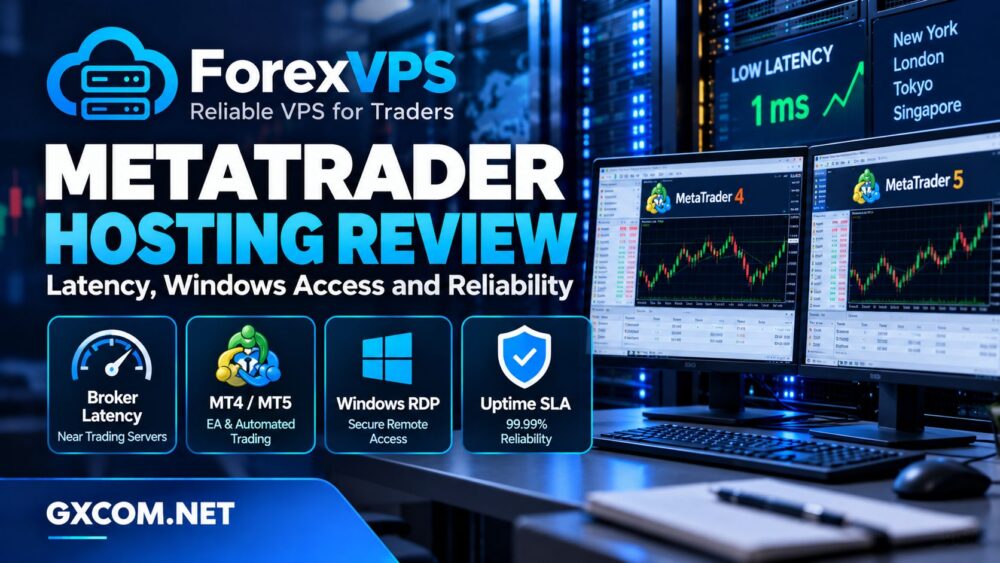
ForexVPS specializes in Windows hosting for trading platforms, including MetaTrader 4 (MT4), MetaTrader 5 (MT5), and Expert Advisors (EAs). Its main selling points are broker-oriented server locations, remote desktop access, and infrastructure designed for continuous operation.
In this ForexVPS MetaTrader Hosting Review, we examine latency, Windows access, resource allocation, uptime policies, and total costs. We also compare ForexVPS with VPSHostingService, AccuWeb Hosting, and Kamatera to help buyers determine whether specialized trading hosting is worth paying for.
GXCOM Editorial Note: This review is based on published specifications and service policies, not independent latency or trading benchmarks. A VPS cannot guarantee profitable trades, eliminate slippage, or prevent every platform interruption.
ForexVPS at a Glance
ForexVPS provides Windows-based virtual servers designed to host trading terminals away from a user’s local computer. Customers connect remotely to install strategies, monitor applications, and manage their trading environment.
- Platforms: MT4, MT5, and other compatible Windows trading software.
- Operating system: Windows Server options.
- Remote management: RDP access from compatible devices.
- Locations: Multiple international financial centers.
- Availability: Published 99.99% monthly SLA, subject to exclusions.
- Support: Advertised 24/7 assistance.
- Main advantage: Infrastructure selected around trading-platform requirements.
ForexVPS is particularly relevant to users running automated strategies continuously. Someone who trades manually for a few hours each week may have less need for a dedicated trading VPS.
MetaTrader Latency: What Does 1ms Really Mean?
ForexVPS promotes low-latency connections to selected brokerage infrastructure, including advertised results as low as one millisecond. This is a potential advantage, but it must be interpreted carefully.
Latency is the time required for information to travel between systems. For MetaTrader, the most relevant connection is generally between the VPS and the broker’s trading server—not between the trader’s laptop and the VPS desktop.
Broker Location Matters More Than Your Location
Imagine a trader living in California whose broker processes orders in London. A VPS located near the broker’s London infrastructure may offer a shorter network path than a VPS in Los Angeles.
ForexVPS advertises locations across major financial centers, including New York, London, Tokyo, Singapore, and other regions. The right location depends on the actual broker endpoint and available network routing.
Before purchasing, identify your broker’s trading server and request latency information for that specific connection. Test during normal and busy market periods where possible.
Low Latency Does Not Guarantee Fast Execution
Order execution also depends on broker processing, liquidity, market conditions, platform behavior, and the strategy itself. A one-millisecond network connection cannot eliminate price changes or execution delays elsewhere.
ForexVPS’s latency claims should therefore be treated as infrastructure characteristics, not promises of improved profitability or guaranteed fills.
Windows Server and RDP Access
ForexVPS offers Windows Server environments suitable for MetaTrader installations. Its published materials list Windows Server 2019, 2022, and 2025 options for current VPS products.
Windows hosting is convenient because MT4 and MT5 are commonly deployed in Windows desktop environments. Users can connect through Remote Desktop Protocol to install terminals, configure Expert Advisors, and inspect logs.
Can MetaTrader Continue Running After RDP Disconnects?
Normally, an application can continue operating after an RDP session is disconnected, provided the Windows session remains active and the application has not been closed or logged out.

However, disconnecting and signing out are different actions. A logout can terminate applications associated with that user session.
ForexVPS advertises automatic startup features for trading terminals. Buyers should verify how these behave after Windows updates, restarts, and unexpected failures.
Remote Access Security
Use strong credentials, restrict RDP exposure where possible, and keep Windows updated. Remote administration should not rely on an easily guessed password or unrestricted public access.
For general Windows hosting considerations, see GXCOM’s Windows Server licensing and cost guide.
ForexVPS Plans: Core, Edge, and Prime
ForexVPS currently markets three principal VPS tiers for different numbers of trading terminals. Published configurations provide progressively greater CPU, memory, and SSD capacity.
| Plan | CPU | RAM | SSD |
|---|---|---|---|
| Core | 2 cores | 4 GB | 100 GB |
| Edge | 4 cores | 6 GB | 150 GB |
| Prime | 6 cores | 8 GB | 200 GB |
These are published product specifications, not independently measured performance results. Verify current configurations before ordering.
ForexVPS suggests that Core can support a small number of optimized MetaTrader terminals, while higher tiers accommodate more. Actual capacity depends on chart counts, indicators, EAs, historical data, and processing frequency.
How Much RAM Does an EA Need?
A lightweight EA monitoring a few currency pairs may use modest resources. Multiple terminals running complex indicators, frequent calculations, and extensive historical datasets can consume substantially more memory.
Monitor CPU usage, available RAM, and application responsiveness before adding further terminals. Leave capacity for Windows updates and unexpected workload spikes.
Do not select a plan solely from the provider’s suggested terminal count. Test the actual strategy in a noncritical environment first.
Reliability, Uptime SLA, and Recovery
ForexVPS emphasizes continuous trading-platform availability and advertises high uptime. Its formal terms specify a 99.99% monthly service-level agreement covering network, data center, and power availability, subject to exclusions.
This is not a guarantee that every MetaTrader terminal will remain operational without interruption.
What the SLA Does Not Cover
Published exclusions include scheduled maintenance, certain upstream failures, customer software problems, security incidents, and user errors. Eligible incidents may result in service credits under specified conditions.
Service credits do not reimburse trading losses or automatically compensate for missed orders. Buyers should read the full SLA rather than relying on promotional uptime headlines.
Backups and Restart Protection
ForexVPS advertises backup and data-protection capabilities alongside automated terminal startup. Confirm which features are included in the chosen plan and how restoration works.
Keep separate copies of EA source files, compiled programs, configuration files, and important operational records. Test the recovery process before relying on the server for continuous operation.
Independent monitoring can also help detect when a terminal remains open but has stopped receiving data or executing its intended tasks.
Security and Operational Responsibilities
ForexVPS advertises cybersecurity measures, including protection against certain network attacks. Nevertheless, customers remain responsible for protecting credentials, trading accounts, and installed software.
A compromised VPS can expose sensitive application settings or trading credentials. Restrict access, install software only from trusted sources, and review logs regularly.
Consider separating production trading terminals from experimental strategies. Testing unfamiliar EAs on the same server as critical applications can introduce unnecessary stability and security risks.
ForexVPS Pricing and Long-Term Value
Specialized trading VPS hosting can cost more than a general-purpose Windows VPS with similar advertised CPU and RAM. The premium may reflect broker-oriented locations, trading-specific support, and platform management features.
Evaluate the total cost over the expected subscription period, including:
- Monthly versus annual billing commitments.
- Windows licensing and included platform services.
- Backup and recovery arrangements.
- Additional RAM or CPU requirements.
- Migration between data center locations.
- Renewal terms and cancellation conditions.
ForexVPS advertises a 14-day money-back guarantee for eligible VPS purchases, subject to its terms. This can provide an opportunity to evaluate connectivity and application compatibility, but it should not replace careful pre-purchase checks.
For buyers considering less specialized infrastructure, GXCOM’s budget VPS provider comparison provides a broader cost perspective.
ForexVPS Alternatives Worth Comparing
ForexVPS is a specialist provider, but a conventional Windows VPS may be suitable when trading-specific routing and support are less important.
VPSHostingService: Budget Windows VPS Options
VPSHostingService is worth evaluating for users seeking Windows remote desktop access and configurable server resources at a budget-oriented price.
Before purchasing, confirm Windows licensing, backup coverage, RDP permissions, and renewal conditions. A lower subscription price is not useful if the required software environment cannot be maintained reliably.
AccuWeb Hosting: Windows VPS Management Options
AccuWeb Hosting offers Windows VPS products that may accommodate MetaTrader and other Windows applications. Buyers should compare server locations, management support, storage, and licensing terms.
It may suit users who need a general Windows server for multiple applications rather than a trading-only environment.
Kamatera: Flexible Cloud Server Resources
Kamatera offers configurable cloud infrastructure with Windows operating system options. Its flexibility may appeal to developers running customized trading analytics, databases, or additional services.

However, customers must account for administration, Windows licensing, and the availability of suitable network routes to their brokers.
For a wider infrastructure comparison, read GXCOM’s best VPS providers guide.
Who Should Choose ForexVPS?
ForexVPS is most relevant to traders running MT4 or MT5 continuously, particularly when broker proximity and trading-platform support are important.
It may be less compelling for occasional manual trading, experimental strategies with minimal uptime requirements, or users comfortable managing a conventional Windows VPS.
The decision should depend on measured broker latency, terminal stability, recovery procedures, and total operating cost—not on claims that faster hosting will produce better trades.
Final Verdict
ForexVPS offers a focused Windows hosting environment for MetaTrader users, combining broker-oriented data center locations, RDP access, trading-platform features, and a published availability policy.
Its strongest advantage is specialization. Its limitations include the need to verify broker-specific latency, understand SLA exclusions, and compare pricing against conventional Windows VPS alternatives.
Choose ForexVPS when continuous MetaTrader operation and suitable broker connectivity justify specialized hosting. Compare VPSHostingService, AccuWeb Hosting, and Kamatera when flexibility or general Windows server value matters more.
No hosting service can guarantee trading profits or eliminate market risk. Test connectivity, confirm platform compatibility, and maintain independent recovery arrangements before depending on any VPS.
Frequently Asked Questions
Does ForexVPS support MT4 and MT5?
Yes. ForexVPS advertises Windows hosting compatible with MetaTrader 4, MetaTrader 5, and Expert Advisors.
Can ForexVPS deliver 1ms latency?
The provider advertises latency as low as 1ms for selected connections. Actual results depend on broker location, routing, and network conditions.
Will MetaTrader run when my computer is off?
Yes, provided the VPS remains operational and the trading terminal continues running in its Windows session.
Does ForexVPS guarantee 100% uptime?
Its formal terms specify a 99.99% monthly SLA with exclusions and service-credit conditions. This does not guarantee uninterrupted application operation.
Is ForexVPS better than a regular Windows VPS?
It may be better suited to broker-specific latency and trading-platform support. A general Windows VPS can offer better value when those specialized features are unnecessary.