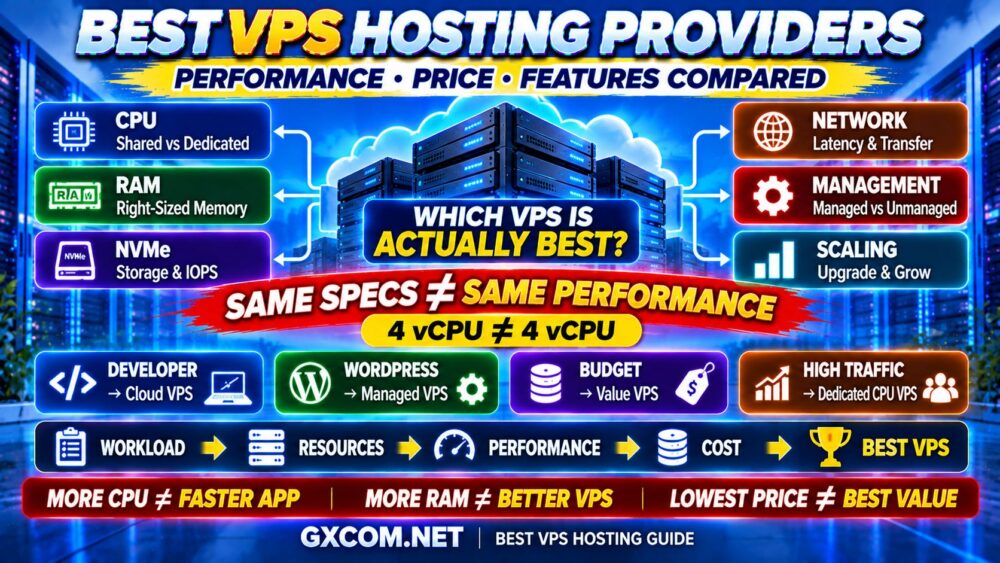
Choosing the best VPS hosting provider is not simply a matter of finding the most CPU cores, the most RAM or the lowest monthly price.
Two VPS plans can advertise similar specifications and still deliver very different real-world performance.
The difference can come from CPU generation, shared versus dedicated compute, storage performance, virtualization, network quality, resource contention, server location, management level and support.
That is why the best VPS hosting should be selected according to your workload rather than a specification sheet alone.
In this guide, GXCOM.NET compares leading VPS providers including DigitalOcean, Vultr, Kamatera, ScalaHosting, Hostwinds, Contabo, IONOS and other infrastructure platforms across performance, flexibility, management, scalability and overall value.
Whether you need a VPS for WordPress, business applications, development, databases, ecommerce or high-traffic websites, the goal is the same:
WORKLOAD → RESOURCES → PERFORMANCE → COST → RIGHT VPS
Best VPS Hosting Providers at a Glance
| Provider | Best For | Key Strength |
|---|---|---|
| DigitalOcean | Best Overall for Developers | Flexible cloud VMs and multiple CPU classes |
| Vultr | Best for Global Cloud Deployment | Broad infrastructure and location choices |
| Kamatera | Best for Custom Configuration | Flexible CPU, RAM and storage scaling |
| ScalaHosting | Best Managed VPS | Managed hosting and simplified server administration |
| Hostwinds | Best Managed/Unmanaged Choice | Linux and Windows VPS options |
| Contabo | Best for High Resource Value | Large RAM and storage configurations |
| IONOS | Best Budget-Friendly Business VPS | Competitive entry-level infrastructure |
| Cherry Servers | Best Upgrade Path to Dedicated Infrastructure | Cloud and bare-metal ecosystem |
Important: VPS plans, specifications, promotions and available locations change over time. Always verify the current configuration and billing terms directly with the provider before purchasing.
What Makes a VPS Hosting Provider “The Best”?
There is no single VPS provider that is best for every workload.
A developer running test environments may prioritize hourly billing and API automation.
A WordPress business may prioritize managed support, backups and control-panel simplicity.
A database server may need fast NVMe storage and consistent CPU performance.
A high-traffic application may need dedicated compute, private networking and horizontal scaling.
Therefore, VPS quality should be evaluated across several dimensions:
- CPU performance
- Shared or dedicated CPU allocation
- RAM
- NVMe or SSD storage
- Disk I/O performance
- Network quality
- Bandwidth or transfer allowance
- Server locations
- Managed or unmanaged service
- Backup options
- Snapshots
- Security
- Scalability
- Support
- Total cost
A provider can be excellent in one category and average in another.
BEST VPS ≠ BIGGEST SPECIFICATION.
1. DigitalOcean — Best Overall VPS for Developers
Best for: Developers, SaaS applications, websites, APIs, staging environments and scalable cloud workloads.
DigitalOcean calls its virtual machines Droplets and offers several compute categories designed for different workloads.
That distinction is important because not every application needs dedicated CPU resources.
Shared CPU instances can make sense for:
- Development
- Personal websites
- Small blogs
- Low-traffic applications
- Testing
More demanding workloads can move toward configurations designed for more consistent compute performance.
This makes DigitalOcean particularly useful when you want to start small but retain a clear path toward larger infrastructure.
DigitalOcean Strengths
- Multiple VM classes
- Shared and dedicated CPU options
- NVMe available on relevant configurations
- Snapshots and backups
- Block storage
- Load balancing
- Private networking
- API and developer tooling
- Easy vertical scaling
The platform is particularly attractive to technical users who want infrastructure flexibility without moving immediately into the complexity of hyperscale cloud platforms.
Best fit: Developers and businesses that expect infrastructure requirements to evolve.
2. Vultr — Best VPS for Global Cloud Deployment
Best for: Globally distributed websites, applications, developers and cloud workloads.
Vultr is another strong option for users who want cloud-style VPS infrastructure rather than traditional fixed hosting packages.
Its biggest attraction is flexibility.
Users can deploy virtual machines for different workload profiles and choose infrastructure close to their target audience.
Server location matters because physical distance contributes to network latency.
For a website serving users primarily in North America, Europe or Asia, choosing an appropriate region can improve responsiveness even before application-level optimization.
Why Consider Vultr?
- Global infrastructure footprint
- Multiple compute categories
- Cloud deployment flexibility
- Developer-oriented environment
- Storage and networking options
- Scalable infrastructure
Vultr is particularly useful for users who want to treat VPS hosting as cloud infrastructure rather than simply renting a conventional virtual server.
3. Kamatera — Best VPS for Custom Configuration
Best for: Users who want precise control over CPU, RAM, storage and infrastructure size.
Kamatera stands out because of its flexible cloud-server configuration model.
Instead of forcing every workload into a small set of fixed VPS packages, users can build infrastructure closer to what the application actually requires.
This is useful because workloads rarely scale perfectly according to standard hosting tiers.
You might need:
MORE RAM
but not
MORE CPU
or:
MORE CPU
but relatively little
STORAGE
A flexible configuration model reduces the need to buy unnecessary resources.
Kamatera Strengths
- Customizable cloud servers
- NVMe-based configurations
- Hourly and monthly billing options
- Multiple server types
- Private networking
- Load balancers and firewalls
- Vertical and horizontal scaling
Best fit: Businesses and developers who know their workload requirements and want more granular control over infrastructure.
4. ScalaHosting — Best Managed VPS Hosting
Best for: WordPress, business websites and users who want VPS performance without managing every server task themselves.
Unmanaged VPS hosting gives you significant control, but that control comes with responsibility.
You may need to handle:
- Operating system updates
- Security hardening
- Web server configuration
- PHP
- Database management
- Backups
- Monitoring
- Troubleshooting
ScalaHosting targets users who would rather concentrate on their websites and applications than routine server administration.
This makes it particularly relevant for businesses moving beyond shared hosting.
Why Managed VPS Can Be Worth More
The real cost of a VPS is not simply:
SERVER PRICE.
It can also include:
SERVER PRICE + MANAGEMENT TIME + SOFTWARE + BACKUPS + SUPPORT
If management saves several hours of technical work each month, a higher hosting fee can still represent better overall value.
For a detailed comparison, see our Managed VPS vs Unmanaged VPS guide.
5. Hostwinds — Best for Managed and Unmanaged VPS Choice
Best for: Users who want Linux or Windows VPS with a choice between managed and unmanaged environments.
Hostwinds is useful because it covers several VPS buyer profiles rather than focusing exclusively on self-managed Linux cloud servers.

Its VPS lineup includes Linux and Windows environments, with management options depending on the product.
This gives users a clearer migration path if they initially want management but later become comfortable handling more administration themselves—or vice versa.
Hostwinds Strengths
- Linux VPS
- Windows VPS
- Managed options
- Unmanaged options
- Multiple resource tiers
- Bandwidth allocations
- Upgrade flexibility
Windows users should remember that Windows VPS pricing can differ from equivalent Linux infrastructure because software licensing and management requirements can affect the final cost.
6. Contabo — Best VPS for High Resource Value
Best for: Users prioritizing RAM, storage and overall resource capacity.
Contabo is widely considered when buyers want relatively large resource allocations without immediately moving into expensive enterprise infrastructure.
Its VPS portfolio separates cost-oriented virtual servers from higher-performance configurations.
This distinction matters.
A plan with many vCPU cores and large RAM capacity is not automatically the fastest VPS.
You still need to consider:
- CPU architecture
- CPU allocation
- Storage type
- Network port
- Workload consistency
Performance-focused configurations using AMD EPYC processors and NVMe storage may be more appropriate for demanding workloads than simply choosing the package with the largest headline numbers.
MORE RAM ≠ FASTER APPLICATION.
MORE vCPU ≠ MORE CONSISTENT CPU PERFORMANCE.
7. IONOS — Best Budget-Friendly VPS for Business
Best for: Small businesses and users seeking a low-cost entry into VPS infrastructure.
IONOS is worth considering when price is important but shared hosting no longer provides enough flexibility.
Entry-level VPS products can provide root-level server control while keeping infrastructure costs relatively accessible.
This makes VPS attractive for:
- Small business applications
- Development
- Lightweight web servers
- Testing environments
- Custom software stacks
However, low price should never be evaluated independently of CPU, RAM, storage and management requirements.
If your workload constantly reaches the limits of an inexpensive VPS, upgrading later may cost more than selecting the appropriate configuration from the beginning.
8. Cherry Servers — Best for Growing Toward Dedicated Infrastructure
Best for: Infrastructure users who may eventually need dedicated or bare-metal resources.
Some applications begin comfortably on virtual machines but eventually require more predictable hardware performance.
Typical examples include:
- Large databases
- High-concurrency applications
- Compute-intensive workloads
- Infrastructure requiring dedicated hardware
A provider with both virtual and dedicated infrastructure can make this evolution easier.
The path may look like:
VPS
↓
LARGER VPS / CLOUD
↓
VDS
↓
DEDICATED / BARE METAL
That makes Cherry Servers relevant to buyers who are thinking beyond the immediate VPS purchase.
Best VPS Provider by Use Case
| Use Case | Provider to Compare |
|---|---|
| Developers | DigitalOcean |
| Global Cloud Deployment | Vultr |
| Custom Server Configuration | Kamatera |
| Managed VPS | ScalaHosting |
| Linux + Windows Choice | Hostwinds |
| High Resource Value | Contabo |
| Budget Business VPS | IONOS |
| Path to Bare Metal | Cherry Servers |
Shared CPU vs Dedicated CPU VPS
This is one of the most important differences between VPS plans—and one of the most frequently overlooked.
Shared CPU
Shared CPU infrastructure is generally suitable for:
- Small websites
- Development
- Staging
- Low-to-medium traffic
- Bursty workloads
It is often more affordable because physical CPU resources are shared across virtual machines.
Dedicated CPU
Dedicated CPU allocations are better suited to:
- High-traffic websites
- Databases
- Ecommerce
- Game servers
- Data processing
- Sustained compute workloads
Dedicated compute can provide more predictable CPU access.
That leads to one of the most important VPS buying rules:
4 SHARED vCPU ≠ 4 DEDICATED vCPU.
How Much RAM Does a VPS Need?
RAM requirements depend heavily on the software stack.
| RAM | Typical Starting Use Case |
|---|---|
| 1 GB | Lightweight Linux services, testing |
| 2 GB | Small sites and lightweight applications |
| 4 GB | WordPress, multiple small sites, moderate applications |
| 8 GB | Growing websites, databases, business applications |
| 16 GB+ | Heavy databases, high concurrency and demanding workloads |
These are starting points, not universal requirements.
A heavily optimized 2 GB server can outperform a poorly configured 8 GB server for some workloads.
MORE RAM ≠ AUTOMATICALLY FASTER VPS.
NVMe vs SSD VPS: Does Storage Matter?
Yes—especially for workloads that perform many storage operations.
NVMe can reduce storage latency and provide higher I/O performance compared with older storage interfaces.
This can benefit:
- Databases
- WordPress
- Ecommerce
- Logging
- Search indexes
- Data-intensive applications
However, storage is only one part of VPS performance.
A fast NVMe drive cannot compensate for insufficient CPU, inadequate memory or poorly optimized software.
For a deeper explanation, see our NVMe VPS Performance guide.
Linux VPS vs Windows VPS
The operating system can significantly affect both cost and management.
Linux VPS
Linux is widely used for:
- WordPress
- PHP
- Node.js
- Python
- Docker
- Web servers
- Databases
Linux distributions are commonly available without an additional operating-system license fee.
Windows VPS
Windows VPS is appropriate when your workload requires:
- Windows Server
- Remote Desktop
- Microsoft-oriented applications
- .NET workloads with Windows dependencies
- Windows-specific business software
The correct choice depends on software requirements—not personal preference alone.
Managed vs Unmanaged VPS
An unmanaged VPS gives you more administrative responsibility.
You typically manage:
- Security
- Updates
- Web server
- Database
- Firewall
- Backups
- Monitoring
A managed VPS shifts more of this work toward the hosting provider.
Unmanaged infrastructure can be less expensive in direct hosting fees.
Managed infrastructure can be less expensive in your time.
CHEAPER SERVER ≠ LOWER TOTAL COST.
VPS Pricing: What Are You Actually Paying For?
VPS pricing usually reflects a combination of:
- CPU
- RAM
- Storage
- Network transfer
- IP addresses
- Management
- Backups
- Licensing
- Support
This is why comparing VPS plans solely by monthly price can be misleading.
For example:
VPS A
More RAM + shared CPU
may behave very differently from:
VPS B
Less RAM + dedicated high-performance CPU
depending on the workload.
For a complete cost breakdown, see our VPS Hosting Cost guide.
Cheap VPS vs Best-Value VPS
A cheap VPS can be an excellent choice for:
- Testing
- VPNs
- Development
- Personal projects
- Small websites
But production workloads need more than a low price.
Compare:
PRICE
↓
CPU TYPE
↓
RAM
↓
STORAGE
↓
NETWORK
↓
SUPPORT
↓
REAL VALUE
The best-value VPS is the least expensive server that reliably satisfies the workload.
Best VPS for WordPress
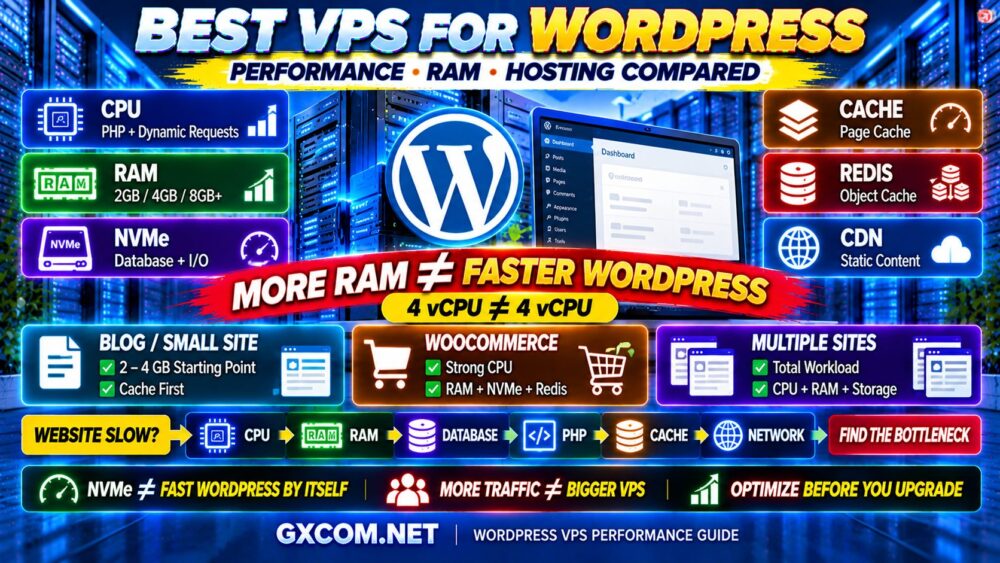
WordPress benefits from a balanced VPS rather than one oversized specification.
Important resources include:
- Fast CPU
- Enough RAM
- NVMe storage
- PHP workers
- Page caching
- Object caching
- Database performance
- Backups
A managed VPS such as the type offered by ScalaHosting may appeal to website owners who do not want to maintain the operating system and server stack themselves.
Developers comfortable with Linux administration may instead prefer infrastructure from providers such as DigitalOcean, Vultr or Kamatera.
Best VPS for High-Traffic Websites
High traffic does not automatically require a huge VPS.
The more important metric is peak workload.
Consider:
- Concurrent users
- Dynamic requests
- Database queries
- Cache hit rate
- PHP workers
- Background jobs
A CDN and effective caching can dramatically reduce the load reaching the VPS.
But when CPU demand becomes sustained, moving from shared CPU to dedicated compute may provide more consistent performance.
MONTHLY VISITORS ≠ PEAK SERVER LOAD.
Best VPS for Ecommerce
Ecommerce workloads require special attention because many requests are dynamic.
Shopping carts, checkout sessions, inventory updates and customer accounts cannot always be cached like ordinary content pages.
Prioritize:
- Consistent CPU
- Enough RAM
- Fast database storage
- Backups
- Security
- Monitoring
- Reliable support
If the store generates meaningful revenue, saving a small amount on hosting should not take priority over stability.
Server Location Matters
Physical distance affects network latency.
When possible, deploy your VPS close to the majority of your users.
For example:
US AUDIENCE → US REGION
EUROPEAN AUDIENCE → EUROPEAN REGION
ASIAN AUDIENCE → ASIAN REGION
A CDN can reduce static-content latency, but the origin server still matters for dynamic requests and administrative activity.
1 Gbps Port Does Not Mean 1 Gbps Real-World Performance
Network port specifications are useful, but they are not a complete measurement of network quality.
Real-world performance can depend on:
- Network congestion
- Routing
- Peering
- Server location
- Traffic shaping
- Transfer limits
Therefore:
1 GBPS PORT ≠ 1 GBPS APPLICATION PERFORMANCE.
Backups and Snapshots: Don't Confuse Them
Snapshots are useful for capturing server state.
Backups are part of a broader recovery strategy.
For important workloads, consider maintaining backups independently from the primary VPS.
A serious failure should not leave both the production server and its only backup dependent on the same environment.
How to Choose the Best VPS Hosting Provider
Step 1: Define the Workload
Website, database, ecommerce, development, SaaS, VPN or another application?
Step 2: Determine CPU Requirements
Does the workload need burstable shared CPU or consistent dedicated compute?
Step 3: Estimate RAM
Include the operating system, database, web server, application and caching.
Step 4: Choose Storage
Consider both capacity and I/O performance.
Step 5: Choose the Region
Deploy near your users when practical.
Step 6: Decide Managed vs Unmanaged
Be realistic about your system-administration skills and available time.
Step 7: Check Backups
Understand frequency, retention and restoration.
Step 8: Check Scaling
Make sure you can add CPU, RAM or storage when the workload grows.
Step 9: Calculate Total Cost
Include management, licenses, backups, control panels and additional storage where applicable.
Best VPS Hosting Checklist
Before purchasing a VPS, verify:
- ✓ CPU generation
- ✓ Shared vs dedicated CPU
- ✓ RAM allocation
- ✓ NVMe or SSD storage
- ✓ Storage capacity
- ✓ Network port
- ✓ Transfer allowance
- ✓ Server location
- ✓ Linux or Windows
- ✓ Managed or unmanaged
- ✓ Backup policy
- ✓ Snapshot options
- ✓ IPv4/IPv6 requirements
- ✓ Upgrade options
- ✓ Support
- ✓ Total monthly cost
Then ask one final question:
AM I BUYING THE BIGGEST SPECIFICATION—OR THE RIGHT SERVER FOR MY WORKLOAD?
Best VPS Hosting FAQ
What is the best VPS hosting provider?
There is no single best provider for every workload. DigitalOcean is strong for developer-friendly cloud VPS infrastructure, Vultr for global deployments, Kamatera for customizable cloud servers, ScalaHosting for managed VPS, Hostwinds for Linux and Windows choices, and Contabo for buyers prioritizing large resource allocations.
How much RAM should a VPS have?
Lightweight Linux services may run with relatively little RAM, while WordPress, ecommerce, databases and high-concurrency applications require more. Choose memory according to the complete software stack and actual workload.
Is NVMe VPS better than SSD VPS?
NVMe can deliver lower latency and higher storage I/O, which is useful for databases and dynamic applications. However, CPU, RAM, software configuration and network quality remain important.
Is a cheap VPS good enough for WordPress?
It can be for a small, optimized WordPress site. Caching, plugin efficiency, database optimization and traffic patterns can matter as much as raw VPS specifications.
Is managed VPS worth it?
Managed VPS can be worthwhile for businesses and website owners who do not want to handle server security, updates, configuration and troubleshooting themselves.
What is the difference between shared CPU and dedicated CPU VPS?
Shared CPU plans share physical compute resources among multiple virtual machines, while dedicated CPU products provide more predictable access to compute resources. Dedicated CPU is generally more appropriate for sustained processing workloads.
Should I choose Linux or Windows VPS?
Choose Linux for typical web stacks such as WordPress, PHP, Python, Node.js and many database workloads. Choose Windows when your applications require Windows Server, Remote Desktop or Windows-specific software.
When should I upgrade from VPS to a dedicated server?
Consider dedicated infrastructure when sustained CPU demand, large databases, predictable hardware performance, security requirements or workload scale make virtualized resources less suitable.
Final Verdict: The Best VPS Is the One That Fits Your Workload
There is no universal winner in VPS hosting.
DigitalOcean is a strong choice for developers who want flexible cloud infrastructure.
Vultr is attractive when global deployment flexibility matters.
Kamatera stands out when custom resource configuration is important.
ScalaHosting is particularly relevant to users who want managed VPS hosting, while Hostwinds provides useful Linux, Windows, managed and unmanaged choices.
Contabo appeals to buyers prioritizing large resource allocations, IONOS provides another budget-oriented path into VPS infrastructure, and Cherry Servers is worth considering when future growth toward dedicated or bare-metal servers matters.
But provider selection should come after workload analysis—not before it.
Use this framework:
WORKLOAD
↓
CPU TYPE
↓
RAM
↓
STORAGE
↓
NETWORK
↓
MANAGEMENT
↓
COST
↓
BEST VPS
Remember:
MORE CPU CORES ≠ FASTER APPLICATION.
MORE RAM ≠ BETTER VPS.
LOWEST PRICE ≠ BEST VALUE.
The best VPS hosting provider is the one that gives your workload the resources, performance, reliability and management you actually need—at a cost that makes sense.