Finding the best VPS providers for accounting and ERP software requires more than comparing CPU cores and monthly hosting prices. Financial applications depend on reliable database access, compatible Windows environments, secure remote connections, and recoverable business records.
A VPS can centralize accounting software for distributed employees, but not every virtual server supports every application or licensing arrangement. This guide compares five hosting candidates and explains how to evaluate Windows licensing, performance, backups, and technical support.
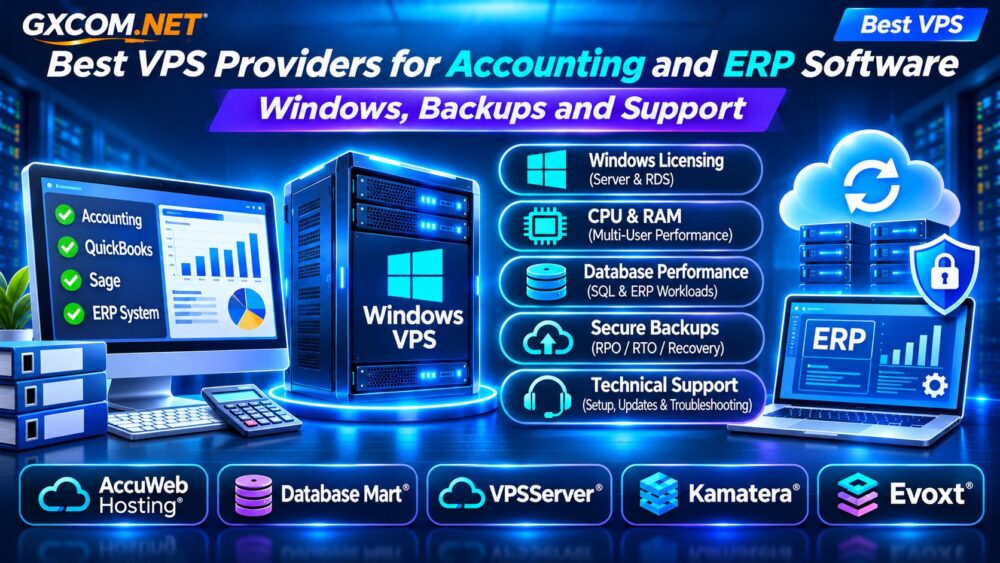
Best VPS Providers for Accounting and ERP Software: Quick Comparison
| Provider | Potential Use Case | Verify Before Ordering |
|---|---|---|
| AccuWeb Hosting | Windows accounting VPS | Windows licensing and management |
| Database Mart | Remote desktop and database workloads | RDS licensing and storage performance |
| VPSServer | Configurable business VPS | Windows availability and support |
| Kamatera | Scalable ERP infrastructure | OS images, licensing and backups |
| Evoxt | Budget-conscious Windows deployment | Plan eligibility and resources |
These providers are evaluation candidates, not independently benchmarked rankings or guarantees of application compatibility.
What Does Accounting and ERP Software Need From a VPS?
Accounting applications often combine desktop interfaces, databases, shared files, and scheduled background processes. ERP systems may additionally require application servers, integrations, reporting services, and multiple concurrent users.
Before selecting infrastructure, identify the exact software version, supported operating systems, database requirements, and expected number of users.
Some products require a supported Windows Server environment. Others operate through web browsers or vendor-managed cloud platforms and may not need a traditional Windows VPS.
Our Best VPS Providers Comparison covers general infrastructure selection.
Windows Server Licensing and Remote Desktop Access
Windows compatibility is one of the most important purchasing considerations for desktop-based accounting applications.
Ask whether the quoted VPS price includes an appropriately licensed Windows Server installation. Also determine whether additional Windows Server Client Access Licenses or Remote Desktop Services Client Access Licenses are required for your usage.
Administrative Remote Desktop access is not equivalent to licensing a multi-user application hosting environment.
Software vendors may impose additional restrictions on remote hosting, virtualization, or shared access. Confirm these requirements directly with the software publisher and hosting provider.
For related infrastructure considerations, read our Azure VM vs Windows VPS Comparison.

How Much CPU, RAM, and Storage Do You Need?
Resource requirements vary substantially between a small bookkeeping application and a multi-department ERP installation.
For preliminary budgeting, a small Windows-based pilot might begin with 4 vCPUs and 8GB RAM, subject to the application’s published requirements. This is a testing baseline, not a universal recommendation.
Database-heavy deployments may need substantially more memory, faster storage, and predictable CPU allocation.
Prioritize storage latency and sustained IOPS alongside capacity. A large SSD does not necessarily deliver better database responsiveness than a smaller, well-provisioned NVMe volume.
Measure performance during simultaneous logins, report generation, backups, and month-end processing.
Database Backups: Protecting Financial Records
Financial records require more than occasional VPS snapshots. A crash-consistent image may not provide an application-consistent backup of an actively running database.
For supported Windows applications, investigate Volume Shadow Copy Service (VSS), database-native backups, and vendor-recommended recovery procedures.
Define a Recovery Point Objective (RPO) describing acceptable data loss and a Recovery Time Objective (RTO) describing acceptable recovery duration.
Keep protected backup copies outside the production VPS and test restoration regularly. Verify that recovered databases, attachments, and transaction histories remain consistent.
Our VPS Snapshot and Backup Recovery Guide explains important distinctions.
Security and Compliance for Financial Applications
Accounting systems contain sensitive financial information, employee records, and potentially customer data. Secure access therefore matters as much as server performance.
Use MFA where supported, restrict administrative accounts, maintain operating system updates, and limit exposed network services.
Avoid publishing Remote Desktop directly to the internet when safer access architectures, such as an appropriately secured VPN or remote access gateway, are available.
Encryption, access logging, backup protection, and retention policies should reflect applicable legal and business requirements.
VPS hosting alone does not establish compliance with financial, privacy, or industry-specific regulations.
Five VPS Providers Worth Evaluating
1. AccuWeb Hosting: Windows VPS Candidate
AccuWeb Hosting is worth evaluating for Windows-based accounting applications. Compare supported operating systems, resource configurations, backup options, and the precise scope of managed support.
Confirm licensing arrangements and compatibility with your accounting software before deployment.
2. Database Mart: Remote Desktop and Database Workloads
Database Mart is relevant for businesses considering Windows VPS infrastructure and database-oriented applications.
Check memory allocation, storage performance, Remote Desktop licensing, backup responsibilities, and whether advertised discounts require extended prepayment.
3. VPSServer: Configurable Business Infrastructure
VPSServer can be considered for organizations comparing flexible virtual server resources.
Verify current Windows support, administrative access, network options, and whether application troubleshooting is included or remains the customer’s responsibility.
4. Kamatera: Scalable ERP Deployment
Kamatera is a candidate for ERP environments that may require adjustable CPU, RAM, and storage resources.
Evaluate Windows image availability, software licensing, backup services, network security, and options for separating application and database workloads.
5. Evoxt: Budget-Oriented VPS Evaluation
Evoxt may appeal to smaller businesses comparing affordable Windows-capable VPS configurations.
Confirm the selected plan supports the required operating system, licensing arrangement, memory capacity, and backup strategy. Low infrastructure pricing should not override application reliability requirements.
Managed vs Unmanaged Support: Who Fixes Problems?
Hosting support may cover virtual server availability, operating system installation, and certain infrastructure failures. It does not automatically include accounting software upgrades, database repair, or ERP customization.
Ask each provider who handles Windows updates, database restoration, application troubleshooting, and emergency recovery.
Businesses without qualified administrators should consider managed options or a separate application specialist.

Read our Managed vs Unmanaged VPS Guide before choosing a support model.
Monthly Cost Example: Beyond VPS Rental
Consider a hypothetical small business budget:
| Expense | Monthly Allowance |
|---|---|
| VPS infrastructure | $35 |
| Windows and access licensing | $30 |
| Backups and monitoring | $15 |
| Administration | $60 |
| Total | $140 |
These amounts are illustrative, not provider quotations or licensing estimates for a specific deployment. Actual licensing costs depend on software, access rights, and applicable agreements.
Include accounting application licenses, implementation, migration, and disaster recovery testing when comparing total operating costs.
Frequently Asked Questions
Can QuickBooks Desktop Run on Any Windows VPS?
No. Compatibility depends on the product version, supported environment, licensing, and publisher requirements.
Is 8GB RAM Enough for ERP Software?
It may support a small pilot, but production requirements depend on user count, databases, and application architecture.
Are VPS Snapshots Enough for Accounting Backups?
No. Use application-consistent backups and regularly tested recovery procedures.
Final Verdict
The best accounting or ERP VPS is one that meets documented software requirements while protecting financial data and supporting reliable recovery.
Compare AccuWeb Hosting, Database Mart, VPSServer, Kamatera, and Evoxt according to Windows licensing, database performance, backup quality, and support responsibilities. Validate the complete configuration with your software vendor before moving production records.