How powerful does a VPS need to be for a high-traffic website?
The common answer is to buy more CPU cores and more RAM as traffic grows. But website performance does not scale that simply.
A properly optimized website can handle substantial traffic on a relatively modest VPS, while a poorly optimized dynamic website can overwhelm a much larger server with far fewer visitors.
The reason is simple:
TRAFFIC ≠ SERVER LOAD.
What matters is how much work each request creates.
A cached page may require almost no PHP or database processing. A WooCommerce checkout, membership dashboard, search request or API call may trigger PHP workers, database queries, storage I/O and external services every time a visitor interacts with the site.
This guide explains how to choose the best VPS for high-traffic websites by comparing CPU, RAM, NVMe storage, caching, concurrency, network performance and scalability.
Use this framework:
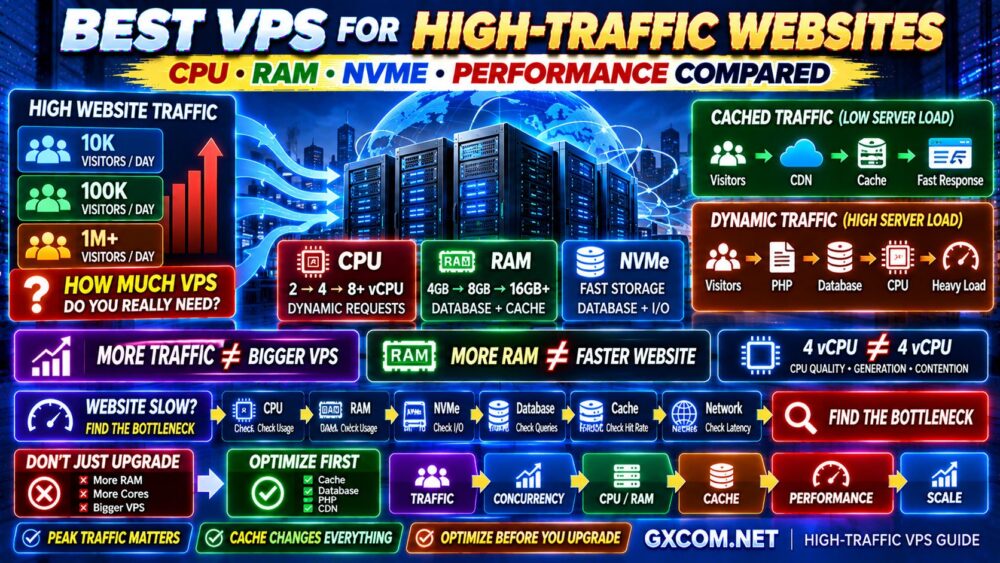
TRAFFIC → REQUEST TYPE → CONCURRENCY → CPU → RAM → DATABASE → CACHE → PERFORMANCE
Best VPS for High-Traffic Websites: Quick Answer
There is no universal VPS configuration for a high-traffic website, but these ranges can provide useful planning points:
| Website Workload | CPU Starting Point | RAM Starting Point | Key Priority |
|---|---|---|---|
| Cached Content Website | 2–4 vCPU | 4GB | Cache + CDN |
| Growing Dynamic Website | 4 vCPU+ | 4–8GB | CPU + Database |
| Busy WordPress Website | 4–8 vCPU | 8GB+ | PHP + Cache + Database |
| WooCommerce / Membership | 4–8 vCPU+ | 8–16GB+ | Strong CPU + Database |
| High-Concurrency Application | 8 vCPU+ | 16GB+ | Architecture + Scaling |
These are planning ranges rather than guaranteed requirements.
The correct VPS depends much more on workload than monthly visitor numbers.
If you are comparing providers rather than sizing resources, start with our Best VPS Hosting Providers guide.
What Does “High Traffic” Actually Mean?
Website owners frequently describe a site as “high traffic” using monthly pageviews or visitors.
But a hosting server does not process monthly traffic.
It processes requests occurring right now.
Consider two websites.
WEBSITE A
Large monthly traffic
Mostly static or cached content
Traffic distributed throughout the day
WEBSITE B
Lower monthly traffic
Dynamic pages
Database-heavy requests
Large traffic spikes
Website B can require substantially more server resources.
This is why VPS sizing should focus on:
- Concurrent visitors
- Dynamic requests
- PHP or application processing
- Database queries
- Cache hit rate
- Traffic spikes
- Background jobs
MONTHLY VISITORS ≠ PEAK SERVER LOAD.
How Much Traffic Can a VPS Handle?
There is no reliable universal number.
A VPS could struggle with a relatively small number of simultaneous expensive dynamic requests while another VPS serves very large numbers of cached page requests efficiently.
The number depends on:
CPU + APPLICATION + DATABASE + CACHE + CONCURRENCY + NETWORK
That is why claims such as “this VPS handles X visitors per month” should be treated cautiously unless the workload and test conditions are clearly defined.
For a deeper explanation, see How Much Traffic Can a VPS Handle?.
CPU Is Often the Most Important Resource for Dynamic Websites
For high-traffic dynamic websites, CPU performance can become one of the first serious bottlenecks.
CPU is used for tasks such as:
- PHP execution
- Application logic
- Database processing
- Compression
- Encryption
- Background jobs
- API processing
A website serving mostly cached pages may use relatively little CPU.
A busy WooCommerce or membership site can generate significant CPU demand because many pages cannot be fully cached.
How Many vCPU Does a High-Traffic Website Need?
A rough planning framework is:
| CPU | Potential Use Case |
|---|---|
| 2 vCPU | Optimized cached sites and lighter workloads |
| 4 vCPU | Growing dynamic websites and moderate concurrency |
| 8 vCPU | Busy dynamic sites, eCommerce and heavier applications |
| 16 vCPU+ | Large workloads where architecture and scaling also matter |
But core count is not enough.
4 vCPU ≠ 4 vCPU.
Four virtual cores on one provider can perform very differently from four virtual cores elsewhere.
Why CPU Quality Matters More Than Core Count
VPS CPU performance can depend on:
- Processor generation
- Clock speed
- Architecture
- Shared vs dedicated CPU
- Host-node contention
- Virtualization configuration
Imagine:
VPS A
8 shared vCPU
Older or heavily contended compute
versus:
VPS B
4 stronger vCPU
More predictable CPU access
For some dynamic websites, VPS B can outperform VPS A.
MORE CPU CORES ≠ MORE WEBSITE PERFORMANCE.
Shared CPU vs Dedicated CPU for High-Traffic Websites
Shared CPU VPS plans can provide excellent value when workloads are moderate or bursty.
They are often suitable for:
- Blogs
- Content websites
- Development
- Smaller business sites
- Well-cached WordPress websites
Dedicated or more predictable CPU resources become more attractive when your workload generates sustained CPU demand.
Examples include:
- Busy WooCommerce stores
- Membership websites
- Large forums
- Dynamic applications
- High-volume APIs
- Database-heavy websites
You should pay more for dedicated compute when you need consistent compute—not simply because “dedicated” sounds better.
How Much RAM Does a High-Traffic Website Need?
RAM requirements depend on the software stack.
Memory may be consumed by:
- Operating system
- Web server
- PHP workers
- Database
- Redis
- Application services
- Control panel
- Monitoring
A rough planning framework is:
| RAM | Typical Scenario |
|---|---|
| 2GB | Lightweight optimized workloads |
| 4GB | Growing websites and moderate stacks |
| 8GB | Busy WordPress, databases and multiple services |
| 16GB+ | Heavy dynamic workloads and larger databases |
But RAM is one of the most frequently oversold VPS resources.
MORE RAM ≠ FASTER WEBSITE.
When Does More RAM Improve Performance?
Additional memory can help when the server is actually memory-constrained.
Examples include:
- Database cache is too small
- PHP workers require additional memory
- Redis needs more capacity
- Multiple services compete for RAM
- Swap activity is excessive
But imagine your server has 8GB RAM and only 4GB is normally used.
Upgrading to 16GB will not automatically make the website faster.
If CPU is already saturated, the real solution may be faster compute rather than additional memory.
CPU vs RAM: Which Should You Upgrade First?
Do not guess.
Measure.
If CPU remains saturated while memory is available:
CPU BOTTLENECK → STRONGER CPU.
If the server frequently runs out of memory or relies heavily on swap:
MEMORY BOTTLENECK → MORE RAM.

If both resources remain comfortable but pages are slow:
LOOK ELSEWHERE.
The bottleneck may be the database, application, storage or external APIs.
Does NVMe Matter for High-Traffic Websites?
Yes, particularly for I/O-sensitive workloads.
NVMe can help with:
- Database reads and writes
- Logging
- Application files
- Cache operations
- File-heavy workloads
- Backups
However:
NVMe ≠ FAST WEBSITE BY ITSELF.
If the bottleneck is PHP execution or inefficient database queries, changing storage alone may produce limited improvement.
There is another issue: not all NVMe VPS products provide identical I/O performance.
Provider limits and host contention can still matter.
See our NVMe VPS Performance guide for more detail.
Why Database Performance Matters at High Traffic
As dynamic traffic grows, the database can become a major bottleneck.
Common problems include:
- Slow queries
- Missing indexes
- Excessive queries per request
- Large tables
- Too many concurrent connections
- Insufficient database cache
A larger VPS can temporarily hide inefficient database behavior.
But it does not remove the underlying problem.
BIGGER SERVER ≠ OPTIMIZED DATABASE.
Object Cache and Redis
Object caching can reduce repeated database work by keeping frequently requested data in memory.
Redis is commonly used for this purpose in web applications and WordPress environments.
For suitable workloads, the flow becomes:
REQUEST → CACHE → RESPONSE
instead of repeatedly:
REQUEST → APPLICATION → DATABASE → PROCESS → RESPONSE
Reducing unnecessary database work can sometimes deliver more value than immediately upgrading the VPS.
Page Caching Changes VPS Requirements Dramatically
Full-page caching is one of the reasons traffic numbers alone are poor indicators of server requirements.
Without cache:
VISITOR → PHP → DATABASE → HTML
With page cache:
VISITOR → CACHED HTML
The second path can require dramatically less application processing.
This is why an optimized content website can sometimes handle surprisingly high traffic on modest infrastructure.
Why Dynamic Websites Need More CPU
Dynamic pages cannot always be served from full-page cache.
Examples include:
- Shopping carts
- Checkout pages
- User accounts
- Membership dashboards
- Search
- Personalized content
- Real-time applications
These requests may trigger application and database work every time.
Therefore:
10,000 CACHED REQUESTS ≠ 10,000 DYNAMIC REQUESTS.
Concurrency Matters More Than Daily Visitors
Consider a website receiving 100,000 visitors per day.
If traffic is evenly distributed and heavily cached, the server load may be manageable.
Now imagine a site receiving far fewer daily visitors but thousands arrive simultaneously after:
- A product launch
- A viral social post
- An email campaign
- A flash sale
- A news event
The second website can create a much larger infrastructure challenge.
PEAK CONCURRENCY > DAILY TRAFFIC.
PHP Workers and High-Traffic WordPress
For dynamic WordPress requests, PHP worker capacity can become important.
Each uncached request may occupy a worker while PHP processes the page.
If requests arrive faster than workers can complete them, users may experience:
- Slow responses
- Queues
- Timeouts
- Gateway errors
Simply adding more workers is not always the answer because each worker consumes resources.
The correct solution may involve:
- Faster CPU
- Better caching
- Database optimization
- Plugin optimization
- More workers
Best VPS for High-Traffic WordPress Websites
For high-traffic WordPress, prioritize balance rather than buying the plan with the largest RAM number.
A strong stack may look like:
VPS → NGINX → PHP → REDIS → DATABASE → CACHE → CDN
Key considerations include:
- Fast CPU
- Enough RAM
- NVMe storage
- PHP configuration
- Redis/object caching
- Full-page caching
- Database optimization
- CDN
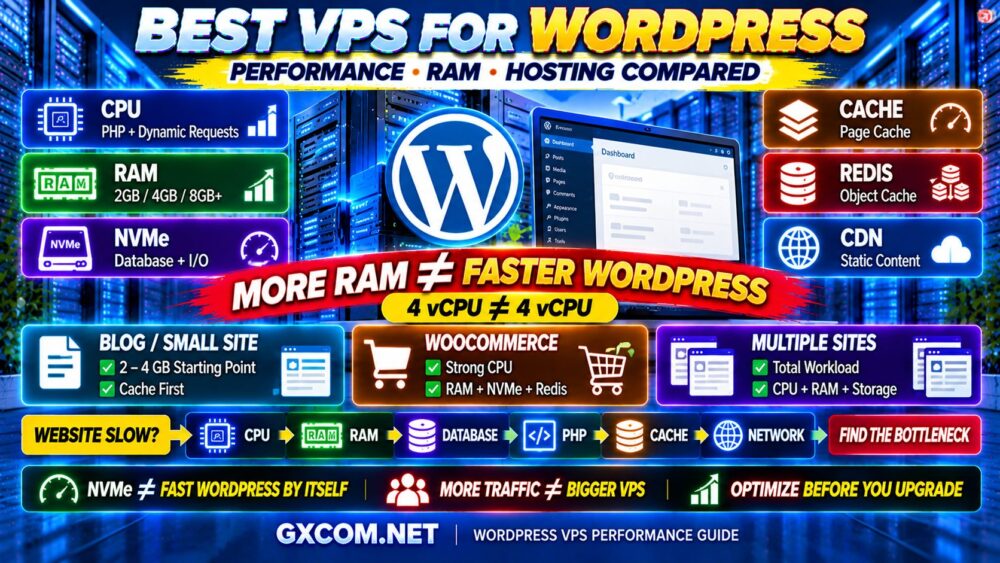
For a WordPress-specific comparison, see Best VPS for WordPress.
Best VPS for High-Traffic WooCommerce
WooCommerce generally creates more dynamic workload than a simple content website.
Important pages such as:
- Cart
- Checkout
- Customer account
- Personalized sessions
cannot always be treated like static cached pages.
This makes CPU, database performance and application optimization particularly important.
For a busy WooCommerce site, a smaller VPS with stronger CPU performance can sometimes be a better choice than a large-RAM VPS with weaker compute.
STRONG CPU + ENOUGH RAM > HUGE RAM + WEAK CPU.
Best VPS for News and Content Websites
Content-heavy websites can often benefit enormously from caching.
If most visitors consume public articles rather than personalized pages, much of the traffic can potentially be handled through:
- Page cache
- Reverse proxy cache
- CDN edge cache
- Browser caching
This can reduce origin-server load dramatically.
For this workload, optimization can be more cost-effective than continuously increasing VPS resources.
Best VPS for Forums and Membership Websites
Forums and membership platforms tend to create more personalized and logged-in traffic.
This reduces the percentage of requests that can be handled through simple full-page caching.
As usage grows, prioritize:
- CPU performance
- Database performance
- RAM for caching
- Fast storage
- Application optimization
Concurrent logged-in users can be much more resource-intensive than anonymous cached visitors.
Does a CDN Reduce VPS Requirements?
Yes, depending on the website.
A CDN can offload:
- Images
- CSS
- JavaScript
- Downloads
- Cached pages in some configurations
This reduces bandwidth and request load reaching the origin VPS.
But a CDN does not automatically fix:
- Slow PHP
- Slow SQL queries
- Heavy uncached pages
- Poor application architecture
CDN ≠ SERVER OPTIMIZATION.
Server Location Still Matters
A powerful VPS located far from most visitors can introduce unnecessary latency.
A CDN can reduce this issue for static assets, but dynamic requests may still need to reach the origin server.
When choosing a location, consider:
- Where users are located
- Where the database/application runs
- Network routing
- CDN architecture
Do not choose a VPS location based only on which region is cheapest.
Network Capacity for High-Traffic Websites
High-traffic sites should also evaluate:
- Port speed
- Traffic allowance
- Network quality
- Routing
- Overage policy
Remember:
1 GBPS PORT ≠ 1 GBPS APPLICATION PERFORMANCE.
The network is only one part of the request path.
Shared CPU or Dedicated CPU?
For many content sites, shared CPU VPS hosting can provide excellent value.
But as dynamic workload becomes sustained and predictable, dedicated or higher-performance compute becomes more attractive.
Consider stronger compute when:
- CPU remains heavily utilized
- Performance varies significantly under load
- Dynamic traffic is business-critical
- Response-time consistency matters
Do not upgrade simply because traffic has reached an arbitrary visitor number.
Which VPS Providers Are Worth Considering?
Once you understand the workload, you can evaluate providers according to the resources that actually matter.
DigitalOcean is relevant for developers and growing web applications where a mature cloud ecosystem, predictable deployment workflow and straightforward scaling options are important.
Vultr can be attractive when server-location flexibility and multiple compute options are useful for a growing website.
Kamatera is worth considering when you want greater flexibility in configuring CPU, RAM and other resources around a specific application workload.
But the provider with the largest headline RAM allocation is not automatically the best choice.
Compare:
- CPU quality
- Shared vs dedicated compute
- RAM
- NVMe performance
- Network
- Server locations
- Backups
- Scaling
- Support
- Total cost
For the complete provider comparison, visit our Best VPS Hosting Providers guide.
Should You Buy a Cheap VPS for a High-Traffic Website?
Possibly.
Cheap does not automatically mean slow.
A budget VPS can be a sensible choice when:
- The site is heavily cached
- CPU demand is modest
- You can manage the server
- Traffic is predictable
- The workload is not mission-critical
But a high-traffic revenue-generating application may justify paying more for stronger and more consistent infrastructure.
The right calculation is:
PERFORMANCE + RELIABILITY + SUPPORT ÷ REAL COST = VALUE
Vertical Scaling vs Horizontal Scaling
When a website grows, the simplest approach is usually vertical scaling:
2 vCPU → 4 vCPU → 8 vCPU
4GB RAM → 8GB → 16GB
This works well up to a point.
Eventually, large applications may benefit from distributing workloads across multiple systems.
For example:
LOAD BALANCER
↓
WEB SERVER 1 + WEB SERVER 2
↓
DATABASE
↓
CACHE
This is horizontal scaling.
When Should You Move Beyond a Single VPS?
A larger VPS is not always the final answer.
Consider a more distributed architecture when:
- One server becomes a single point of failure
- Traffic spikes exceed vertical scaling limits
- The database needs separate resources
- You need redundancy
- Deployment requires high availability
At this point, the question changes from:
HOW BIG SHOULD MY VPS BE?
to:
HOW SHOULD MY INFRASTRUCTURE SCALE?
Do You Need Cloud Hosting Instead?
For workloads requiring multiple servers, load balancing, managed databases or elastic infrastructure, cloud architecture can become more attractive than continuously enlarging a single VPS.
However, cloud infrastructure can also introduce:
- More complexity
- More services
- More variable billing
- More administration
Do not move to a complex architecture simply because your website is “high traffic.”
Use it when the workload requires it.
How to Know When Your VPS Is Too Small
Possible warning signs include:
- CPU remains saturated
- Memory pressure is persistent
- Swap usage becomes excessive
- Database queries slow under load
- PHP/application requests queue
- Storage I/O becomes saturated
- Response times rise sharply during peaks
These signals are much more useful than monthly visitor numbers.
How to Know When You Do NOT Need a Bigger VPS
If your website is slow but:
- CPU usage is low
- RAM is available
- Storage I/O is comfortable
- Network is not saturated
the problem may be application-level.
Look for:
- Slow database queries
- Bad plugins
- External API delays
- Missing cache
- Application bugs
- Slow third-party scripts
DO NOT UPGRADE UNTIL YOU FIND THE BOTTLENECK.
High-Traffic VPS Optimization Checklist
- ✓ Measure peak CPU usage
- ✓ Measure peak RAM usage
- ✓ Monitor swap
- ✓ Check storage I/O
- ✓ Profile database queries
- ✓ Enable page caching where appropriate
- ✓ Use object caching where useful
- ✓ Configure PHP/application workers
- ✓ Use a CDN
- ✓ Optimize images
- ✓ Review background jobs
- ✓ Monitor peak concurrency
- ✓ Load-test important pages
- ✓ Maintain backups
- ✓ Plan an upgrade path
How to Choose the Best VPS for High-Traffic Websites
Use this process before buying:
1. IDENTIFY THE WORKLOAD
Is it content, WooCommerce, SaaS, forum, membership or another application?
2. IDENTIFY DYNAMIC REQUESTS
Determine what cannot be cached.
3. ESTIMATE PEAK CONCURRENCY
Focus on traffic peaks rather than monthly averages.
4. CHOOSE CPU
Prioritize CPU quality for dynamic workloads.
5. SIZE RAM
Provide enough memory for the operating system, database, application and cache.
6. CHECK STORAGE
Database-heavy applications can benefit from strong NVMe performance.
7. ADD CACHING
Reduce unnecessary origin processing.
8. PLAN FOR SCALING
Choose infrastructure that can grow with the workload.
Best VPS for High-Traffic Websites FAQ
How much RAM does a high-traffic website need?
There is no universal amount. A cached content website may perform well with 4GB, while busy dynamic websites, WooCommerce stores or database-heavy applications may benefit from 8GB, 16GB or more. Measure actual memory usage before upgrading.
How many CPU cores does a high-traffic website need?
Two to four vCPU may be sufficient for optimized websites, while busy dynamic workloads can require four, eight or more. CPU generation, clock speed and shared versus dedicated allocation also affect performance.
Can a VPS handle millions of visitors?
Potentially, depending on caching, request type, concurrency, CDN usage and application architecture. Monthly visitor numbers alone cannot determine whether a VPS is sufficient.
Is 8GB RAM enough for a high-traffic website?
Eight gigabytes can be sufficient for many growing and busy websites, but the answer depends on database size, application services, caching and concurrent workload. Additional RAM provides little benefit when memory is not the bottleneck.
Is VPS good for high-traffic websites?
Yes. VPS hosting can support substantial traffic when the server is properly sized and the application is optimized. Very large or highly available workloads may eventually benefit from distributed cloud architecture.
Is CPU or RAM more important for website speed?
It depends on the bottleneck. Dynamic PHP and application workloads can be CPU-sensitive, while databases and multiple services may require substantial RAM. Monitoring should determine which resource needs upgrading.
Does NVMe make a website faster?
NVMe can improve database and storage-intensive operations, but it cannot fix CPU bottlenecks, inefficient application code or poor caching by itself.
When should I upgrade my VPS?
Upgrade when monitoring demonstrates a persistent resource limitation that optimization cannot reasonably solve, or when you need additional reliability, scalability or capacity.
Final Verdict: What Is the Best VPS for a High-Traffic Website?
The best VPS for a high-traffic website is not necessarily the server with the most CPU cores or RAM.
It is the VPS that matches the actual workload.
For cached content websites, optimization and CDN usage can keep server requirements surprisingly modest.
For WooCommerce, membership platforms, forums and other dynamic applications, CPU quality, database performance and concurrency become much more important.
Use this decision path:
TRAFFIC
↓
DYNAMIC VS CACHED REQUESTS
↓
PEAK CONCURRENCY
↓
CPU
↓
RAM
↓
DATABASE + NVMe
↓
CACHE + CDN
↓
MEASURE PERFORMANCE
↓
SCALE WHEN NECESSARY
Remember:
MORE TRAFFIC ≠ BIGGER VPS.
4 vCPU ≠ 4 vCPU.
MORE RAM ≠ FASTER WEBSITE.
NVMe ≠ FAST WEBSITE BY ITSELF.
MORE CPU CORES ≠ MORE PERFORMANCE.
OPTIMIZATION BEFORE UPGRADE.
Choose the VPS based on CPU quality, real memory requirements, storage performance, peak concurrency and application architecture—not an arbitrary monthly visitor number.