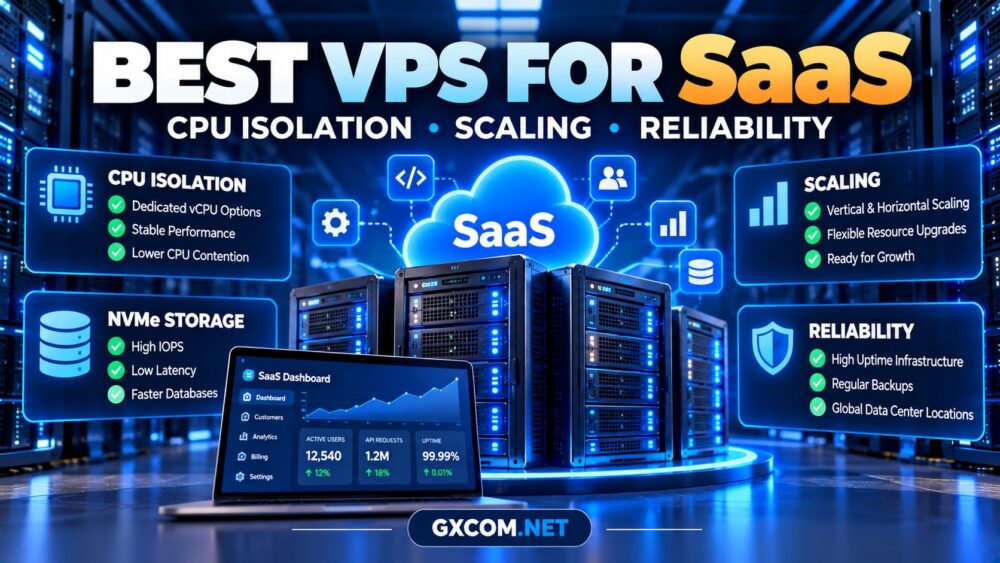
Choosing the best VPS for SaaS applications requires more than comparing CPU cores, RAM, and advertised monthly prices. A software-as-a-service platform must deliver predictable performance as customer activity grows, while maintaining reliable access to application data.
For SaaS founders and development teams, the most important considerations are CPU isolation, database responsiveness, scaling options, backup recovery, and the real cost of keeping production services online.
This guide explains how to evaluate VPS infrastructure for SaaS workloads and compare five hosting providers with different operational strengths.
What Makes a VPS Suitable for SaaS Hosting?
A typical SaaS application combines web requests, authentication, background jobs, database transactions, and scheduled tasks. These components compete for computing resources, particularly during traffic spikes.
A suitable VPS should provide:
- Predictable CPU performance during peak activity.
- Enough RAM for application processes and database caching.
- Responsive storage for transactional workloads.
- Practical CPU, memory, and storage upgrade options.
- Documented backup and recovery procedures.
- Network reliability and responsive technical support.
Unlike a personal website, a SaaS platform may support paying customers who expect continuous access. Infrastructure decisions therefore affect retention, support workloads, and operational risk.
CPU Isolation: Shared vCPU vs Dedicated CPU
CPU allocation is one of the most important differences between VPS plans.
With shared vCPUs, virtual machines may compete for underlying processor time. This arrangement can be economical for development environments and applications with moderate, irregular workloads.
Dedicated CPU offerings generally provide stronger resource allocation guarantees, although the exact meaning depends on the provider’s product and virtualization policies.
| CPU Model | Suitable SaaS Workload | Main Consideration |
|---|---|---|
| Shared vCPU | MVPs, staging, light applications | Potential performance contention |
| Dedicated CPU | Steady production workloads | Higher resource cost |
| Scalable cloud instance | Changing application demand | Upgrade and billing policies |
On Linux, CPU steal time can help identify periods when a virtual machine waits for processor resources. However, elevated steal time alone does not establish the complete cause of application slowness.
For production SaaS, benchmark realistic concurrent requests rather than relying on advertised vCPU counts.
RAM and NVMe Storage for SaaS Databases
Memory affects database caching, application workers, and background processing. Insufficient RAM can cause swapping, increased disk activity, and unpredictable response times.
NVMe storage may improve database responsiveness, but the underlying storage architecture and resource sharing still matter.
Measure random I/O, latency, and sustained performance using our NVMe VPS IOPS and latency benchmarking guide.

For transactional SaaS workloads, consistent write latency can be more useful than impressive peak sequential throughput.
Five VPS Providers to Consider for SaaS Applications
The following providers represent different purchasing priorities. Their suitability depends on the specific instance, operating system, support package, and workload.
Kamatera: Configurable Cloud Infrastructure
Kamatera is worth evaluating when a SaaS application requires configurable computing resources and room for infrastructure changes.
Compare instance sizing, storage options, networking, backup arrangements, and management responsibilities. Teams should also calculate the ongoing cost of their intended configuration.
ScalaHosting: Managed SaaS Hosting Considerations
ScalaHosting is relevant for SaaS businesses seeking managed VPS services and reduced routine administration.
Before purchasing, confirm whether the selected management package supports your application stack, database configuration, security requirements, and incident response expectations.
Our managed VPS total cost guide explains how support fees, control panels, and administrator time affect the budget.
Vultr: Developer-Oriented Cloud Instances
Vultr is a candidate for development teams comparing cloud compute configurations and deployment locations.
Evaluate the exact instance family, CPU allocation, storage performance, networking, and scaling procedures. Different instance types should not be treated as interchangeable.
Evoxt: Budget-Conscious SaaS Deployments
Evoxt is worth researching for developers comparing VPS configurations for early-stage SaaS applications.
Check the selected plan’s CPU policy, RAM, storage, location, backup options, and upgrade availability. A lower entry cost is valuable only when the server meets production requirements.
Hostwinds: VPS Management Flexibility
Hostwinds provides another comparison option for teams evaluating VPS administration and hosting resources.
Verify the support scope, operating system compatibility, storage arrangements, and backup services associated with the specific product.
For broader comparisons, explore our best VPS providers guide.
How to Scale a SaaS Application on VPS
Scaling begins with understanding which resource is approaching its limit.
Vertical Scaling
Increasing CPU or RAM can be the simplest response to growing demand. However, some upgrades require a restart, migration, or temporary downtime.
Horizontal Scaling
Adding application instances can distribute requests, but requires load balancing, session management, and a suitable database architecture.
Database Scaling
Database bottlenecks may require indexing improvements, connection pooling, caching, or architectural changes rather than additional web servers.
Before selecting a provider, ask whether scaling requires replacing the virtual machine and whether storage can expand independently.
Reliability, Backups and Recovery Planning
Uptime marketing does not replace operational planning. A production SaaS platform needs monitoring, recoverable backups, and documented incident procedures.
Review these requirements:
- Monitoring: Application health, resource utilization, and database availability.
- Backups: Scheduled copies stored separately from the production server.
- Recovery: Tested restoration procedures and realistic recovery times.
- Security: Access controls, patching, and secret management.
- Availability: Provider SLA terms and infrastructure dependencies.
Define a recovery point objective (RPO) and recovery time objective (RTO) that match customer expectations. Snapshots alone should not be assumed to provide a complete disaster recovery strategy.
What Does SaaS VPS Hosting Really Cost?
Monthly infrastructure pricing is only one part of the SaaS operating budget.
| Expense | Budget Question |
|---|---|
| Compute | Shared or dedicated CPU? |
| Storage | Capacity, performance, and growth? |
| Backups | Retention and restoration included? |
| Management | Who handles maintenance? |
| Scaling | What changes after an upgrade? |
Calculate expected spending over 12 months, including software, support, and backup costs. Our cheap VPS provider comparison offers additional context for budget-conscious deployments.

SaaS VPS Buying Checklist
Before placing an order, confirm:
- Whether CPU resources are shared or dedicated.
- Expected concurrent users and peak utilization.
- Database storage latency and backup requirements.
- Upgrade options and possible migration downtime.
- Support responsibilities and response procedures.
- Renewal pricing and cancellation conditions.
For seasonal promotions, compare relevant VPS hosting deals against the configuration your SaaS application actually needs.
Frequently Asked Questions
Is VPS hosting suitable for a SaaS startup?
Yes. A VPS can support an MVP or growing SaaS application when resources, monitoring, backups, and security are appropriately managed.
Does SaaS hosting require dedicated CPU?
Not always. Shared vCPUs may suit early-stage workloads, while dedicated CPU allocation can be preferable for sustained, performance-sensitive applications.
How much RAM does a SaaS VPS need?
Requirements depend on the application stack, database, caching strategy, background workers, and concurrent activity. Measure real usage before upgrading.
Can one VPS provide high availability?
A single VPS remains a potential single point of failure. Higher availability typically requires redundancy across additional infrastructure components.
Final Verdict
The best VPS for SaaS applications is the one that balances predictable CPU performance, responsive storage, practical scaling, and reliable recovery within a sustainable budget.
Compare Kamatera, ScalaHosting, Vultr, Evoxt, and Hostwinds against your actual workload rather than choosing solely by headline specifications.
Start with measured requirements, verify support and recovery policies, and select infrastructure that can grow alongside your customers.