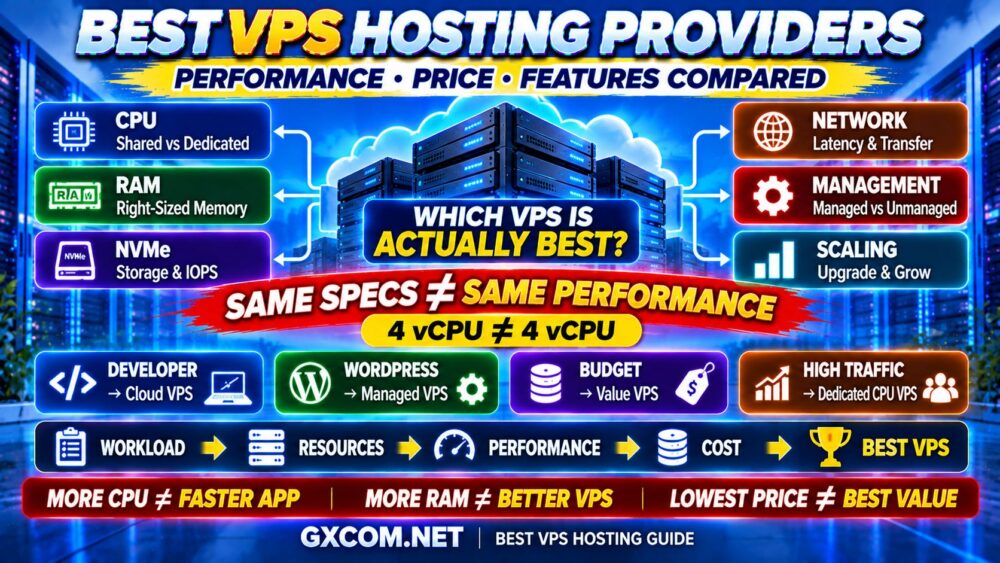
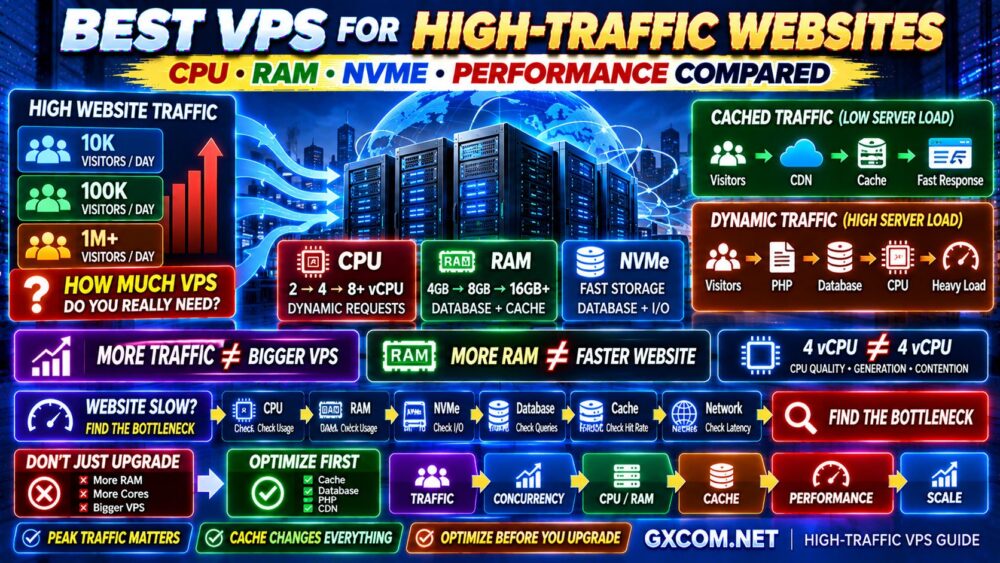
Moving WordPress to a VPS can deliver more control, better scalability and stronger performance than traditional shared hosting—but only when the server is properly sized and configured.
A bigger VPS does not automatically create a faster WordPress site.
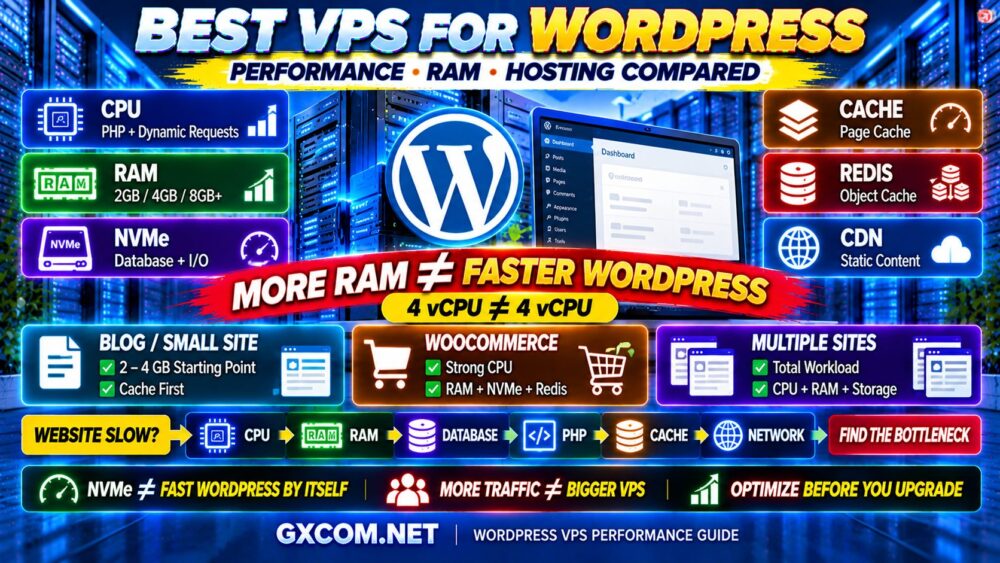
WordPress performance depends on the complete stack:
CPU → RAM → NVMe → PHP → DATABASE → CACHE → CDN → WORDPRESS
This is why choosing the best VPS for WordPress requires more than comparing the number of vCPU cores or gigabytes of memory.
A well-optimized 2–4 GB VPS can sometimes outperform a much larger server running an inefficient WordPress configuration.
In this guide, GXCOM.NET compares VPS infrastructure from providers including DigitalOcean, Vultr, Kamatera, ScalaHosting, Hostwinds, Contabo and IONOS, while explaining how much CPU and RAM WordPress actually needs, when NVMe matters, and whether managed or unmanaged VPS hosting is the better choice.
The goal is simple:
WORDPRESS WORKLOAD → BOTTLENECK → RIGHT VPS → OPTIMIZATION → PERFORMANCE
Best VPS for WordPress at a Glance
| Provider | Best For | Main Strength |
|---|---|---|
| DigitalOcean | Developers | Flexible cloud infrastructure |
| Vultr | Global Deployment | Multiple locations and compute options |
| Kamatera | Custom Resources | Flexible CPU and RAM sizing |
| ScalaHosting | Managed WordPress VPS | Management-oriented VPS environment |
| Hostwinds | Management Flexibility | Managed and unmanaged options |
| Contabo | Resource Value | Large resource configurations |
| IONOS | Business Websites | Broad hosting and cloud ecosystem |
Important: VPS plans, CPU types, RAM, storage, management services and pricing change over time. Always verify the current configuration directly with the provider before purchasing.
Does WordPress Really Need a VPS?
Not every WordPress website needs VPS hosting.
A small blog or business website can often run perfectly well on quality shared or managed WordPress hosting.
VPS becomes more attractive when you need:
- More server control
- Custom PHP configuration
- More predictable resources
- Custom caching
- Root access
- Custom software
- Multiple WordPress sites
- Higher dynamic workload capacity
- Better scaling options
Do not migrate simply because someone says VPS is faster.
The correct question is:
WHAT PROBLEM WILL THE VPS SOLVE?
1. DigitalOcean — Best WordPress VPS for Developers
Best for: Developers, agencies and technical WordPress users who want flexible cloud infrastructure.
DigitalOcean is widely used for developer-oriented cloud deployments and can provide a strong foundation for WordPress when you are comfortable configuring the server stack.
You can build an environment around:
- Ubuntu
- Nginx or Apache
- PHP
- MySQL/MariaDB
- Redis
- Object caching
- CDN integration
The major advantage is flexibility.
You are not limited to the software configuration chosen by a conventional shared hosting provider.
However, that flexibility means you may also be responsible for security, updates, monitoring and backups.
Best fit: Users who want control over the WordPress infrastructure stack.
2. Vultr — Best WordPress VPS for Location Flexibility
Best for: WordPress websites where geographic server placement and cloud flexibility matter.
Server location can affect latency, particularly for dynamic requests that cannot be served entirely from cache.
Vultr is worth considering when you want to deploy infrastructure closer to your audience.
For example:
US AUDIENCE → US VPS
EUROPEAN AUDIENCE → EUROPEAN VPS
ASIAN AUDIENCE → ASIAN VPS
A CDN can dramatically reduce the importance of origin location for static assets, but uncached WordPress requests still communicate with the origin server.
SERVER LOCATION STILL MATTERS.
3. Kamatera — Best Custom VPS for WordPress
Best for: WordPress users who want to size CPU, RAM and storage around the workload.
WordPress sites do not always fit neatly into fixed VPS packages.
An ecommerce site may need stronger CPU performance but moderate storage.
A large content site may need more storage but relatively modest compute.
Kamatera's flexible cloud approach can be useful when you want more control over the resource mix.
This helps avoid a common problem:
BUYING A BIGGER VPS PACKAGE JUST TO GET ONE RESOURCE.
Instead, start with the bottleneck and size the server accordingly.
4. ScalaHosting — Best Managed VPS for WordPress
Best for: Businesses and WordPress site owners who want VPS infrastructure without managing everything themselves.
Moving from shared hosting to an unmanaged VPS creates new responsibilities.
You may need to manage:
- Linux updates
- SSH security
- Firewall
- PHP
- Web server
- Database
- Backups
- Monitoring
- Malware and security issues
ScalaHosting is relevant to buyers who want a more management-oriented VPS experience.
This can be especially attractive for business WordPress sites where the owner wants better infrastructure but does not want to become a Linux administrator.
CHEAP SERVER + HOURS OF ADMINISTRATION ≠ CHEAP HOSTING.
5. Hostwinds — Best for Managed vs Unmanaged Flexibility
Best for: Users comparing different levels of server management.
Hostwinds provides another useful option for WordPress users evaluating managed and unmanaged VPS infrastructure.
The right choice depends on your technical experience.
If you understand Linux administration, an unmanaged VPS gives you more direct control.
If your priority is running the website rather than maintaining the operating system, management can be worth paying for.
Read our Managed VPS vs Unmanaged VPS guide before making this decision.
6. Contabo — Best for WordPress Users Who Need More Resources
Best for: Multi-site environments, storage-oriented workloads and users who prioritize larger resource allocations.
Contabo is frequently considered by VPS buyers looking for substantial RAM and storage configurations.
This can be useful when hosting:
- Multiple WordPress sites
- Large media libraries
- Development environments
- Additional server applications
But do not assume more RAM automatically creates faster WordPress.
If your site is CPU-bound, adding unused memory may accomplish very little.
MORE RAM ≠ FASTER WORDPRESS.
7. IONOS — Best for Business WordPress Infrastructure
Best for: Businesses that want VPS infrastructure within a broader hosting ecosystem.
IONOS provides multiple hosting and cloud products, making it worth comparing for businesses that may eventually need infrastructure beyond a single WordPress VPS.
For a business website, evaluate:
- CPU
- RAM
- Storage
- Backups
- Network
- Support
- Scaling
Do not make a business hosting decision based only on the introductory server price.
How Much RAM Does WordPress VPS Need?
This is one of the most searched questions about WordPress VPS hosting.
There is no single correct answer because WordPress memory requirements depend heavily on the site.
| RAM | Typical Starting Use |
|---|---|
| 1 GB | Very lightweight optimized WordPress |
| 2 GB | Small WordPress site |
| 4 GB | Growing site, multiple plugins, moderate workload |
| 8 GB | WooCommerce, multiple sites, heavier dynamic workloads |
| 16 GB+ | Large multi-site or memory-intensive environments |
These are planning ranges—not guarantees.
A heavily cached site may need surprisingly little RAM.
A poorly optimized WooCommerce installation with many plugins and background processes can consume much more.
The correct approach is:

MEASURE MEMORY → IDENTIFY USAGE → ADD HEADROOM → SIZE VPS
Is 2 GB RAM Enough for WordPress?
Yes, 2 GB can be enough for a small, properly optimized WordPress site.
But remember that RAM is shared by the complete software stack:
- Linux
- Web server
- PHP workers
- MySQL/MariaDB
- Redis
- Monitoring
- WordPress
If the server also runs a control panel or multiple websites, available memory can disappear quickly.
Therefore, do not look only at WordPress itself.
SIZE THE COMPLETE STACK.
Is 4 GB RAM Enough for WordPress?
For many small-to-medium WordPress websites, 4 GB provides useful breathing room.
It can support:
- WordPress
- Database
- Multiple PHP workers
- Object cache
- Server monitoring
But RAM does not determine how quickly PHP executes.
If CPU is saturated, moving from 4 GB to 8 GB may produce almost no performance improvement.
RAM SOLVES MEMORY BOTTLENECKS.
CPU SOLVES CPU BOTTLENECKS.
How Many vCPU Cores Does WordPress Need?
WordPress performance often benefits significantly from strong CPU performance because PHP and database operations require compute resources.
But core count can be misleading.
Compare:
VPS A: 4 SHARED vCPU
with:
VPS B: 2 STRONGER OR MORE CONSISTENT vCPU
VPS B can outperform VPS A in some workloads.
The reason is simple:
4 vCPU ≠ 4 vCPU.
CPU generation, clock speed, resource sharing and host-node contention can all affect performance.
CPU vs RAM: Which Matters More for WordPress?
Neither is universally more important.
They solve different problems.
| Symptom | Possible Bottleneck |
|---|---|
| High CPU during dynamic requests | CPU / PHP / database |
| Processes killed or swapping | RAM |
| Slow database queries | Database / CPU / storage |
| Slow file operations | Storage I/O |
| Slow global visitors | Network / location / CDN |
The goal is not to maximize one resource.
It is to remove the bottleneck.
Does NVMe Make WordPress Faster?
NVMe can improve storage-intensive operations, including:
- Database queries
- Plugin updates
- WordPress administration
- WooCommerce activity
- Backups
- Large file operations
However:
NVMe ≠ FAST WORDPRESS BY ITSELF.
A slow PHP application or inefficient database query remains slow even when storage is fast.
Actual VPS storage performance can also depend on I/O limits and contention.
For more detail, read NVMe VPS Performance Explained.
Why PHP Workers Matter for WordPress VPS
PHP workers process dynamic PHP requests.
When a page is served from full-page cache, PHP may not need to execute for every request.
But dynamic requests such as:
- WordPress admin
- WooCommerce checkout
- User accounts
- Search
- Forms
- Uncached pages
can require PHP processing.
If all available PHP workers are busy, additional requests may wait.
This is why a site can have plenty of RAM and still feel slow.
WordPress Caching Can Be More Valuable Than a VPS Upgrade
Before upgrading your VPS, check whether caching is working properly.
A typical WordPress request without full-page caching may require:
VISITOR
↓
WEB SERVER
↓
PHP
↓
WORDPRESS
↓
DATABASE
↓
HTML RESPONSE
With effective page caching:
VISITOR → CACHE → RESPONSE
This can remove a large amount of repeated PHP and database work.
Therefore:
OPTIMIZATION BEFORE UPGRADE.
Redis Object Cache: Does Your VPS Need It?
Redis can reduce repeated database work by storing frequently accessed objects in memory.
It can be particularly useful for:
- WooCommerce
- Membership sites
- Dynamic WordPress applications
- Sites with repeated database queries
But Redis is not magic.
It uses RAM and should be configured appropriately for the workload.
Best VPS for WooCommerce
WooCommerce typically places more dynamic load on the server than a simple cached blog.
Important workloads include:
- Shopping cart
- Checkout
- Customer accounts
- Inventory
- Search
- Database queries
- Background jobs
For WooCommerce, prioritize:
STRONG CPU + ENOUGH RAM + FAST DATABASE + NVMe + OBJECT CACHE
Simply buying a VPS with huge RAM but weak CPU may produce disappointing results.
Best VPS for Multiple WordPress Sites
A VPS can be cost-effective for agencies or site owners running multiple WordPress installations.
But do not estimate capacity by site count alone.
Ten low-traffic brochure sites can consume fewer resources than one busy WooCommerce store.
The correct calculation is:
TOTAL WORKLOAD = ALL SITES + DATABASES + PHP + BACKGROUND TASKS + TRAFFIC
Monitor the combined environment before deciding how large the VPS should be.
How Much Traffic Can a WordPress VPS Handle?
There is no universal number.
A WordPress VPS does not process “monthly visitors.”
It processes requests.
A heavily cached website can potentially serve large volumes of traffic with modest origin resources because many requests bypass PHP and the database.
A smaller number of concurrent uncached users can create significantly more server load.
The better model is:
TRAFFIC → CACHE HIT RATE → DYNAMIC REQUESTS → PHP → DATABASE → CPU LOAD
See How Much Traffic Can a VPS Handle? for a deeper explanation.
Shared CPU vs Dedicated CPU for WordPress
Shared CPU
Shared CPU VPS can work extremely well for:
- Blogs
- Small business websites
- Development
- Cached WordPress sites
- Bursty workloads
Dedicated or More Consistent CPU
More predictable compute becomes valuable for:
- Busy WooCommerce
- Membership sites
- High dynamic concurrency
- Large WordPress networks
- Business-critical applications
If your CPU remains heavily utilized for long periods, buying more shared cores may not be the best solution.
Managed VPS vs Unmanaged VPS for WordPress
An unmanaged VPS can offer excellent value for experienced Linux administrators.
But you become responsible for much of the infrastructure.
A managed VPS can reduce operational work.
| Factor | Unmanaged VPS | Managed VPS |
|---|---|---|
| Server Control | High | High, depending on service |
| Administration | Mainly You | Provider Assistance |
| Learning Curve | Higher | Lower |
| Direct Cost | Often Lower | Usually Higher |
| Your Time | More Required | Less Required |
For a revenue-generating WordPress website, your time has economic value.
WordPress VPS vs Shared Hosting
Shared hosting remains appropriate for many websites.
Choose shared hosting when:
- You want simplicity
- You do not need root access
- Your workload is modest
- You do not want to manage a server
Choose VPS when:
- You need more control
- You need custom software
- You want custom server tuning
- You run multiple sites
- You need greater scaling flexibility
Our VPS vs Shared Hosting guide explains the infrastructure differences in more detail.
VPS vs Managed WordPress Hosting
This is an important comparison because the two products solve different problems.
VPS gives you infrastructure control.
Managed WordPress hosting gives you convenience and a platform optimized around WordPress.
| Feature | VPS | Managed WordPress |
|---|---|---|
| Root Control | Usually Yes | Usually Limited |
| Server Management | You or Provider | Provider |
| WordPress Optimization | You Configure It | Often Built In |
| Flexibility | Very High | WordPress Focused |
| Technical Skill | Can Be Higher | Usually Lower |
If you only want WordPress to work with minimal administration, managed WordPress hosting may be the better product.
If you want control over the complete server stack, VPS is more flexible.
Linux VPS or Windows VPS for WordPress?
For most WordPress deployments, Linux is the natural choice.
The common WordPress stack is built around technologies widely deployed on Linux, including:
- Nginx
- Apache
- PHP
- MySQL/MariaDB
- Redis
Windows Server can run WordPress, but there is usually little reason to choose Windows unless another part of your workload specifically requires Microsoft technologies.
Cheap VPS vs Premium VPS for WordPress
A cheap VPS can be excellent for a small or well-optimized WordPress site.
Our Best Cheap VPS Hosting comparison covers budget-oriented providers in more detail.
The question is not whether the VPS is cheap.
It is whether it meets the workload.
A low-cost VPS can be excellent when:
- Traffic is modest
- Caching is effective
- CPU demand is bursty
- The database is optimized
Higher-performance infrastructure becomes more valuable when:
- Dynamic concurrency grows
- CPU stays heavily utilized
- WooCommerce load increases
- Database activity grows
- Business impact of downtime increases
Do You Need a Control Panel?
A control panel can simplify VPS management, but it also consumes resources and may add licensing costs.
Technical users may prefer a lightweight command-line environment.
Others may value a graphical interface for:
- Domains
- Databases
- Backups
- PHP configuration
- Website management
Include the control panel in both your resource planning and total cost calculation.
WordPress VPS Security
VPS control comes with security responsibility.
Important practices include:
- Regular Linux updates
- WordPress core updates
- Plugin and theme updates
- SSH hardening
- Firewall configuration
- Strong authentication
- Malware monitoring
- Off-server backups
A fast VPS that is poorly maintained is not a good WordPress hosting environment.
WordPress VPS Backups: What Should You Check?
Backups should protect both:
- WordPress files
- Database
Check:
- Backup frequency
- Retention period
- Off-server storage
- Restoration process
- Whether backups are included or extra
Snapshots can be useful, but do not automatically treat them as your entire backup strategy.
How to Choose the Best VPS for WordPress
1. Measure the Current Website
Identify CPU, memory, database and traffic patterns where possible.
2. Understand Dynamic Traffic
Uncached requests matter more than total monthly visitor numbers.
3. Prioritize CPU Quality
Do not compare providers by vCPU count alone.
4. Buy Enough RAM
Include Linux, PHP, database, cache and background services.
5. Choose Fast Storage
NVMe is particularly useful for database and I/O-heavy workloads.
6. Use Caching
Page caching and object caching can reduce server load dramatically.
7. Choose the Right Location
Place the origin reasonably close to your primary audience or infrastructure dependencies.
8. Decide Managed vs Unmanaged
Include your administration time in the cost calculation.
9. Check Backups
Know how quickly you can recover the site.
10. Make Sure You Can Scale
Choose infrastructure that provides a sensible upgrade path.
WordPress VPS Buying Checklist
- ✓ Modern CPU
- ✓ Shared vs dedicated CPU
- ✓ Enough RAM
- ✓ NVMe storage
- ✓ Adequate disk capacity
- ✓ Good server location
- ✓ Sufficient bandwidth
- ✓ Linux support
- ✓ Root access if required
- ✓ PHP flexibility
- ✓ Database performance
- ✓ Redis support if needed
- ✓ Backup options
- ✓ Managed or unmanaged
- ✓ Upgrade path
- ✓ Total real cost
Then ask:
WHAT IS ACTUALLY SLOW—CPU, RAM, DATABASE, STORAGE, PHP OR NETWORK?
Do not upgrade until you know what problem you are trying to solve.
Best VPS for WordPress FAQ
What is the best VPS for WordPress?
The best VPS depends on your technical skills and workload. DigitalOcean and Vultr are strong developer-oriented choices, Kamatera offers flexible resource sizing, ScalaHosting is relevant for managed VPS users, Hostwinds provides management flexibility, and Contabo can appeal to users prioritizing larger resource allocations.
How much RAM does WordPress VPS need?
A small optimized WordPress site may run with around 1–2 GB of RAM, while 4 GB provides more room for growing sites and additional services. WooCommerce, multiple websites and heavier dynamic workloads may benefit from 8 GB or more. Actual requirements depend on the complete server stack.
Is 2 GB RAM enough for WordPress VPS?
Yes, it can be enough for a small optimized site. However, Linux, PHP, the database and caching services all share the same memory, so monitor actual usage.
Is 4 GB RAM enough for WordPress?
For many small-to-medium WordPress sites, 4 GB can provide a comfortable starting point. Increasing RAM beyond what the server actually uses will not necessarily make the site faster.
How many CPU cores does WordPress need?
Small WordPress sites can run on modest CPU resources, while dynamic sites and WooCommerce can benefit from stronger compute. CPU quality and allocation are often more meaningful than core count alone.
Is NVMe VPS better for WordPress?
NVMe can improve database and storage-intensive operations, but it does not fix slow PHP code, inefficient plugins or CPU bottlenecks by itself.
Is VPS faster than shared hosting for WordPress?
It can be, particularly when the shared hosting environment is resource-constrained. However, a poorly configured VPS can perform worse than a well-optimized shared or managed WordPress platform.
Should I use managed VPS for WordPress?
Managed VPS is attractive when you want server-level resources without handling all Linux administration yourself. Experienced administrators may prefer unmanaged VPS for greater control and lower direct service costs.
Can a cheap VPS run WordPress?
Yes. A low-cost VPS can run WordPress effectively when the workload fits the resources and the site is properly optimized and cached.
Final Verdict: Which VPS Is Best for WordPress?
There is no single VPS specification that is best for every WordPress site.
DigitalOcean and Vultr are attractive for developers who want cloud flexibility.
Kamatera is useful when custom CPU and RAM sizing matters.
ScalaHosting and Hostwinds are worth comparing when server management is important.
Contabo can appeal to users who need larger resource allocations, while IONOS provides another option for business-oriented infrastructure.
But the provider is only one part of WordPress performance.
Use this framework:
WORDPRESS WORKLOAD
↓
CACHE HIT RATE
↓
DYNAMIC REQUESTS
↓
CPU
↓
RAM
↓
NVMe / DATABASE
↓
NETWORK
↓
OPTIMIZATION
↓
BEST WORDPRESS VPS
Remember:
MORE RAM ≠ FASTER WORDPRESS.
4 vCPU ≠ 4 vCPU.
NVMe ≠ FAST WORDPRESS BY ITSELF.
MORE TRAFFIC ≠ AUTOMATICALLY NEED A BIGGER VPS.
OPTIMIZATION BEFORE UPGRADE.
The best VPS for WordPress is the server that removes your actual performance bottlenecks while providing enough CPU, RAM, storage and scalability for the website to grow without paying for resources it does not use.