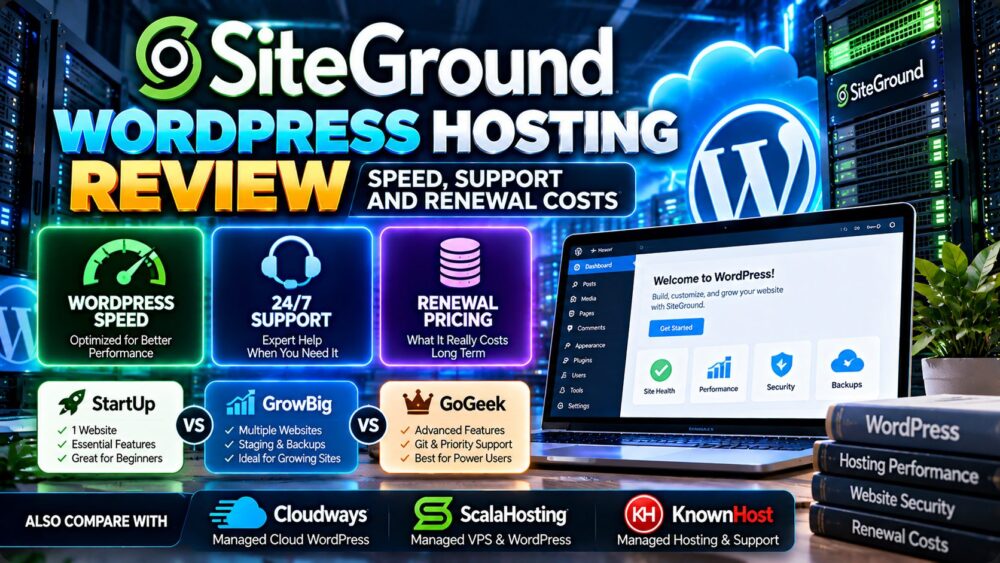
This SiteGround WordPress hosting review examines the features that matter most when choosing a WordPress host: website speed, caching, technical support, backups, plan limitations, and the real cost after an introductory promotion expires.
SiteGround is a managed WordPress hosting option for bloggers, business websites, content publishers, and WooCommerce users who want a more integrated hosting environment. Its appeal lies in the combination of WordPress-specific tools, server-level optimization features, and hosting support. However, the regular renewal cost deserves as much attention as the promotional starting rate.
Is SiteGround worth paying for, and which plan makes sense for your website? This review separates documented product features from performance claims that require independent testing.
Editorial disclosure: GXCOM.NET is an independent hosting research and comparison website. This article may contain affiliate-linked provider names. Our assessment is based on publicly available product documentation and technical analysis, not an independently completed SiteGround benchmark or support mystery-shopper test. Product details and prices should be verified before purchase.
SiteGround WordPress Hosting Review: Quick Verdict
SiteGround is worth considering for WordPress users who value managed features, convenient site administration, caching tools, backups, and an integrated hosting environment.
Its strongest appeal is not simply low introductory pricing. It is the combination of features that can reduce routine website management work.
The main drawback is the difference between promotional pricing and the regular renewal rate. Buyers should calculate the cost of keeping the website online for several years before selecting a plan.
| Evaluation Area | Editorial Assessment |
|---|---|
| WordPress integration | Strong range of WordPress-oriented management tools |
| Performance features | Multilevel caching, optimization tools, and CDN integration |
| Backups | Daily backups; additional backup options depend on plan |
| Staging | Available on eligible higher-tier plans |
| Support | Advertised 24/7 assistance; independent response testing not performed |
| Introductory pricing | Potentially attractive for qualifying first-term purchases |
| Renewal pricing | Important consideration for long-term budgets |
| Best suited to | WordPress users prioritizing managed convenience |
What Is SiteGround WordPress Hosting?
SiteGround offers hosting plans configured with WordPress users in mind. Instead of requiring customers to build and maintain a complete hosting environment from scratch, the platform provides tools for installation, optimization, updates, security-related tasks, and site management.
Its WordPress hosting plans are not equivalent to renting a dedicated physical server. Customers should understand the resource limits and management scope of the selected hosting package.
For beginners, managed WordPress features may simplify the initial setup. For experienced developers, tools such as SSH, WP-CLI, staging, and Git availability on eligible plans can help streamline development workflows.
To understand how this model differs from general-purpose hosting, read our WordPress hosting vs web hosting comparison.
SiteGround StartUp vs GrowBig vs GoGeek
SiteGround's WordPress hosting range includes three principal shared-hosting tiers. Their differences matter more than the promotional discount shown on the pricing page.
| Feature | StartUp | GrowBig | GoGeek |
|---|---|---|---|
| Website allowance | 1 website | Multiple websites, subject to resource limits | Multiple websites, subject to resource limits |
| Advertised storage | 10 GB | 50 GB | 100 GB |
| WordPress management tools | Included | Included | Included |
| SSL and CDN | Included | Included | Included |
| Daily backups | Included | Included | Included |
| Staging | Not listed as a tier feature | Included | Included |
| On-demand backups | Not listed as a tier feature | Included | Included |
| Git integration | Not listed as a tier feature | Not listed as a tier feature | Included |
| Priority support | Standard support | Standard support | Advertised priority support |
Plan information reflects SiteGround's official WordPress hosting listing reviewed in October 2026. Specifications and included features may change.
StartUp: Best for a Single WordPress Website
StartUp is positioned for one website and relatively straightforward hosting requirements.
It may suit a personal blog, a portfolio, or a small business website that does not require advanced development tools or multiple installations.
However, customers planning several websites or frequent staging deployments should evaluate a higher tier before purchasing.
GrowBig: Best for Growing WordPress Projects
GrowBig adds capabilities relevant to website owners managing multiple installations or testing changes before deployment.
Staging and on-demand backups can be particularly valuable for business websites that regularly update themes, plugins, and custom functionality.
For many growing WordPress projects, the practical value of these tools may matter more than the additional storage allowance alone.
GoGeek: Best for Advanced WordPress Workflows
GoGeek is designed for customers who need additional resources and more advanced administration features.
Git integration, white-label access, and priority support may appeal to developers, agencies, and businesses with more demanding operational requirements.
However, customers should not assume that the highest tier is automatically the fastest option for every application. Actual performance depends on workload behavior and the limits of the selected environment.
SiteGround Speed Review: What Actually Affects WordPress Performance?
Website speed is a major reason people research SiteGround. The platform advertises performance-oriented hosting features, including caching, a CDN, and WordPress optimization tools.
These capabilities are relevant, but performance should be assessed using real application workloads rather than marketing claims alone.
Server-Level Caching
Caching can reduce the work required to generate frequently requested pages. For a WordPress site, this may reduce repeated PHP execution and database queries.
However, caching effectiveness depends on configuration and the type of page being served.
A cached blog homepage is fundamentally different from a personalized WooCommerce checkout page or an authenticated WordPress administration screen.
Speed Optimizer for WordPress
SiteGround provides a WordPress optimization plugin intended to help users manage supported performance settings.
Optimization options should be tested carefully because combining multiple caching or minification systems can sometimes create compatibility issues.
Changes should be validated against real user interactions, not only synthetic benchmark scores.
Content Delivery Network
A CDN can help deliver eligible static resources from geographically distributed infrastructure.

For international audiences, this may improve delivery efficiency for cached assets. It does not automatically solve slow database queries or expensive server-side application logic.
Database and PHP Performance
Dynamic WordPress pages depend on PHP execution, database response times, theme code, and plugin behavior.
When investigating a slow website, measure uncached requests, database queries, background tasks, and resource utilization.
Adding more caching layers will not necessarily fix inefficient application code.
How We Recommend Testing SiteGround Speed
A meaningful benchmark should use the same WordPress installation, theme, plugins, PHP version, content, and traffic profile across providers.
- Deploy a clean WordPress test website.
- Record the hosting plan and data center region.
- Measure cached and uncached page requests separately.
- Test WordPress admin and logged-in interactions.
- Record Time to First Byte and Core Web Vitals.
- Simulate realistic concurrent requests.
- Measure performance during sustained load.
- Repeat tests at different times to detect variability.
Testing transparency: GXCOM.NET has not published independently collected SiteGround benchmark results for this review. No specific loading time, uptime percentage, or speed ranking is claimed.
SiteGround Support Review: What Can Customers Expect?
SiteGround advertises around-the-clock human support, which is relevant for WordPress users who prefer assistance with hosting-related issues.
However, support availability should not be confused with unlimited application development or debugging services.
Before purchasing, customers should determine whether the selected plan includes assistance with:
- WordPress installation and basic setup.
- Hosting configuration and service availability.
- SSL and domain-related hosting settings.
- Website migrations and associated limitations.
- Backup restoration and recovery procedures.
- WordPress plugin conflicts and application troubleshooting.
- Performance investigation and resource limitations.
The exact scope of support may differ by issue and plan.
How to Evaluate Support Quality
Before relying on a hosting provider for a business-critical website, submit a legitimate technical question and assess the clarity and usefulness of the response.
Look for accurate diagnosis, practical instructions, and clear explanations of responsibility.
Response speed is useful, but a quick answer that fails to resolve the problem does not necessarily indicate strong support quality.
Editorial limitation: We have not conducted a timed support mystery-shopper test for this article, so we do not publish an invented average response time.
SiteGround Backups, Security and WordPress Management
Backups and security-related tools are important elements of managed WordPress hosting, particularly for websites that frequently publish content or process customer information.
Daily Backups
SiteGround lists daily backups among its hosting features, while additional backup capabilities depend on the plan.
Customers should confirm backup retention, restoration conditions, and whether important data is stored independently of the hosting account.
A hosting provider's backup system should not be the only recovery method for a critical business website.
Staging Environments
Staging is particularly useful when testing WordPress core updates, theme changes, or new plugins.
It reduces the need to experiment directly on the live website, although staging still requires proper testing and deployment procedures.
Automatic Updates
Managed update features can reduce routine maintenance work, but automatic updates do not eliminate compatibility risks.
Website owners should maintain backups and verify important application functions after updates.
Security Optimizer
SiteGround provides WordPress security-related tools designed to help users manage supported protection settings.
These features can contribute to a defense-in-depth strategy, but they do not guarantee immunity from vulnerabilities, compromised credentials, or insecure plugins.
SiteGround Renewal Costs: The Biggest Buying Consideration
The difference between introductory and regular pricing is one of the most important factors in this SiteGround WordPress hosting review.
SiteGround's official pricing page distinguishes discounted first-term offers from the regular renewal rates for StartUp, GrowBig, and GoGeek.
That means the effective monthly price displayed in a promotion may not represent the amount paid in later years.
How to Calculate Long-Term Hosting Cost
Use this formula:
Total hosting cost = introductory-term payment + subsequent renewal payments + required add-ons + applicable taxes
For a fair comparison, use the same contract length and include the services each provider supplies.
Hypothetical Three-Year Cost Example
Consider a fictional hosting plan with a $60 first-year payment and a $240 annual renewal price.
| Billing Period | Hypothetical Cost |
|---|---|
| Year 1 | $60 |
| Year 2 | $240 |
| Year 3 | $240 |
| Total | $540 |
| Average monthly cost over 36 months | $15 |
This example is illustrative and does not represent an actual SiteGround quotation.
Calculating the full cost reveals whether the plan remains affordable after the introductory period ends.
Can You Reduce SiteGround Renewal Costs?
Before the renewal date, review your account's current pricing and ask billing support whether any eligible renewal or plan-adjustment options are available.
Do not assume that new-customer coupons apply to existing subscriptions.
For practical renewal strategies, read our hosting renewal coupons guide.
SiteGround Pros and Cons
Advantages
- WordPress-focused hosting and management tools.
- Built-in caching and performance optimization options.
- SSL, CDN, and backup features included in advertised plans.
- Staging available on eligible higher-tier plans.
- SSH and WP-CLI support for technical users.
- 24/7 support availability advertised by the provider.
- Options for single websites, growing projects, and advanced workflows.
Limitations
- Regular renewal rates can be significantly higher than introductory rates.
- Some useful development features require a higher-tier plan.
- Resource limits still apply despite broad website or traffic allowances.
- Managed shared hosting is not equivalent to dedicated hardware.
- Customers requiring specialized server configurations may prefer VPS or cloud infrastructure.
- Performance and support quality must be tested against actual workloads.
SiteGround vs Cloudways vs ScalaHosting vs KnownHost
SiteGround is not the only hosting option for customers who want WordPress management features.
Three relevant alternatives are Cloudways, ScalaHosting, and KnownHost. Each approaches hosting and management somewhat differently.
| Provider | Primary Comparison Angle | Who Should Investigate It? |
|---|---|---|
| SiteGround | Integrated WordPress hosting features | Users prioritizing convenient WordPress administration |
| Cloudways | Managed cloud application hosting | Agencies and websites considering cloud-based deployment |
| ScalaHosting | Managed VPS and WordPress hosting options | Customers evaluating configurable resources and managed support |
| KnownHost | Managed hosting and technical support | Businesses comparing support scope and operational value |
These are different service models, so the comparison should account for CPU and RAM allocation, backups, control panels, management responsibilities, and renewal pricing.
SiteGround vs Cloudways
SiteGround may appeal to customers who want an integrated WordPress hosting experience, while Cloudways is worth investigating when the project needs a managed cloud application environment.
Cloudways pricing and resource options should be compared with the full SiteGround plan rather than against a promotional headline alone.
For additional research, see our managed cloud hosting comparison.
SiteGround vs ScalaHosting
ScalaHosting is relevant when a WordPress website may benefit from a managed VPS configuration or a different balance of resources and support.
However, moving to a VPS should be justified by application requirements rather than assuming that more CPU cores automatically produce a faster website.
SiteGround vs KnownHost
KnownHost is a useful alternative to investigate when technical support, managed services, and operational responsibilities are central to the purchase decision.
Compare the exact plan features, backup arrangements, support scope, and long-term cost rather than relying on brand reputation alone.
Is SiteGround Good for WooCommerce?
SiteGround offers WordPress hosting features relevant to WooCommerce websites, including caching, backups, and management tools.
However, WooCommerce performance depends on more than the presence of a caching system.
Shopping carts, checkout pages, customer accounts, and other personalized requests often require dynamic processing.
Before choosing a plan for a growing store, evaluate:
- Uncached page response times.
- Database performance under concurrent usage.
- Checkout and payment workflow reliability.
- Backup and recovery requirements.
- Traffic spikes during promotions.
- Resource limits and upgrade options.
A small WooCommerce store and a high-volume online retailer can have very different hosting needs.
When Should You Upgrade From SiteGround Shared Hosting?
Upgrading is worth considering when the existing hosting plan repeatedly reaches resource limits or cannot meet the website's operational requirements.
Warning signs may include slow dynamic requests, sustained resource pressure, insufficient application control, or a need for more predictable resource allocation.
Before upgrading, investigate inefficient plugins, database queries, caching configuration, and media delivery.
For a broader infrastructure decision, read our VPS vs shared hosting comparison.
Who Should Choose SiteGround WordPress Hosting?
Good Candidates
- Bloggers seeking WordPress-oriented hosting tools.
- Small businesses wanting an integrated management environment.
- Website owners who value backup and caching features.
- Teams that can benefit from staging on eligible plans.
- Customers who understand and accept the renewal pricing structure.
Who Should Consider Alternatives?
- Customers whose budgets cannot accommodate regular renewal rates.
- Developers needing extensive operating system control.
- Applications requiring dedicated or highly specialized infrastructure.
- High-resource workloads that exceed the selected plan's limits.
- Businesses requiring a management agreement beyond the advertised support scope.
How to Choose the Right SiteGround Plan
- Count your websites: Determine whether you need a single installation or multiple sites.
- Measure storage usage: Include databases, email, files, and expected growth.
- Review development needs: Decide whether staging, Git, or on-demand backups are necessary.
- Estimate traffic and concurrency: Consider dynamic requests, not only page views.
- Check support requirements: Confirm which services are included.
- Calculate renewal costs: Compare at least two or three years of expected spending.
- Verify the current offer: Check the official checkout and applicable terms.
- Test after deployment: Measure real WordPress performance before making further commitments.
For current introductory promotions and purchasing incentives, explore our latest WordPress hosting promotions guide.

Frequently Asked Questions
Is SiteGround good for WordPress hosting?
SiteGround offers WordPress-oriented hosting tools, caching, backups, and managed features. Whether it is suitable depends on the website's workload, required services, and budget.
Is SiteGround WordPress hosting fast?
SiteGround provides performance-related features, but actual website speed depends on caching, application code, databases, traffic, and server resources. Independent workload testing is needed to quantify performance.
Does SiteGround offer 24/7 support?
SiteGround advertises 24/7 human support. The exact support scope and response experience should be verified for the selected service.
Why does SiteGround cost more at renewal?
Eligible introductory purchases may receive promotional pricing that ends after the first term. The regular renewal price can be higher and should be reviewed before purchase.
Which SiteGround plan is best for WordPress?
StartUp may suit a single smaller website. GrowBig adds features such as staging and on-demand backups. GoGeek provides additional advanced capabilities for more demanding workflows.
Does SiteGround include backups?
SiteGround advertises daily backups. Backup retention and additional restoration or on-demand options should be checked against the current plan terms.
Does SiteGround include WordPress staging?
Staging is listed for eligible higher-tier WordPress hosting plans, including GrowBig and GoGeek.
Can I host multiple WordPress sites on SiteGround?
Eligible higher-tier plans support multiple websites, subject to the plan's applicable storage and resource limits.
Is SiteGround better than Cloudways?
Neither is universally better. SiteGround and Cloudways offer different hosting approaches, so compare management features, resource needs, support, and total cost.
Is SiteGround worth the renewal price?
It may be worthwhile if the included management tools, support, and hosting features provide sufficient ongoing value. Compare the regular rate with suitable alternatives and the cost of migration.
Final Verdict: Is SiteGround WordPress Hosting Worth It?
Our SiteGround WordPress hosting review finds that the platform is a credible option to investigate for users seeking WordPress-specific management tools, caching features, backups, and convenient website administration.
StartUp is oriented toward simpler single-site needs, GrowBig adds useful development and backup capabilities, and GoGeek targets more advanced workflows.
The most important buying decision is whether those features justify the regular renewal cost for your website.
SiteGround is worth considering when managed convenience matters more than obtaining the lowest possible hosting price. If your project needs a different cloud model, configurable VPS resources, or alternative support arrangements, Cloudways, ScalaHosting, and KnownHost are relevant providers to compare.
COMPARE FEATURES → EVALUATE REAL WORKLOADS → CHECK SUPPORT → CALCULATE RENEWAL COST → VERIFY THE PLAN → CHOOSE LONG-TERM VALUE