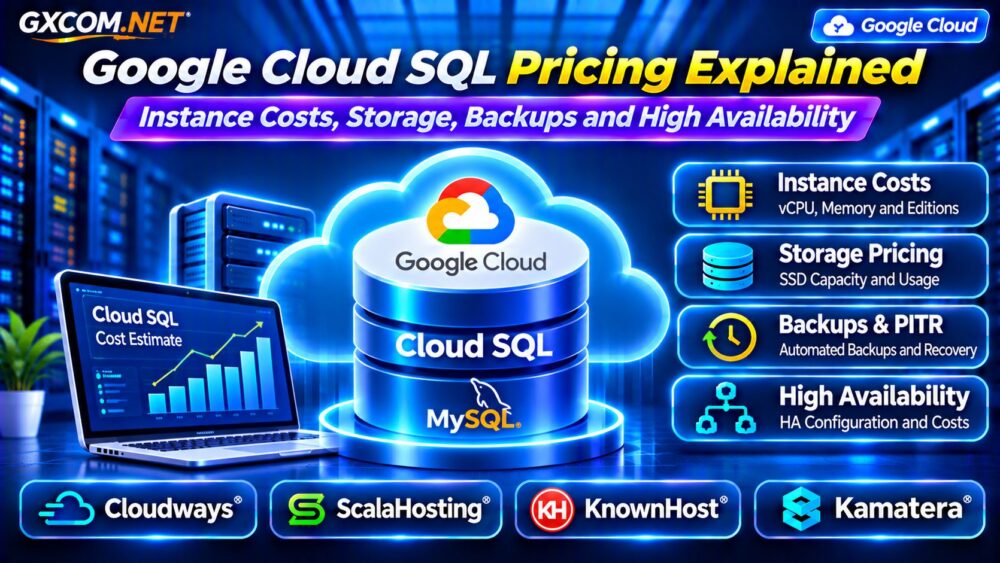
Google Cloud SQL pricing can become difficult to predict when businesses focus on database instance size but overlook storage, backups, networking, and high availability. A managed database removes many routine administration tasks, yet each additional resource can affect the monthly bill.
Cloud SQL supports MySQL, PostgreSQL, and SQL Server, with pricing that varies by database engine, edition, region, and configuration. This guide focuses primarily on MySQL and PostgreSQL costs, including practical calculations and alternative hosting options.
How Does Google Cloud SQL Pricing Work?
Cloud SQL charges for several components rather than one universal monthly package. Dedicated-core configurations generally incur CPU and memory charges, while storage, backup usage, and eligible network traffic are billed separately.
Additional expenses may include read replicas, high availability, extended support, and related services.
Cloud SQL Enterprise and Enterprise Plus have different compute rates and feature sets. Always choose the database engine and region before comparing quotations.
Cloud SQL Enterprise vs Enterprise Plus
Enterprise targets general-purpose database workloads, while Enterprise Plus offers additional performance, availability, and data protection capabilities.
Enterprise Plus generally has higher CPU and memory rates. However, its features may justify the difference for applications requiring demanding performance or stronger availability commitments.
Do not select an edition based only on its advertised SLA. Evaluate workload requirements, supported machine configurations, maintenance behavior, and the complete regional price.
Calculate Cloud SQL CPU and Memory Costs
For a dedicated-core Enterprise instance in Google’s published Iowa pricing example, the on-demand rates are $0.0413 per vCPU-hour and $0.007 per GiB-hour of memory.
Consider an instance running continuously for 730 hours with two vCPUs and 8 GiB RAM:
- CPU: 2 × $0.0413 × 730 = $60.30.
- Memory: 8 × $0.007 × 730 = $40.88.
- Estimated compute and memory: $101.18 monthly.
These are example regional rates, not universal quotations. The calculation excludes storage, backups, network traffic, and other services.
Cloud SQL Storage Pricing Explained
Cloud SQL storage costs depend on provisioned capacity, storage type, region, and availability configuration.
Using an illustrative SSD rate of $0.17 per GiB-month, 100 GiB of storage adds approximately $17 monthly. Combined with the previous compute example, the estimated total becomes $118.18 before additional charges.
Storage allocated beyond actual database usage can create unnecessary spending. Review database growth, transaction logs, and storage utilization before increasing capacity.
Automatic storage increases may prevent capacity-related incidents, but they can also raise recurring costs. Understand the service’s storage reduction limitations before enabling aggressive expansion.

How Much Do Cloud SQL Backups Cost?
Automated backups help protect against accidental deletion, corruption, and infrastructure failures. Backup storage is billed according to applicable service rules and actual retained data.
Cloud SQL backups are incremental, so backup costs cannot be estimated simply by multiplying the full database size by the number of recovery points.
Retention settings, database changes, and backup storage location influence the bill. Review the current pricing model for your database engine and backup configuration.
For backup planning principles, see our VPS Snapshot Backup and Recovery Guide.
Point-in-Time Recovery and Transaction Logs
Point-in-time recovery, or PITR, helps restore a database to a selected moment within its supported recovery window.
Cloud SQL supports transaction-log-based recovery, but retention limits, storage arrangements, and charges vary by edition and configuration.
Google lists included Google Cloud Storage-based PITR log retention allowances for supported configurations, including up to seven days for Enterprise and 35 days for Enterprise Plus.
Verify the selected engine, logging destination, retention settings, and any applicable storage charges before assuming recovery is free.
High Availability: Why Does HA Cost More?
Cloud SQL high availability uses a regional configuration designed to reduce disruption from certain infrastructure failures.
In the Iowa Enterprise pricing example, HA CPU and memory rates are twice the corresponding single-zone rates. HA storage also has separate pricing.
Consequently, a highly available database can cost substantially more than a standalone instance.
HA does not eliminate every application failure, prevent accidental data deletion, or replace backups. Review failover behavior, maintenance windows, and recovery responsibilities.
Our High-Availability Cloud Servers Guide explains broader redundancy considerations.
Read Replicas and Network Transfer Charges
Read replicas can distribute eligible read workloads, but they create additional database resource charges. They should not be treated as free extensions of the primary instance.
Cross-region replicas can also generate network transfer expenses. Traffic costs depend on destination, region, and applicable network pricing rules.
Measure query patterns before adding replicas. Inefficient SQL statements or missing indexes may be cheaper to fix than adding another database instance.
Cloud SQL vs Self-Hosted MySQL
Cloud SQL handles selected database infrastructure operations, while self-hosted MySQL provides more direct control over server configuration and maintenance.
A self-hosted database may have a lower infrastructure bill, but patching, monitoring, backups, replication, and recovery become operational responsibilities.
Compare these approaches in our Managed Cloud Database Hosting Guide.
Four Cloud Infrastructure Alternatives to Evaluate
1. Cloudways: Managed Cloud Applications
Cloudways is relevant for supported database-backed websites and PHP applications. Compare application management, backups, available database controls, and overall server resources.
Its managed cloud hosting model should not be confused with a dedicated Cloud SQL-equivalent DBaaS product.
2. ScalaHosting: Managed VPS for MySQL
ScalaHosting can suit businesses considering managed VPS infrastructure for MySQL-powered applications.
Evaluate memory allocation, storage, management coverage, and backup services. Confirm whether advanced database tuning or replication administration is included.
3. KnownHost: Managed Server Support
KnownHost is worth comparing when technical assistance and server management are important purchasing factors.
Review plan-specific database support, recovery procedures, resource allocation, and operational responsibilities before migrating.
4. Kamatera: Configurable Cloud Servers
Kamatera offers configurable cloud infrastructure for teams building their own database environments.

Compare compute, memory, storage, networking, and optional management services. Include database administration labor and recovery infrastructure in the total cost.
Seven Ways to Reduce Cloud SQL Costs
- Right-size CPU and memory using measured utilization.
- Review Enterprise versus Enterprise Plus requirements.
- Monitor storage growth and unnecessary allocations.
- Optimize backup retention without compromising recovery objectives.
- Remove unnecessary read replicas and test resources.
- Review regional network traffic and eligible commitment discounts.
- Compare managed database costs against self-hosted alternatives.
For additional infrastructure choices, explore our Managed Cloud Hosting Comparison.
Frequently Asked Questions
Is Google Cloud SQL Charged Monthly?
Cloud SQL generally uses usage-based billing, with monthly totals reflecting running time, provisioned resources, and additional services.
Does High Availability Double Cloud SQL Costs?
Some HA compute and storage rates are approximately double their standalone equivalents, but the complete bill depends on the selected configuration.
Are Cloud SQL Backups Free?
Not universally. Backup storage, recovery logs, retention, and related features follow applicable pricing and included allowances.
Final Verdict
Google Cloud SQL pricing should be evaluated across CPU, memory, storage, backups, high availability, replicas, and network usage.
For workloads that do not require every managed database feature, compare Cloudways, ScalaHosting, KnownHost, and Kamatera as infrastructure alternatives.
The best choice balances database reliability, operational responsibility, application performance, and predictable long-term costs.