Choosing between Google Cloud Run and Compute Engine can have a major impact on how you deploy, scale, and manage web applications. Both services run workloads on Google Cloud, but they take fundamentally different approaches to infrastructure.
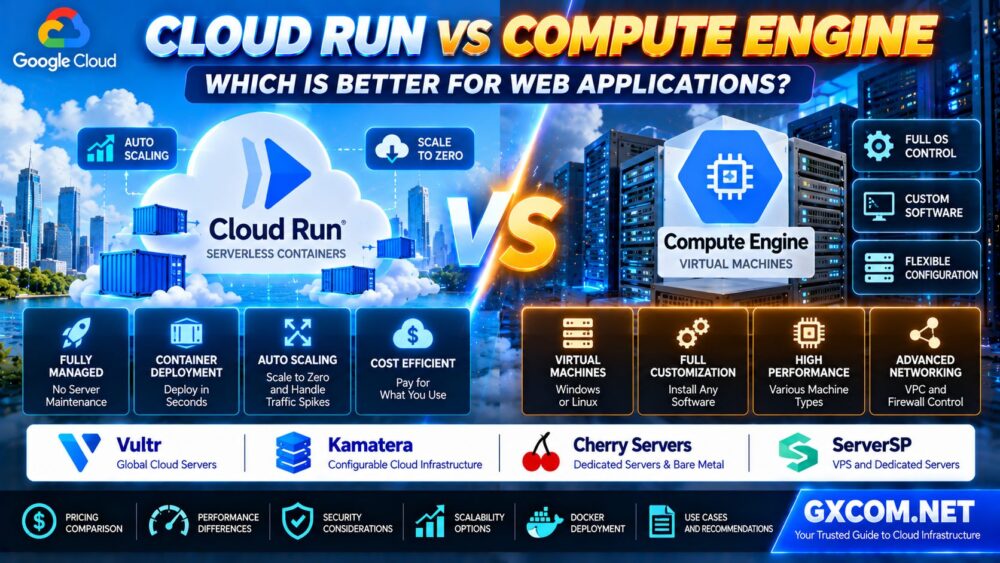
Cloud Run is a fully managed application platform that lets developers deploy supported containers or source-based applications without managing virtual machines. Compute Engine provides configurable virtual machines with operating system control, custom software installation, and broader infrastructure flexibility.
For a small API with unpredictable traffic, Cloud Run may reduce operational work and idle compute costs. For an application that needs persistent system services, specialized software, or complete operating system control, Compute Engine may be more appropriate.
Neither platform is universally faster or cheaper. The right choice depends on workload behavior, application architecture, scaling requirements, and total operating cost.
This Cloud Run vs Compute Engine comparison explains performance, pricing, deployment, networking, databases, security, and real-world use cases so you can select the right Google Cloud hosting platform.
Cloud Run vs Compute Engine: Quick Comparison
| Feature | Google Cloud Run | Google Compute Engine |
|---|---|---|
| Service model | Fully managed application platform | Infrastructure as a Service (IaaS) |
| Primary deployment | Containerized applications and supported source deployments | Virtual machines with custom software |
| Operating system access | No full host OS administration | Guest OS administration |
| Scaling | Managed instance scaling | VM resizing and managed instance groups |
| Idle resources | Can scale services to zero | VMs continue running unless stopped or managed separately |
| Persistent storage | External storage and supported volume options | Persistent disks and other supported storage |
| Background processing | Services, jobs and worker pools for supported patterns | Long-running system services and custom processes |
| Networking | Managed ingress and outbound connectivity options | Extensive VPC and network interface control |
| Pricing model | Resource allocation and usage-based billing options | VM compute, storage and related infrastructure charges |
| Best fit | Stateless web apps, APIs and container workloads | Custom, legacy and infrastructure-intensive applications |
Quick verdict: Choose Cloud Run when your application fits a managed container deployment model and you want simpler operations. Choose Compute Engine when you need a complete virtual machine, specialized infrastructure, or software that cannot run within Cloud Run's execution model.
1. What Is Google Cloud Run?
Google Cloud Run is a fully managed platform for running supported application workloads without provisioning and maintaining traditional virtual machines.
For web applications, developers typically deploy a container image or use a supported source deployment workflow. Cloud Run then manages the underlying application instances and can adjust capacity according to demand.
Cloud Run is commonly used for:
- REST APIs and web backends
- Containerized web applications
- Webhook receivers
- Microservices
- Event-driven applications
- Scheduled or batch jobs
- Applications with variable request traffic
Its main advantage is reducing infrastructure management. Developers can focus on application code, deployment configuration, observability, and security rather than patching the underlying host operating system.
However, Cloud Run still has platform constraints. Applications must follow the supported execution model, resource limits, networking behavior, and request lifecycle requirements.
2. What Is Google Compute Engine?
Google Compute Engine is Google Cloud's virtual machine service.
It allows organizations to create VMs using supported operating systems, machine families, disks, and networking configurations.
Administrators can install software, manage services, configure system packages, and control much of the guest operating system environment.
Common Compute Engine workloads include:
- Custom Linux and Windows servers
- Traditional web applications
- Legacy enterprise software
- Self-managed databases
- Container hosts
- Specialized compute workloads
- Applications requiring OS-level access
Compute Engine offers greater flexibility than a managed application platform, but it also introduces responsibilities for guest OS updates, monitoring, access control, backup policies, and application availability.
3. Serverless vs Virtual Machines: The Fundamental Difference
The central difference between Cloud Run and Compute Engine is the amount of infrastructure you manage.
Cloud Run: Focus on the Application
Cloud Run abstracts away most host infrastructure management.
Developers package their applications, define configuration and resource settings, and deploy them through supported workflows.
Google manages the underlying platform, while the customer remains responsible for application code, configuration, identity permissions, dependencies, and data security.
Compute Engine: Control the Server Environment
Compute Engine gives administrators access to the guest operating system and more control over installed software and system services.
This can be essential when an application depends on custom drivers, system packages, persistent background processes, or specialized server configurations.
The tradeoff is additional administration and operational complexity.
4. Cloud Run vs Compute Engine Pricing: Which Is Cheaper?
Pricing is one of the most important factors in the Cloud Run vs Compute Engine decision.
However, the cheaper platform depends on how frequently your application runs, how much CPU and memory it requires, and how the application handles requests.
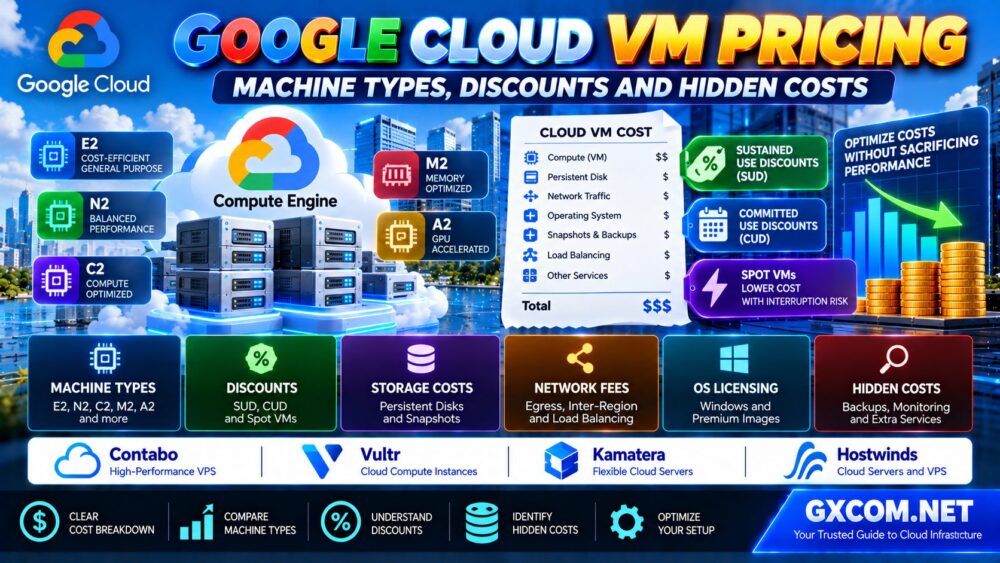
Planning to deploy a Compute Engine virtual machine? Read our Google Cloud VM Pricing Guide to compare machine types, sustained use discounts, committed use discounts, Spot VMs, storage charges and network costs before choosing a configuration.
Cloud Run Pricing Considerations
Cloud Run offers billing models based on configured resources and applicable usage rules. The total charge can depend on:
- CPU and memory allocation
- Instance execution time
- Request volume where applicable
- Minimum instance settings
- Networking and data transfer
- Supporting Google Cloud services
For eligible services that scale to zero, idle compute charges can be reduced when no application instances are running.
However, configured minimum instances, instance-based billing, or other supporting resources may still generate costs when request traffic is low.
Compute Engine Pricing Considerations
Compute Engine costs can include:
- VM machine type and running time
- Operating system licensing
- Persistent disks and snapshots
- External IP resources
- Network data transfer
- Load balancing
- Monitoring and backup services
Eligible workloads may benefit from committed use discounts, sustained use discounts, or Spot VMs, subject to the relevant product terms.
When Cloud Run May Cost Less
Cloud Run can be attractive for intermittent traffic, event-driven APIs, and applications that can scale down significantly between requests.
For example, a small internal application used only occasionally may not need a continuously running VM.
When Compute Engine May Be More Economical
Compute Engine may become attractive for sustained workloads with predictable resource requirements, particularly when the application benefits from a specific machine configuration or eligible discount model.
For continuously busy services, compare the actual resource allocation and billing behavior rather than assuming serverless always means lower cost.
For a broader understanding of cloud infrastructure pricing, read our Cloud Hosting vs VPS Comparison.
5. Performance: Is Cloud Run Faster Than Compute Engine?
Neither platform guarantees better application performance in every situation.
Compute Engine provides a wider selection of machine families and hardware configurations, which can be useful for specialized workloads.
Cloud Run simplifies application execution but introduces considerations such as instance startup, concurrency settings, and autoscaling behavior.

Cold Starts and Application Startup
A Cloud Run service that scales to zero may need to start a new instance when traffic returns.
Startup latency depends on factors such as container initialization, application dependencies, and configuration.
Minimum instances and application optimization can help reduce startup-related latency, but they may affect cost.
CPU and Memory Allocation
Both platforms require sufficient resources for the application.
On Cloud Run, configure supported CPU and memory settings along with concurrency and scaling behavior.
On Compute Engine, select a suitable machine family and size, then monitor the guest operating system and application.
Application Concurrency
Cloud Run can serve multiple concurrent requests per instance, subject to configuration and platform limits.
Increasing concurrency may improve resource efficiency for some applications, but it can also increase memory pressure or response times when the application cannot handle simultaneous work efficiently.
Performance recommendation: Benchmark uncached requests, database queries, concurrent users, and application startup behavior before selecting a platform.
6. Scaling: Cloud Run vs Compute Engine Autoscaling
Scaling is one of Cloud Run's most significant advantages for compatible applications.
Cloud Run Autoscaling
Cloud Run manages service instance counts based on demand and configured limits.
Depending on configuration, services can scale down to zero when there is no traffic.
Administrators can also configure minimum and maximum instance settings to balance latency, resource availability, and cost.
Maximum instance settings should not be treated as an absolute guarantee that every request will always be served immediately. Capacity, concurrency, and downstream dependencies still matter.
Compute Engine Scaling
Compute Engine supports scaling through managed instance groups and autoscaling configurations.
However, building a scalable application may also require:
- Instance templates
- Load balancing
- Health checks
- Shared application state
- External databases
- Deployment automation
Compute Engine offers considerable flexibility, but the scaling architecture generally requires more design and maintenance.
7. Cloud Run vs Compute Engine for Docker Containers
Docker and other compatible container tooling are central to many modern deployment workflows.
Cloud Run is designed to execute supported containerized workloads through a managed platform.
Compute Engine can also run containers, but administrators must install and maintain the required container runtime and host environment.
Choose Cloud Run for Containers When:
- Your application fits the supported execution model
- You want managed instance scaling
- You prefer application-level deployment
- You do not require host operating system access
- Your persistent data is handled appropriately
Choose Compute Engine for Containers When:
- You need control over the container host
- You require custom system components
- You run specialized container infrastructure
- Your workload requires unsupported host-level capabilities
- You need direct control over long-running services
For sustained container workloads that require dedicated physical resources, bare metal infrastructure may also be worth comparing.
Our Linux Dedicated Server for Docker Hosting Guide explains CPU sizing, RAM requirements, NVMe storage, networking, and deployment considerations.
8. Databases and Persistent Storage
Persistent data is an important architectural consideration when comparing Cloud Run and Compute Engine.
Cloud Run Storage
Cloud Run instances are ephemeral. Applications should not rely on local writable instance storage as the durable source of important data.
For persistent data, use suitable external services such as managed databases, object storage, or supported volume integrations.
Database connection management also matters because automatically scaling application instances can create additional database connections.
Compute Engine Storage
Compute Engine provides more direct control over VM storage configurations.
Administrators can attach supported persistent disks, configure filesystems, and deploy database software where appropriate.
However, running a database on a VM introduces additional responsibilities for backups, replication, patching, and recovery.
Best practice: Separate application scaling decisions from database capacity planning. A rapidly scaling web application can still be limited by a single database.
9. Background Jobs, WebSockets and Long-Running Processes
Not all application workloads fit a traditional request-response pattern.
Cloud Run supports multiple workload models, including services, jobs, and worker pools, with different execution characteristics.
Cloud Run services can support WebSocket connections, but request timeouts and connection lifecycle behavior must be considered.
For batch processing, Cloud Run jobs may be more suitable than attempting to keep an HTTP request open indefinitely.
Worker pools can address supported non-request-driven background processing scenarios.
Compute Engine offers broader control over traditional long-running processes, operating system services, and custom worker environments.
Before choosing either platform, document:
- Maximum task duration
- Background processing requirements
- Connection lifetime
- State management
- Retry behavior
- Failure recovery
The correct Cloud Run workload type should be selected based on the application's execution pattern rather than treating all container workloads as HTTP services.
10. Networking and Security
Cloud Run and Compute Engine both integrate with Google Cloud networking and identity services, but their management models differ.
Cloud Run Security
Cloud Run reduces host administration responsibilities and supports controls for application access and service identity.
Administrators should evaluate:
- Authentication requirements
- IAM permissions
- Service account privileges
- Ingress restrictions
- Outbound connectivity
- Secrets management
- Application dependency security
Managed infrastructure does not eliminate vulnerabilities in application code or dependencies.
Compute Engine Security
Compute Engine offers extensive network and operating system configuration options.
Administrators should manage:
- Guest OS updates
- Firewall rules
- SSH or remote access
- Service account permissions
- Application patching
- Storage encryption and data access
- Backup and recovery
Neither platform should be considered automatically secure without appropriate configuration.
11. Deployment and DevOps Workflow
Cloud Run can simplify deployment by allowing developers to publish application revisions without maintaining a fleet of traditional virtual machines.
Supported workflows can integrate with container registries, build systems, and CI/CD pipelines.
Traffic management between revisions can help teams roll out changes and test deployments.
Compute Engine deployments may use scripts, configuration management, custom images, startup automation, or instance templates.
For teams that need full OS customization, this flexibility can be valuable.
For teams that primarily ship supported web applications, Cloud Run may reduce operational complexity.
Ready to deploy a containerized application? Follow our Google Cloud Run Docker Deployment Guide for a production-oriented walkthrough covering Dockerfiles, Artifact Registry, Cloud Build, IAM, secrets, autoscaling and monitoring.
12. Real-World Use Cases: Which Platform Fits?
| Application | Likely Starting Point | Reason |
|---|---|---|
| Small REST API | Cloud Run | Managed deployment and demand-based scaling |
| Webhook processing | Cloud Run | Suitable event-driven execution patterns |
| Containerized web backend | Cloud Run | Reduced host administration |
| Legacy application with custom OS dependencies | Compute Engine | Greater guest OS control |
| Custom Windows application server | Compute Engine | Windows VM environment |
| Self-managed database server | Compute Engine | Control over database software and storage |
| Occasionally used internal web tool | Cloud Run | Potential to reduce idle compute usage |
| Specialized hardware workload | Evaluate Compute Engine first | Broader hardware and VM configuration options |
These are starting points rather than universal rules. Application requirements, available features, and pricing can change the final recommendation.
13. When Should You Consider Alternatives to Google Cloud?
Google Cloud Run and Compute Engine are not the only ways to host web applications.
Some businesses prefer alternative cloud infrastructure when their workloads do not depend on Google Cloud-specific services or when they want a different management model.
Vultr, Kamatera, Cherry Servers, and ServerSP are four providers worth evaluating for different infrastructure requirements.
They should not be treated as identical substitutes for Cloud Run's managed serverless platform.
Vultr: Alternative Cloud Compute Infrastructure
Vultr is relevant for developers comparing cloud compute and VPS-style infrastructure.
It may be worth investigating for applications that can run on conventional virtual servers and do not require native Google Cloud integrations.
Compare available compute configurations, regions, storage, networking, and operational responsibilities.
Best evaluation angle: Cloud VM alternatives for straightforward application hosting.
Kamatera: Configurable Virtual Machines
Kamatera is another candidate for buyers who need configurable cloud servers with supported operating system options.
It may appeal to teams that prefer VM-level control rather than a managed container service.
Review the exact configuration, storage requirements, licensing, and available management services.
Best evaluation angle: Customizable cloud infrastructure for VM-oriented applications.
Cherry Servers: Bare Metal for Sustained Workloads
Cherry Servers is relevant when a workload may benefit from dedicated physical infrastructure.
For container hosting, compare processor performance, RAM capacity, NVMe storage, network requirements, and deployment flexibility.
Remember that dedicated hardware generally requires more infrastructure administration than Cloud Run.
Best evaluation angle: Sustained workloads requiring bare metal resources and hardware control.
ServerSP: VPS and Dedicated Infrastructure Options
ServerSP can be considered when evaluating virtualized or dedicated infrastructure for self-managed applications.
Verify the selected plan's Linux compatibility, root access, storage performance, network features, and support scope.
Best evaluation angle: Traditional server hosting for teams comfortable managing their own runtime environment.
For a broader cloud provider comparison, read our Best Cloud Hosting Solutions Guide.
14. Cloud Run vs Compute Engine vs Other Hosting Models
| Platform | Infrastructure Model | Main Consideration |
|---|---|---|
| Google Cloud Run | Managed application platform | Less host management, platform constraints |
| Google Compute Engine | Virtual machines | Greater flexibility, more administration |
| Vultr | Cloud compute infrastructure | Alternative VM hosting model |
| Kamatera | Configurable cloud servers | VM resource customization |
| Cherry Servers | Bare metal infrastructure | Exclusive hardware resources |
| ServerSP | VPS and dedicated infrastructure | Self-managed hosting options |
These services differ in management responsibility, deployment model, pricing, and application compatibility.
Compare the complete operating environment rather than only the advertised CPU and memory specifications.
15. Common Cloud Run and Compute Engine Mistakes
- Assuming Cloud Run is always cheaper because it is serverless.
- Ignoring minimum instance settings and supporting service charges.
- Running stateful applications without appropriate persistent storage.
- Overlooking cold starts and application initialization time.
- Setting container concurrency without load testing.
- Choosing Compute Engine without budgeting for OS administration.
- Assuming VM autoscaling requires no application architecture changes.
- Ignoring database connection limits during autoscaling.
- Using an HTTP service for background workloads better suited to jobs or workers.
- Comparing cloud providers without considering support and operational responsibility.
For a wider infrastructure decision, our Dedicated Server vs Cloud Server Guide explains the tradeoffs between physical hardware and cloud environments.

16. Cloud Run vs Compute Engine: Which Should You Choose?
Choose Google Cloud Run If:
- Your application fits a supported container execution model.
- You want to avoid managing the host operating system.
- Your traffic changes significantly over time.
- You need straightforward application deployment.
- You can design around ephemeral instances and managed scaling.
Choose Google Compute Engine If:
- You need full guest operating system administration.
- Your application requires custom system software.
- You want direct control over VM and disk configurations.
- You operate traditional long-running services.
- Your workload requires infrastructure features beyond Cloud Run's model.
Consider Alternative Infrastructure If:
- Your application does not rely on Google Cloud-specific services.
- You prefer a different VM or bare metal management model.
- You need to compare sustained workload costs.
- You want to evaluate hardware, networking, or support options from other providers.
Frequently Asked Questions
Is Cloud Run better than Compute Engine?
Cloud Run is often more convenient for supported web applications and APIs because it reduces infrastructure management. Compute Engine is better suited to workloads requiring virtual machine control or specialized software configurations.
Is Cloud Run cheaper than Compute Engine?
It depends on resource consumption, traffic patterns, minimum instances, VM purchasing models, storage, and networking. Cloud Run can be economical for intermittent workloads, while Compute Engine may be competitive for sustained usage.
Can Cloud Run scale to zero?
Yes. Eligible Cloud Run services can scale to zero when minimum instances are not configured to keep capacity running. Billing and behavior depend on the workload type and selected configuration.
Can I run Docker containers on Compute Engine?
Yes. You can configure a supported Compute Engine VM as a container host and install the necessary runtime. You remain responsible for managing the guest operating system and container infrastructure.
Does Cloud Run support persistent storage?
Cloud Run instances are ephemeral, but applications can use supported external storage services and volume integrations. Important data should not depend on an instance's temporary writable filesystem.
Can Cloud Run run background jobs?
Yes. Cloud Run provides jobs and worker-oriented execution options for supported workloads. The correct option depends on whether processing is request-driven, task-based, or continuously background-oriented.
Does Cloud Run support WebSockets?
Yes. Cloud Run services support WebSocket connections, but connection duration, request timeout, scaling, and state management must be considered.
Can I run Windows applications on Cloud Run?
Cloud Run's supported container execution environment is not a general-purpose Windows virtual machine. Applications requiring a Windows guest operating system should be evaluated against supported Compute Engine Windows VM options.
Is Compute Engine better for high-traffic websites?
Not automatically. Both services can support demanding applications when properly designed and configured. The right platform depends on traffic behavior, resource needs, scaling architecture, and operational requirements.
Should I use Cloud Run or Kubernetes?
Cloud Run can be simpler for supported application workloads that do not need direct cluster management. Kubernetes-based platforms may be more appropriate when applications require orchestration capabilities and cluster-level control beyond the managed Cloud Run model.
Final Verdict: Cloud Run for Managed Applications, Compute Engine for Infrastructure Control
Google Cloud Run and Compute Engine solve different hosting problems.
Cloud Run is a strong starting point for supported containerized web applications, APIs, and event-driven services where simplified deployment and managed scaling are priorities.
Compute Engine is more appropriate when applications need full guest operating system control, custom software environments, or broader infrastructure configuration.
For applications that do not require Google Cloud-specific services, Vultr, Kamatera, Cherry Servers, and ServerSP are additional infrastructure providers worth evaluating.
Before choosing, measure your workload, estimate total costs, verify runtime compatibility, and document operational responsibilities.
APPLICATION → EXECUTION MODEL → CPU & MEMORY → SCALING → SECURITY → TOTAL COST.
The best cloud hosting platform is the one that delivers the required performance and reliability without adding unnecessary complexity or expense.