Google Cloud Persistent Disk vs Hyperdisk is an important storage comparison for businesses running databases, SaaS applications, and performance-sensitive workloads on Compute Engine. Both provide durable block storage, but their performance controls, supported machine types, and billing models differ significantly.
Choosing the wrong disk can increase latency or monthly spending. This guide compares IOPS, throughput, capacity, and storage costs to help you select the right option.
What Is Google Cloud Persistent Disk?
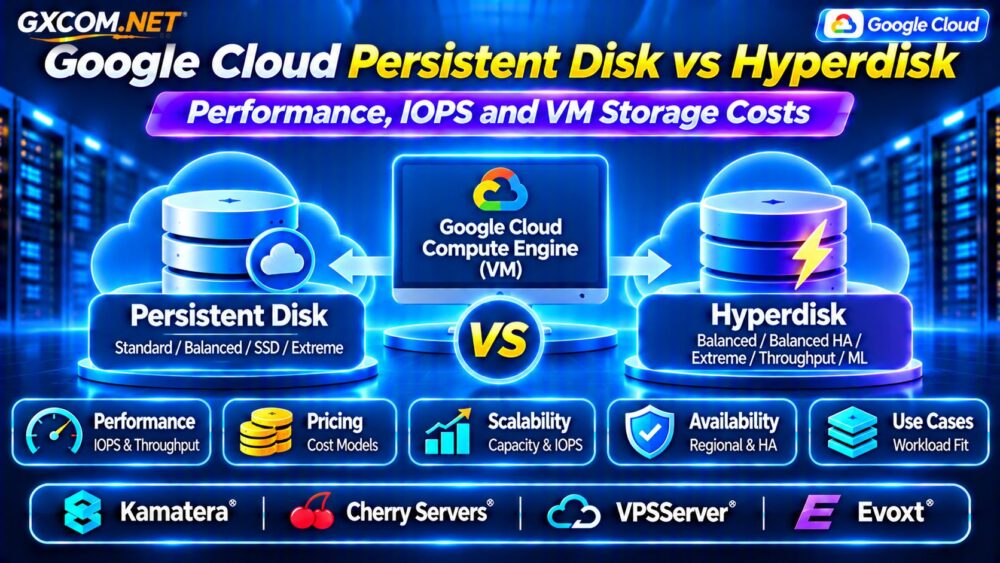
Persistent Disk provides durable network-attached block storage for Compute Engine virtual machines. Its main options include Standard, Balanced, SSD, and Extreme Persistent Disk.
Standard Persistent Disk suits capacity-oriented workloads with relatively modest random I/O requirements. Balanced Persistent Disk offers a practical combination of SSD performance and cost, while SSD Persistent Disk targets more demanding applications.
For most Persistent Disk types, achievable performance increases with provisioned capacity and depends on the attached VM. Extreme Persistent Disk is an exception because it supports configurable IOPS.
What Is Google Cloud Hyperdisk?
Hyperdisk is Google’s newer block storage family, designed to offer more flexible performance provisioning for supported Compute Engine workloads.
Available products include Hyperdisk Balanced, Balanced High Availability, Extreme, Throughput, and ML. Their features and supported machines differ.
Hyperdisk Balanced allows configurable IOPS and throughput within supported limits. Hyperdisk Extreme emphasizes demanding database performance, while Hyperdisk Throughput targets applications requiring substantial sequential data transfer.
Not every VM supports every Hyperdisk type, so compatibility should be checked before migration.
Persistent Disk vs Hyperdisk: Key Differences
| Feature | Persistent Disk | Hyperdisk |
|---|---|---|
| Performance scaling | Usually capacity-dependent | More independently configurable |
| IOPS pricing | Usually included; Extreme differs | Depends on provisioned performance |
| Throughput pricing | Usually included with capacity | May be charged separately |
| VM compatibility | Depends on disk and VM type | Depends on Hyperdisk product and VM |
| Best fit | General-purpose workloads | Performance-sensitive workloads |
Neither storage family is universally faster or cheaper. The correct choice depends on actual workload requirements.
IOPS Performance: What Really Matters?
IOPS measures how many read and write operations a disk can perform each second. Databases processing numerous small transactions often need substantial IOPS capacity.
Google documents maximum zonal performance of up to 80,000 IOPS for Balanced Persistent Disk and 100,000 IOPS for SSD Persistent Disk, subject to machine limitations.

Hyperdisk Balanced supports product-level configurations reaching 160,000 IOPS, while Hyperdisk Extreme can reach 350,000 IOPS on supported infrastructure.
These figures are maximum capabilities, not guaranteed results for every VM. Benchmark realistic workloads before purchasing additional performance.
Throughput vs IOPS vs Latency
Throughput measures the volume of data transferred per second, usually expressed in MiB/s. Large sequential transfers need throughput, while transaction-heavy databases often prioritize IOPS and latency.
For example, backup processing and analytics pipelines may benefit more from throughput than exceptionally high random IOPS.
Latency measures how long individual operations take. Higher provisioned IOPS does not automatically resolve slow database queries, inefficient application code, or overloaded VM resources.
Read our Cloud VPS Block Storage vs Local NVMe Comparison for additional storage architecture considerations.
How Persistent Disk Pricing Works
Most Persistent Disk products are primarily billed according to provisioned storage capacity and regional pricing. Increasing disk size therefore increases recurring storage expenses.
Because performance for many Persistent Disk types scales with capacity, some workloads may require more storage than their actual data volume demands.
For example, a database needing higher IOPS might require a larger SSD Persistent Disk even when its data occupies relatively little space.
Extreme Persistent Disk follows a different model that also includes provisioned IOPS charges.
How Hyperdisk Pricing Works
Hyperdisk pricing depends on the selected product, provisioned capacity, and applicable performance settings.
Hyperdisk Balanced bills for storage capacity and performance provisioned above its included baseline of 3,000 IOPS and 140 MiB/s.
Hyperdisk Extreme charges for capacity and provisioned IOPS. Hyperdisk Throughput charges for capacity and provisioned throughput.
Importantly, provisioned disk capacity can remain billable even when a disk is detached or its VM is stopped.
Example: Comparing Monthly Storage Costs
Consider a hypothetical 500 GiB database disk. Suppose Balanced Persistent Disk costs $0.10 per GiB-month, while Hyperdisk Balanced capacity costs $0.08 per GiB-month.
Under these illustrative assumptions, Persistent Disk capacity would cost $50 monthly, compared with $40 for Hyperdisk capacity before additional performance charges.
If the Hyperdisk configuration requires paid IOPS or throughput beyond its baseline, those charges must be added.
These numbers demonstrate billing mechanics, not verified regional quotations. Consult Google’s current pricing calculator for actual estimates.
Which Disk Is Best for Databases?
For small databases and ordinary web applications, Balanced Persistent Disk may provide sufficient performance without complex tuning.
Hyperdisk Balanced becomes attractive when workloads need predictable performance controls without increasing capacity solely to obtain more IOPS.
Hyperdisk Extreme deserves consideration for demanding transactional databases, provided the VM supports the required performance.
Database administrators should benchmark transaction latency, queue depth, read/write ratios, and peak demand before upgrading.
High Availability and Backup Considerations
Storage performance and disaster recovery are separate requirements. A fast disk does not replace snapshots, backups, or application-level recovery procedures.
Regional Persistent Disk and Hyperdisk Balanced High Availability provide supported cross-zone replication options, but they have different compatibility and pricing characteristics.
For recovery planning, see our Cloud Server Disaster Recovery Guide.
Four Cloud Infrastructure Alternatives
1. Kamatera: Configurable Cloud Servers
Kamatera is worth evaluating when businesses want configurable cloud compute and storage resources outside Google Cloud.
Compare available disk types, storage capacity, backup options, and documented performance characteristics before selecting a configuration.
2. Cherry Servers: Storage-Intensive Infrastructure
Cherry Servers may suit database and analytics workloads that benefit from dedicated hardware or greater storage control.
Check actual drive specifications, RAID configuration, redundancy, and network requirements.
3. VPSServer: Cloud VPS Comparison
VPSServer provides another infrastructure option for teams comparing virtual server capacity and recurring costs.
Review storage performance limits, included bandwidth, backup services, and upgrade flexibility.

4. Evoxt: Budget-Focused VPS Hosting
Evoxt is relevant for smaller applications seeking straightforward VPS configurations.
Confirm the selected plan’s disk technology, capacity, I/O policies, and performance expectations before purchasing.
How to Reduce Google Cloud Disk Costs
- Measure actual IOPS and throughput before increasing performance.
- Avoid oversized disks purchased only for unnecessary capacity.
- Choose Hyperdisk performance settings according to observed demand.
- Review unattached disks, snapshots, and unused resources.
- Compare total VM and storage costs rather than disk pricing alone.
For a broader comparison, explore our NVMe VPS vs SSD Performance Guide.
Frequently Asked Questions
Is Hyperdisk Always Faster Than Persistent Disk?
No. Performance depends on the disk configuration, VM limitations, and workload characteristics. Properly configured Persistent Disk can satisfy many applications.
Does Hyperdisk Charge for Unused IOPS?
Applicable performance charges are based on provisioned settings, not simply the IOPS actually consumed.
Can Hyperdisk Replace Local NVMe?
Not universally. Network-attached Hyperdisk and local NVMe have different persistence, availability, and performance characteristics.
Final Verdict
Choose Persistent Disk when its capacity-based performance and pricing fit your application. Consider Hyperdisk when independently configurable performance provides measurable operational or financial benefits.
Before migrating, compare supported VM types, IOPS requirements, throughput, snapshots, and full monthly costs.
For additional infrastructure purchasing guidance, read our Cloud Hosting vs VPS Comparison and evaluate Kamatera, Cherry Servers, VPSServer, and Evoxt according to verified storage capabilities.