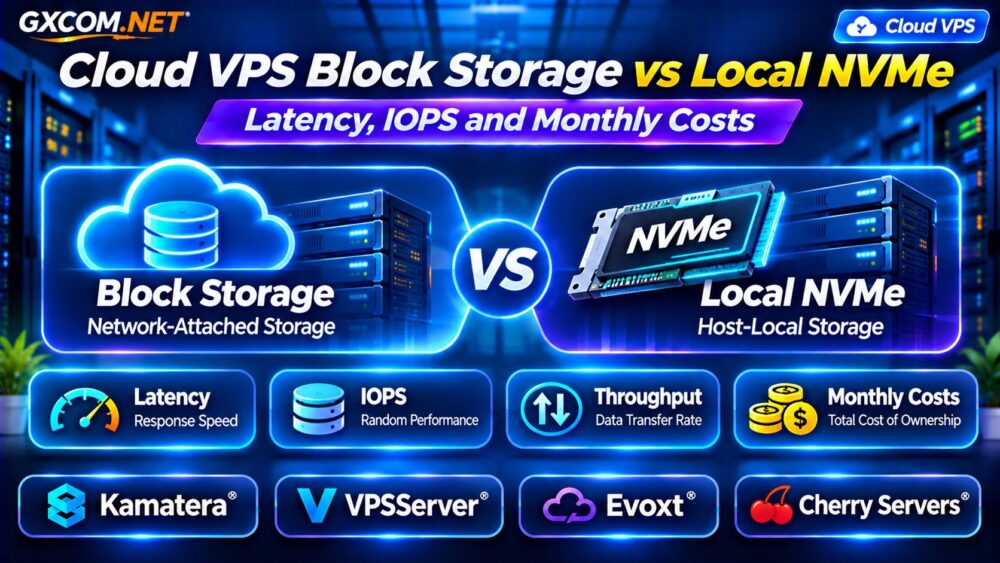
Cloud VPS block storage vs local NVMe is an important comparison when selecting infrastructure for databases, ecommerce applications, and storage-intensive services. Both options can deliver solid-state performance, but their latency, scalability, failure behavior, and billing models may differ significantly.
Local NVMe often offers a short data path and strong performance potential. Network-attached block storage can provide flexible capacity and operational features, although actual results depend on the platform.
This guide compares storage performance, persistence, monthly costs, and four infrastructure providers to help you choose the right VPS configuration.
What Is Cloud VPS Block Storage?
Block storage presents a virtual disk that an operating system can format and mount like a conventional drive. In cloud environments, the underlying data may reside on storage infrastructure separate from the compute host.
Depending on the provider, network block volumes may support resizing, snapshots, replication, and attachment to compatible virtual machines.
These features are not universal. Some services restrict volume attachment, performance tiers, availability zones, or supported operating systems.
Block storage also introduces dependencies on the storage network and remote storage platform.
What Is Local NVMe Storage?
Local NVMe storage uses NVMe-based devices accessible through the host’s local storage architecture. This can reduce network overhead and support high throughput and low latency.
However, a VPS may access that physical storage through a hypervisor, so its actual performance depends on virtualization, resource sharing, and provider limits.
Local storage may also be tied to a particular compute host. Depending on the platform, data can be lost when an instance is terminated or its host fails.
Never assume local NVMe includes automatic replication or independent backups.
Block Storage vs Local NVMe: Key Differences
| Factor | Network Block Storage | Local NVMe |
|---|---|---|
| Data path | Typically network-attached | Typically host-local |
| Latency | Depends on network and storage tier | Often lower potential latency |
| IOPS | May have provisioned limits | Depends on hardware and sharing |
| Capacity expansion | Often independently configurable | May require instance changes |
| Persistence | Volume policies vary | Host-dependent policies vary |
| Billing | May charge for capacity and performance | Often bundled with compute |
These are architectural tendencies, not guaranteed specifications. Network block storage can itself use NVMe SSDs, so the technologies are not mutually exclusive.

Storage Latency: Why Milliseconds Matter
Latency measures how long an individual storage operation takes. Applications performing many sequentially dependent database operations can be sensitive to even small delays.
Local NVMe can reduce network-related overhead, but software configuration and workload contention still affect response times.
For network block storage, latency may vary with storage tier, congestion, replication, and distance between compute and storage resources.
Measure average latency alongside tail latency, particularly the 95th and 99th percentiles. Occasional slow operations can matter more than impressive average benchmark results.
IOPS vs Throughput: Which Matters More?
IOPS measures completed input/output operations per second. Throughput measures data transferred over time, commonly expressed in MB/s.
Small random database operations often depend heavily on IOPS and latency. Large sequential backups and media processing may depend more on throughput.
Queue depth and block size also influence benchmark results. Comparing two advertised IOPS figures without matching test conditions can be misleading.
For additional background, see our NVMe VPS Storage Performance Guide.
Storage Persistence, Snapshots and Recovery
Performance is only part of the storage decision. Businesses must understand what happens when a VPS is deleted, moved, or affected by hardware failure.
Some block storage services allow volumes to survive compute instance replacement, subject to deletion settings and platform restrictions.
Local NVMe storage may require separate backup or replication arrangements to protect against host-level failures.
Snapshots are useful recovery tools, but their consistency, retention, and restoration procedures vary. A snapshot should not be treated as a complete disaster recovery strategy.
Review our VPS Snapshot Backup and Recovery Guide before designing a backup policy.
Cloud VPS Storage Costs: A Monthly Example
Storage pricing may include allocated capacity, provisioned IOPS, throughput, snapshots, and data transfer.
Consider two hypothetical configurations:
| Cost Item | Block Storage VPS | Local NVMe VPS |
|---|---|---|
| Compute instance | $20 | $32 |
| Storage allocation | $12 | Included |
| Additional performance | $6 | Included |
| Backup allowance | $5 | $5 |
| Monthly total | $43 | $37 |
These illustrative figures are not current provider quotations. The example shows why a cheaper compute instance may not produce the lowest total storage bill.
Check capacity limits, performance charges, snapshot retention, and upgrade requirements before purchasing.
Four VPS Infrastructure Providers to Evaluate
1. Kamatera: Configurable Cloud Infrastructure
Kamatera is relevant for teams comparing configurable cloud server resources. Evaluate the storage options available with the selected deployment, including capacity, performance characteristics, and backup arrangements.
Confirm whether storage expansion requires downtime and how the provider handles data persistence during server changes.
2. VPSServer: Cloud VPS Resource Planning
VPSServer is another candidate for comparing cloud VPS compute and storage configurations.
Review the selected plan’s disk allocation, available upgrades, storage performance policies, and backup services. Request workload-specific performance information when storage latency is critical.
3. Evoxt: Budget-Oriented VPS Hosting
Evoxt can be considered by developers evaluating affordable VPS configurations for smaller applications.
Compare included storage capacity, disk technology, backup availability, and upgrade costs. Do not assume an NVMe label guarantees dedicated disk bandwidth or consistent random I/O performance.
4. Cherry Servers: Dedicated Storage Performance
Cherry Servers is relevant when workloads may benefit from dedicated infrastructure and more direct control over local storage resources.
Compare available drive configurations, redundancy options, and management requirements against conventional cloud VPS offerings.
Dedicated infrastructure may provide greater control but can require additional administration and recovery planning.
Which Storage Architecture Fits Your Workload?
Choose network block storage when independent capacity expansion, compatible volume-management features, or operational flexibility are important.

Consider local NVMe when latency-sensitive processing and high sustained disk activity justify a host-local architecture.
For production databases, evaluate both performance and recovery requirements. Fast storage without dependable backups can create unacceptable business risk.
Compare overall infrastructure models in our Cloud Hosting vs VPS Comparison.
How to Benchmark VPS Storage Before Buying
Use representative workloads and monitor latency, IOPS, throughput, and application response times. Tools such as fio can help generate controlled storage tests.
Match block size, read/write ratio, queue depth, and test duration across environments. Avoid destructive tests on production volumes.
Ask providers about documented I/O limits, fair-use restrictions, and performance variability before committing to a long-term plan.
Frequently Asked Questions
Is Local NVMe Always Faster Than Block Storage?
No. Local NVMe often has a latency advantage, but actual performance depends on hardware, virtualization, storage tiers, and workload characteristics.
Does Block Storage Automatically Protect My Data?
No. Persistence, replication, snapshots, and backup coverage depend on the provider’s architecture and service configuration.
Can I Upgrade VPS Storage Without Migrating?
Sometimes. Some cloud volumes support independent resizing, while other configurations require instance changes or data migration.
Final Verdict
The best cloud VPS storage choice balances latency, IOPS, throughput, persistence, and monthly costs.
Compare Kamatera, VPSServer, Evoxt, and Cherry Servers using plan-specific storage capabilities and realistic application requirements.
Choose the architecture that delivers sufficient performance without sacrificing recoverability, scalability, or budget predictability.