Google Cloud Run cold starts can cause unexpected latency when an application receives its first request after inactivity or needs additional container instances during a traffic spike. For APIs, SaaS dashboards, and customer-facing applications, these delays may affect user experience and response-time targets.
Setting minimum instances can reduce startup delays, but keeping containers warm introduces idle costs. This guide explains why cold starts occur, how to optimize startup performance, and when an always-on cloud server may be more economical.
What Causes Google Cloud Run Cold Starts?
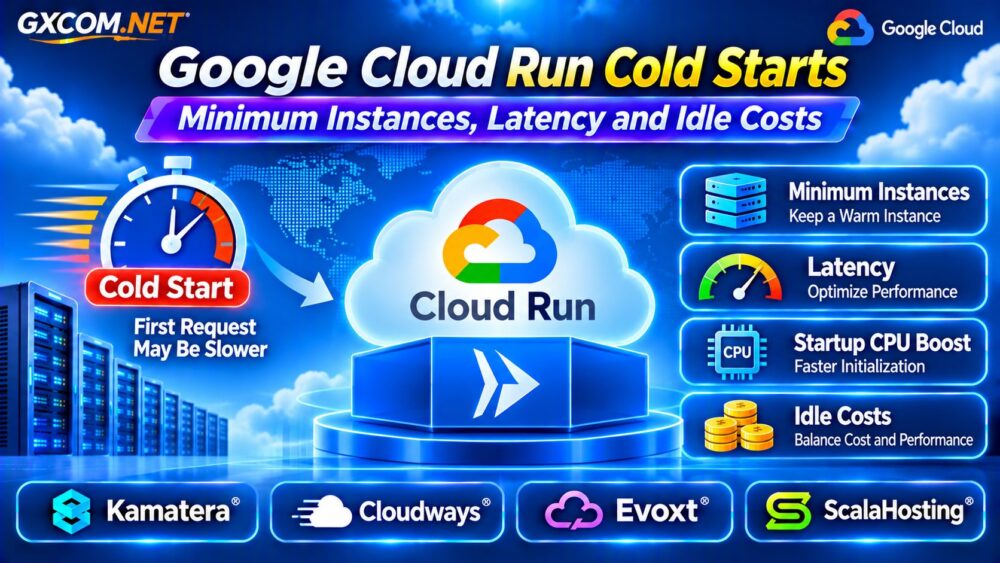
Cloud Run automatically adjusts container capacity according to workload demand. With the default minimum instance count of zero, a service can scale down when traffic disappears.
When a new request arrives without available capacity, Cloud Run may need to start another container instance. Image initialization, framework loading, dependency setup, and application startup contribute to latency.
Cold starts also occur during scale-out events when existing instances cannot accommodate additional requests. Therefore, cold starts are not limited to applications that scale to zero.
Minimum Instances: Zero vs One
The minimum instances setting controls how many container instances Cloud Run attempts to keep ready for incoming requests.
Setting the minimum to zero minimizes unnecessary idle resource consumption. Setting it to one keeps a warm instance available under normal conditions, potentially reducing latency for intermittent traffic.
However, minimum instances are a best-effort target. Platform maintenance, deployment changes, crashes, or capacity limitations can still trigger startup delays.
For latency-sensitive services, measure whether one warm instance handles normal traffic before increasing the minimum.
How to Configure Cloud Run Minimum Instances
Open the Cloud Run service in Google Cloud Console, select the Scaling tab, and configure the minimum instance count.
Alternatively, use the Google Cloud CLI:
gcloud run services update SERVICE --min 1Replace SERVICE with the deployed service name. This example sets the service-level minimum to one instance.
Google recommends service-level settings for typical deployments because revision-level minimums and tagged revisions can create unexpected additional idle capacity.
Cloud Run Cold Start Latency: What Matters?
Startup latency depends on the application runtime, container image, imported libraries, initialization tasks, and external connections.
Applications that load large frameworks, initialize database clients, or download resources during startup may experience longer delays.
Measure request latency separately from container startup time. A slow database query or external API call can resemble a cold-start problem even when the container is already running.

Track startup duration, request latency percentiles, instance counts, and application logs before modifying capacity settings.
Startup CPU Boost and Container Optimization
Cloud Run supports startup CPU boost, temporarily allocating additional CPU resources during instance initialization.
This feature can improve startup performance for CPU-intensive frameworks, although its effectiveness depends on the workload and additional startup resource consumption.
Other useful optimizations include:
- Reducing unnecessary dependencies and container image complexity.
- Delaying nonessential initialization until required.
- Reusing database connections where appropriate.
- Keeping application startup procedures predictable.
- Benchmarking concurrency and memory configurations.
Optimize startup behavior before paying for several permanently warm instances.
Request-Based vs Instance-Based Billing
Cloud Run offers different billing configurations that influence idle resource costs.
Request-based billing charges for eligible active instance time, including startup and shutdown. Minimum instances that remain idle are billed at reduced resource rates.
Instance-based billing charges for the entire instance lifecycle, including idle periods. It can support workloads requiring CPU outside request processing, but the recurring cost may be higher.
Choose the billing model according to actual request patterns, background processing requirements, and utilization.
How Much Do Minimum Instances Cost?
Consider one minimum instance configured with 1 vCPU and 512 MiB memory, remaining idle for 730 hours.
Using published Tier 1 request-based idle rates of $0.0000025 per vCPU-second and $0.0000025 per GiB-second, the estimated idle resource cost is approximately $9.86 monthly before free-tier discounts.
Under instance-based billing, published default rates produce approximately $49.93 for the same resources running continuously for 730 hours, before discounts and other charges.
These are illustrative calculations, not complete invoices. Real usage includes active processing, request charges where applicable, networking, and potentially other services.
Concurrency and Scaling Tradeoffs
Concurrency determines how many requests a Cloud Run instance can handle simultaneously.
Increasing concurrency may reduce the number of additional instances required during moderate traffic, but excessive concurrency can increase latency when CPU, memory, or application resources become saturated.
Lower concurrency may improve request isolation while triggering more frequent scale-out events.
Load-test realistic workloads rather than selecting the highest available concurrency setting automatically.
For broader scaling decisions, read our Cloud Server Auto Scaling Guide.
Cloud Run vs Always-On Cloud VPS
Cloud Run is attractive for variable workloads because it manages container scaling and can avoid continuous compute charges when minimum instances are zero.
However, applications requiring persistent capacity, predictable resource allocation, or continuous background processing may benefit from comparing traditional cloud servers.
A VPS generally runs continuously and requires additional responsibility for security updates, deployment, monitoring, and capacity planning.
Our Google Compute Engine vs Cloud Run Comparison explains the deployment differences.
Four Cloud Hosting Alternatives to Evaluate
1. Kamatera: Configurable Cloud Servers
Kamatera is relevant for teams evaluating continuously running cloud infrastructure with configurable compute and memory.
Compare monthly resource costs, deployment flexibility, and the administration required to operate containerized applications.
2. Cloudways: Managed Application Hosting
Cloudways may suit supported web applications that benefit from managed cloud infrastructure and reduced routine administration.
Check application compatibility before migrating. Managed web hosting is not automatically equivalent to Cloud Run’s container deployment model.
3. Evoxt: Budget VPS Infrastructure
Evoxt is worth evaluating for smaller, continuously running applications where predictable VPS resource allocation matters.
Verify available CPU, memory, storage, networking, and operational responsibilities for the selected plan.
4. ScalaHosting: Managed VPS Options
ScalaHosting offers another option for organizations comparing managed VPS environments with serverless deployments.

Evaluate supported application stacks, resource capacity, backup policies, and management coverage.
Five Ways to Reduce Cold Starts and Costs
- Measure startup latency before increasing minimum instances.
- Enable startup CPU boost when benchmarks justify it.
- Reduce initialization work and unnecessary dependencies.
- Tune concurrency using realistic traffic tests.
- Compare idle resource spending with suitable always-on infrastructure.
For performance-related infrastructure decisions, see our Cloud VPS CPU Throttling Guide.
Frequently Asked Questions
Does Minimum Instances One Eliminate Cold Starts?
No. It reduces startup frequency under normal conditions but cannot prevent every restart or scale-out cold start.
Does Cloud Run Charge When Nobody Visits?
With request-based billing and zero minimum instances, idle containers generally do not generate compute charges. Minimum instances and other resources can create ongoing expenses.
Is Cloud Run Always Cheaper Than a VPS?
No. Cost depends on traffic, active processing time, idle capacity, networking, and administration. Compare equivalent workload requirements.
Final Verdict
Google Cloud Run cold starts can often be reduced through startup optimization, appropriate concurrency, and carefully selected minimum instances.
Use serverless scaling for workloads that benefit from variable capacity. For applications requiring continuous resources, compare Kamatera, Cloudways, Evoxt, and ScalaHosting alongside Cloud Run’s full operating costs.
For a wider infrastructure comparison, explore our Cloud Hosting vs VPS Guide.