Fast VPS storage no longer has to mean expensive hosting. NVMe drives are increasingly available in affordable virtual servers, giving websites, databases, Docker applications and development environments access to lower-latency storage without moving to a dedicated server.
However, finding Cheap NVMe VPS Hosting in 2026 requires looking beyond the lowest advertised monthly price. RAM, CPU allocation, NVMe capacity, bandwidth, contract length, backups and renewal pricing all affect the real value of a VPS.
This guide explains what to look for in an affordable NVMe VPS and compares current high-speed VPS options without treating every SSD server as NVMe.
Prices and specifications checked in September 2026. Promotions, regional pricing and configurations can change. Verify the current plan before purchasing.
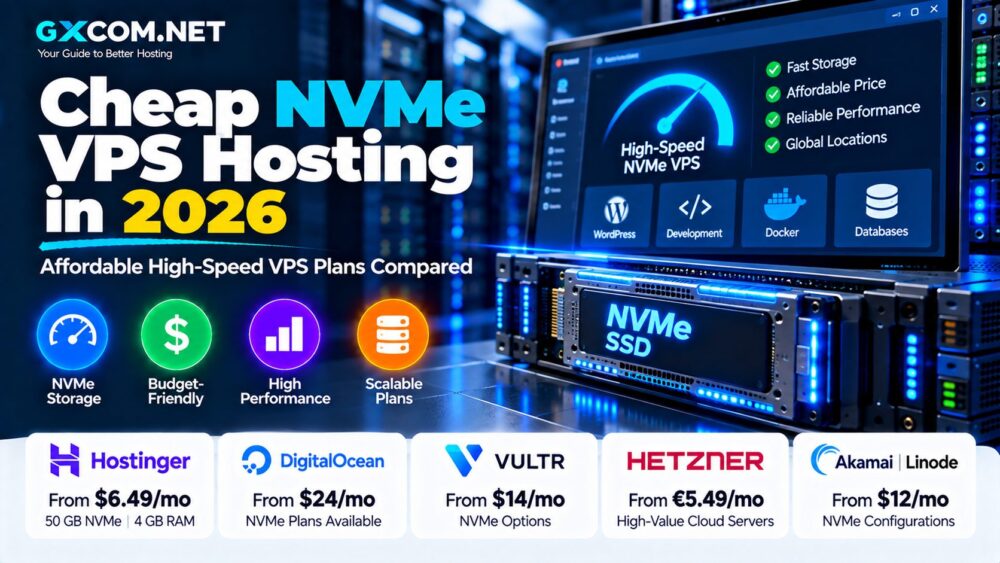
Cheap NVMe VPS Hosting 2026: Quick Comparison
| Plan / Provider | Price Example | RAM | NVMe Storage | Best For |
|---|---|---|---|---|
| Hostinger KVM 1 | $6.49/mo promo | 4 GB | 50 GB | Budget websites and apps |
| Hostinger KVM 2 | $8.99/mo promo | 8 GB | 100 GB | Higher-value general VPS |
| Hostinger KVM 4 | $12.99/mo promo | 16 GB | 200 GB | Larger applications |
| Hetzner Cloud | From €5.49/mo in DE/FI* | Plan dependent | Verify selected product | Infrastructure value |
*Hetzner example is current Germany/Finland cloud pricing excluding VAT and IPv4. Storage technology should be verified for the exact server selected. The table does not imply every Hetzner Cloud product uses NVMe.
What Is Cheap NVMe VPS Hosting?
An NVMe VPS is a virtual private server whose local storage uses NVMe technology rather than a conventional SATA-based SSD or mechanical disk.
NVMe communicates through PCI Express and was designed specifically for solid-state storage. It can support lower latency and substantially more parallel I/O operations than older storage interfaces.
An affordable NVMe VPS combines that storage technology with virtual resources such as:
- vCPU cores
- RAM
- NVMe disk space
- Bandwidth
- Public networking
- Root access
But “cheap” should mean good overall value rather than simply the smallest number on a pricing page.
How Cheap Is an NVMe VPS in 2026?
NVMe storage has moved well beyond premium enterprise servers.
For example, Hostinger currently advertises its KVM 1 VPS at $6.49 per month during the promotional term. The configuration includes 4 GB RAM and 50 GB NVMe storage. Its KVM 2 plan increases this to 8 GB RAM and 100 GB NVMe for $8.99 per month.
That means genuinely NVMe-equipped VPS configurations are now available below $10 per month during promotional terms.
The catch is that promotional rates are not necessarily permanent. Hostinger's KVM 1 currently renews at $11.99 per month, while KVM 2 renews at $14.99 per month.
Always calculate the long-term price before deciding which server is actually cheaper.
1. Hostinger KVM 1 – Affordable Entry-Level NVMe VPS
Hostinger is currently one of the easiest budget providers to evaluate because its official VPS specifications explicitly identify NVMe SSD storage.
KVM 1 currently provides:
- 1 vCPU core
- 4 GB RAM
- 50 GB NVMe disk space
- 4 TB bandwidth
- AMD EPYC processor infrastructure
- 1 Gbps network
- Weekly backups
- Firewall management
The promotional price is currently $6.49 per month when purchased under the applicable prepaid term. Hostinger states that the plan renews at $11.99 per month for two years.
Four gigabytes of RAM makes this configuration suitable for more than basic experimentation. It can support small websites, development environments, lightweight databases and self-hosted applications when properly configured.
Best for: users looking for a low entry price while still receiving a meaningful amount of RAM and NVMe storage.
2. Hostinger KVM 2 – Strong NVMe Value Under $10
For users who need more memory, KVM 2 may provide better practical value than buying the smallest possible server.
The current configuration includes:
- 2 vCPU cores
- 8 GB RAM
- 100 GB NVMe storage
- 8 TB bandwidth
- AMD EPYC infrastructure
- Weekly backups
- 1 Gbps networking
The promotional price is $8.99 per month, with the currently stated renewal price of $14.99 per month for the applicable two-year renewal period.
Eight gigabytes of RAM provides significantly more room for databases, Docker containers, WordPress sites and application workloads.
Best for: users trying to maximize RAM and NVMe capacity while remaining around the $10 introductory-price level.
3. Hostinger KVM 4 – More Resources Without Dedicated-Server Pricing
KVM 4 moves beyond the ultra-budget segment but remains relevant to affordable high-performance VPS buyers.
The current plan provides:
- 4 vCPU cores
- 16 GB RAM
- 200 GB NVMe storage
- 16 TB bandwidth
Its current promotional rate is $12.99 per month. The stated renewal rate is $28.99 per month.
This level of resources can be useful for multiple websites, larger Docker deployments and applications requiring more memory.
The substantial difference between introductory and renewal pricing also demonstrates why a VPS comparison should never rely solely on the promotional headline.
4. Hetzner Cloud – Low Infrastructure Pricing with Important Caveats
Hetzner remains relevant to price-conscious VPS buyers because of its relatively low cloud-server pricing, particularly in European locations.
Following Hetzner's June 2026 pricing adjustment, the CX23 server in Germany and Finland is priced at €5.49 per month excluding VAT and IPv4. The Arm-based CAX11 is €5.99 per month.
However, a low-cost cloud server should not automatically be labeled an NVMe VPS.
Hetzner operates multiple server families and infrastructure products. Storage specifications can differ by product, architecture and location.
If NVMe is mandatory for your workload, check the technical specification for the exact server before ordering rather than assuming every inexpensive Hetzner instance has the same storage architecture.
Best for: technically experienced users who prioritize infrastructure value and are comfortable checking individual product specifications.
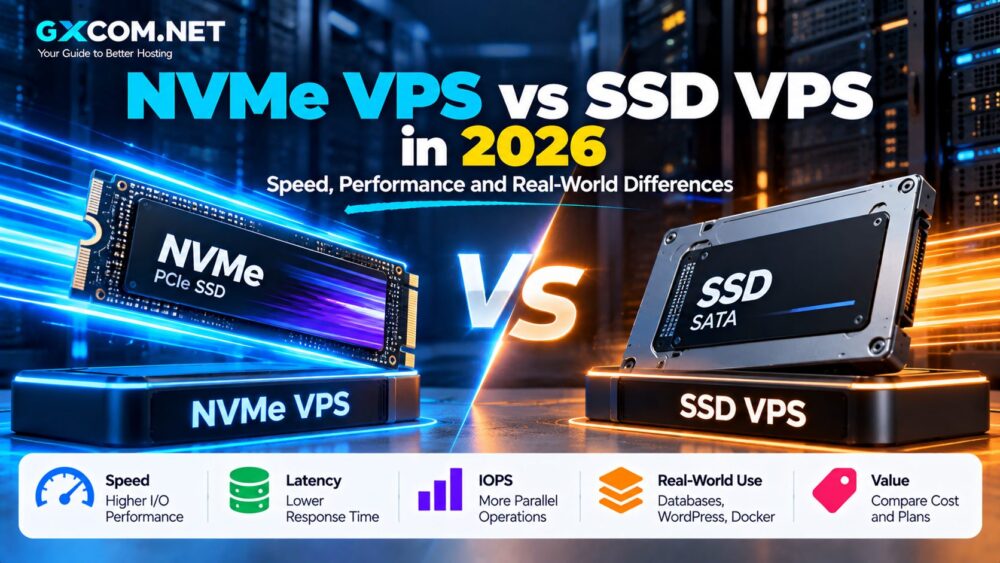
Cheap NVMe VPS vs Cheap SSD VPS
NVMe and SSD are often treated as interchangeable marketing terms, but they are not identical.
| Feature | NVMe VPS | SATA SSD VPS |
|---|---|---|
| Storage Interface | PCIe / NVMe | SATA |
| Latency | Generally lower | Generally higher |
| Parallel I/O | Much higher potential | More limited |
| Typical Workloads | Databases, apps, containers | General hosting |
| Price | Increasingly affordable | Often inexpensive |
A good SATA SSD VPS can still be extremely fast for a small website. NVMe becomes more valuable when storage operations are frequent enough to create an I/O bottleneck.
Do Not Confuse SSD VPS with NVMe VPS
This is particularly important when shopping for low-cost hosting.
Some hosting comparisons describe any VPS with solid-state storage as “NVMe hosting.” That is inaccurate.
NVMe is a specific storage protocol. A provider must explicitly identify NVMe storage before it should be included in a strict NVMe comparison.
For example, DigitalOcean's inexpensive Regular Basic Droplets use SSD storage, while NVMe is available in Premium and specialized Droplet families.
Our broader Best NVMe VPS Hosting comparison explains these provider-level differences in more detail.
Is Cheap NVMe VPS Actually Faster?
Potentially, but storage is only one component of server performance.
A VPS can have very fast NVMe storage and still feel slow because of:
- Weak CPU performance
- CPU contention
- Insufficient RAM
- Network latency
- Poor database configuration
- Unoptimized applications
For example, upgrading from SATA SSD to NVMe may have little effect on a static website already served from memory and CDN cache.
A database performing frequent disk operations is more likely to benefit.
NVMe VPS for WordPress
WordPress can benefit from NVMe, particularly on dynamic sites with frequent database activity.
Examples include:
- WooCommerce stores
- Membership websites
- Large publishing sites
- Sites with frequent database queries
However, WordPress performance also depends on PHP, database configuration, caching, CPU and RAM.
If you have $10 to spend, choosing a balanced server with adequate RAM can be more important than choosing a tiny VPS solely because it says NVMe.
Cheap NVMe VPS for Docker
NVMe VPS hosting can work particularly well for Docker environments because containers can generate frequent storage operations.
Potential workloads include:
- Web applications
- Databases
- Automation tools
- Development stacks
- Self-hosted services
Container images and logs also consume storage over time. Choose enough disk capacity rather than focusing exclusively on disk speed.
Cheap NVMe VPS for Databases
Databases are among the workloads most likely to benefit from lower-latency storage.
MySQL, MariaDB and PostgreSQL servers can perform frequent reads and writes. When data cannot be served entirely from RAM, storage performance becomes more significant.
For a database VPS, prioritize:
- Enough RAM for caching
- Reliable CPU resources
- NVMe storage
- Backups
- Low network latency
Do not sacrifice memory simply to obtain a larger NVMe disk. RAM can have a major impact on database performance.
How Much RAM Should a Cheap NVMe VPS Have?
| RAM | Typical Use |
|---|---|
| 1–2 GB | Testing and very small services |
| 4 GB | Small websites and applications |
| 8 GB | WordPress, Docker and databases |
| 16 GB+ | Multiple apps and heavier workloads |
These are general planning guidelines rather than fixed requirements.
If you are purchasing your first server, our VPS Hosting for Beginners guide explains how CPU, RAM, storage and bandwidth work together.
How Much NVMe Storage Do You Need?
Storage requirements vary significantly by workload.
A small website may fit comfortably within 25–50 GB, while Docker images, databases, logs and application data can consume hundreds of gigabytes.
Before buying, estimate:
- Operating system usage
- Website files
- Database size
- Container images
- Logs
- Temporary files
- Future growth
Do not store the only copy of your backup on the same NVMe disk as the production application.
Bandwidth Can Matter More Than NVMe
Cheap VPS comparisons often focus heavily on CPU, RAM and disk while ignoring network transfer.
Hostinger's current KVM 1 includes 4 TB of bandwidth, KVM 2 includes 8 TB and KVM 4 includes 16 TB.
For high-traffic websites, downloads or data-intensive applications, bandwidth limits can influence the real hosting cost more than a small difference in storage performance.
Check CPU Type Before Buying
A cheap NVMe VPS can still use shared CPU resources.
Shared CPU is generally suitable for:
- Small websites
- Development
- APIs
- Light Docker deployments
- Personal applications
Applications requiring sustained compute performance may benefit more from dedicated or reserved CPU resources than from an NVMe upgrade alone.
Watch the Renewal Price
This is one of the biggest traps in affordable VPS hosting.
Hostinger currently shows:
| Plan | Promo Price | Stated Renewal |
|---|---|---|
| KVM 1 | $6.49/mo | $11.99/mo |
| KVM 2 | $8.99/mo | $14.99/mo |
| KVM 4 | $12.99/mo | $28.99/mo |
| KVM 8 | $25.99/mo | $49.99/mo |
The promotional rate can still represent good value, but buyers should understand the future cost before committing to a platform.
Monthly Billing vs Long-Term VPS Pricing
A headline such as “$6.49/month” does not necessarily mean you can purchase one month for $6.49.
Hostinger states that its advertised monthly rate reflects the total prepaid plan price divided by the number of months in the selected term.
This distinction matters when comparing it with cloud providers that bill hourly or month-to-month.
Compare the actual amount you must pay at checkout, not just the displayed monthly equivalent.
Backups and Snapshots
Fast storage does not protect against:
- Accidental deletion
- Application corruption
- Security incidents
- Configuration mistakes
Hostinger currently includes weekly backups and a snapshot feature with its VPS plans.
Regardless of provider, important applications should maintain independent backups outside the production VPS.
Cheap NVMe VPS: What Should You Pay For?
Instead of buying the cheapest server, prioritize the specifications that affect your workload.
For a website, that might mean CPU and RAM.
For a database, RAM and storage latency may matter more.
For Docker, you may need a balance of CPU, RAM and NVMe capacity.
For downloads or media applications, bandwidth can become the dominant factor.
How to Choose an Affordable NVMe VPS
1. Verify NVMe. Look for NVMe explicitly in the plan specification.
2. Compare RAM. Avoid buying too little memory simply to reach the lowest price.
3. Check CPU allocation. Shared and dedicated CPU plans serve different workloads.
4. Compare NVMe capacity. Faster storage is useless if you immediately run out of disk space.
5. Check bandwidth. Look at included transfer and overage policies.
6. Check the server location. Choose a data center reasonably close to your audience.
7. Calculate renewal pricing. Promotional pricing can substantially underestimate long-term cost.
8. Check payment terms. Determine whether the advertised monthly price requires prepayment.
9. Review backup options. Include backup costs in your total budget.
10. Leave room to grow. Migrating because you selected an undersized VPS can cost more than starting one tier higher.
Is a Cheap NVMe VPS Worth It in 2026?
Yes, when the plan provides a balanced combination of storage, RAM, CPU and bandwidth at a reasonable long-term cost.
NVMe is particularly attractive when the price premium over ordinary SSD hosting is small.
But do not buy a VPS solely because “NVMe” appears prominently in the marketing.
A well-balanced SSD server can outperform an underpowered NVMe server when the workload is constrained by CPU or memory rather than storage.
Cheap NVMe VPS Hosting 2026: Final Thoughts
Affordable NVMe VPS hosting has become much easier to find in 2026. High-speed storage is no longer limited to premium cloud instances and expensive dedicated infrastructure.
Hostinger currently provides a particularly clear example, offering 50 GB NVMe with 4 GB RAM at a $6.49 promotional monthly equivalent and 100 GB NVMe with 8 GB RAM at $8.99. However, its higher renewal prices and prepaid-term structure need to be included in any fair comparison.
Other low-cost cloud providers can also offer excellent infrastructure value, but always verify the exact storage specification before labeling a server NVMe.
For the best result, choose the VPS based on your complete workload: CPU, RAM, NVMe capacity, bandwidth, server location, backups and long-term price. Fast storage is valuable, but a balanced server is what ultimately delivers good performance.