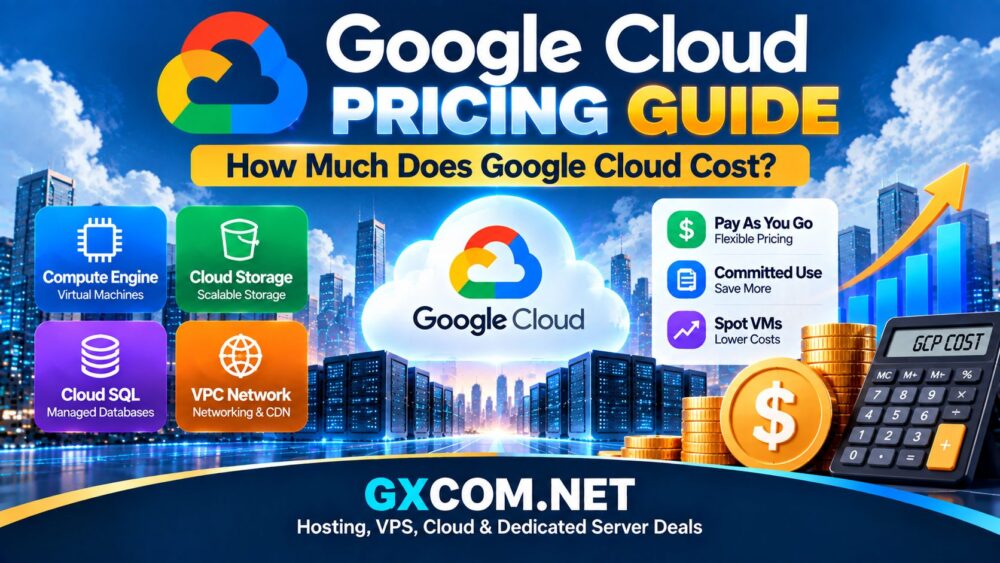
Google Cloud Platform (GCP) gives businesses and developers access to computing, storage, databases, networking, artificial intelligence, and other cloud services without purchasing physical infrastructure. The flexibility is attractive, but understanding Google Cloud Pricing can be challenging because there is no single monthly price for the entire platform.
How much Google Cloud costs depends on the services you use, the amount of computing power required, storage capacity, network traffic, region, and workload duration. A small virtual machine may cost relatively little, while a production application using databases, load balancing, storage, and large amounts of outbound traffic can generate a much higher monthly bill.
This Google Cloud pricing guide explains the major GCP cost components, including Compute Engine, storage, databases, networking, discounts, and practical ways to control cloud spending.
How Does Google Cloud Pricing Work?
Google Cloud primarily uses consumption-based pricing. Instead of purchasing a traditional hosting package with a fixed set of resources, customers select individual cloud services and pay according to usage.
Common factors affecting the final Google Cloud bill include:
- Virtual machine configuration
- CPU and memory usage
- Storage capacity and storage class
- Database resources
- Outbound network traffic
- Cloud region
- Operating system and software licenses
- Additional managed services
This model provides flexibility, but businesses should estimate the complete infrastructure stack rather than looking only at the advertised price of a virtual machine.
Google Compute Engine Pricing
Compute Engine is Google Cloud's infrastructure-as-a-service platform for running virtual machines. For many websites and applications, compute resources represent one of the most important parts of the monthly cloud bill.
Compute Engine costs can vary according to:
- Machine family
- Number of virtual CPUs
- Memory allocation
- Region and zone
- Operating system
- Disk resources
- Length and pattern of usage
Google provides predefined machine configurations as well as customizable options. This allows businesses to avoid paying for substantially more CPU or memory than their workloads require.
Google Cloud Storage Pricing
Cloud Storage is used for files, backups, media, application assets, archives, and other object-based data.
The cost is influenced by both the amount of data stored and how that data is accessed. Google provides different storage classes designed for different access patterns.
| Storage Type | Typical Use |
|---|---|
| Standard | Frequently accessed application and website data |
| Nearline | Less frequently accessed data and backups |
| Coldline | Long-term data with infrequent access |
| Archive | Long-term archival workloads |
Selecting a storage class that matches actual access patterns can help prevent unnecessary cloud expenses.
Google Cloud Database Costs
Websites and applications may also require managed databases. Google Cloud offers services such as Cloud SQL, AlloyDB, Firestore, and other database technologies.
Database costs may depend on:
- CPU and memory
- Database storage
- Backup storage
- Availability configuration
- Network usage
- Read and write activity for certain services
A production database with redundancy and backups will normally require a larger budget than a basic development database.
Google Cloud Network and Data Transfer Costs
Network costs are easy to overlook when estimating a cloud hosting budget. Traffic entering and leaving Google Cloud can be priced differently depending on destination, service, and configuration.
A website serving large files, software downloads, video, or other bandwidth-intensive content may generate significant network usage.
For this reason, businesses should estimate expected outbound traffic when comparing Google Cloud with other
Best Cloud Hosting Providers.
Google Cloud Pricing for Websites
The cost of hosting a website on Google Cloud depends heavily on its architecture.
A relatively simple website might require:
- One virtual machine or application service
- Persistent storage
- Website traffic
- Backups
A larger business website may additionally require a managed database, load balancing, CDN services, monitoring, and redundant infrastructure.
This is why Google Cloud should not be evaluated using only the base price of a Compute Engine instance.
Google Cloud Pricing for Applications
Application hosting can involve more services than a conventional website. SaaS products, APIs, mobile backends, and data-intensive platforms may require several cloud components working together.
A typical application architecture could include:
- Compute Engine or containers
- Google Kubernetes Engine
- Cloud SQL
- Cloud Storage
- Load balancing
- Monitoring and logging
Businesses evaluating GCP for application hosting should calculate the combined cost of the complete architecture.
Does Google Cloud Offer a Free Tier?
Google Cloud provides selected free usage allowances and introductory options for eligible services and accounts. However, limits, eligibility rules, and available services can change.
Free resources can be useful for learning, testing, and small development workloads, but production businesses should plan their budgets based on expected paid usage rather than assuming their infrastructure will remain within free allowances.
Google Cloud Discounts Explained
Google Cloud provides several mechanisms that can reduce infrastructure costs for suitable workloads.
Sustained Use Discounts
Eligible resources may receive automatic discounts when they are used for a significant portion of the billing period.
Committed Use Discounts
Businesses with predictable workloads may be able to reduce costs by committing to qualifying resource usage for a longer period.
Spot VMs
Spot virtual machines can provide lower-cost compute capacity for workloads that can tolerate interruption. They are generally more appropriate for flexible batch processing and similar workloads than critical services that require continuous availability.
Google Cloud vs AWS Pricing
Google Cloud and AWS both use consumption-based cloud pricing, but their discounts, resource configurations, network charges, and individual services differ.
| Pricing Factor | Google Cloud | AWS |
|---|---|---|
| Usage-Based Billing | Yes | Yes |
| Long-Term Commitments | Available | Available |
| Discounted Interruptible Compute | Spot VMs | Spot Instances |
| Free Usage Options | Available for eligible services | Available for eligible services |
| Final Cost | Depends on workload and configuration | Depends on workload and configuration |
For a broader comparison of the two platforms, read our
Google Cloud vs AWS Comparison.
How to Estimate Your Google Cloud Cost
Before deploying a production workload, create an estimate based on the complete infrastructure rather than a single service.
Include:
- Compute resources
- Persistent disks
- Object storage
- Managed databases
- Outbound bandwidth
- Backups
- Load balancing
- Monitoring and other required services
It is also useful to model low, normal, and high-traffic scenarios so you understand how the bill could change as usage grows.
How to Reduce Google Cloud Costs
Right-Size Your Virtual Machines
Avoid running oversized instances when applications do not need the additional CPU or memory.
Stop Unused Resources
Development machines, unused disks, old snapshots, and abandoned cloud resources can continue contributing to costs if they are not properly managed.
Choose the Right Storage Class
Frequently accessed and archival data have different requirements. Matching storage classes to access patterns can improve cost efficiency.
Use Discounts for Predictable Workloads
Long-running and predictable infrastructure may benefit from eligible commitment-based discounts.
Monitor Network Usage
For bandwidth-intensive applications, data transfer can become an important component of the total bill. Monitor traffic patterns rather than focusing exclusively on compute prices.
Is Google Cloud Expensive?
Google Cloud is not automatically cheap or expensive. Its value depends on how efficiently the infrastructure is configured and whether the platform's services match the workload.
A carefully configured application can take advantage of flexible resources and discounts, while oversized instances, unused resources, or unexpected network traffic can increase costs.
If price is the main consideration for a smaller project, our guide to
Cheap Cloud Hosting Providers
covers additional lower-cost cloud options.
Is Google Cloud Worth the Cost?
Google Cloud can be attractive for businesses that need scalable infrastructure, Kubernetes, advanced analytics, artificial intelligence, or integration with Google's cloud technologies.
Smaller websites with straightforward hosting requirements may not need the complexity of a hyperscale cloud platform. In those situations, a simpler cloud hosting service may provide easier management and more predictable billing.
For a broader look at GCP's capabilities, see our
Google Cloud Hosting Review.
Final Thoughts
Google Cloud pricing is flexible because businesses can select and scale individual resources according to their needs. However, the total cost goes beyond the advertised price of a virtual machine.
Compute, storage, databases, bandwidth, backups, and additional services can all affect the final monthly bill. Businesses should estimate the entire workload, monitor usage, and regularly review cloud resources to keep spending under control.
For websites and applications that need scalable infrastructure, Google Cloud can provide a powerful platform when its pricing model and technical capabilities align with the project's requirements.