A WordPress website can have fast hosting and still suffer from slow page loads when MySQL queries become inefficient. Large database tables, missing indexes, expensive plugins, and insufficient database memory can increase response times.
Effective MySQL performance tuning for WordPress starts with measuring actual queries rather than blindly deleting database records or upgrading server resources.
This guide explains how to identify slow queries, inspect indexes, optimize WordPress tables, and improve MySQL performance safely.
Why Is My WordPress Database Slow?
WordPress uses MySQL-compatible databases to store posts, settings, users, metadata, and plugin information.
Database performance problems often appear as slow administration pages, delayed search results, high database CPU usage, or sluggish WooCommerce operations.
Common causes include:
- Expensive queries generated by plugins or themes.
- Missing or inefficient database indexes.
- Large metadata tables and excessive autoloaded options.
- Insufficient InnoDB memory or slow storage.
- High concurrency and repeated uncached queries.
Quick answer: Measure query latency, identify expensive SQL statements, review indexes, reduce unnecessary database work, and tune server resources only after locating the bottleneck.
1. Measure WordPress Database Performance
Start by recording page response times, database CPU usage, and query activity during representative workloads.
WordPress debugging tools can help identify slow database calls, while MySQL's performance instrumentation provides deeper server-side information.
For system-level diagnostics, see our Server Performance Monitoring Guide.
Compare uncached pages, logged-in administration screens, and database-intensive operations rather than relying only on cached homepage results.
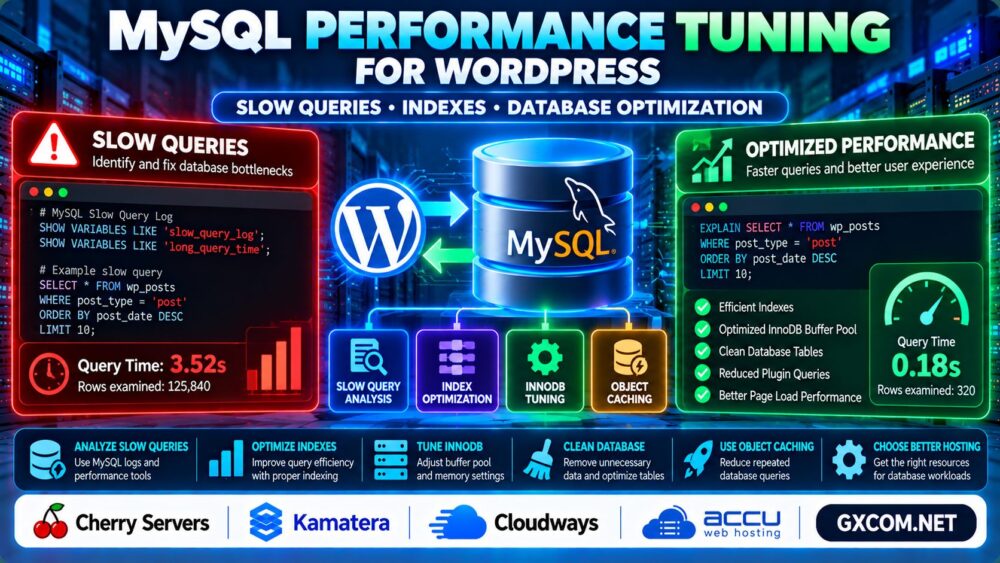
2. Enable the MySQL Slow Query Log
The slow query log records statements that exceed a configured execution threshold.
First inspect your current settings:
SHOW VARIABLES LIKE 'slow_query_log';
SHOW VARIABLES LIKE 'long_query_time';
On a self-managed MySQL server, an administrator may temporarily enable logging with:
SET GLOBAL slow_query_log = 'ON';
SET GLOBAL long_query_time = 1;
Check the effective configuration and log destination afterward. Runtime changes may not survive a restart.
On managed hosting, access to these settings may be restricted. Use provider-supported monitoring instead.
Review slow statements by execution time, frequency, and rows examined. Avoid leaving unnecessarily verbose logging enabled indefinitely.
3. Find Missing or Inefficient MySQL Indexes
Indexes help MySQL locate relevant records without scanning every row, but unnecessary indexes also increase storage and write overhead.

Use EXPLAIN to inspect a problematic SELECT statement:
EXPLAIN SELECT *
FROM wp_posts
WHERE post_type = 'post'
AND post_status = 'publish'
ORDER BY post_date DESC
LIMIT 10;
Review the chosen access method, estimated rows, and available indexes.
WordPress already includes indexes on several core tables. Do not assume every slow query requires another index.
For plugin-generated queries, investigate whether the plugin's data model or filtering strategy is the actual problem.
Test proposed indexes on a staging database before applying changes to production.
4. Optimize WordPress Database Tables
Over time, WordPress databases can accumulate revisions, expired transients, plugin leftovers, and other unnecessary records.
Review database size and table activity before cleanup.
For example:
SHOW TABLE STATUS LIKE 'wp_%';Replace wp_ with your actual table prefix.
Cleanup tools can help remove selected obsolete data, but aggressive deletion may break plugins or remove useful history.
Back up the database before maintenance and confirm that the backup can be restored.
Our Dedicated Server Backup Strategy explains broader recovery planning.
5. Tune the InnoDB Buffer Pool
The InnoDB buffer pool caches frequently accessed database pages in memory, reducing repeated disk reads.
Inspect its current size:
SHOW VARIABLES LIKE 'innodb_buffer_pool_size';A larger buffer pool may improve performance when the working dataset exceeds available cache memory.
However, allocating too much memory can starve PHP, the operating system, and other services.
On dedicated database servers, memory allocation can differ significantly from shared WordPress VPS environments.
Cherry Servers and Kamatera are relevant infrastructure options when comparing dedicated and cloud server resource requirements.
Measure actual memory pressure before upgrading or changing configuration values.
6. Reduce Expensive WordPress Plugin Queries
Some WordPress plugins execute repeated database queries, particularly on uncached pages or administration screens.
Investigate plugins that generate complex metadata searches, large option lookups, or unnecessary background jobs.
Disable suspected components in a staging environment and compare query behavior before making production changes.
For persistent database connectivity problems, read our WordPress Database Connection Error Guide.
7. Use Object Caching Where Appropriate
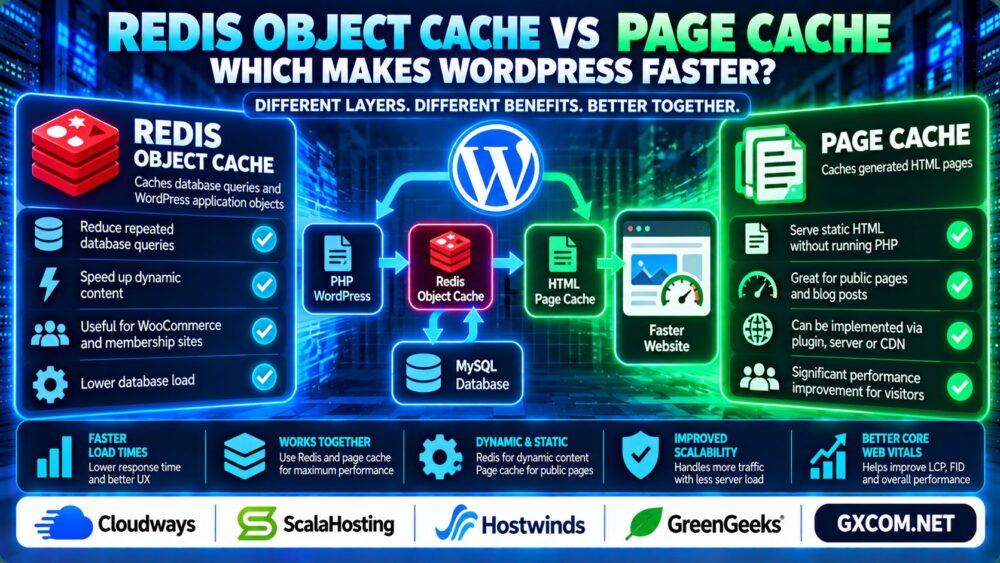
Persistent object caching can reduce repeated database work by storing frequently requested application objects outside the database.
Redis is a common option, but effective deployment requires compatible hosting, correct WordPress integration, and sufficient cache memory.
Object caching is not a substitute for fixing inefficient SQL statements.
For managed WordPress environments, Cloudways and AccuWeb Hosting are additional providers to compare when evaluating hosting and database administration needs.
Confirm the supported caching stack and management responsibilities before choosing a plan.
8. When Should You Upgrade MySQL Hosting?
Consider upgrading infrastructure when measurements show sustained database resource saturation after reasonable query and application optimization.
Evaluate CPU performance, available RAM, storage latency, database concurrency, and backup requirements.
Our Cloud Hosting vs VPS Guide explains broader infrastructure trade-offs.
Remember that more CPU cores or RAM cannot automatically repair inefficient queries.
WordPress MySQL Optimization Checklist
- Measure database response times under real workloads.
- Identify expensive statements using supported monitoring tools.
- Inspect query plans and existing indexes.
- Clean unnecessary records cautiously.
- Review InnoDB memory and storage performance.
- Investigate plugins generating repeated queries.
- Test object caching and monitor the results.
- Maintain verified backups before configuration changes.
For page-level performance, also review our WordPress Core Web Vitals Optimization Guide.

Frequently Asked Questions
What causes slow MySQL queries in WordPress?
Common causes include inefficient plugin queries, poor indexing, large tables, high concurrency, and insufficient database resources.
How do I find slow WordPress database queries?
Use suitable WordPress profiling tools, MySQL slow query logs, or provider-supported database monitoring.
Does optimizing WordPress tables improve performance?
It can help in specific situations, but routine table optimization does not automatically fix inefficient SQL or poor application design.
Should I add indexes to WordPress database tables?
Only after examining query plans and testing whether an index improves the relevant workload.
Does Redis replace MySQL in WordPress?
No. Redis object caching can reduce repeated database queries, but MySQL remains the primary persistent database.
Will upgrading VPS RAM fix slow MySQL queries?
Additional memory may help when database caching is constrained, but query inefficiency must still be addressed.
Final Verdict
Successful MySQL performance tuning for WordPress depends on identifying the actual source of database latency.
Measure slow queries, inspect indexes, optimize application behavior, and adjust memory or infrastructure only when the evidence supports it.
Measure → Analyze Queries → Optimize Indexes → Tune Resources → Validate.