Finding the best NVMe VPS deals requires more than comparing storage capacity and advertised monthly prices. Two virtual private servers may both feature NVMe SSD storage yet deliver noticeably different performance under real workloads.
For WordPress websites, databases, eCommerce stores, and development environments, storage responsiveness can affect application performance. However, NVMe technology alone does not guarantee high IOPS, consistently low latency, or unrestricted disk throughput.
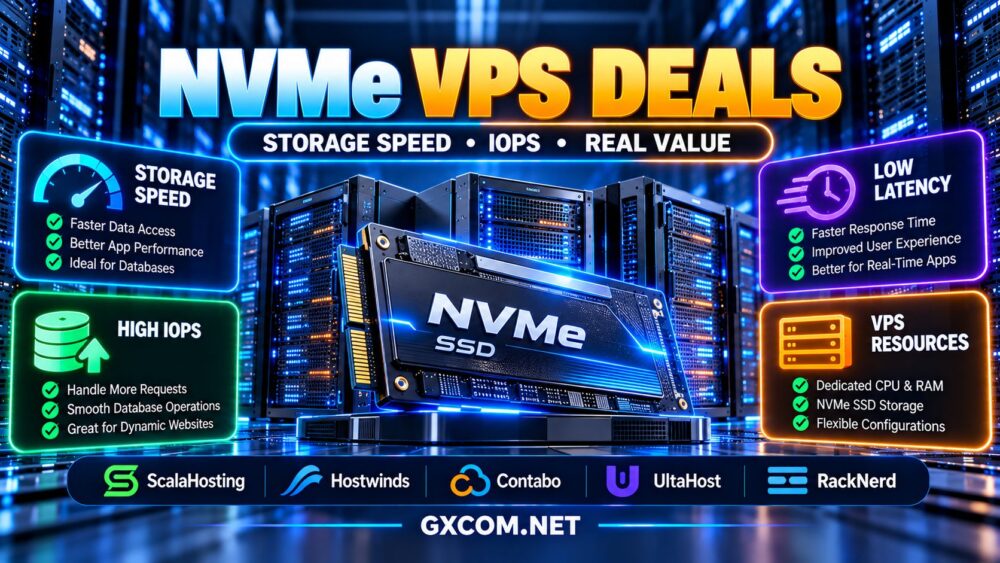
This guide explains how to compare NVMe VPS offers by storage speed, IOPS, latency, resource allocation, and total cost. We also examine five hosting providers worth considering: ScalaHosting, Hostwinds, Contabo, UltaHost, and RackNerd.
What Is NVMe VPS Hosting?
An NVMe VPS is a virtual private server that uses storage backed by Non-Volatile Memory Express technology. NVMe is designed for modern flash storage and supports efficient communication between storage devices and computer systems.
Compared with traditional SATA-based SSD interfaces, NVMe can provide greater throughput and lower storage access overhead under suitable conditions.
However, VPS customers usually access virtual disks rather than directly controlling an entire physical NVMe drive. Performance therefore depends on the provider's storage architecture, virtualization layer, resource allocation, and other customers sharing the infrastructure.
A server advertised as NVMe-powered may still experience storage contention or configured I/O limits.
Why NVMe Storage Matters for VPS Performance
Storage affects more than file downloads. Applications frequently read and write small amounts of data, create temporary files, update databases, and access cached information.
NVMe storage can be useful for:
- WordPress websites with database-intensive plugins.
- WooCommerce stores processing dynamic requests.
- MySQL and PostgreSQL database workloads.
- Development environments and software builds.
- Applications with frequent small file operations.
- Virtual servers running multiple background services.
Nevertheless, a website with inefficient database queries or insufficient RAM may remain slow even after moving to faster storage.
For a broader infrastructure comparison, see our cloud hosting vs VPS comparison.
NVMe VPS vs SATA SSD VPS: Key Differences
Both NVMe and SATA SSD storage use solid-state technology, but they communicate with the host system through different interfaces and protocols.
| Feature | NVMe SSD | SATA SSD |
|---|---|---|
| Interface | Typically PCIe | SATA |
| Protocol | NVMe | AHCI commonly used |
| Potential throughput | Higher with suitable hardware | Limited by SATA interface |
| Parallel I/O handling | Designed for extensive parallelism | More limited |
| Actual VPS performance | Depends on provider limits and contention | Depends on provider limits and contention |
NVMe offers greater technical performance potential, but the difference experienced by a VPS customer may be smaller than expected when the provider applies strict disk performance limits.
For lightly loaded websites, application caching, CPU allocation, and memory may influence response times more than the storage interface.
IOPS Explained: What VPS Buyers Should Know
IOPS stands for Input/Output Operations Per Second. It measures how many storage operations a system can complete in one second under specified test conditions.
IOPS is particularly relevant for workloads involving many small reads and writes, including databases and application metadata.
However, an IOPS number is meaningful only when the testing conditions are known.
Random Read IOPS
Random read performance describes how efficiently storage handles reads from different locations.
Database queries, application file access, and other workloads can involve random reads, although the actual pattern varies.
Random Write IOPS
Random write performance describes how storage handles writes to different locations.
Database updates, transaction logs, and certain application workloads may place significant demands on random writes.
Why Advertised IOPS Can Be Misleading
A provider may publish impressive storage specifications without clarifying whether they represent the physical drive, the storage cluster, or the performance available to an individual VPS.
Before relying on an IOPS claim, ask:
- What block size was used?
- Was the test based on reads, writes, or a mixture?
- What queue depth and concurrency were used?
- Was the result measured inside a customer VPS?
- Is performance guaranteed, limited, or best-effort?
- Does performance change during sustained workloads?
Without these details, IOPS figures from different providers may not be directly comparable.
Storage Throughput vs IOPS vs Latency
Three important storage metrics describe different aspects of performance.
| Metric | What It Measures | Relevant Workloads |
|---|---|---|
| Throughput | Data transferred per second, usually MB/s | Large files, backups, sequential transfers |
| IOPS | Number of I/O operations per second | Databases, small random operations |
| Latency | Time required to complete an operation | Interactive applications, transaction processing |
Higher throughput does not automatically mean lower latency. Likewise, a high IOPS result measured at substantial queue depth may not reflect responsiveness under light interactive workloads.
For a simple example, 10,000 IOPS using 4 KiB operations represents approximately 39 MiB/s of data transfer. The relationship changes with block size and workload behavior.
Buyers should evaluate all three metrics instead of treating one headline benchmark as a complete performance rating.

Best NVMe VPS Hosting Providers and Deals to Compare
The following providers are relevant candidates for NVMe VPS purchasing research. This comparison focuses on evaluation criteria rather than claiming independently verified performance rankings or current promotional discounts.
| Provider | Primary Buying Consideration | What to Verify |
|---|---|---|
| ScalaHosting | Managed VPS and storage resources | NVMe configuration, management, backups |
| Hostwinds | VPS flexibility and support | Storage technology, I/O limits, service scope |
| Contabo | RAM and storage capacity | Disk performance limits and total cost |
| UltaHost | VPS hosting for websites and applications | NVMe allocation, support, renewal terms |
| RackNerd | Budget VPS purchasing | Exact storage type, performance, contract |
1. ScalaHosting: Managed VPS and NVMe Resources
ScalaHosting is worth considering for buyers who want to evaluate VPS storage alongside managed hosting services.
For WordPress websites and business applications, compare the selected plan's NVMe capacity, CPU allocation, RAM, backup policies, and technical support.
Management features can be valuable when a business prefers not to handle every server administration task internally.
Best for: Website owners seeking VPS resources with clearly defined management options.
Check before buying: Current NVMe availability, resource limits, backup charges, management coverage, and renewal conditions.
2. Hostwinds: VPS Configurations and Operational Flexibility
Hostwinds is another candidate for buyers comparing VPS infrastructure and administration options.
When evaluating storage performance, confirm the actual disk technology used by the selected product rather than assuming every VPS configuration includes NVMe.
CPU and RAM allocation should also match the application's requirements, especially for database-intensive workloads.
Best for: Buyers comparing virtual server configurations and support arrangements.
Check before buying: Storage type, I/O restrictions, managed versus unmanaged coverage, backups, and network location.
3. Contabo: Storage Capacity and Overall Value
Contabo is relevant for users who prioritize VPS memory and disk capacity.
However, a larger NVMe storage allocation does not necessarily provide higher random IOPS or lower latency.
For demanding applications, examine the provider's storage performance policies and test the intended workload when practical.
Best for: Buyers who need substantial resources and want to compare capacity against total cost.
Check before buying: Current storage configuration, performance policies, data center location, backup services, and recurring charges.
4. UltaHost: NVMe VPS for Websites and Applications
UltaHost is worth evaluating for businesses researching VPS hosting for WordPress, applications, and other website workloads.
Buyers should compare the specific plan's storage allocation, CPU and RAM resources, management options, and support responsibilities.
For WordPress, the value of NVMe storage should be assessed alongside caching and database efficiency.
Best for: Website owners comparing VPS performance with operational support.
Check before buying: NVMe specifications, backup availability, management scope, introductory conditions, and renewal pricing.
5. RackNerd: Budget VPS Offers
RackNerd can be included when researching lower-cost VPS alternatives.
However, promotional plans may differ in storage technology, disk capacity, resource allocation, and billing conditions.
Do not assume that a budget VPS includes NVMe merely because other products from the same provider use that technology.
Best for: Price-conscious buyers who can verify technical specifications before purchasing.
Check before buying: Exact storage type, current availability, disk I/O limits, backup arrangements, and renewal conditions.
Shared NVMe Storage: Why Performance Can Vary
One of the most important considerations when comparing NVMe VPS deals is whether storage resources are shared among multiple virtual machines.
Even when a hosting provider uses fast enterprise NVMe drives, performance may vary because several customers compete for the same underlying storage resources.
Other factors include:
- Virtualization and storage scheduling overhead.
- Provider-configured IOPS or throughput limits.
- Storage replication and redundancy mechanisms.
- Host system CPU and memory contention.
- Background backups and maintenance operations.
- Network latency in remote or distributed storage systems.
For applications requiring consistent storage performance, ask whether the provider offers documented I/O guarantees or dedicated storage resources.
How Much NVMe Storage Does a VPS Need?
Choosing the right storage capacity depends on application files, databases, logs, backups, operating system requirements, and future growth.
The following ranges are illustrative planning examples rather than fixed minimum requirements.
| Workload | Capacity Range to Evaluate | Key Consideration |
|---|---|---|
| Small website or development VPS | 30–60 GB | Operating system and application growth |
| WordPress or business website | 60–120 GB | Media files, database, logs |
| Multiple websites or applications | 120–250 GB | Concurrent workloads and backups |
| Large databases or file-heavy services | 250 GB or more | Data growth and I/O requirements |
These ranges are not performance recommendations. Some databases need very little storage but high IOPS, while media-heavy websites may require substantial capacity with relatively modest disk activity.
Where practical, maintain free disk space for operating system updates, temporary files, and application growth.
NVMe VPS Performance for WordPress and WooCommerce
WordPress performance is influenced by CPU speed, available RAM, database queries, caching, PHP execution, and storage responsiveness.
NVMe storage can help with database operations and file access, particularly when requests cannot be served from memory or cache.
However, an NVMe upgrade will not automatically solve slow plugins, excessive database queries, or insufficient CPU capacity.
For WooCommerce stores, test dynamic pages such as cart, checkout, and account areas rather than measuring only a cached homepage.
Our WordPress hosting vs web hosting guide explains how hosting environments affect WordPress management and performance requirements.
How to Test NVMe VPS Storage Performance
Buyers who have access to a trial server or short billing period can perform practical storage testing.
On Linux, tools such as fio can measure sequential throughput, random IOPS, and latency under controlled conditions.
Useful testing principles include:
- Use the same operating system and filesystem where practical.
- Run tests with consistent block sizes and queue depths.
- Separate random read, random write, and mixed workloads.
- Record latency percentiles as well as average performance.
- Repeat tests at different times to identify variability.
- Monitor CPU and RAM usage during testing.
- Compare results with actual application behavior.
Use a dedicated test file or disposable environment. Incorrectly targeted write benchmarks can overwrite data, so avoid running destructive tests on production disks.
Public benchmark results can provide context, but measurements from different server configurations or testing methods should not be treated as directly equivalent.
Hidden Costs in NVMe VPS Deals
A VPS with an attractive introductory price may become more expensive when additional services are included.
Potential costs include:
- Extra NVMe storage capacity.
- Automated backups and snapshot retention.
- Managed administration and premium support.
- Additional bandwidth or IP addresses.
- Operating system and control panel licensing.
- Setup fees or migration services.
- Higher renewal rates after promotional periods.
Compare the complete recurring cost of equivalent CPU, RAM, storage, backup, and support configurations.
For broader purchasing considerations, see our affordable cloud VPS deals comparison.
NVMe VPS vs Dedicated Servers: When Should You Upgrade?
NVMe VPS hosting can provide good value when applications do not require exclusive physical hardware or guaranteed access to storage devices.

However, sustained high-I/O workloads may justify evaluating dedicated servers with explicitly allocated storage resources.
Dedicated hosting provides greater control over physical hardware, although performance still depends on the selected drives, controller configuration, filesystem, and application design.
How to Choose the Best NVMe VPS Deal
- Identify the workload: Determine whether storage latency, random IOPS, or sequential throughput matters most.
- Verify the storage type: Confirm that the selected VPS actually uses NVMe-backed storage.
- Compare CPU and RAM: Avoid storage-focused plans with insufficient processing or memory resources.
- Review I/O policies: Ask about IOPS limits, throughput caps, and shared storage contention.
- Choose suitable capacity: Allow room for applications, databases, logs, and growth.
- Evaluate backups: Check retention, restoration, and additional charges.
- Test performance: Use consistent benchmarks and representative application workloads.
- Calculate total cost: Include storage upgrades, support, bandwidth, and renewal terms.
Frequently Asked Questions
Is NVMe VPS hosting faster than SSD VPS hosting?
NVMe storage offers higher performance potential than traditional SATA SSD interfaces, but actual VPS speed depends on virtualization, resource limits, storage contention, and application behavior.
What is a good IOPS number for an NVMe VPS?
There is no universal target. The required IOPS depends on block size, read/write patterns, latency requirements, and workload concurrency. Buyers should test representative applications instead of relying on one headline number.
Does NVMe improve WordPress performance?
It can improve storage-related operations, especially database and file access. However, caching, PHP performance, CPU resources, and plugin efficiency may have a greater effect on many WordPress websites.
Is 100 GB NVMe enough for a VPS?
It may be sufficient for many websites and applications, but the answer depends on database size, media storage, logs, backups, and expected growth.
Why can two NVMe VPS servers perform differently?
Providers may use different physical drives, storage architectures, virtualization settings, I/O limits, and resource-sharing policies. Network-attached storage can introduce additional variables.
Should I choose NVMe VPS or a dedicated server?
NVMe VPS hosting may be suitable for flexible, cost-conscious deployments. Dedicated hardware becomes more relevant when physical resource control, sustained I/O requirements, or specialized configurations are essential.
Final Verdict: Compare Real Storage Value, Not Just NVMe Labels
The best NVMe VPS deal is the one that combines suitable storage performance with adequate CPU, RAM, reliable networking, practical backups, and transparent recurring costs.
ScalaHosting, Hostwinds, Contabo, UltaHost, and RackNerd are relevant VPS candidates to compare, but buyers should verify the exact storage technology and service terms of each selected plan.
Do not assume that a larger NVMe disk delivers higher IOPS or that impressive physical drive specifications represent the performance available to an individual virtual machine.
WORKLOAD → NVMe STORAGE → IOPS → LATENCY → CPU & RAM → BACKUPS → TOTAL COST
Choose an NVMe VPS based on the application performance you need and the complete value of the hosting package, not simply the lowest advertised price.