Finding the best Windows VPS deals requires more than comparing advertised monthly prices. A virtual private server may look inexpensive until Windows Server licensing, Remote Desktop access, backup storage, and renewal charges are added to the final bill.
For businesses and individuals using Windows applications, a good VPS should balance reliable RDP access, sufficient RAM, practical SSD storage, and transparent billing. The cheapest configuration is not necessarily the most affordable option over time.
This guide compares Windows VPS hosting options from Database Mart, AccuWeb Hosting, Contabo, Hostwinds, and VPSHostingService. We also explain how to evaluate Windows licensing, CPU performance, RAM, storage capacity, and hidden costs before purchasing.
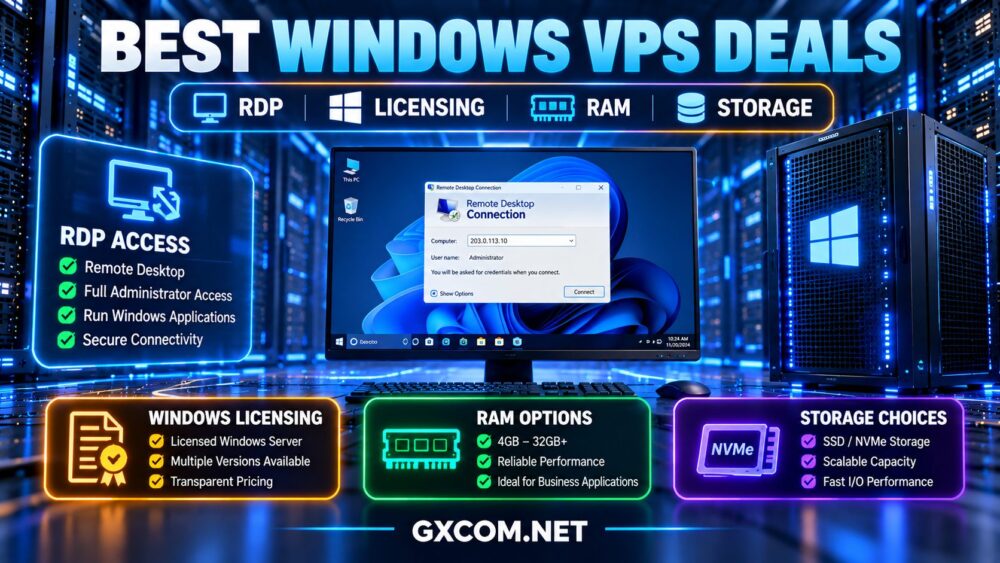
What Makes a Windows VPS Deal Worth Buying?
A Windows VPS is a virtual server running a supported Windows operating system, typically Windows Server. Users can administer it remotely through Remote Desktop Protocol (RDP), install compatible applications, and manage their own Windows environment.
Unlike Linux VPS hosting, Windows deployments often involve additional licensing considerations. Some providers include the operating system license in the advertised Windows plan, while others add a separate recurring charge.
Before choosing an offer, compare these factors:
- Windows Server license inclusion and supported versions.
- Administrator access through RDP.
- Available vCPU resources and processor performance.
- RAM capacity for the intended applications.
- SSD or NVMe storage capacity and upgrade options.
- Network location, bandwidth, and connectivity.
- Backup availability and restoration conditions.
- Renewal pricing, billing terms, and setup fees.
For a broader comparison of virtual server hosting, see our VPS vs shared hosting guide.
Best Windows VPS Providers and Deals to Compare
The providers below offer different approaches to Windows VPS hosting. They are purchasing candidates rather than a ranking based on independent performance benchmarks.
| Provider | Primary Buying Consideration | What to Verify |
|---|---|---|
| Database Mart | Windows-focused VPS and RDP hosting | License inclusion, storage, billing term |
| AccuWeb Hosting | Windows applications and administration | RDP users, management, add-ons |
| Contabo | RAM and storage capacity | Windows license surcharge, total cost |
| Hostwinds | Managed and unmanaged Windows VPS | Support scope, hardware allocation |
| VPSHostingService | Budget-oriented Windows VPS comparison | Current plans, license terms, renewal conditions |
1. Database Mart: Windows VPS and RDP Hosting
Database Mart is worth considering for buyers looking specifically for Windows Server VPS hosting with remote desktop administration.
Its Windows-oriented offerings make it relevant for remote business applications, development environments, and certain database workloads.
Buyers should compare processor allocation, RAM, SSD capacity, network location, and the conditions attached to promotional or longer-term billing.
Best for: Users who want a Windows-focused VPS rather than adapting a generic Linux hosting plan.
Check before buying: Selected Windows version, license inclusion, dedicated IP availability, backup schedule, and renewal terms.
2. AccuWeb Hosting: Windows Applications and RDP Access
AccuWeb Hosting offers Windows VPS options relevant to users running IIS, ASP.NET, SQL Server-related workloads, and remote desktop applications.
Its Windows VPS product information identifies licensed Windows Server environments, but buyers should distinguish operating system licensing from optional Microsoft software and additional Remote Desktop Services licensing.
Best for: Windows application hosting, development, and business software deployments.
Check before buying: RDP session rights, additional user licensing, backup options, storage upgrades, and support coverage.
3. Contabo: Compare RAM and Storage Against Licensing Costs
Contabo is a candidate for buyers who prioritize memory and storage capacity when comparing virtual servers.
However, Windows licensing must be included in the calculation. Its Windows Server license is charged separately from the underlying VPS configuration, so a Linux VPS base price is not the final Windows hosting cost.
Best for: Memory-intensive Windows applications where total resource allocation is a major consideration.
Check before buying: Windows license charges, supported versions, storage performance, location availability, and total recurring cost.
4. Hostwinds: Managed vs Unmanaged Windows VPS
Hostwinds provides Windows VPS hosting with managed and unmanaged options.

This distinction matters because operating a Windows VPS involves security updates, application configuration, troubleshooting, and ongoing maintenance.
Managed service arrangements can reduce some administrative responsibilities, while unmanaged hosting may suit experienced administrators who prefer direct control.
Best for: Buyers comparing Windows VPS hosting with different levels of operational assistance.
Check before buying: Exact management scope, Windows licensing, backup availability, and the final configuration cost.
5. VPSHostingService: Budget Windows VPS Candidate
VPSHostingService can be included when researching lower-cost Windows VPS alternatives.
However, buyers should verify current Windows Server availability, RDP administration rights, memory allocation, disk capacity, and renewal conditions directly before making a purchase.
Historical promotional offers should not be treated as currently available deals.
Best for: Price-conscious buyers willing to examine product details carefully.
Check before buying: Active Windows plans, licensing arrangements, resource limits, technical support, and contract terms.
Windows VPS Licensing: Included vs Additional Charges
Windows Server licensing is one of the most important differences between Windows VPS offers.
There are two common pricing approaches:
- License included: The advertised Windows VPS plan incorporates the required operating system license.
- License charged separately: The provider adds a Windows Server license fee to the underlying VPS rental.
Both approaches can be legitimate. What matters is the complete amount payable for the configuration you intend to use.
Also distinguish Windows Server licensing from licenses for Microsoft SQL Server, Remote Desktop Services, commercial applications, and control panels.
A standard administrative RDP connection does not automatically authorize unlimited users to run simultaneous remote desktop sessions. Organizations requiring multiple users should confirm the relevant Microsoft licensing and service-provider terms.
How Much RAM Do You Need for a Windows VPS?
RAM requirements depend on whether the server runs only essential background services or hosts interactive desktop applications, databases, and multiple processes.
| Workload | Starting Point to Evaluate | Important Consideration |
|---|---|---|
| Light administration | 4 GB RAM | Keep background applications limited |
| General RDP applications | 8 GB RAM | Allow headroom for Windows and software |
| Business applications | 8–16 GB RAM | Check database and application demand |
| Multiple demanding processes | 16 GB or more | Measure concurrent memory usage |
These are general planning ranges, not universal minimum requirements. Actual needs depend on the Windows version, installed software, concurrency, and application behavior.
More RAM can help prevent paging and resource pressure, but it will not fix slow processors or storage bottlenecks.
SSD vs NVMe: How Much Storage Is Enough?
Windows VPS storage must accommodate the operating system, updates, installed applications, logs, temporary files, and user data.
Small disks can become restrictive after software installations and ongoing Windows updates.
For buyers running multiple applications or retaining significant files, storage capacity may matter as much as CPU count.
NVMe storage can offer advantages for demanding I/O workloads, but real performance depends on the underlying hardware, virtualization configuration, and resource sharing.
When comparing offers, check:
- Usable storage capacity after operating system installation.
- SSD or NVMe technology and any performance limits.
- Available disk expansion options.
- Backup storage and retention policies.
- Whether snapshots are included or charged separately.
Do not assume a larger disk automatically provides faster application performance.
CPU Performance and Network Location
Advertised vCPU counts do not tell the complete performance story.
Processor generation, shared resource policies, sustained utilization limits, and per-core performance can affect Windows application responsiveness.
A modern virtual server with fewer but faster CPU resources may outperform an older configuration with a higher advertised vCPU count.
Network location also matters for RDP usability. Long-distance connections can feel less responsive even when the VPS has sufficient CPU and RAM.
Choose a region based on where administrators and users will connect from, then evaluate network stability and latency where testing tools are available.
Windows VPS Deals vs Cloud VPS Deals
Windows VPS deals focus on a specific operating system and its licensing requirements, while general cloud VPS offers may cover both Linux and Windows deployments.
When comparing the two, make sure the cloud plan supports the required Windows image and licensing model.
A low-priced Linux cloud instance should not be presented as an equivalent Windows VPS without accounting for operating system support and licensing.
For broader virtual server purchasing options, see our affordable cloud VPS deals comparison.
Hidden Costs That Can Change a Windows VPS Deal
Before ordering, calculate the complete hosting cost rather than relying on a promotional headline.
Potential additional charges include:
- Windows Server licensing.
- Setup or activation fees.
- Backup and snapshot storage.
- Additional IP addresses.
- Control panels or Microsoft application licenses.
- Managed technical support.
- Extra storage, RAM, or bandwidth.
- Higher renewal rates after an introductory period.
Long billing commitments can reduce the apparent monthly cost but also increase the amount paid upfront. Consider whether the service has been tested adequately before committing to an extended term.
Seasonal promotions may also differ from ordinary recurring offers. Our Black Friday VPS deals guide covers the considerations involved in evaluating time-limited server promotions.
Windows VPS Security: Protect Your RDP Connection
Remote Desktop is convenient, but exposing RDP directly to the public internet creates unnecessary security risk.
Use strong unique credentials, keep Windows updated, and restrict remote access wherever possible.
Recommended precautions include:
- Limit RDP access to trusted IP addresses or a secure VPN.
- Enable Network Level Authentication where supported.
- Use account lockout policies and appropriate access controls.
- Apply Windows security updates regularly.
- Maintain independent backups and test restoration.
- Monitor authentication failures and unusual activity.
Changing the default RDP port alone is not an adequate security strategy.

How to Choose the Best Windows VPS Deal
- Define your workload: Identify applications, expected memory usage, and storage requirements.
- Confirm Windows support: Check the operating system version and licensing conditions.
- Verify RDP access: Confirm administrator access and any additional user licensing.
- Compare complete resources: Evaluate CPU, RAM, disk capacity, and performance limits.
- Check location: Choose a region that offers responsive connectivity.
- Calculate total cost: Include licensing, backups, add-ons, and renewal charges.
- Review support: Understand which management tasks are included.
- Test before committing: Use a short billing term where practical to evaluate your applications.
Frequently Asked Questions
Do Windows VPS plans include RDP?
Many Windows Server VPS products support Remote Desktop administration, but buyers should confirm access permissions, firewall settings, and the provider's specific service conditions.
Is the Windows Server license always included?
No. Some providers include licensing in the Windows VPS price, while others charge an additional recurring fee. Always check the final order summary.
Is 8 GB RAM enough for a Windows VPS?
Eight gigabytes can be a practical starting point for many general remote desktop and business application workloads. More demanding applications may require additional memory.
Can I use my own Windows license?
Not necessarily. Bring-your-own-license eligibility depends on the provider, virtualization environment, and applicable Microsoft licensing rules. Obtain written confirmation before purchasing.
Should I choose SSD or NVMe storage?
Both can support Windows VPS workloads. NVMe may benefit storage-intensive applications, but usable capacity, reliability, and actual I/O performance should guide the decision.
Are cheap Windows VPS deals suitable for business applications?
They can be, provided the server meets the application's performance, security, licensing, backup, and support requirements. Low pricing alone is not a reliable indicator of suitability.
Final Verdict: Compare the Complete Windows VPS Package
The best Windows VPS deal is the one that provides sufficient resources, properly licensed Windows Server access, reliable connectivity, and a transparent total cost.
Database Mart and AccuWeb Hosting are relevant options for Windows-focused hosting. Contabo is worth comparing when RAM and storage capacity are priorities, while Hostwinds offers a managed-versus-unmanaged decision. VPSHostingService remains an additional budget candidate subject to current product verification.
WINDOWS LICENSE → RDP ACCESS → CPU → RAM → STORAGE → SECURITY → TOTAL COST
Choose the configuration that fits your actual workload rather than the plan with the lowest advertised starting price.