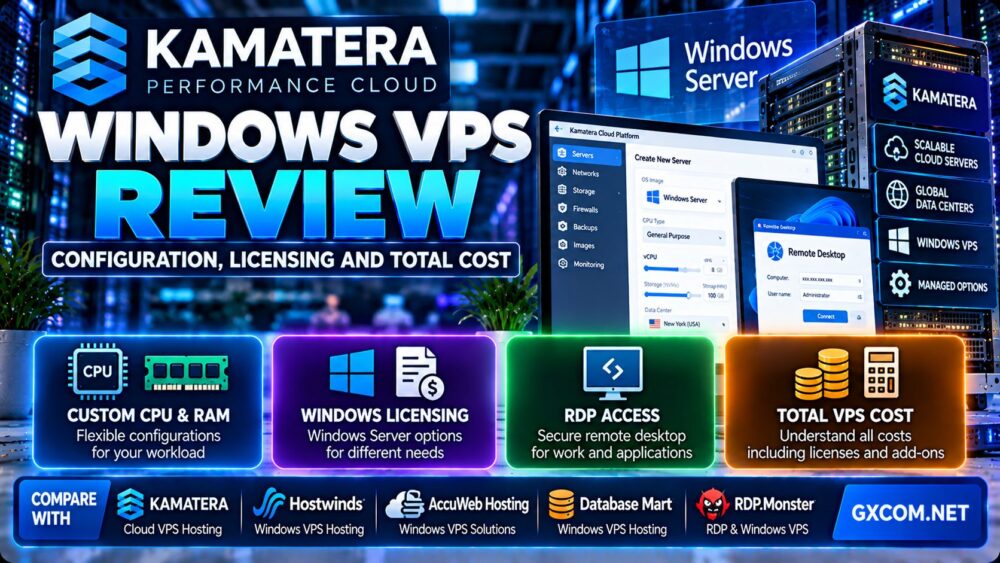
This Kamatera Windows VPS review examines server configuration, Windows Server licensing, Remote Desktop access, CPU and RAM options, NVMe storage, managed services, backup costs, and long-term pricing. Kamatera offers highly configurable cloud infrastructure, but choosing the right Windows VPS requires more than comparing advertised virtual CPU counts.
Windows hosting has several cost components that may not appear in a basic Linux VPS comparison. Operating system licensing, Remote Desktop Services access, optional server management, backup protection, and network usage can all affect the final bill.
For developers, remote workers, software vendors, and businesses running Windows-based applications, understanding these charges is essential before creating a cloud server.
In this review, we explain Kamatera's configuration model, identify common licensing mistakes, and compare relevant alternatives including Hostwinds, AccuWeb Hosting, Database Mart, and RDP.Monster.
Editorial disclosure: GXCOM.NET may earn commissions from qualifying hosting referrals. This article is based on published provider documentation and technical analysis. We have not independently benchmarked Kamatera Windows VPS performance, measured long-term uptime, or tested its support response times. Pricing and licensing conditions should be confirmed in the live configurator before purchase.
Kamatera Windows VPS Review: Quick Verdict
Kamatera is worth considering for customers who want a customizable Windows cloud server with flexible CPU, RAM, storage, location, and billing options.
Its main advantage is configuration flexibility. Rather than relying exclusively on fixed VPS packages, customers can select the resources and operating system appropriate for their application.
However, Kamatera is not automatically the lowest-cost Windows VPS provider. Windows Server licensing, optional management, backup services, and Remote Desktop licensing can make the final monthly bill substantially different from the base Linux server price.
| Evaluation Area | Editorial Assessment |
|---|---|
| Hosting model | Configurable cloud virtual servers |
| Windows operating system | Windows Server options available |
| CPU configurations | Availability, general-purpose, dedicated, and burstable options |
| Memory | Configurable RAM allocations |
| Storage | NVMe SSD options |
| Datacenter selection | Multiple regions, including US locations |
| Remote access | Windows Remote Desktop for authorized administration |
| Management | Self-managed by default, with optional managed services |
| Backups | Optional extended daily backup service |
| Billing | Hourly and monthly models |
| Main advantage | Flexible resource configuration |
| Main concern | Windows licensing and additional service costs |
What Is Kamatera Windows VPS Hosting?
Kamatera provides cloud infrastructure that allows customers to deploy virtual servers with selected operating systems, computing resources, storage, and network configurations.
A Windows VPS is a virtual machine running an eligible Windows Server operating system.
Customers can use it to host Windows-compatible software, administer applications remotely, operate supported databases, and provide business infrastructure services.
Unlike a conventional shared web hosting account, a Windows VPS provides operating system-level administration capabilities.
However, the customer remains responsible for securing and maintaining the server unless appropriate managed services are purchased.
Kamatera Windows VPS Configuration Options
One of Kamatera's most important characteristics is its configurable cloud server model.
Customers can select the CPU type, virtual CPU count, RAM, NVMe storage, operating system, and datacenter.
These choices should reflect the workload rather than the largest available specification.
CPU Types: Availability, General Purpose, Dedicated and Burstable
Kamatera's cloud server configurator includes different CPU resource categories.
| CPU Type | General Positioning | Suitable Evaluation Scenario |
|---|---|---|
| Availability | Budget-oriented resource category | Lightweight applications and lower-intensity workloads |
| General Purpose | Balanced cloud compute | Business applications and general server workloads |
| Dedicated | Dedicated CPU allocation | Applications requiring sustained compute resources |
| Burstable | Burst-capable compute category | Workloads with intermittent processing demands |
The exact performance characteristics and resource guarantees depend on the selected configuration.
Do not assume that four availability-oriented vCPUs deliver the same sustained performance as four dedicated CPU allocations.
How Many vCPUs Do You Need?
CPU requirements depend on the application.
A small Windows administration environment may need relatively little processing capacity.
Database servers, software compilation, background services, and applications with multiple concurrent users may require more CPU resources.
When choosing a configuration, evaluate:
- Single-thread application performance.
- Concurrent user activity.
- Background processing.
- CPU usage during peak workloads.
- Resource consistency over time.
- Whether dedicated CPU allocations are necessary.
RAM Configuration
Windows Server requires sufficient memory for the operating system, background services, security tools, and hosted applications.
RAM requirements increase when customers install database software, remote desktop applications, monitoring services, or multiple business programs.
A larger memory allocation can reduce paging pressure, but additional RAM will not automatically fix an application limited by CPU performance.
NVMe SSD Storage
Kamatera advertises NVMe SSD storage options for its cloud servers.
NVMe can provide useful storage capabilities for databases, application files, and operating system workloads.
However, actual performance depends on the storage platform, workload, virtualization, and resource policies.
Customers should size storage for the operating system, applications, logs, temporary files, backups, and expected data growth.
Datacenter Location
Kamatera advertises several US datacenter locations, including Los Angeles, Dallas, Chicago, Atlanta, Miami, New York, Seattle, and Santa Clara.
Availability of specific configurations may differ by location.
For Remote Desktop workloads, latency can affect keyboard, mouse, and screen responsiveness.
Choose a region based on the location of actual users and application dependencies.
Kamatera Windows Server Licensing Explained
Licensing is one of the most important topics in this Kamatera Windows VPS review.
Windows Server is commercial software and may involve an additional license charge beyond the virtual server's CPU, memory, and storage.
Kamatera publishes a software licensing price list and provides Windows operating system choices through its server configurator.
Windows Server License vs VPS Infrastructure
A cloud server price may represent the underlying computing resources without the cost of Windows Server.
Therefore, customers should calculate the actual price after selecting the Windows operating system.
Do not compare a Linux VPS advertisement directly with a fully licensed Windows VPS quotation.
Windows Server Editions
Kamatera advertises Windows Server configurations, including Windows Server Datacenter options.
The operating system version and edition affect software compatibility, licensing, and supported features.
Before deployment, confirm that the required application supports the selected Windows Server version.
Does a Windows VPS Include an RDP License?
Windows Server generally supports Remote Desktop connections for authorized administrative purposes.
However, the administrative remote access capability should not be confused with licensing for a multi-user Remote Desktop Services deployment.
If customers want multiple users to run interactive Windows sessions through Remote Desktop Services, additional licensing may be required.
Kamatera offers Remote Desktop licensing products, and Microsoft licensing requirements should be reviewed for the intended environment.
Remote Desktop CALs
Remote Desktop Services Client Access Licenses, or RDS CALs, are relevant to eligible multi-user RDS environments.
Depending on the deployment, customers may need per-user or per-device licensing.
License requirements are determined by Microsoft's terms and the actual use case, not simply by the number of virtual CPU cores.
Can You Bring Your Own Windows License?
Customers should not assume that an existing retail or OEM Windows license can legally be transferred to any cloud VPS.
License mobility depends on the applicable Microsoft agreement, hosting arrangement, product, and provider policies.

Before using a customer-supplied license, obtain written confirmation from Kamatera and verify Microsoft's licensing conditions.
For more background, see our Windows Server licensing and cost guide.
Kamatera Windows VPS Total Cost: What Will You Actually Pay?
The final price of a Windows VPS is the sum of several possible components.
Customers should calculate:
Total Windows VPS cost = compute resources + storage + Windows Server license + optional RDS licenses + backups + managed services + excess traffic + applicable taxes
Not every component applies to every deployment.
Compute and Storage Charges
CPU, RAM, storage, and the selected resource class affect the infrastructure price.
Dedicated CPU configurations may cost more than budget-oriented resource categories.
Storage capacity and additional disks can also increase the bill.
Windows Server License Charges
Kamatera's published software licensing page lists Windows Server license options with monthly charges.
The amount may vary according to the selected operating system configuration and current licensing policy.
Always use the final Windows server quotation rather than relying on a Linux base price.
Optional RDS Licensing
Multi-user Remote Desktop Services deployments may require additional RDS CALs.
These charges can become significant when several employees need interactive sessions.
Basic administrative access and a multi-user remote desktop service are different licensing scenarios.
Managed Services
Kamatera offers an optional managed service for operating system and system configuration administration.
Customers should confirm whether management includes security updates, software installation, troubleshooting, monitoring, and backup restoration.
Managed service should not be assumed to include unlimited support for proprietary business applications.
Extended Daily Backups
Kamatera offers an extended daily backup option for supported cloud servers.
The provider describes backups to a separate storage array with restoration capabilities.
Customers should confirm backup retention, restoration procedures, and the additional monthly charge.
Network Traffic and Additional Usage
Kamatera's cloud server product pages commonly display included monthly traffic allowances and additional usage charges.
The applicable traffic terms depend on the selected product and billing configuration.
For data-intensive workloads, verify whether the advertised allowance is sufficient and how additional traffic is calculated.
Hypothetical Kamatera Windows VPS Cost Examples
The following examples illustrate how additional services can affect total cost. They are not live Kamatera quotations.
| Monthly Cost Component | Basic Windows VPS | Business Windows VPS |
|---|---|---|
| Compute and storage | $20 | $45 |
| Windows Server license | $12 | $20 |
| Backup service | $0 | $8 |
| Managed service | $0 | $25 |
| Additional RDS licensing | $0 | $16 |
| Illustrative monthly total | $32 | $114 |
| Illustrative annual total | $384 | $1,368 |
All figures above are fictional examples designed to demonstrate total cost calculation. They are not current Kamatera prices or guaranteed licensing rates.
Why the Cheapest VPS May Not Be the Cheapest Windows VPS
A low infrastructure price can become less competitive when Windows licensing and optional services are added.
Conversely, a more expensive managed plan may reduce administration time and provide useful operational assistance.
Customers should compare equivalent resource configurations and identical licensing requirements.
For a broader purchasing comparison, see our affordable Windows dedicated server guide when evaluating larger Windows workloads.
Kamatera Hourly vs Monthly Billing
Kamatera advertises hourly and monthly billing options for cloud servers.
This flexibility can be useful for development environments, testing, and workloads with changing requirements.
When Hourly Billing Makes Sense
Hourly billing may suit temporary environments, short-term tests, and projects that do not require continuous server operation.
However, customers must verify how storage, licenses, reserved resources, and powered-off servers are charged.
Stopping a virtual machine does not necessarily eliminate every associated charge.
When Monthly Billing Makes Sense
Monthly billing is often easier to budget for a Windows server that must remain available continuously.
Customers should calculate the effective monthly total, including Windows licensing and other recurring services.
Can You Resize a Windows VPS?
Kamatera supports changing cloud server resources, including CPU, RAM, and storage options.
Some configuration changes may require a restart or other operational steps.
Before resizing a production server, create a backup and verify the provider's procedure.
Kamatera Windows VPS Performance and Reliability
Kamatera advertises modern Intel Xeon-based cloud infrastructure, NVMe storage, multiple datacenter locations, and a 99.95% uptime commitment for supported cloud services.
These are provider-published specifications and service commitments.
They should not be interpreted as independently verified performance results.
CPU Performance
Windows VPS performance depends on the selected CPU class, processor generation, application workload, and resource allocation.
Applications with sustained CPU demand may benefit from dedicated resource configurations.
However, customers should measure actual software performance before assuming that more cores always improve responsiveness.
Remote Desktop Responsiveness
RDP responsiveness depends on:
- Latency between the user and server.
- Available CPU and RAM.
- Network stability.
- Screen resolution and display settings.
- Application workload.
- Storage performance.
A Windows VPS located far from the user may feel less responsive even when it has sufficient CPU and memory.
Uptime SLA
Kamatera advertises a 99.95% uptime commitment.
That corresponds to approximately 21.6 minutes of downtime in a 30-day period.
The actual SLA defines qualifying outages, exclusions, and available remedies.
An infrastructure uptime commitment does not guarantee that every customer application will remain continuously available.
How to Benchmark Kamatera Windows VPS
- Record the exact CPU class and virtual core allocation.
- Document the Windows Server version.
- Measure idle and loaded RAM consumption.
- Test application startup and processing time.
- Monitor disk latency and throughput.
- Measure RDP latency from real user locations.
- Track network packet loss.
- Repeat tests across different periods.
Testing transparency: GXCOM.NET has not independently measured Kamatera Windows VPS CPU benchmarks, RDP latency, NVMe IOPS, or sustained uptime.
Kamatera Windows VPS Security and Backup Strategy
Windows Server requires ongoing security administration regardless of the hosting provider.
Unless the customer purchases an applicable managed service, operating system maintenance and application security remain customer responsibilities.
Secure Remote Desktop Access
For Windows VPS environments:
- Use strong credentials and multi-factor authentication where supported.
- Restrict RDP access to trusted networks or VPN connections.
- Apply Windows security updates.
- Use Windows Firewall and appropriate access rules.
- Disable unnecessary services.
- Monitor authentication events.
- Protect administrator accounts.
Exposing Remote Desktop directly to the public internet without suitable protections can increase attack risk.
Backups and Recovery
Kamatera offers optional extended daily backups, but customers should verify whether the selected plan includes backup protection.
For production environments, maintain an independent backup copy outside the primary server account.
Test recovery procedures before relying on backups for critical business data.
Managed vs Unmanaged Windows VPS
Self-managed Windows VPS can provide greater control and lower service costs for experienced administrators.
Managed services may reduce operational responsibilities for customers without dedicated IT staff.
For a detailed explanation, see our managed vs unmanaged hosting comparison.
Kamatera Windows VPS Use Cases
Remote Desktop Administration
Kamatera Windows VPS can provide a remotely accessible Windows Server environment for authorized administrative work.
Customers should distinguish ordinary server administration from multi-user RDS deployment when calculating licensing costs.
Windows Business Applications
Businesses can evaluate Kamatera for Windows-compatible software requiring a persistent server environment.
Before deployment, verify software compatibility, licensing, network access, and backup requirements.
ASP.NET and Microsoft SQL Server
Kamatera can be relevant to applications built on Microsoft's server technology stack.
However, SQL Server licensing may represent an additional cost beyond Windows Server.
Customers should calculate database licensing separately when required.
Development and Testing
Hourly cloud billing and configurable resources may suit temporary Windows development environments.
Always verify ongoing charges for powered-off servers, disks, licenses, and retained resources.
Remote Work Environments
Windows VPS can support certain remote business workflows, but customers must verify software licensing, user access rules, and performance requirements.
Not every desktop application is licensed or supported for use in a hosted Windows Server environment.
Kamatera vs Hostwinds vs AccuWeb Hosting vs Database Mart vs RDP.Monster
Kamatera is not the only provider worth evaluating for Windows VPS hosting.
Four relevant alternatives are Hostwinds, AccuWeb Hosting, Database Mart, and RDP.Monster.
| Provider | Main Comparison Focus | Who Should Evaluate It? |
|---|---|---|
| Kamatera | Configurable cloud resources and flexible billing | Customers needing customized Windows cloud servers |
| Hostwinds | Managed and unmanaged Windows VPS options | Businesses comparing management responsibilities |
| AccuWeb Hosting | Windows VPS hosting packages | Customers seeking predefined Windows hosting configurations |
| Database Mart | Windows VPS and application hosting | Budget-conscious buyers comparing resource packages |
| RDP.Monster | Windows RDP and VPS services | Customers evaluating remote desktop-oriented hosting |
Kamatera vs Hostwinds
Hostwinds is relevant for customers who want to compare managed and unmanaged Windows VPS hosting models.
Kamatera is particularly worth evaluating when configurable cloud resources and flexible billing are important.
Compare equivalent Windows licenses, backups, management services, and storage allocations before deciding.
Kamatera vs AccuWeb Hosting
AccuWeb Hosting offers Windows VPS products relevant to customers who prefer defined hosting packages.
Kamatera provides a more configurable cloud server purchasing model.
Customers should compare the final price after including Windows Server licensing and any required management services.
Kamatera vs Database Mart
Database Mart is another provider worth evaluating for Windows VPS and Windows-compatible application hosting.
It may be relevant to customers who prioritize predefined resource packages and long-term budget planning.
Kamatera may appeal to customers who need more flexibility in CPU, RAM, storage, or datacenter selection.
Do not compare a promotional long-term commitment with an hourly cloud configuration without accounting for the different billing conditions.
Kamatera vs RDP.Monster
RDP.Monster offers Windows RDP and VPS-related hosting products.
It may be worth investigating when remote desktop access is the primary use case.
Kamatera is more relevant when customers want a configurable cloud infrastructure platform for broader Windows Server workloads.
Verify Windows licensing, permitted user access, server location, and resource allocations before choosing either provider.
Kamatera Windows VPS Pros and Cons
Advantages
- Customizable CPU, RAM, and storage configurations.
- Multiple CPU resource classes.
- NVMe SSD storage options.
- Multiple US and international datacenter locations.
- Windows Server deployment options.
- Hourly and monthly billing.
- Optional managed services.
- Optional extended daily backups.
- Resource scaling capabilities.
- 30-day trial promotion for eligible customers.
Limitations
- Windows Server licensing can increase the final price.
- RDS multi-user access may require additional licenses.
- Managed service is not necessarily included by default.
- Extended backup protection may cost extra.
- Hourly billing does not guarantee zero cost when a server is powered off.
- Additional traffic may incur charges.
- More vCPUs do not guarantee better single-thread performance.
- Customers must understand their own application licensing obligations.
Who Should Choose Kamatera Windows VPS?
Good Candidates
- Developers deploying Windows-based applications.
- Businesses requiring configurable Windows Server infrastructure.
- Customers who need a specific US datacenter location.
- Teams requiring temporary Windows development servers.
- Applications that benefit from flexible resource scaling.
- Experienced administrators comfortable with self-managed Windows environments.
Who Should Consider Alternatives?
- Buyers seeking the lowest possible fixed-price Windows VPS.
- Customers unwilling to calculate software licensing costs.
- Organizations requiring specialized multi-user desktop licensing.
- Users who need bundled management and backups at a fixed total price.
- Workloads requiring dedicated physical hardware rather than virtual infrastructure.
Kamatera Windows VPS Buying Checklist
- Choose the required Windows Server version.
- Confirm Windows Server licensing costs.
- Determine whether RDS CALs are required.
- Select the appropriate CPU resource class.
- Calculate CPU and RAM requirements.
- Choose sufficient NVMe storage.
- Select a datacenter close to users.
- Check traffic allowances and excess usage rates.
- Verify backup pricing and retention.
- Confirm managed service responsibilities.
- Compare hourly and monthly billing.
- Calculate the complete 12-month cost.
- Review free trial conditions.
- Test RDP responsiveness and application performance.
For additional budget-oriented options, explore our best Black Friday VPS deals guide.

Frequently Asked Questions
Is Kamatera good for Windows VPS?
Kamatera is worth considering for customers who want configurable Windows cloud servers with multiple resource and location options. The best choice depends on licensing requirements and total cost.
Does Kamatera include a Windows Server license?
Windows Server licensing is available through Kamatera, but customers should verify the license charge in the final configuration rather than assuming it is included in a Linux server price.
Can I connect to Kamatera Windows VPS using RDP?
Yes. A properly configured Windows Server instance can support authorized Remote Desktop administration. Multi-user RDS environments may require additional licensing.
Does Kamatera offer dedicated CPU?
Kamatera offers dedicated CPU resource configurations alongside other cloud CPU types. Customers should select the appropriate resource class.
Does Kamatera offer NVMe storage?
Yes. Kamatera advertises NVMe SSD storage options for its cloud servers.
Does Kamatera offer managed Windows VPS?
Kamatera offers optional managed services. Customers should verify the service scope and cost for the selected configuration.
Are Kamatera backups free?
Kamatera advertises extended daily backup as an optional service. Verify whether any backup functionality is included and what additional charges apply.
Does Kamatera offer a free trial?
Kamatera advertises a 30-day trial with up to $100 in eligible usage. Terms, restrictions, and post-trial charges should be confirmed before registration.
Is Kamatera cheaper than Hostwinds?
There is no universal answer. Compare equivalent CPU, RAM, storage, Windows licensing, backup, and management configurations using current checkout prices.
Is Kamatera suitable for multi-user remote desktop?
It can support appropriate Windows Server configurations, but customers must verify Remote Desktop Services licensing, user CAL requirements, and application compatibility.
Final Verdict: Is Kamatera Windows VPS Worth It?
Our Kamatera Windows VPS review finds that the provider offers a flexible cloud infrastructure platform for customers who need Windows Server with configurable CPU, RAM, storage, and datacenter options.
Its strongest advantage is customization. Customers can build a Windows cloud server around their actual workload rather than selecting only from a limited set of fixed VPS packages.
However, the final price must include Windows Server licensing, optional RDS access licenses, backup protection, managed services, and applicable network charges.
Kamatera is worth comparing with Hostwinds, AccuWeb Hosting, Database Mart, and RDP.Monster. The best choice depends on application compatibility, licensing compliance, resource requirements, and the complete cost of ownership.
WINDOWS WORKLOAD → CPU & RAM → NVME STORAGE → WINDOWS LICENSE → RDS ACCESS → BACKUPS → TOTAL COST → VPS DECISION