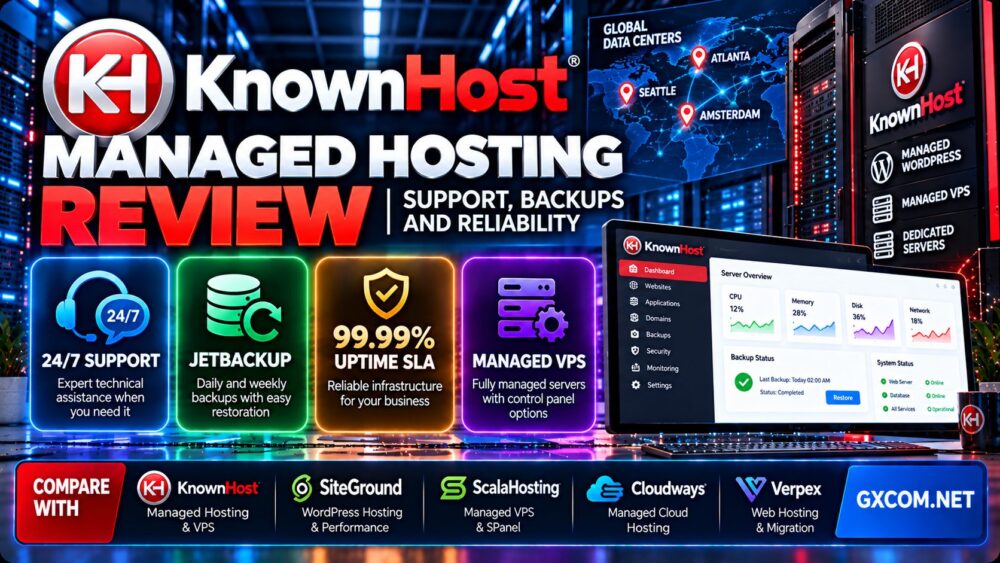
This KnownHost managed hosting review examines technical support, backup and recovery policies, server reliability, WordPress optimization, managed VPS services, and long-term hosting costs. KnownHost offers several hosting products, but the actual level of management, backup protection, and control panel access depends on the service you choose.
For business websites, hosting value goes beyond CPU cores, storage capacity, and introductory prices. A provider's ability to troubleshoot infrastructure problems, maintain the server environment, and help restore services after an incident can matter just as much as raw hardware specifications.
KnownHost positions managed hosting and technical support as major parts of its service. However, buyers should distinguish between provider-managed infrastructure, managed WordPress maintenance, and customer-owned application responsibilities before selecting a plan.
In this review, we also compare KnownHost with SiteGround, ScalaHosting, Cloudways, and Verpex to identify which hosting model may be better for different websites.
Editorial disclosure: GXCOM.NET may earn commissions from eligible hosting referrals. This article is based on provider documentation and technical evaluation criteria. We have not independently measured KnownHost uptime, support response times, or hosting performance. Published service commitments should not be interpreted as verified benchmark results.
KnownHost Managed Hosting Review: Quick Verdict
KnownHost is worth considering for customers who value clearly documented server management responsibilities, technical support, and backup options.
Its managed hosting portfolio includes conventional web hosting, managed WordPress, managed VPS, and dedicated infrastructure options.
The most important advantage is that KnownHost publishes detailed support coverage explaining what its technical team handles and what remains the customer's responsibility.
The main purchasing consideration is that management scope, backup frequency, and licensing requirements differ across product families.
| Evaluation Area | Editorial Assessment |
|---|---|
| Hosting portfolio | Web hosting, managed WordPress, VPS, and dedicated services |
| Technical support | 24/7/365 assistance advertised |
| Managed WordPress | Core updates, security monitoring, and supported optimization |
| WordPress technology | LiteSpeed, LSCache, NVMe, CloudLinux, and WP Toolkit |
| Backups | Included on supported products; frequency varies |
| Managed VPS | Operating system, control panel, and server-level management |
| Uptime commitment | Provider advertises a 99.99% SLA; terms apply |
| Primary strength | Documented support responsibilities |
| Main limitation | Plan-specific management, backups, and licensing costs |
What Is KnownHost Managed Hosting?
KnownHost is a hosting provider offering shared web hosting, managed WordPress services, VPS hosting, and dedicated server products.
Its managed hosting services are designed to reduce the infrastructure administration work required from customers.
Depending on the selected plan, KnownHost may manage operating system updates, server security, control panel configuration, hosting services, and selected backup operations.
However, managed hosting does not automatically include website redesign, custom plugin development, content updates, or unlimited troubleshooting of third-party software.
For a broader explanation of hosting responsibilities, read our managed vs unmanaged hosting guide.
KnownHost Hosting Plans: Which Managed Service Fits?
KnownHost offers different product categories for websites with varying resource requirements.
| Product | Management Focus | Best Fit |
|---|---|---|
| Web Hosting | Provider-managed shared server environment | Smaller websites and general hosting needs |
| Managed WordPress | WordPress-focused platform and maintenance tools | WordPress sites needing integrated management |
| Managed VPS | Server-level operating system and control panel management | Growing businesses requiring more server control |
| Managed Dedicated | Dedicated hardware with supported system administration | Resource-intensive applications and larger workloads |
Web Hosting: A Simpler Starting Point
KnownHost's web hosting products are suitable for customers who do not require full virtual server administration.
KnownHost manages the underlying shared server environment, while customers remain responsible for their website content and application-level decisions.
This model can be practical for business websites, blogs, and smaller projects.
Managed WordPress Hosting
KnownHost's managed WordPress platform includes WordPress-focused optimization, security monitoring, core updates, and management tools.
The provider advertises LiteSpeed with LSCache, NVMe storage, CloudLinux resource isolation, and WP Toolkit.
Customers should confirm plugin compatibility, available staging features, storage limits, and the number of websites supported by the selected plan.
Managed VPS Hosting
Managed VPS is relevant when customers require greater control over the hosting environment but do not want to handle every operating system maintenance task independently.
KnownHost's published managed VPS support coverage includes operating system management, security hardening, control panel installation, standard service troubleshooting, and selected migration assistance.
Customers must verify management eligibility and any required control panel licenses.
Managed Dedicated Hosting
Dedicated servers are intended for workloads that require physical hardware resources rather than a conventional shared hosting environment.
KnownHost provides managed dedicated server options, but backup configuration and included services should be checked carefully.
Dedicated hosting is not automatically the best choice for every growing website. Many applications can run effectively on a suitable managed VPS.
KnownHost Support Review: What Does 24/7 Management Include?
Technical support is central to this KnownHost managed hosting review.
KnownHost advertises 24/7/365 assistance through support tickets and live chat.
More importantly, its published support coverage separates infrastructure management from customer-controlled applications.
Managed VPS and Dedicated Server Support
KnownHost documents system-level management for eligible managed VPS and dedicated services.
Supported areas include:
- Base operating system management and troubleshooting.
- Initial security hardening.
- Control panel installation and optimization.
- Standard hosting service troubleshooting.
- Network monitoring and availability.
- Supported migrations between compatible control panels.
- Assistance with remote backup location configuration.
Third-party applications and unusual custom configurations may receive best-effort assistance rather than guaranteed development support.
Managed WordPress Support
KnownHost's managed WordPress coverage includes WordPress core updates, security monitoring, patching, and performance optimization.
However, the provider identifies plugin and theme troubleshooting as best-effort services.
Theme customization and website content updates are not included in standard managed WordPress support.
What Does Best-Effort Support Mean?
Best-effort support means the provider may investigate a problem and attempt a reasonable solution without promising that every custom application issue can be resolved.
For example, a hosting team may help identify a PHP error or database connection problem, but rewriting a proprietary WordPress plugin could fall outside the support agreement.
Before buying, ask whether the support team handles the specific application problems your business is likely to encounter.
How to Evaluate Support Quality
Customers should test support with legitimate technical questions rather than relying only on marketing statements.
A useful evaluation includes:
- Submitting a specific pre-sales technical question.
- Checking whether the response addresses the actual issue.
- Asking about backup restoration responsibilities.
- Confirming the scope of plugin and application troubleshooting.
- Reviewing escalation options for critical incidents.
- Checking support availability across time zones.
KnownHost publishes support performance claims, but GXCOM.NET has not independently verified an average first-response time.
KnownHost Backups Review: Frequency, Retention and Restoration
Backup protection is one of the most important factors when selecting managed hosting.
KnownHost provides different backup arrangements depending on whether the customer uses shared hosting, managed WordPress, VPS, cloud, or dedicated infrastructure.

Customers should not assume that every product includes the same backup schedule.
Shared Hosting and Managed WordPress Backups
KnownHost's published standard backup policy for shared hosting and managed WordPress includes two recent daily backups and one weekly backup.
Its managed WordPress platform also advertises JetBackup access and optional upgraded retention plans.
These backups can help customers recover from accidental file deletion, application errors, or certain hosting incidents.
However, the provider's terms explain that backups are offered as a courtesy and their availability or integrity is not guaranteed.
Managed VPS Backups
KnownHost documents complementary VPS backups taken approximately every other day, with retention generally around seven to fourteen days.
The provider offers full VPS restoration procedures, but customers should understand that a full restore can require downtime.
Partial restoration capabilities and applicable charges depend on the product.
Cloud Hosting Backups
KnownHost's terms describe cloud server backups performed every other day, with approximately seven days of retention.
These arrangements differ from the backup policies for managed WordPress and shared hosting.
Dedicated Server Backups
Dedicated hosting customers should not assume that automated offsite backups are included by default.
KnownHost's documentation describes backup drives and optional remote backup services for eligible managed dedicated configurations.
Customers should verify the actual backup schedule and storage location during provisioning.
KnownHost Backup Comparison
| Hosting Product | Published Backup Approach | Key Consideration |
|---|---|---|
| Shared / Managed WordPress | Two daily copies plus one weekly copy | Short standard retention |
| Managed VPS | Approximately every other day | Typically 7–14 days of retention |
| Cloud | Approximately every other day | Approximately seven days of retention |
| Dedicated | Configuration-dependent backup arrangements | Verify drive and remote backup setup |
These are published service policies, not guarantees of recoverability. Confirm current terms and available restore points for your exact hosting product.
Why Independent Backups Still Matter
A hosting provider's backup system should not be the only copy of business-critical data.
Maintain separate backups in an independent storage environment.
For important applications, define:
- Recovery Point Objective (RPO).
- Recovery Time Objective (RTO).
- Backup frequency.
- Backup retention period.
- Offsite storage location.
- Restoration testing schedule.
A backup policy is valuable only when it can meet the business's actual recovery requirements.
KnownHost Reliability Review: Uptime, Infrastructure and Monitoring
KnownHost advertises a 99.99% uptime service level commitment.
This is a provider-published contractual commitment, not an independently measured uptime result for every hosted website.
What Does 99.99% Uptime Mean?
A 99.99% availability target corresponds to approximately 4.32 minutes of downtime over a 30-day period.
However, the applicable SLA may define exclusions, measurement procedures, and service credits.
Customers should read the current agreement rather than assuming that every application-level interruption qualifies for compensation.
Infrastructure Reliability vs Application Reliability
A hosting server can remain online while a website becomes unavailable because of:
- WordPress plugin errors.
- Database connection failures.
- Application configuration problems.
- DNS issues.
- Expired domain registrations.
- External API outages.
- Unexpected traffic spikes.
Therefore, hosting uptime and end-user application availability are related but not identical.
Datacenter Location
KnownHost advertises managed WordPress hosting in Atlanta, Seattle, and Amsterdam.
Choosing a server closer to the primary audience may help reduce network latency.
However, location alone does not determine website speed. Caching, application efficiency, and network routing also matter.
How to Monitor Reliability
For business-critical websites, use independent monitoring to track:
- HTTP availability.
- DNS resolution.
- TLS certificate validity.
- Application response time.
- Database availability.
- Resource saturation.
- Backup completion.
Monitoring should distinguish brief network interruptions from sustained application outages.
KnownHost WordPress Performance: LiteSpeed, NVMe and Caching
KnownHost's managed WordPress platform advertises a performance-oriented stack that includes AMD EPYC servers, NVMe storage, LiteSpeed, LSCache, and CloudLinux.
These technologies can be relevant to WordPress performance, but they do not guarantee a specific loading time.
LiteSpeed and LSCache
LiteSpeed is a web server technology, while LSCache provides caching functionality designed to reduce repeated application processing for eligible requests.
Full-page caching can improve performance for many WordPress pages.
However, uncached requests such as shopping carts, account pages, and certain administrator operations still require dynamic application processing.
NVMe Storage
NVMe storage can support efficient disk operations, particularly when applications generate frequent I/O requests.
Actual performance depends on resource allocation, storage contention, database activity, and workload characteristics.
CloudLinux Resource Isolation
KnownHost advertises CloudLinux resource isolation on its managed WordPress platform.
Resource isolation can help manage the effects of neighboring accounts in shared environments.
However, isolation does not mean that every hosting account receives exclusive physical CPU cores.
How to Test KnownHost Performance
- Deploy a representative WordPress website.
- Record the selected plan and server location.
- Use consistent PHP, WordPress, and plugin versions.
- Measure cached and uncached response times.
- Test logged-in and administrative operations.
- Measure database query performance.
- Monitor CPU and memory utilization.
- Repeat tests during different periods.
Testing transparency: GXCOM.NET has not independently measured KnownHost TTFB, LCP, CPU throughput, or sustained uptime for this article.
KnownHost Security Features
KnownHost advertises server security management, WordPress monitoring, and malware protection features on supported products.
Its managed WordPress platform includes Imunify360-related security capabilities and WordPress hardening tools.
WordPress Security Monitoring
KnownHost's managed WordPress support coverage includes security monitoring and patching.
This may reduce some maintenance responsibilities, but customers must still use secure credentials, control administrator permissions, and review third-party plugins.
Web Application Firewall and Malware Protection
KnownHost advertises malware scanning and web application firewall protection for managed WordPress environments.
These tools can provide useful security layers, but no security platform can prevent every attack or configuration mistake.
Customer Security Responsibilities
Website owners should:
- Use multi-factor authentication where supported.
- Maintain least-privilege user access.
- Remove unused plugins and themes.
- Monitor administrator activity.
- Maintain independent backups.
- Protect database and API credentials.
- Test recovery procedures regularly.
KnownHost Pricing and Long-Term Value
KnownHost advertises promotional prices on eligible hosting products, with renewal prices that may differ from the initial billing period.
Some advertised monthly equivalents require longer prepaid commitments.
Customers should compare the full ownership cost rather than selecting a provider based only on the first payment.
What Should Be Included in Total Cost?
Calculate:
Total hosting cost = initial hosting payments + renewals + required control panel licenses + backup upgrades + software licenses + applicable taxes
For managed VPS and dedicated hosting, verify whether a control panel license is required and whether it is included in the quoted price.
Hypothetical Three-Year Cost Example
| Cost Component | Illustrative Amount |
|---|---|
| First-year hosting | $120 |
| Second-year renewal | $240 |
| Third-year renewal | $240 |
| Optional backup upgrades | Not included |
| Three-year hosting total | $600 |
| Average monthly hosting cost | $16.67 |
This is a hypothetical calculation, not a current KnownHost quotation.
When Is Managed Hosting Worth Paying For?
Managed hosting may offer better long-term value when it reduces infrastructure administration time and provides useful technical assistance.
However, customers should consider whether the included services address their actual operational needs.
A small static website may not require an advanced managed VPS.
A business application with frequent updates, databases, and recovery requirements may benefit more from a well-defined management agreement.
KnownHost vs SiteGround vs ScalaHosting vs Cloudways vs Verpex
KnownHost is one of several providers offering hosting services with different management approaches.
Four relevant alternatives are SiteGround, ScalaHosting, Cloudways, and Verpex.
| Provider | Main Comparison Focus | Who Should Evaluate It? |
|---|---|---|
| KnownHost | Documented managed support and backup policies | Customers prioritizing infrastructure administration and recovery |
| SiteGround | Integrated WordPress hosting tools | WordPress-focused websites seeking a streamlined platform |
| ScalaHosting | Managed cloud VPS and SPanel | Businesses comparing control panel and cloud resource options |
| Cloudways | Managed cloud application hosting | Agencies and developers evaluating cloud deployment workflows |
| Verpex | Web hosting, WordPress, and reseller-oriented products | Customers comparing traditional hosting and migration options |
KnownHost vs SiteGround
SiteGround emphasizes integrated WordPress management and optimization tools.
KnownHost is particularly worth evaluating when published support coverage, backup retention, and managed infrastructure responsibilities are important.
Compare equivalent WordPress plans and renewal costs rather than assuming that every managed hosting package includes identical services.
Read our SiteGround WordPress hosting review for a closer look at its WordPress tools and renewal considerations.
KnownHost vs ScalaHosting
ScalaHosting offers managed cloud infrastructure and SPanel on eligible products.
KnownHost provides managed hosting services with documented support responsibilities and multiple control panel options across supported server products.
The better choice depends on the desired management environment, application requirements, and total cost.
For a detailed WordPress comparison, see our ScalaHosting managed WordPress review.
KnownHost vs Cloudways
Cloudways is relevant to customers seeking a managed cloud application platform.
KnownHost may be more appealing to buyers who want to evaluate traditional managed hosting, managed VPS, and dedicated server services under one provider.
Compare management boundaries, application tools, backup policies, and pricing before choosing.
KnownHost vs Verpex
Verpex offers hosting products relevant to conventional websites, WordPress installations, and reseller-oriented use cases.
KnownHost may be worth prioritizing when detailed infrastructure support and backup arrangements are central to the purchase decision.
Customers should compare equivalent hosting packages and the specific management responsibilities included.
KnownHost Pros and Cons
Advantages
- Detailed published support coverage.
- 24/7/365 technical assistance advertised.
- Managed WordPress core updates and security monitoring.
- LiteSpeed, LSCache, and NVMe on managed WordPress plans.
- Backup services included on supported products.
- Optional expanded backup retention.
- Managed VPS and dedicated server options.
- Supported migration assistance.
- Documented restoration procedures.
Limitations
- Backup schedules vary substantially by product.
- Standard WordPress backup retention is relatively short.
- Provider backups are not guaranteed to be available or recoverable.
- Custom development and theme modifications are not included in ordinary managed support.
- Third-party application troubleshooting may be best effort.
- Managed server configurations may require additional control panel licensing.
- Introductory prices may differ from renewal prices.
- Published uptime and support claims are not independently verified here.
Who Should Choose KnownHost Managed Hosting?
Good Candidates
- Business websites seeking managed server administration.
- WordPress owners who value updates and security monitoring.
- Customers who want documented support responsibilities.
- Agencies comparing managed VPS and hosting environments.
- Website owners who value provider-assisted restoration.
- Growing applications that may eventually require VPS or dedicated resources.
Who Should Consider Alternatives?
- Customers who require extensive custom development from their hosting provider.
- Businesses needing long backup retention without additional services.
- Users seeking only the lowest possible monthly price.
- Applications requiring unsupported server configurations.
- Customers who do not need managed infrastructure services.
KnownHost Managed Hosting Buying Checklist
- Choose the appropriate hosting product.
- Confirm whether the plan is managed or unmanaged.
- Read the published support coverage.
- Verify WordPress update and security responsibilities.
- Check backup frequency and retention.
- Confirm restoration procedures and potential downtime.
- Maintain independent offsite backups.
- Review datacenter availability.
- Check control panel licensing requirements.
- Calculate introductory and renewal costs.
- Review the current uptime SLA.
- Test the website after migration.
For additional context on hosting architecture, see our best cloud hosting solutions guide.

Frequently Asked Questions
Is KnownHost good for managed hosting?
KnownHost is worth considering for customers who value documented support responsibilities, managed server services, and backup options. Suitability depends on the selected product and application requirements.
Does KnownHost offer 24/7 support?
Yes. KnownHost advertises 24/7/365 technical assistance. The actual scope of support depends on the hosting service.
Does KnownHost manage WordPress updates?
KnownHost's managed WordPress support coverage includes WordPress core updates and security monitoring. Plugin and theme troubleshooting is generally handled on a best-effort basis.
Does KnownHost include backups?
Backup services are included on supported managed products, but frequency and retention vary. Customers should maintain independent backups.
How often does KnownHost back up VPS servers?
KnownHost documents complementary VPS backups approximately every other day, with retention generally around seven to fourteen days.
Does KnownHost guarantee 99.99% uptime?
KnownHost advertises a 99.99% uptime service level commitment. The applicable SLA defines measurement conditions, exclusions, and remedies.
Does KnownHost use NVMe storage?
KnownHost advertises NVMe storage on its managed WordPress platform and eligible VPS products. Verify the exact storage configuration.
Does KnownHost offer free website migration?
KnownHost advertises migration assistance on supported hosting products. Eligibility and the scope of migration support depend on the service.
Is KnownHost better than SiteGround?
Neither provider is universally better. KnownHost is worth evaluating for its documented management and backup policies, while SiteGround emphasizes an integrated WordPress hosting experience.
Is KnownHost managed VPS worth it?
Managed VPS may be worthwhile when customers need more server control but want assistance with operating system maintenance, security, and hosting services. Compare the full cost, including required licenses.
Final Verdict: Is KnownHost Managed Hosting Worth It?
Our KnownHost managed hosting review finds that the provider offers a practical range of hosting products for customers who value technical support, server administration, and documented recovery policies.
Its managed WordPress platform combines WordPress maintenance tools with LiteSpeed, LSCache, NVMe storage, and security features. Its managed VPS and dedicated products provide additional infrastructure options for growing workloads.
However, buyers should carefully review backup retention, management boundaries, control panel requirements, and renewal costs.
KnownHost is worth comparing with SiteGround, ScalaHosting, Cloudways, and Verpex, but the best choice depends on the website's operational needs and the customer's willingness to manage applications independently.
WORKLOAD → MANAGEMENT SCOPE → SUPPORT → BACKUPS → RELIABILITY → TOTAL COST → HOSTING DECISION