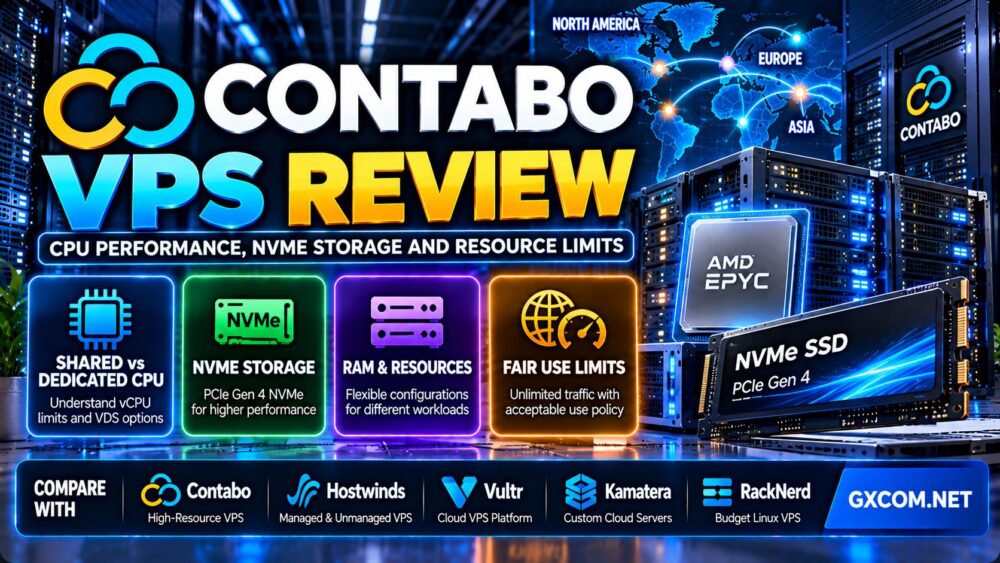
This Contabo VPS review examines CPU performance, NVMe storage, shared resource limitations, network policies, and long-term hosting value. Contabo is widely considered by budget-conscious VPS buyers because its plans offer substantial RAM, storage, and virtual CPU allocations. However, advertised specifications are only part of the purchasing decision.
A VPS with more vCPUs is not necessarily faster than one with fewer cores. NVMe storage does not guarantee consistent database performance, and unlimited traffic can still be subject to fair-use restrictions. Understanding these differences is essential before deploying a production website, application, or database.
In this review, we compare Contabo's Core VPS, Performance VPS, Storage VPS, and Virtual Dedicated Server options. We also examine when alternative providers such as Hostwinds, Vultr, Kamatera, and RackNerd may be more suitable.
Editorial disclosure: GXCOM.NET may earn commissions from eligible hosting referrals. This article is based on published product documentation and technical evaluation criteria, not independently conducted Contabo benchmarks. No unverified speed, uptime, or support results are presented. Specifications, availability, and pricing should be confirmed at checkout.
Contabo VPS Review: Quick Verdict
Contabo is worth considering when RAM, storage capacity, and overall virtual server resources are important purchasing priorities. Its product portfolio includes economical shared-CPU virtual servers, NVMe-oriented performance configurations, storage-focused instances, and dedicated-resource VDS products.
The main limitation is that not all vCPU allocations provide exclusive access to physical processor cores. Buyers with sustained CPU requirements should carefully distinguish shared-resource VPS plans from VDS configurations.
| Evaluation Area | Assessment |
|---|---|
| Virtualization | KVM-based virtual machines |
| Core VPS CPU | Shared vCPU resources |
| Performance VPS CPU | Shared vCPU resources on advertised AMD EPYC infrastructure |
| VDS CPU | Dedicated CPU resource allocations |
| Storage | SSD or NVMe, depending on product and configuration |
| Network | Plan-specific port speeds and fair-use traffic policy |
| Operating systems | Linux and eligible Windows configurations |
| Management | Customer-managed VPS with infrastructure control tools |
| Primary strength | Resource capacity across several VPS families |
| Primary concern | Shared CPU behavior and workload-specific performance |
What Is Contabo VPS Hosting?
Contabo provides virtual private servers, virtual dedicated servers, and physical server hosting. Its VPS products use KVM virtualization, allowing customers to run operating systems and applications in isolated virtual environments.
Unlike shared web hosting, a VPS gives customers greater control over the operating system, installed software, networking, and application stack.
However, customers must understand the difference between allocated virtual resources and exclusive physical hardware.
For an introduction to the underlying hosting models, see our VPS vs shared hosting comparison.
Contabo VPS Plans Compared: Core, Performance, Storage and VDS
Contabo's current VPS portfolio is divided into several product families, each designed around a different resource priority.
| Product Family | CPU Model | Storage Focus | Best Fit |
|---|---|---|---|
| Core VPS | Shared vCPU | General-purpose SSD | Budget-oriented websites and applications |
| Performance VPS | Shared AMD EPYC vCPU | PCIe Gen 4 NVMe | Applications needing faster storage and stronger compute options |
| Storage VPS | Shared vCPU | Higher-capacity SSD | Capacity-oriented workloads |
| Virtual Dedicated Server | Dedicated CPU allocation | NVMe | Sustained compute-intensive applications |
The exact CPU generation, memory allocation, storage capacity, network speed, and regional availability depend on the selected configuration.
Core VPS: Resource Value for General Workloads
Core VPS is positioned as Contabo's cost-efficient virtual server category.
Its current published lineup includes multiple vCPU and RAM configurations, with SSD storage and plan-specific network port speeds.
Core VPS can be relevant for:
- Small and medium-sized websites.
- Development environments.
- Lightweight web applications.
- Monitoring and automation services.
- Low-to-moderate traffic databases.
However, CPU resources are shared. Applications requiring consistent sustained processor performance may need a different product.
Performance VPS: AMD EPYC and NVMe Storage
Contabo's Performance VPS family, marketed through Cloud VPS Plus configurations, emphasizes AMD EPYC processors and PCIe Gen 4 NVMe storage.
These plans are relevant when faster storage technology and a more performance-oriented configuration matter.
Importantly, Performance VPS still uses shared vCPU resources. The presence of an AMD EPYC processor does not mean the customer owns dedicated physical CPU cores.
Storage VPS: Capacity Before Maximum Speed
Storage VPS plans prioritize larger disk allocations.
They can be suitable for file-heavy applications, development archives, and workloads where storage capacity is more important than the lowest possible disk latency.
However, customers should not assume that Storage VPS offers the same I/O characteristics as NVMe-focused Performance VPS.
VDS: Dedicated CPU Resources
Contabo's Virtual Dedicated Server products provide dedicated CPU allocations and reserved RAM.
These configurations are more relevant to customers who require sustained processor usage and greater compute predictability.
They also have different pricing and resource characteristics from ordinary shared-vCPU plans.
For applications with continuous high CPU demand, comparing VDS against a shared VPS is more useful than simply choosing the plan with the largest advertised vCPU count.
Contabo CPU Performance: Are More vCPUs Always Better?
CPU performance is one of the most important topics in a serious Contabo VPS review.
Contabo's Core VPS and Performance VPS products use shared virtual CPU resources. Their vCPU counts represent allocated virtual processing capacity rather than exclusive ownership of physical cores.
This distinction affects how customers should interpret performance specifications.
Shared vCPU vs Dedicated CPU
Shared vCPU environments distribute physical CPU resources across multiple virtual machines.
Depending on scheduling, system load, and the underlying processor, an application may experience performance variation.
Dedicated-resource configurations provide a different allocation model, which can be beneficial for sustained processing.
However, neither model guarantees a particular benchmark score without testing the actual configuration.
What Is CPU Steal Time?
CPU steal time is a virtualization metric representing time when a virtual machine is ready to execute but the hypervisor schedules other work.
It can be one indicator of CPU scheduling pressure in some virtualized environments.
Linux administrators can examine CPU statistics using tools such as:
top
vmstat 1
mpstat -P ALL 1
The availability and interpretation of steal-time metrics depend on the guest operating system and virtualization environment.
A brief increase does not prove that a hosting provider is overselling resources. Repeated measurements under a controlled workload are more informative.
Single-Core vs Multi-Core Performance
Many web applications depend heavily on single-thread performance for individual requests.
Adding more vCPUs may improve concurrency, but it does not necessarily reduce the execution time of a slow single-threaded operation.
When comparing VPS providers, consider:
- Processor generation and architecture.
- Single-thread application performance.
- Multi-thread scaling.
- CPU scheduling consistency.
- Thermal and power behavior where measurable.
- Application-level latency under sustained load.
How to Test Contabo CPU Performance
For a fair comparison, deploy the same software stack on the relevant servers.
- Record the exact VPS family and datacenter.
- Document the reported processor model.
- Use consistent operating system versions.
- Run controlled single-thread and multi-thread workloads.
- Monitor CPU utilization and steal time.
- Repeat tests across several time windows.
- Measure actual application response times.
- Check the provider's resource usage policies.
Benchmark transparency: GXCOM.NET has not independently measured Contabo CPU performance for this article. No fabricated Geekbench, UnixBench, or sustained-load scores are presented.

Contabo NVMe Storage Review: Is It Actually Faster?
Contabo offers different storage technologies across its VPS lineup.
Current Core VPS listings emphasize SSD storage, while Performance VPS and VDS configurations advertise NVMe storage. Some regional product pages also offer alternative NVMe capacities on selected Core VPS plans.
Therefore, customers should verify the exact storage technology at checkout.
NVMe vs SSD: What Matters?
NVMe is a storage protocol designed for modern solid-state storage devices and can support high levels of parallel I/O.
However, NVMe is not automatically faster in every real-world VPS workload.
Actual performance depends on the storage hardware, virtualization layer, I/O scheduling, contention, and application access patterns.
Sequential Speed vs Random I/O
Sequential throughput measures how quickly large continuous files can be read or written.
Random I/O performance is often more relevant to database workloads, content management systems, and applications processing many small requests.
Customers should examine:
- Sequential read and write throughput.
- Random read and write IOPS.
- Average and tail latency.
- Performance during sustained writes.
- Storage behavior under concurrent application activity.
How to Benchmark NVMe Storage
Linux administrators can use fio to test storage behavior on a non-production test volume.
A sample random-read workload is:
fio --name=randread \
--filename=/path/to/testfile \
--rw=randread \
--bs=4k \
--iodepth=16 \
--numjobs=1 \
--size=1G \
--runtime=60 \
--time_based \
--direct=1
Use a dedicated test file and ensure that the target path is safe. Storage benchmarks can generate significant I/O and should comply with the provider's acceptable use policies.
Do not run destructive tests on production data.
When NVMe Is Worth Paying For
NVMe-oriented hosting may be useful for:
- Database-intensive WordPress websites.
- WooCommerce applications.
- Search and indexing workloads.
- Applications with frequent small-file operations.
- Development environments with repeated builds.
However, websites limited by inefficient PHP code, insufficient memory, or slow external APIs may see little improvement from changing storage alone.
Contabo RAM and Storage: Capacity vs Real Performance
Contabo's appeal often comes from the amount of RAM and disk space advertised in its plans.
Generous memory capacity can be useful for caching, multiple services, and applications that would otherwise suffer from memory pressure.
But RAM capacity does not directly determine CPU speed.
Likewise, a larger SSD does not necessarily provide higher IOPS or lower latency.
How Much RAM Does a VPS Need?
Memory requirements depend on the workload.
A basic Linux web server may need relatively little RAM, while a database, application runtime, caching layer, and monitoring stack can require substantially more.
Measure memory usage under representative traffic before upgrading.
Watch for Swap Usage
Excessive swap activity may indicate that an application needs more memory or better configuration.
Useful Linux commands include:
free -h
vmstat 1
cat /proc/meminfo
Memory pressure can cause application slowdowns even when the VPS has a capable CPU and NVMe storage.
Contabo Network Performance and Unlimited Traffic
Contabo advertises unlimited traffic across its current VPS and VDS product families, but its official documentation explains that a fair usage policy applies.
There is no default transfer-volume cap under that policy. However, exceptionally high or disruptive traffic may result in throttling to protect network performance.
Customers should not interpret unlimited traffic as unrestricted dedicated bandwidth.
Network Port Speed
Contabo's published VPS configurations list different port speeds depending on the product.
A network interface advertised at 1 Gbps does not guarantee sustained 1 Gbps throughput to every internet destination.
Actual performance depends on routing, congestion, remote server capacity, protocol overhead, and infrastructure conditions.
Latency and Datacenter Selection
Choose a datacenter based on the geographic distribution of your actual users.
For websites serving customers in multiple regions, a CDN may reduce static content delivery latency, but dynamic requests still depend on application and origin server performance.
Network Testing Checklist
- Identify the selected Contabo datacenter.
- Measure latency from important visitor regions.
- Run traceroute or MTR tests.
- Observe packet loss over multiple periods.
- Test authorized throughput endpoints.
- Check sustained performance during peak periods.
- Review the current fair usage policy.
Do not rely on a single speed-test result when evaluating a production hosting environment.
Contabo Resource Limits: What Buyers Should Understand
Resource limits extend beyond the number of vCPUs, gigabytes of RAM, or storage capacity listed on a product page.
Shared CPU scheduling, network fair-use policies, disk performance, and optional service limits can all affect the user experience.
CPU Resource Sharing
Core VPS and Performance VPS use shared CPU resources. This means customers should evaluate sustained workload performance instead of assuming dedicated-core behavior.
Customers requiring dedicated CPU allocations should investigate VDS products.
Network Fair Usage
Contabo reserves the right to throttle exceptionally high or disruptive traffic under its published fair usage policy.
Its support documentation states that affected customers may be contacted to discuss a suitable solution.
Snapshots and Backups
Contabo documents snapshot allowances and optional automatic backup services on eligible VPS families.
Snapshot availability differs by product, and not all storage-oriented plans include the same options.
Snapshots should not replace independent offsite backups.
Operating System and Software Licensing
Customers should verify operating system compatibility and any additional software licensing requirements.
Windows deployments may have different costs and licensing conditions from Linux installations.
Contabo Pricing: Is It Really Good Value?
Contabo can be attractive when customers prioritize resource capacity relative to cost.
However, the lowest advertised monthly equivalent may depend on a longer billing commitment.
Regional pricing, introductory promotions, taxes, and optional services can change the actual checkout total.
Compare Total Cost of Ownership
Calculate:
Total VPS cost = hosting payments + setup charges + required licenses + backup services + optional storage + other applicable fees
Compare the cost across the period you expect to use the service.
Hypothetical Cost Comparison
| Cost Component | Budget VPS Example | Performance VPS Example |
|---|---|---|
| Illustrative monthly hosting cost | $10 | $18 |
| Illustrative annual hosting cost | $120 | $216 |
| Backup add-on | Not included | Not included |
| Primary priority | Capacity and budget | More demanding workloads |
These figures are hypothetical examples and are not current Contabo prices.
For additional purchasing options, explore our affordable cloud VPS deals comparison.
When a More Expensive VPS May Be Cheaper Overall
A lower monthly bill does not always mean a lower operating cost.
For example, inconsistent application performance may increase troubleshooting time, reduce productivity, or affect business transactions.
On the other hand, paying for dedicated CPU resources is unnecessary if the workload runs comfortably on an ordinary shared VPS.
The best value comes from matching the server to the application.
Is Contabo VPS Good for WordPress and WooCommerce?
Contabo VPS can host WordPress and WooCommerce on compatible Linux or Windows environments.
However, these are generally self-managed virtual server products. Customers need to configure the software stack and maintain security, backups, and updates unless they purchase separate management services.
WordPress Performance Considerations
Important factors include:
- PHP execution time.
- Database query efficiency.
- Full-page caching.
- Object caching.
- Memory availability.
- Uncached page response time.
- Storage latency.
A server with substantial RAM may help a caching-heavy application, but it will not automatically resolve inefficient plugins or database queries.
WooCommerce Requirements
WooCommerce websites frequently process dynamic cart, account, and checkout requests.
These workloads can be more sensitive to CPU scheduling and database latency than a fully cached blog.
For busy stores, evaluate Performance VPS or VDS configurations using real application tests rather than choosing only by storage capacity.
Contabo vs Hostwinds vs Vultr vs Kamatera vs RackNerd
Contabo is not the only VPS provider worth considering. Four relevant alternatives are Hostwinds, Vultr, Kamatera, and RackNerd.
| Provider | Comparison Focus | Best Reason to Evaluate |
|---|---|---|
| Contabo | Resource-oriented VPS configurations | RAM, storage, and budget-conscious infrastructure |
| Hostwinds | Managed and unmanaged VPS choices | Customers comparing support responsibilities |
| Vultr | Cloud compute options | Developers evaluating cloud deployment flexibility |
| Kamatera | Customizable cloud server resources | Projects requiring tailored configurations |
| RackNerd | Budget Linux VPS products | Smaller workloads with strict spending limits |
Contabo vs Hostwinds
Hostwinds is relevant for customers who want to compare managed and unmanaged VPS service models.
Contabo may be more attractive when the purchasing decision emphasizes resource capacity.
However, buyers should compare equivalent plans, management responsibilities, storage options, and renewal costs.
For more information about Hostwinds, read our Hostwinds hosting review.
Contabo vs Vultr
Vultr is worth considering for developers evaluating cloud infrastructure and different compute deployment options.
Contabo may appeal to buyers who prioritize advertised RAM and storage capacity.
Compare CPU allocation models, regional availability, network performance, and billing flexibility before deciding.
Contabo vs Kamatera
Kamatera is relevant when customers want to configure cloud server resources according to specific application requirements.
Contabo offers predefined VPS product families with different resource priorities.
The better choice depends on the required resource combination and total cost.
Contabo vs RackNerd
RackNerd is another provider worth examining for budget-oriented Linux VPS workloads.
Contabo may be more relevant when larger RAM or storage allocations are central to the purchasing decision.
Neither should be selected solely on advertised specifications without reviewing resource policies and application requirements.
Contabo VPS Pros and Cons
Advantages
- Multiple VPS product families for different workloads.
- Substantial RAM and storage options.
- NVMe storage on Performance VPS and VDS products.
- KVM virtualization.
- Linux and eligible Windows hosting options.
- Dedicated-resource VDS upgrade alternatives.
- Snapshot and backup options on supported products.
- Multiple datacenter regions.
- Unlimited traffic subject to fair usage.
Limitations
- Core VPS and Performance VPS use shared CPU resources.
- Advertised vCPU counts do not guarantee sustained CPU throughput.
- NVMe availability varies by product and region.
- Storage capacity does not establish I/O performance.
- Unlimited traffic remains subject to fair-use restrictions.
- Customers are responsible for self-managed server administration.
- Some backup services and software licenses may cost extra.
- Actual performance must be tested on the selected configuration.
Who Should Buy Contabo VPS?
Good Candidates
- Developers who need a Linux VPS with substantial RAM.
- Website owners comfortable managing their own servers.
- Projects requiring larger storage allocations.
- Small businesses with predictable application workloads.
- Customers willing to benchmark their applications before committing.
- Users comparing VPS and VDS resource models.
Who Should Consider Alternatives?
- Applications requiring dedicated CPU resources on every plan.
- Customers who need fully managed WordPress support.
- Latency-sensitive workloads without a suitable datacenter.
- Businesses requiring independently verified performance guarantees.
- Customers unwilling to administer operating system security and backups.
Contabo VPS Buying Checklist
- Choose the correct product family: Core, Performance, Storage, or VDS.
- Confirm whether CPU resources are shared or dedicated.
- Check the exact vCPU and RAM allocation.
- Verify SSD or NVMe storage technology.
- Review snapshot and backup availability.
- Select the appropriate datacenter.
- Confirm network port speed and fair-use policies.
- Calculate the full initial and renewal costs.
- Check Windows or other software licensing costs if applicable.
- Review the service terms and support responsibilities.
- Benchmark CPU, storage, and network performance.
- Maintain independent backups and monitoring.
For another perspective on resource allocation, see our cloud hosting vs VPS guide.

Frequently Asked Questions
Is Contabo VPS good?
Contabo is worth considering for customers prioritizing RAM, storage capacity, and a choice of virtual server products. Suitability depends on the selected plan and application requirements.
Does Contabo oversell CPU resources?
Contabo's ordinary VPS products use shared vCPU resources. Shared allocation alone does not prove improper overselling. Actual performance should be evaluated through repeatable workload testing.
Does Contabo use NVMe storage?
Yes. Performance VPS and VDS products advertise NVMe storage, while other plans may use SSD or provide region-specific storage choices.
Is Contabo VPS CPU dedicated?
Core VPS and Performance VPS use shared vCPU resources. Contabo's VDS products provide dedicated CPU allocations.
Does Contabo offer unlimited bandwidth?
Contabo advertises unlimited traffic without a default transfer-volume cap, but its fair usage policy allows throttling of exceptionally high or disruptive usage.
Can I host WordPress on Contabo VPS?
Yes. Compatible Contabo VPS configurations can host WordPress when customers install and maintain the required software environment.
Does Contabo support Windows VPS?
Contabo provides eligible Windows hosting options. Customers should verify operating system availability, license charges, and configuration requirements before ordering.
Is Contabo better than Vultr?
Neither provider is universally better. Contabo emphasizes resource-oriented VPS offerings, while Vultr provides a broader cloud compute platform. Compare equivalent workloads and total costs.
Does Contabo include backups?
Contabo offers snapshot allowances and optional backup services on supported VPS products. Availability and conditions depend on the selected plan.
Should I choose Contabo VPS or VDS?
Choose a shared-resource VPS for suitable general workloads. Consider VDS when dedicated CPU allocations and sustained compute requirements justify the additional cost.
Final Verdict: Is Contabo VPS Worth It?
Our Contabo VPS review finds that the provider offers an attractive range of virtual server configurations for customers who value RAM, storage, and flexible resource choices.
Core VPS may suit lighter applications, Performance VPS provides NVMe-oriented configurations, Storage VPS prioritizes capacity, and VDS offers dedicated CPU allocations for more demanding workloads.
However, specifications alone do not determine hosting quality. Shared CPU behavior, storage latency, network fair-use rules, support responsibilities, and renewal costs all affect real-world value.
Before buying, compare the exact configuration with relevant alternatives such as Hostwinds, Vultr, Kamatera, and RackNerd. Test the application, confirm the service terms, and select resources according to actual demand.
WORKLOAD → CPU MODEL → RAM → STORAGE → NETWORK POLICY → TOTAL COST → VPS DECISION