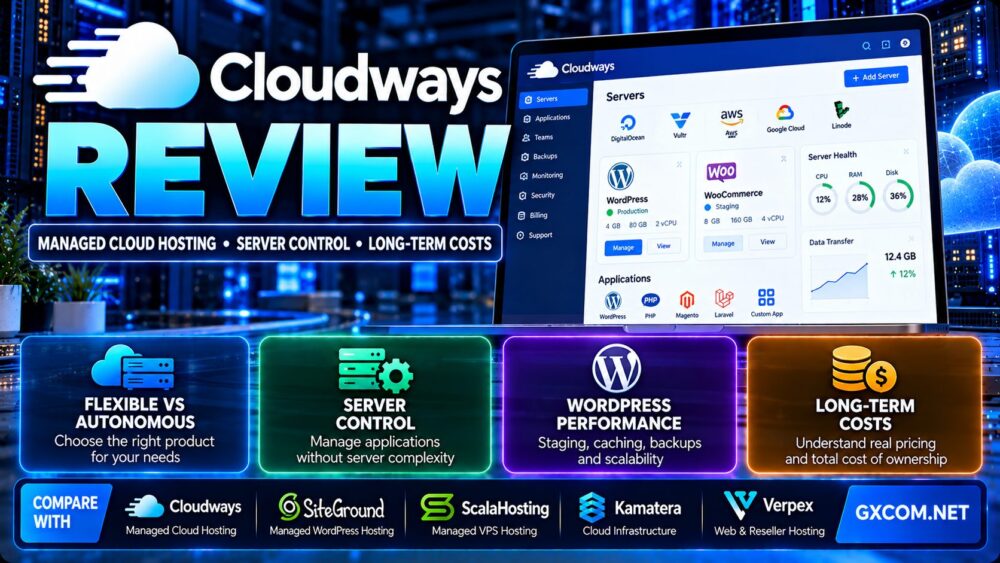
This Cloudways review examines managed cloud hosting, server control, WordPress performance features, security, backups, technical support, and long-term costs. Cloudways provides a managed hosting layer over established cloud infrastructure, making it an option for businesses that want more control than traditional shared hosting without taking on every server administration task.
However, Cloudways is not a single hosting configuration. Its Flexible and Autonomous products follow different approaches to resource management, scalability, and billing. Understanding those differences is essential before selecting a plan.
In this review, we explain what Cloudways manages, which controls customers retain, how its products compare with traditional hosting, and when alternatives such as SiteGround, ScalaHosting, Kamatera, and Verpex may be worth evaluating.
Our assessment is based on published product information and technical considerations. We have not independently measured Cloudways server benchmarks, uptime, or support response times. Customers should verify current plan terms before purchase.
Cloudways Review: Quick Verdict
Cloudways is a strong option to evaluate for WordPress site owners, agencies, developers, and growing businesses that want managed cloud infrastructure with practical application controls.
Its biggest advantage is reducing routine infrastructure management while retaining useful tools for application deployment, scaling, caching, staging, backups, and monitoring.
Its main limitation is that convenience comes with a different cost and control structure from renting a virtual private server directly.
Customers who need unrestricted root access, custom operating system configurations, or complete control over the underlying infrastructure may prefer a self-managed cloud server.
| Evaluation Area | Cloudways Assessment |
|---|---|
| Hosting category | Managed cloud hosting |
| Main products | Cloudways Flexible and Cloudways Autonomous |
| Infrastructure choices | Multiple cloud providers through Flexible |
| WordPress support | Managed application tools and optimization features |
| Server access | Platform-level controls without unrestricted root access |
| Scaling | Vertical scaling on Flexible; autoscaling on Autonomous |
| Backups | Managed backup features with product-specific billing |
| Security | Firewall, access controls and supported security tools |
| Support | 24/7 standard support with additional support options |
| Billing | Usage-based with product-specific rules |
| Main advantage | Managed operations with practical application controls |
| Main limitation | Less low-level control than unmanaged infrastructure |
What Is Cloudways Managed Cloud Hosting?
Cloudways is a managed cloud hosting platform that helps customers deploy and operate websites and applications on cloud infrastructure.
Instead of requiring customers to configure every component of a Linux server manually, Cloudways provides a management interface for common hosting operations.
These operations can include application deployment, server settings, caching, backups, monitoring, access controls, and resource scaling.
The platform is particularly relevant to WordPress, WooCommerce, PHP applications, and web development workflows.
However, Cloudways should not be confused with unrestricted infrastructure-as-a-service access. Customers receive a managed environment with defined controls and platform limitations.
For a broader explanation of this hosting model, read our managed vs unmanaged hosting comparison.
Cloudways Flexible vs Autonomous: Which Product Should You Choose?
One of the most important decisions in this Cloudways review is choosing between Flexible and Autonomous.
Both products reduce infrastructure management work, but they are designed for different operating models.
Cloudways Flexible
Cloudways Flexible allows customers to deploy managed servers using supported cloud infrastructure providers.
It is relevant to users who want to choose server resources, manage applications, adjust settings, and retain more control over their hosting environment.
Flexible supports multiple application types and offers tools for WordPress, PHP-based websites, and development workflows.
Cloudways Autonomous
Cloudways Autonomous focuses on managed WordPress hosting with automated scaling.
It is designed to handle changing traffic demands while reducing the need for customers to manage individual server capacity.
The platform uses a different resource and billing model from Flexible, including application-based plans and potential usage-related charges.
Flexible vs Autonomous Comparison
| Feature | Cloudways Flexible | Cloudways Autonomous |
|---|---|---|
| Primary focus | Configurable managed cloud servers | Autoscaling managed WordPress |
| Infrastructure selection | Choose supported cloud providers | Platform-managed infrastructure |
| Server controls | More direct resource and server controls | More automated infrastructure management |
| Scaling approach | Vertical scaling and manual resource planning | Automatic scaling within product limits |
| Billing basis | Server usage and additional services | Application usage, scaling and overages |
| Typical users | Developers, agencies and growing websites | WordPress businesses with variable traffic |
Choose Flexible when infrastructure selection, application management, and server resource control are important.
Choose Autonomous when automated WordPress scaling and reduced server management are more important than direct infrastructure configuration.
Cloudways Server Control: What Can You Actually Manage?
Cloudways offers practical server and application controls, but it does not provide the same access model as an unmanaged VPS.
Cloud Provider Selection
Cloudways Flexible supports infrastructure choices including DigitalOcean, Vultr, AWS, Google Cloud, and Linode.
Each provider has different regions, resource configurations, bandwidth policies, and pricing characteristics.
Cloudways adds its management platform on top of the selected infrastructure.
Customers should select a provider based on workload requirements rather than assuming all cloud servers perform identically.
Root Access Limitations
Cloudways does not provide unrestricted root access in the same way as a conventional self-managed VPS.
This restriction helps preserve the platform’s managed environment, but it limits certain operating system changes.
Customers who need custom kernel modules, unusual system services, or complete operating system control should verify compatibility before purchasing.
Application-Level Access
Cloudways provides supported application access methods, including SSH and SFTP capabilities.
These tools can help developers manage files, deploy code, troubleshoot applications, and maintain supported environments.
However, application-level access is not equivalent to unrestricted system administration privileges.
Server Settings and Services
Cloudways Flexible provides controls for selected server services and configuration options.
Available settings depend on the product and underlying infrastructure.
Users should confirm support for any required PHP extensions, background workers, scheduled tasks, or application dependencies.
Cloudways WordPress Hosting Features
Cloudways is particularly relevant to WordPress site owners who need more resources and management tools than basic shared hosting provides.
Managed WordPress Deployment
Cloudways provides tools for launching WordPress applications, managing domains, configuring SSL, and accessing application settings.
These features can reduce the manual work associated with configuring a new server.
Staging and Cloning
Staging environments allow users to test plugin updates, theme changes, and application modifications before applying them to a production website.
Cloudways offers staging and cloning features on supported products.
However, staging does not replace a tested backup and recovery strategy.
Caching and Application Performance
Cloudways advertises optimized web server stacks and caching tools.

Its Flexible platform includes supported caching components and newer stack options, while Autonomous offers an environment designed around managed WordPress performance.
Actual results depend on application code, database queries, caching configuration, plugins, traffic patterns, and the selected infrastructure.
WooCommerce Hosting
WooCommerce websites often require more attention to dynamic requests than static websites.
Cart, checkout, customer account, and administrative pages may bypass full-page caching.
Customers should evaluate PHP worker capacity, database performance, object caching, and traffic spikes rather than relying only on homepage speed tests.
WordPress Multisite
Cloudways advertises support for WordPress Multisite configurations.
Multisite administrators should assess memory usage, database size, backup requirements, and resource sharing across sites.
For additional purchasing context, explore our best cloud hosting solutions guide.
Cloudways Performance: What Actually Determines Website Speed?
Cloudways markets performance-oriented hosting, but a managed platform does not guarantee identical speed across every website.
Performance depends on the selected cloud infrastructure, application design, server resources, and caching strategy.
CPU and RAM Allocation
CPU resources affect PHP execution, database processing, and background jobs.
RAM supports the operating system, database, caches, and application processes.
Increasing CPU or RAM may improve performance when those resources are the actual bottleneck.
However, a poorly optimized database or inefficient plugin may remain slow after a server upgrade.
Storage Performance
Storage performance can affect database-heavy websites, file operations, and applications with frequent writes.
The storage technology and performance characteristics depend on the selected infrastructure provider and server type.
Caching Strategy
Page caching can reduce server processing for repeat requests.
Object caching can help certain database-intensive WordPress workloads.
However, caching must be configured carefully for personalized content, WooCommerce sessions, and frequently changing pages.
Content Delivery Network
A CDN can improve delivery of static assets to geographically distributed visitors.
It does not automatically eliminate slow database queries or inefficient application logic.
How to Evaluate Real Performance
- Test uncached and cached page performance separately.
- Measure WordPress admin responsiveness.
- Test WooCommerce cart and checkout operations.
- Monitor PHP worker utilization.
- Measure database query time.
- Check memory pressure and CPU usage.
- Evaluate performance during traffic spikes.
- Repeat tests using comparable server configurations.
GXCOM.NET has not independently benchmarked Cloudways against the alternatives discussed in this article.
Cloudways Security, Backups and Reliability
Cloudways provides several managed security and recovery features, but customers still have responsibilities for application-level security.
Firewall and Access Controls
Cloudways provides supported firewall and access-management features.
Customers should restrict administrative access, use strong authentication, and protect application credentials.
SSL Certificates
Cloudways supports SSL configuration for hosted applications.
SSL protects data transmitted between browsers and servers, but it does not prevent vulnerable plugins or compromised administrator accounts.
Off-Site Backups
Cloudways provides off-site backup capabilities.
However, backup charges and policies differ by product.
On Flexible, off-site backup storage can be billed separately according to storage usage.
Autonomous follows its own backup and plan structure.
Customers should confirm backup frequency, retention, storage charges, and restoration procedures.
Backup Restoration
Backups are useful only when recovery procedures work.
Before making major application changes, create an appropriate backup and verify how restoration affects files, databases, and recent transactions.
Application Security
Cloudways can manage parts of the hosting environment, but WordPress users must still maintain plugins, themes, administrator permissions, and application security practices.
Managed hosting should not be treated as a guarantee against every website vulnerability.
Uptime and Reliability
Cloudways advertises high-availability and uptime commitments for supported services.
Actual uptime depends on the product, infrastructure, architecture, application health, and applicable service terms.
Customers should review the relevant SLA rather than treating a marketing uptime figure as independently verified performance.
Cloudways Customer Support: What Is Included?
Cloudways advertises 24/7 customer support through supported channels, including live chat and ticketing.
Additional support packages may provide enhanced response or assistance options.
Infrastructure Support
Managed hosting support can help with platform-related configuration, server operations, and supported hosting issues.
The exact scope depends on the product and support plan.
Application Troubleshooting
Customers should not assume that every third-party plugin, custom script, or business application is fully supported.
Support boundaries should be confirmed before migrating a complex production workload.
Support Quality Evaluation
Useful questions include:
- Which issues are covered by standard support?
- Is custom application debugging included?
- What are the escalation procedures?
- Are advanced support plans necessary?
- What help is available during a migration?
- How are backup restoration requests handled?
We have not independently measured Cloudways support response times or compared ticket resolution rates.
Cloudways Pricing and Long-Term Costs
Cloudways uses usage-based billing, but the actual pricing model differs between Flexible and Autonomous.
The total cost should include the selected hosting product, additional services, storage, network usage, and operational requirements.
Cloudways Flexible Billing
Flexible billing is based on server usage and the selected infrastructure.
Customers can choose from supported cloud providers with different resource and bandwidth configurations.
Billing may involve hourly calculations and monthly caps, depending on the underlying provider.
Cloudways Autonomous Billing
Autonomous uses an application-oriented pricing model with hourly billing and potential charges for autoscaling or resource overages.
Customers should verify included applications, storage, bandwidth, and scaling limits.
Backup Storage Charges
Off-site backups on Flexible may incur separate storage-based charges.
Backup expenses can increase as websites grow and retain more changed data.
Email and Additional Services
Cloudways hosting should not be assumed to include every email-related service.
Transactional email, mailbox hosting, DNS, premium support, and optional services may involve additional charges.
Does Stopping a Cloudways Server Stop Billing?
Not necessarily.
Cloudways documents that stopped Flexible servers using certain cloud providers can continue to incur charges because resources remain allocated.
Autonomous has different application activation and deactivation billing rules.
Customers should confirm the applicable product policy before assuming that a stopped service has no ongoing cost.
Long-Term Cost Formula
Total annual hosting cost = Hosting usage + Backup charges + Email services + Additional support + Resource overages + Other required services + Applicable taxes
For a three-year comparison, calculate all recurring charges and expected resource growth rather than multiplying only the initial advertised plan price.
Hypothetical Cloudways Cost Comparison
The following example illustrates how additional services can affect long-term spending. These figures are fictional and are not current Cloudways quotations.
| Illustrative Cost | Basic Website | Growing Business Website |
|---|---|---|
| Base hosting per month | $25 | $75 |
| Backup and storage | $3 | $10 |
| Email-related services | $5 | $15 |
| Additional support | $0 | $20 |
| Illustrative monthly total | $33 | $120 |
| Illustrative annual total | $396 | $1,440 |
| Illustrative three-year total | $1,188 | $4,320 |
These are hypothetical calculations for budgeting education, not advertised Cloudways prices or guaranteed service charges. Taxes, usage growth, and future price changes are excluded.
Is Cloudways More Expensive Than a Direct VPS?
Cloudways may cost more than renting an unmanaged server with similar advertised CPU and RAM resources.
However, a direct VPS comparison should include the value and cost of administration, monitoring, security maintenance, backups, and troubleshooting.
For users who already manage Linux servers efficiently, self-managed infrastructure may be more economical.
For businesses without dedicated administrators, managed hosting may reduce operational complexity.
Cloudways vs SiteGround vs ScalaHosting vs Kamatera vs Verpex
Cloudways is not the only hosting provider worth evaluating.
SiteGround, ScalaHosting, Kamatera, and Verpex offer different combinations of managed hosting, application services, and infrastructure control.
| Provider | Main Service Focus | Best Evaluation Scenario |
|---|---|---|
| Cloudways | Managed cloud hosting platform | WordPress, agencies and growing cloud applications |
| SiteGround | Managed WordPress and website hosting | Website owners prioritizing managed application tools |
| ScalaHosting | Managed VPS and website hosting | Customers seeking VPS resources with managed administration |
| Kamatera | Configurable cloud infrastructure | Developers requiring more direct infrastructure control |
| Verpex | Shared, reseller and managed hosting products | Smaller websites and hosting resellers |
Cloudways vs SiteGround
SiteGround is relevant to customers who want managed WordPress and website hosting with integrated application features.
Cloudways may appeal more to users who want to choose cloud infrastructure and manage server resources through a dedicated platform.
Compare application management, resource allocation, support scope, renewal terms, and total cost.
For more detail, read our SiteGround WordPress hosting review.
Cloudways vs ScalaHosting
ScalaHosting offers managed VPS products with its own management ecosystem.
Cloudways emphasizes managed application deployment over supported cloud infrastructure providers.
ScalaHosting may suit users who prefer a managed VPS environment with a different control-panel model.
Cloudways may suit users who value its application workflows and infrastructure selection.
See our ScalaHosting managed WordPress review for additional context.
Cloudways vs Kamatera
Kamatera provides configurable cloud servers for customers who want more direct control over infrastructure resources and operating system administration.
Cloudways reduces some server management work but places restrictions on low-level access.
Choose based on administration skills, software requirements, and operational responsibilities.
Cloudways vs Verpex
Verpex offers hosting products including shared hosting, reseller hosting, and managed server options.
It may suit customers seeking more conventional hosting packages or reseller-oriented services.
Cloudways may be more appropriate when application-level cloud management and resource flexibility are central requirements.
Cloudways Pros and Cons
Advantages
- Managed cloud hosting with application-focused tools.
- Flexible and Autonomous product options.
- Multiple infrastructure choices through Flexible.
- WordPress staging and cloning features.
- Supported caching and performance optimization tools.
- Managed backup capabilities.
- Security and access-management features.
- 24/7 standard support.
- Scaling options for growing workloads.
- Infrastructure automation and developer workflows.
Limitations
- No unrestricted root access comparable to an unmanaged VPS.
- Product-specific billing can require careful review.
- Off-site backup storage may add charges.
- Email and other services may require additional spending.
- Stopping certain Flexible servers does not eliminate all charges.
- Advanced support may cost extra.
- Actual performance depends on applications and infrastructure.
- Custom system software may be incompatible with platform restrictions.
Who Should Choose Cloudways?
Good Candidates
- WordPress site owners moving beyond shared hosting.
- Agencies managing multiple client websites.
- WooCommerce businesses needing scalable hosting.
- Developers using supported PHP applications.
- Businesses wanting managed infrastructure without a traditional shared hosting environment.
- Teams prioritizing staging, backups, caching, and application controls.
Who Should Consider Alternatives?
- System administrators requiring unrestricted root access.
- Users who want the lowest possible unmanaged VPS cost.
- Projects requiring custom operating system components.
- Customers needing Windows Server hosting.
- Businesses with software incompatible with the supported application environment.
- Users seeking an entirely fixed-cost hosting package without usage-related charges.
Cloudways Buying Checklist
- Choose Flexible or Autonomous based on workload requirements.
- Confirm application compatibility.
- Check whether unrestricted root access is necessary.
- Estimate CPU, RAM, storage, and traffic requirements.
- Compare infrastructure providers when using Flexible.
- Review staging, caching, and backup features.
- Confirm backup storage charges.
- Check email and additional service requirements.
- Review support coverage.
- Understand scaling behavior.
- Verify stopped-server and deactivated-application billing.
- Calculate the complete annual cost.
- Test website performance with representative workloads.
Frequently Asked Questions
Is Cloudways good for WordPress?
Cloudways is worth considering for WordPress websites that need managed cloud resources, caching, staging, backups, and application management tools. Suitability depends on the site’s workload and budget.

Is Cloudways a VPS provider?
Cloudways is primarily a managed cloud hosting platform. Its Flexible product uses supported cloud infrastructure providers, but the management experience differs from renting an unmanaged VPS directly.
Does Cloudways provide root access?
Cloudways does not provide unrestricted root access in the same way as a conventional unmanaged VPS.
What is the difference between Cloudways Flexible and Autonomous?
Flexible emphasizes configurable managed cloud servers and infrastructure selection. Autonomous emphasizes managed WordPress hosting with automatic scaling.
Does Cloudways offer free backups?
Cloudways provides backup features, but pricing differs by product. Flexible off-site backup storage may be charged separately.
Does Cloudways include email hosting?
Customers should not assume that conventional mailbox hosting is included with every plan. Email-related services and add-ons may involve additional charges.
Can Cloudways handle WooCommerce?
Cloudways supports WooCommerce hosting. Customers should select resources based on dynamic traffic, checkout activity, database performance, and expected concurrency.
Is Cloudways cheaper than SiteGround?
Neither provider is universally cheaper. Compare equivalent resource needs, application features, support, backups, and long-term charges.
Does Cloudways offer automatic scaling?
Cloudways Autonomous provides autoscaling for supported WordPress workloads. Flexible uses a different server scaling model.
Is Cloudways suitable for developers?
Cloudways can suit developers working with supported applications who value deployment tools and managed infrastructure. Developers requiring unrestricted operating system access may prefer self-managed servers.
Final Verdict: Is Cloudways Worth It?
Our Cloudways review finds that the platform is a compelling option for customers seeking managed cloud hosting with useful application controls and reduced infrastructure administration.
Cloudways Flexible is relevant to users who want more direct control over cloud server resources, while Autonomous is designed for managed WordPress workloads that benefit from automatic scaling.
However, customers should evaluate root access limitations, application compatibility, backup charges, support boundaries, and long-term usage costs before committing.
Cloudways is worth comparing with SiteGround, ScalaHosting, Kamatera, and Verpex according to actual workload requirements rather than advertised specifications alone.
APPLICATION NEEDS → MANAGEMENT MODEL → SERVER CONTROL → PERFORMANCE → BACKUPS → SUPPORT → LONG-TERM COST → HOSTING DECISION