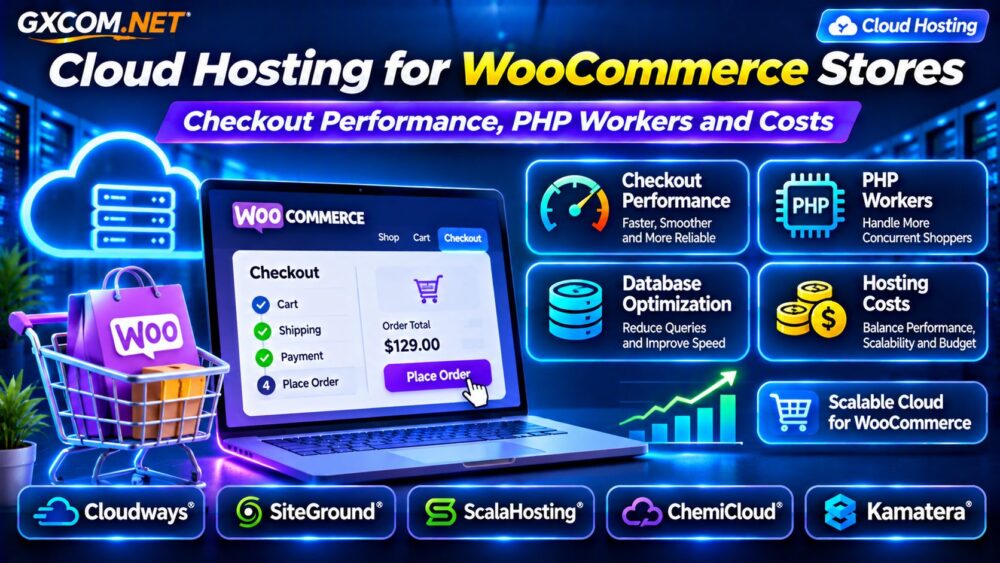
Cloud hosting for WooCommerce stores becomes increasingly important when product traffic grows but checkout performance cannot keep pace. A storefront may load quickly for anonymous visitors while logged-in customers experience slow carts, delayed payments, or gateway timeouts.
The problem is not always insufficient CPU power. PHP worker availability, uncached requests, database queries, and background jobs can create bottlenecks even on expensive servers.
This guide explains how WooCommerce checkout performance works, how to size cloud resources, and how to compare hosting providers without overspending.
Why WooCommerce Needs Different Cloud Hosting Resources
WooCommerce generates dynamic activity that ordinary content websites may not experience as frequently. Shopping carts, customer accounts, checkout sessions, inventory changes, and payment requests often require server-side processing.
Public product pages can benefit from full-page caching, but personalized shopping experiences need careful cache exclusions.
As concurrent shoppers increase, PHP execution capacity and database responsiveness become critical. Cloud hosting can offer resource flexibility, although scaling capabilities depend on the provider and architecture.
What Causes Slow WooCommerce Checkout?
A slow checkout may involve several components working together:
- Insufficient PHP workers handling concurrent requests.
- Slow MySQL queries or database connection contention.
- Payment gateway latency and external API requests.
- Heavy plugins, themes, or custom checkout scripts.
- Background jobs competing for CPU and memory.
- Storage latency affecting database operations.
Measure checkout performance separately from homepage speed. A fast cached homepage does not demonstrate that dynamic checkout requests are healthy.
Use browser network timing, application monitoring, and database profiling to identify the actual bottleneck before upgrading.
PHP Workers Explained for WooCommerce Stores
PHP workers process PHP requests on hosting stacks that use worker-based PHP execution. When every available worker is busy, additional requests may wait in a queue or eventually time out.
For example, a hypothetical hosting environment with four available PHP workers may struggle when several long-running checkout requests arrive simultaneously.
However, four workers do not imply a universal limit of four shoppers. Request duration, caching, web server behavior, and application design all influence throughput.
Increasing workers may help when requests are queued, but it also increases potential memory consumption. Adding workers without sufficient RAM can make performance worse.
How Many PHP Workers Does WooCommerce Need?
There is no universal worker count for every WooCommerce store.
A small shop with occasional orders may need fewer resources than a membership-based store with hundreds of active customers.
Start by measuring peak dynamic request concurrency, average PHP execution time, memory consumption, and queueing behavior.
If the application processes ten dynamic requests per second and each occupies a worker for half a second, approximately five workers would be busy on average under those simplified conditions.

Real workloads fluctuate, so capacity planning should include peak traffic, headroom, and background processing.
Cloud Hosting vs Traditional WordPress Hosting
Traditional hosting can work well for smaller WooCommerce stores. Cloud environments become attractive when businesses need flexible resources, stronger workload separation, or more control over deployment.
However, cloud infrastructure alone does not guarantee faster checkout. A poorly optimized WooCommerce installation can remain slow after migration.
Compare infrastructure models in our Cloud Hosting vs VPS Comparison.
Five Hosting Providers for WooCommerce Workloads
1. Cloudways: Managed Cloud for Growing Stores
Cloudways is relevant for WooCommerce operators seeking managed cloud infrastructure without administering every server component themselves.
Evaluate application caching, backup options, staging workflows, server sizing, and available monitoring tools.
For checkout-heavy stores, confirm the underlying CPU and memory resources rather than assuming that managed hosting automatically eliminates PHP bottlenecks.
2. SiteGround: WordPress and WooCommerce Management
SiteGround provides WordPress-oriented hosting services and cloud hosting options that may suit growing stores.
Its website management and caching features are worth evaluating alongside resource limits and plan eligibility.
Check which caching layers exclude cart and checkout activity, and verify available server resources during traffic spikes.
3. ScalaHosting: Managed VPS Resource Control
ScalaHosting is an alternative for WooCommerce businesses considering managed VPS infrastructure.
Compare CPU allocation, RAM, control panel features, backup retention, and upgrade options.
For stores with sustained dynamic traffic, evaluate whether the selected plan provides adequate resource consistency and technical support.
4. ChemiCloud: Hosting for Smaller Online Stores
ChemiCloud can be considered by smaller WooCommerce stores that prioritize accessible website management and a clear upgrade path.
Review the exact plan’s CPU, memory, caching, backup, and support provisions.
As order volume increases, reassess whether the existing hosting tier still supports acceptable checkout latency.
5. Kamatera: Customizable Cloud Server Infrastructure
Kamatera is relevant for developers and agencies that want more control over cloud server resources.
Its configurable infrastructure can support customized PHP, database, and caching environments, depending on the selected deployment.
Account for server administration, monitoring, security, and backup responsibilities when comparing costs with managed alternatives.
WooCommerce Database and Storage Performance
Checkout requests often involve database reads and writes for orders, customer information, inventory, and payment-related updates.
Slow queries, insufficient database memory, and storage latency can increase response times.
Review WooCommerce’s High-Performance Order Storage configuration, database indexes, and slow query logs where applicable.
Fast NVMe storage may help storage-sensitive workloads, but it cannot fix inefficient SQL or external payment delays.
Our NVMe VPS Storage Performance Guide explains important storage metrics.
Object Caching, CDN and Checkout Exclusions
Object caching can reduce repeated database work, while a CDN can accelerate static assets such as images, CSS, and JavaScript.
Full-page caching requires more caution. Cart, checkout, and personalized account pages should follow WooCommerce-compatible cache rules.
Never assume a CDN automatically accelerates payment processing or uncached PHP requests.
Test checkout behavior with real sessions after changing caching policies, especially when using custom plugins or payment integrations.
Calculate WooCommerce Cloud Hosting Costs
Monthly hosting cost should include infrastructure, backups, storage, monitoring, management, and potential bandwidth charges.
Consider a hypothetical cloud server costing $45 monthly, with $10 for backups and $15 for additional services. The combined monthly expense is $70, or $840 annually.
These figures illustrate cost calculation rather than current provider quotations.
Compare this total with a managed hosting plan that already includes some operational services.
Our Managed Cloud Hosting Comparison provides additional purchasing context.
Prepare for Sales Events and Traffic Spikes
Black Friday, seasonal promotions, and email campaigns can produce sudden increases in concurrent shoppers.

Load-test realistic browsing, cart, and checkout journeys before a major campaign. Avoid sending real payment transactions during testing.
Monitor CPU utilization, PHP queues, database latency, and error rates under controlled conditions.
Cloud scaling may improve capacity, but automatic scaling requires appropriate configuration and application architecture.
Learn more in our Cloud Server Auto Scaling Guide.
WooCommerce Cloud Hosting Buying Checklist
- Measure real checkout response times.
- Confirm PHP execution capacity and memory limits.
- Check database and storage performance.
- Review caching rules and staging availability.
- Verify backups, support scope, and scaling options.
- Calculate monthly and annual operating costs.
Frequently Asked Questions
Does Cloud Hosting Make WooCommerce Faster?
It can improve available resources and deployment flexibility, but application optimization and database performance remain essential.
Will More PHP Workers Fix Slow Checkout?
Only when worker availability is a meaningful bottleneck. Slow database queries and payment APIs require different solutions.
Should WooCommerce Stores Use Managed Cloud Hosting?
Managed hosting may suit teams without dedicated server administrators. Self-managed cloud servers can offer greater control but require more operational work.
Final Verdict
The best cloud hosting for WooCommerce stores balances dynamic request capacity, database performance, reliable checkout workflows, and predictable costs.
Compare Cloudways, SiteGround, ScalaHosting, ChemiCloud, and Kamatera according to actual workload requirements, management responsibilities, and available resources.
Optimize the checkout process first, then choose cloud infrastructure that can support the store’s next stage of growth.