Cloud hosting vs shared hosting is an important decision for website owners who want better performance, reliability, and room to grow. Shared hosting is often an affordable and convenient starting point, while cloud hosting can provide additional infrastructure flexibility and resource control.
But does moving to cloud hosting actually make your website faster? Will it prevent downtime? And is paying more for cloud infrastructure worthwhile for a small business or WordPress website?
The answer depends on your workload, traffic patterns, hosting provider, and technical requirements.
CLOUD HOSTING ≠ AUTOMATICALLY FASTER HOSTING.
MORE RESOURCES ≠ BETTER WEBSITE PERFORMANCE.
UPGRADING ≠ OPTIMIZING.
In this guide, we compare cloud hosting and shared hosting across speed, security, uptime, scalability, management, and total cost. We also explain when upgrading makes sense and when a quality shared hosting plan may still be sufficient.
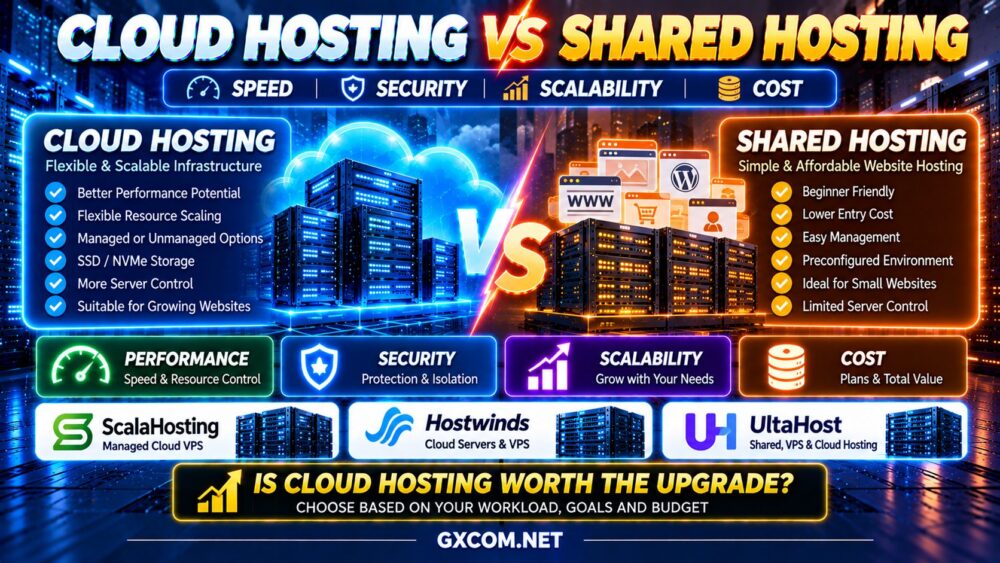
Cloud Hosting vs Shared Hosting: Quick Comparison
| Feature | Shared Hosting | Cloud Hosting |
|---|---|---|
| Infrastructure | Multiple websites share a hosting environment | Cloud-based computing infrastructure |
| Resource Control | Typically limited | Varies; often greater with cloud VPS |
| Performance | Depends on resource limits and optimization | Depends on architecture and allocated resources |
| Scaling | Usually plan-based upgrades | May support flexible resource scaling |
| Server Management | Usually handled largely by provider | Managed or unmanaged options |
| Security | Provider-managed hosting environment | Shared responsibility varies by service |
| Backups | Depends on plan | Depends on plan and architecture |
| Billing | Often fixed subscription | Fixed, hourly, or usage-based |
| Best For | Smaller websites and simpler requirements | Growing or technically demanding applications |
Quick verdict: Shared hosting is often the simpler choice for smaller websites. Cloud hosting becomes more attractive when you need additional control, resources, deployment flexibility, or a hosting environment designed around more demanding workloads.
What Is Shared Hosting?
Shared hosting is a service where multiple websites operate within a hosting environment managed by the provider.
Customers typically receive access to a control panel, website files, databases, email tools, and common application installers.
The provider generally manages the underlying server operating system, hosting software, and much of the infrastructure maintenance.
Advantages of Shared Hosting
- Simple setup for beginners
- Generally affordable subscription plans
- Hosting control panels
- Limited server administration responsibilities
- Convenient WordPress installation
- Suitable for many small websites
Limitations of Shared Hosting
- Restricted server-level configuration
- Provider-defined CPU and memory limits
- Potential resource contention
- Limited access to system software
- Less flexibility for specialized applications
- Plan-based scaling restrictions
However, not all shared hosting environments are equal. Quality providers may use effective resource isolation, caching, modern processors, and optimized web server software.
A well-configured shared hosting account can deliver excellent performance for a suitable workload.
What Is Cloud Hosting?
Cloud hosting is a broad category of hosting services delivered through cloud-oriented infrastructure.
It may include managed cloud hosting, cloud virtual machines, cloud VPS hosting, and application-focused hosting platforms.
Some cloud hosting services provide an experience similar to traditional managed website hosting. Others give customers control over a complete virtual server.
Depending on the product, cloud hosting may offer:
- Configurable CPU and RAM
- Virtual server access
- SSD or NVMe storage
- Infrastructure automation
- Snapshots and backups
- Flexible deployment options
- Additional networking services
- Resource upgrades
Cloud hosting does not automatically mean that every website runs across multiple redundant servers.
A single cloud virtual machine can still represent a single point of failure.
For a broader overview of available services, explore our Best Cloud Hosting Solutions guide.
1. Cloud Hosting vs Shared Hosting Performance
Website performance is one of the main reasons businesses consider upgrading from shared hosting to cloud hosting.
However, the hosting label alone does not determine speed.
CPU Performance
Shared hosting accounts typically operate under resource limits established by the provider.
Cloud VPS products may offer more clearly defined CPU allocations, but the underlying compute resources can still be shared.
Performance depends on processor generation, resource contention, CPU allocation, and application behavior.
4 vCPU ≠ 4 vCPU PERFORMANCE.
RAM and Memory Limits
Memory is important for PHP processes, databases, caching, and application concurrency.
Moving to a cloud server with more RAM may help when memory pressure is the actual bottleneck.
However, additional RAM may provide little benefit if the website is limited by slow database queries or inefficient code.
Storage Performance
Both shared hosting and cloud hosting can use SSD or NVMe storage.
Cloud hosting does not guarantee faster storage, and the performance of a storage system depends on IOPS, latency, throughput, and resource contention.
Application Optimization
For WordPress websites, performance also depends on:
- Page caching
- Object caching
- PHP execution
- Database queries
- Plugin efficiency
- Image optimization
- Content delivery networks
A poorly optimized WordPress website may remain slow after moving to a larger cloud server.
FAST SERVER ≠ FAST WEBSITE.
2. Cloud Hosting vs Shared Hosting Scalability
Scalability is an important consideration for growing websites and applications.
Scaling Shared Hosting
Shared hosting providers commonly offer different service tiers.
Upgrading may provide higher resource limits, additional storage, or improved features.
However, the available configurations and server-level customization may remain restricted.
Scaling Cloud Hosting
Cloud VPS infrastructure may allow customers to increase CPU, RAM, and storage allocations.
Some platforms also support automated provisioning and additional application servers.
There are two common scaling approaches:
Vertical Scaling: Increasing the resources of one server.
Horizontal Scaling: Distributing an application across multiple servers.
Horizontal scaling requires appropriate application architecture, database planning, shared storage considerations, and traffic distribution.
Simply moving a website to a cloud server does not make it automatically scalable.
When Does Scalability Matter?
Cloud infrastructure may become valuable when your website experiences recurring traffic spikes, changing resource requirements, or growth beyond the limits of shared hosting.
For small websites with predictable traffic, advanced scaling features may provide limited practical value.
3. Cloud Hosting vs Shared Hosting Reliability and Uptime
Cloud hosting is often marketed as more reliable than shared hosting.
However, reliability depends on the actual infrastructure design.
Shared Hosting Reliability
Shared hosting availability depends on the provider's server hardware, maintenance practices, network, storage, and recovery procedures.
Well-managed shared hosting can provide dependable service for smaller websites.
Cloud Hosting Reliability
Cloud infrastructure may offer features such as snapshots, automated provisioning, and redundant architecture.

But not every cloud hosting plan includes automatic failover or application-level redundancy.
A single cloud VM can still experience downtime caused by infrastructure incidents, operating system failures, or application problems.
CLOUD HOSTING ≠ ZERO DOWNTIME.
Before upgrading, review the service-level agreement, backup policy, restoration process, and any actual high-availability features included in the plan.
4. Security: Is Cloud Hosting Safer Than Shared Hosting?
Neither hosting model is automatically more secure.
Security depends on provider controls, account isolation, operating system maintenance, application updates, and customer practices.
Shared Hosting Security
The provider usually manages the underlying hosting environment.
Customers remain responsible for securing their website accounts, passwords, applications, plugins, and content.
Cloud Hosting Security
Managed cloud hosting may include assistance with operating system updates and server administration.
Unmanaged cloud VPS customers typically carry much greater responsibility for server security.
Important controls include:
- Firewall configuration
- Software updates
- Strong authentication
- Access restrictions
- Malware monitoring
- Backups
- Recovery testing
Moving to an unmanaged cloud server without adequate technical expertise can increase security risks rather than reduce them.
5. Cloud Hosting vs Shared Hosting Cost
Shared hosting generally offers a convenient way to obtain a website hosting environment under a recurring subscription.
Cloud hosting costs vary widely because the category includes managed hosting, virtual machines, and additional infrastructure services.
| Cost Factor | Shared Hosting | Cloud Hosting |
|---|---|---|
| Base Subscription | Often lower | Varies significantly |
| CPU and RAM | Included within plan limits | Bundled or separately configurable |
| Storage | Usually included allowance | Included or additional |
| Bandwidth | Subject to provider policies | Allowances or usage charges |
| Backups | May be included or extra | May be included or extra |
| Server Management | Usually largely included | Depends on product |
| Administration Time | Often lower | Can be higher if unmanaged |
The total cost of cloud hosting may include compute resources, storage, data transfer, backups, software licenses, and management.
LOW HOSTING PRICE ≠ LOW TOTAL OPERATING COST.
For a detailed breakdown of cloud infrastructure charges, read our Cloud Server Pricing Explained guide.
6. Managed vs Unmanaged Cloud Hosting
One of the biggest differences between upgrading to cloud hosting and staying with shared hosting is the level of administration required.
Shared hosting typically provides a relatively managed environment.
Unmanaged cloud VPS hosting may require customers to configure and maintain:
- Operating system updates
- Web server software
- PHP and database services
- Firewall rules
- Backups
- Monitoring
- Security patches
Managed cloud hosting can reduce some of these responsibilities, although support scope varies by provider.
For website owners who want cloud infrastructure without extensive system administration, managed hosting may be the more practical upgrade.
Compare suitable options in our Best Managed Cloud Hosting guide.
Cloud Hosting vs Shared Hosting for WordPress
WordPress can run effectively on both shared hosting and cloud hosting.
The correct choice depends on the website's size, plugin requirements, dynamic traffic, and administration needs.
When Shared Hosting Is Enough for WordPress
- Small blogs
- Portfolio websites
- Local business websites
- Simple brochure websites
- Low-complexity content websites
Effective page caching, optimized images, and a lightweight theme may allow a WordPress website to perform well without requiring a cloud VPS.
When WordPress May Benefit From Cloud Hosting
- High levels of dynamic traffic
- Heavy WooCommerce workloads
- Multiple WordPress installations
- Custom server requirements
- Database-intensive applications
- Recurring resource limitations
Cloud hosting can provide additional flexibility for these workloads, but it should be paired with appropriate WordPress optimization.
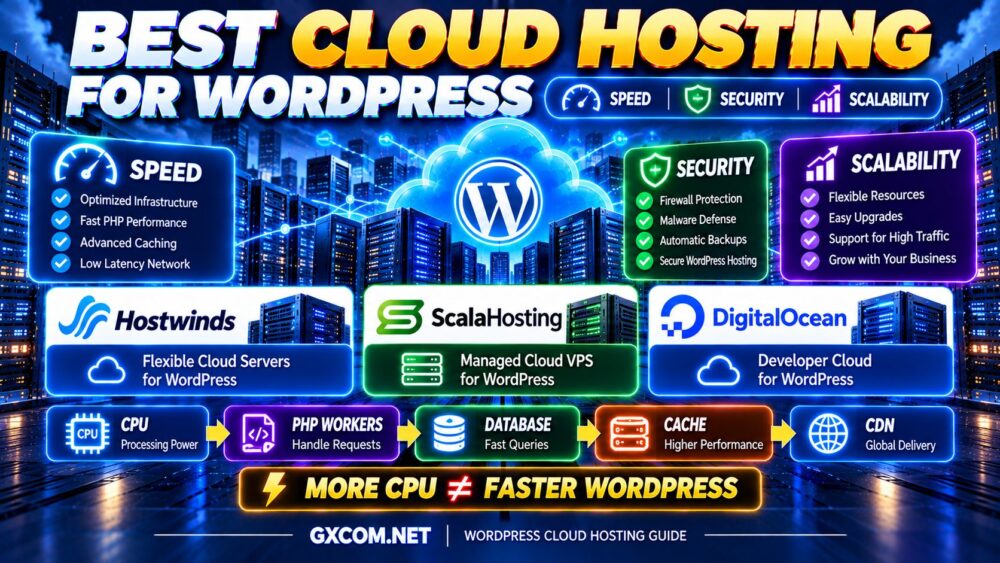
For a WordPress-specific provider comparison, explore our Best Cloud Hosting for WordPress guide.
Cloud Hosting vs Shared Hosting for WooCommerce
WooCommerce websites often generate more dynamic server requests than ordinary content websites.
Shopping carts, checkout sessions, customer accounts, inventory updates, and payment integrations can place additional load on PHP and database resources.
A small WooCommerce store may operate adequately on quality shared hosting.
However, as transaction volume and concurrency increase, greater resource control can become valuable.
Important factors include:
- PHP worker capacity
- Database response time
- Object caching
- Checkout performance
- Backup frequency
- Security maintenance
- Peak traffic handling
Upgrading should be based on observed bottlenecks rather than store size alone.
When Should You Upgrade From Shared Hosting to Cloud Hosting?
There are several practical signs that your website may have outgrown its current hosting environment.
1. Repeated Resource Limit Warnings
Frequent CPU, memory, or process limit warnings can indicate that your application is exceeding the capacity of its shared hosting plan.
2. Slow Dynamic Pages
If uncached pages, logged-in sessions, or checkout operations remain slow after optimization, additional server resources may help.
3. Increasing Application Complexity
Custom background processes, specialized software, and application integrations may require greater server-level control.
4. More Demanding Traffic Patterns
Recurring traffic spikes may justify additional resources or a more flexible hosting architecture.
5. Need for Custom Server Configuration
Applications requiring specific web server modules, PHP extensions, or background services may not fit within standard shared hosting restrictions.
6. Multiple Growing Websites
Agencies and businesses managing several active websites may benefit from greater control over resource allocation and administration.
7. More Advanced Infrastructure Requirements
Automated deployments, private networking, and custom application architecture may justify moving beyond shared hosting.
Important: Before upgrading, check whether the problem can be resolved through caching, database optimization, plugin cleanup, or improvements to the existing hosting configuration.
Provider Examples: ScalaHosting, Hostwinds and UltaHost
When upgrading from shared hosting, the best provider depends on whether you want managed convenience, greater infrastructure control, or a straightforward hosting upgrade path.
ScalaHosting — Managed Cloud VPS for Growing Websites
ScalaHosting is worth considering for website owners who want to move beyond conventional shared hosting without managing every server administration task.
Its managed Cloud VPS products and SPanel environment can appeal to WordPress businesses, agencies, and users managing multiple websites.
Potential advantages include:
- Managed Cloud VPS options
- Hosting control panel tools
- More configurable server resources
- Website administration features
- Infrastructure suitable for growing workloads
Review the selected plan's resource allocation, backup policies, management scope, and renewal terms.
Best fit: Website owners seeking a managed upgrade from shared hosting.
Hostwinds — Flexible VPS and Cloud Server Options
Hostwinds provides cloud server products alongside managed and unmanaged VPS services.
It is relevant for businesses that need more control over their hosting environment or want to compare different administration models.
Potential advantages include:
- Cloud server configurations
- Managed and unmanaged VPS options
- Linux hosting environments
- Flexible infrastructure choices
- Virtual server management tools
Cloud servers and managed VPS services are separate product categories. Confirm which management and backup services apply to the selected plan.
Best fit: Businesses evaluating greater server control and flexible virtual hosting options.
UltaHost — Hosting Upgrade Options for Growing Websites
UltaHost offers multiple hosting categories, making it relevant for customers comparing entry-level website hosting with more resource-oriented virtual server products.
When evaluating an upgrade, compare the available resources, management services, migration support, and backup policies of the specific plan.
Potential considerations include:
- Shared hosting options
- VPS hosting products
- Managed hosting features on applicable plans
- Website migration requirements
- Different resource tiers
Do not assume that every hosting product offers identical management, storage, or scalability features.
Best fit: Website owners comparing different hosting tiers and potential upgrade paths.
Cloud Hosting vs Shared Hosting: Which Offers Better Value?
Better value does not necessarily mean more CPU, RAM, or infrastructure features.
Value depends on how effectively a hosting service meets the website's actual requirements.
| Your Situation | Recommended Starting Point |
|---|---|
| New personal blog | Quality shared hosting |
| Small business website | Shared hosting or managed cloud |
| Growing WordPress website | Evaluate managed cloud hosting |
| Busy WooCommerce store | Consider managed cloud or VPS |
| Custom web application | Cloud VPS or suitable managed platform |
| Multiple client websites | Managed cloud hosting may help |
| Developer-controlled infrastructure | Cloud VPS |
| Simple website with stable traffic | Shared hosting may remain sufficient |
The best upgrade is the one that solves a measurable limitation without introducing unnecessary complexity or expense.
How to Migrate From Shared Hosting to Cloud Hosting
A successful migration requires planning, especially for websites that collect orders, customer data, or frequently updated content.
Step 1: Audit the Existing Website
Review website files, databases, plugins, email accounts, DNS records, scheduled tasks, and server requirements.
Step 2: Select the Correct Cloud Hosting Model
Decide whether managed cloud hosting or an unmanaged cloud VPS better matches your technical expertise.
Step 3: Create a Complete Backup
Back up website files and databases before beginning migration.
Step 4: Configure the New Environment
Install the required web server, PHP version, database services, security controls, and application dependencies.
Step 5: Test Before Switching DNS
Verify page loading, forms, checkout workflows, database connections, redirects, and SSL configuration.
Step 6: Plan the Cutover
Coordinate the final data synchronization and DNS change. For frequently updated websites, plan how new content or transactions will be handled during the transition.
Step 7: Monitor the New Hosting Environment
Check error logs, CPU usage, memory consumption, database performance, and application availability after migration.
Keep the old environment available until the new deployment is verified and rollback is no longer required.
Common Mistakes When Upgrading to Cloud Hosting
Assuming Cloud Hosting Is Always Faster
Cloud infrastructure cannot compensate for every application performance problem.
Buying More Resources Than Necessary
Oversized servers increase costs without guaranteeing a better user experience.
Ignoring Server Management
An unmanaged cloud VPS can require substantially more technical work than shared hosting.
Assuming High Availability Is Included
Single-instance cloud deployments can still experience downtime.
Forgetting Backup and Security Responsibilities
Review exactly which services are included and who is responsible for maintaining them.
Comparing Promotional Prices Only
Renewal rates, backups, storage, licensing, and management can affect the total operating cost.
Cloud Hosting Upgrade Checklist
- ✓ Identify the current hosting bottleneck
- ✓ Review CPU and memory usage
- ✓ Check PHP and database performance
- ✓ Optimize caching before upgrading
- ✓ Compare shared and cloud resource limits
- ✓ Choose managed or unmanaged hosting
- ✓ Review security responsibilities
- ✓ Confirm backup and recovery options
- ✓ Evaluate storage and network performance
- ✓ Understand scaling procedures
- ✓ Check migration support
- ✓ Calculate total operating cost
- ✓ Test the website before switching
- ✓ Monitor performance after migration
Cloud Hosting vs Shared Hosting FAQ
Is cloud hosting better than shared hosting?
Cloud hosting can provide greater infrastructure flexibility and resource control, but shared hosting may be simpler and more economical for smaller websites. The better choice depends on your workload.
Is cloud hosting faster than shared hosting?
Not automatically. Speed depends on CPU resources, storage, caching, database efficiency, and application configuration.
Is cloud hosting worth the extra cost?
It can be worthwhile when shared hosting resource limits, customization restrictions, or workload requirements justify an upgrade. Otherwise, a quality shared hosting plan may provide better value.
Can shared hosting handle high traffic?
Some shared hosting environments can handle substantial cached traffic, but dynamic requests and provider resource limits may become bottlenecks. Traffic volume alone is not enough to determine capacity.
Does cloud hosting guarantee better uptime?
No. Reliability depends on infrastructure design, redundancy, monitoring, and recovery procedures. A single cloud virtual machine is not automatically highly available.
Is cloud hosting more secure?
Not necessarily. Managed cloud hosting may provide useful security assistance, while unmanaged cloud servers require more customer administration. Security depends on configuration and maintenance.
Should I upgrade WordPress to cloud hosting?
Consider upgrading when your WordPress website consistently exceeds resource limits, requires custom software, or experiences unresolved performance bottlenecks. Optimize the application before increasing resources.
Is shared hosting good for small businesses?
Yes. Shared hosting can be suitable for small business websites with modest resource requirements and no need for extensive server customization.
Can I move from shared hosting to cloud hosting?
Yes. Migration typically involves transferring files, databases, configurations, and DNS records. Careful testing and backup planning help reduce risk.
Which is cheaper: cloud hosting or shared hosting?
Shared hosting often has a lower entry cost, but actual value depends on the selected plan, management services, resource requirements, and additional charges.
Final Verdict: Is Cloud Hosting Worth the Upgrade?
Cloud hosting can be a valuable upgrade from shared hosting, but only when the additional infrastructure capabilities solve real problems.
Stay with shared hosting when your website performs reliably, remains within its resource limits, and does not require custom server administration.
Consider cloud hosting when your website needs greater resource control, flexible scaling, custom configurations, or infrastructure suited to more demanding workloads.
ScalaHosting is worth evaluating for managed Cloud VPS hosting, Hostwinds for flexible virtual server options, and UltaHost for comparing hosting tiers and upgrade paths.
Before making the decision, follow this framework:
WEBSITE WORKLOAD → RESOURCE LIMITS → PERFORMANCE → MANAGEMENT → SCALABILITY → TOTAL COST
Remember:
CLOUD HOSTING ≠ AUTOMATICALLY FASTER.
MORE RESOURCES ≠ BETTER OPTIMIZATION.
CLOUD ≠ AUTOMATIC HIGH AVAILABILITY.
UPGRADE ONLY WHEN YOUR WORKLOAD JUSTIFIES IT.
The right hosting solution is not necessarily the most advanced one. It is the one that delivers the performance, reliability, security, and long-term value your website actually needs.