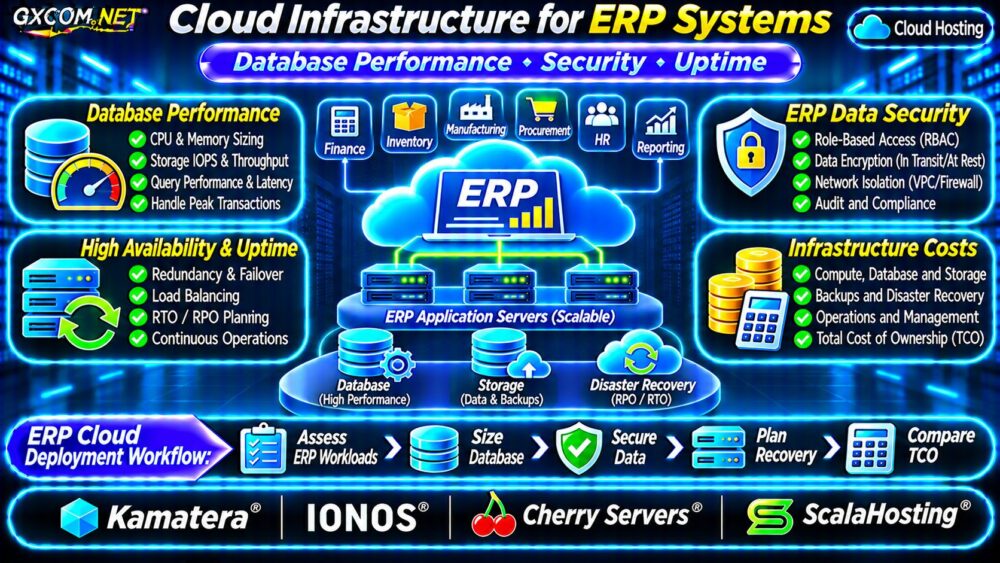
Cloud infrastructure for ERP systems must support more than an application login page. Finance, inventory, purchasing, manufacturing, and reporting workflows depend on consistent transactions, responsive databases, controlled access, and recoverable business records. An inexpensive virtual machine can become costly when slow posting jobs or an outage interrupts operations.
This guide explains how to size ERP cloud resources, evaluate database performance, protect sensitive records, and compare infrastructure providers without confusing server hosting with a licensed ERP software service.
What Makes ERP Cloud Hosting Different?
ERP applications combine interactive users with scheduled batch processing, integrations, and database-heavy operations. Month-end closing, inventory reconciliation, and payroll exports can create peaks that average CPU utilization hides.
Before purchasing, document concurrent users, transaction rates, database size, growth, integration traffic, and acceptable downtime. Identify whether the software vendor supports installation on customer-managed infrastructure. Some SaaS ERP products cannot simply be relocated to an arbitrary VPS.
Database Performance: CPU, RAM and Storage IOPS
ERP responsiveness often depends on database behavior rather than raw server size. Slow queries, locks, inadequate memory, and storage latency can delay order posting or financial reports.
Measure transaction response times, read/write latency, sustained IOPS, and peak queue depth under representative workloads. Advertised IOPS figures may depend on volume size, instance limits, and workload characteristics; they are not application benchmarks.
Memory and Transaction Concurrency
Database caching benefits from sufficient RAM, but memory allocation must leave room for the operating system and application processes. Track swapping, connection counts, long-running transactions, and blocking queries before increasing instance size.
Avoid running heavy reporting jobs on the primary transactional database without evaluating their impact. Read replicas or scheduled reporting windows may help in supported architectures, but replication introduces consistency and operational tradeoffs.
For a general comparison of deployment models, read our VPS vs cloud hosting guide.
ERP Architecture: Single Server or Separate Tiers?
A single virtual machine can suit a small, supported ERP installation with modest concurrency. Its simplicity reduces initial configuration work, but application, database, and storage failures can affect the entire service.
Larger installations may separate web/application servers, database infrastructure, and backup storage. Private networking and carefully scoped firewall rules help restrict database access. Load balancers can distribute compatible stateless application traffic, but they cannot fix a database bottleneck.

Before scaling horizontally, verify whether the ERP application supports multiple application nodes, shared sessions, licensing requirements, and coordinated background workers.
Security and ERP Data Protection
ERP databases contain financial, employee, customer, and supplier information. Protect access using least-privilege roles, multifactor authentication for administrative entry points, encryption in transit, and suitable encryption at rest.
Keep database ports off the public internet unless a justified, tightly controlled architecture requires otherwise. Use separate service identities, rotate credentials, log privileged changes, and patch supported operating systems and applications.
Security responsibility depends on the hosting model. A managed infrastructure service may maintain selected systems, while the customer still controls business-user permissions and ERP-specific configuration. Confirm the contract rather than assuming all security tasks are included.
Uptime, Backups and Disaster Recovery
A provider uptime commitment is not an end-to-end ERP availability guarantee. Application errors, failed integrations, database corruption, and credential compromise can cause outages even when the underlying virtual machine remains online.
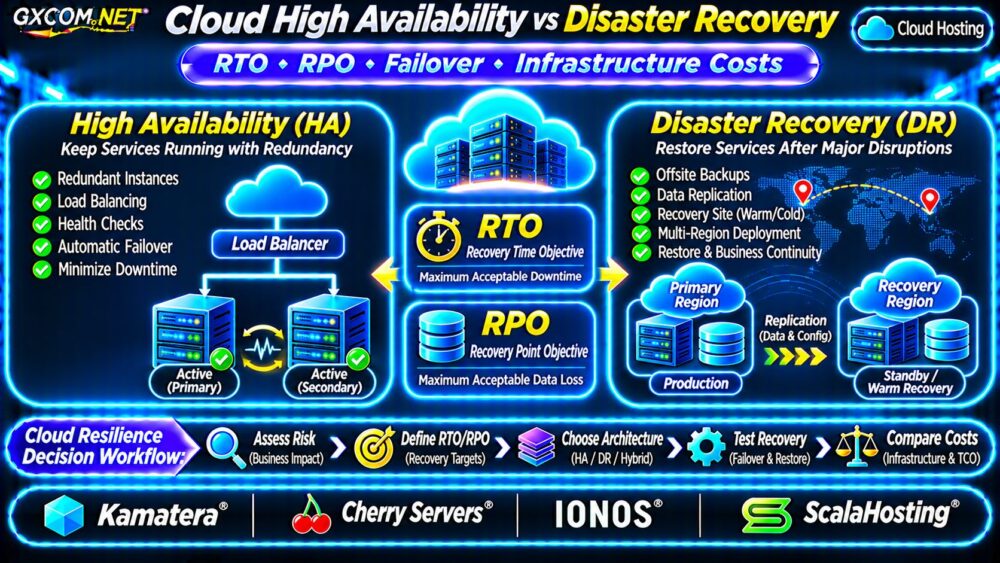
Define recovery point objective (RPO) as the acceptable data-loss window and recovery time objective (RTO) as the targeted restoration duration. Match backup frequency and recovery architecture to the business impact of lost transactions.
Database-aware backups and tested restoration are essential. Snapshots alone may not preserve application-consistent transactions. Keep recovery copies in an appropriately independent failure domain and restrict deletion permissions.
For redundancy design, consult our cloud VPS high availability guide. Our VPS snapshot and backup recovery guide explains why snapshots and independent backups serve different purposes.
How to Estimate ERP Cloud Infrastructure Costs
Compare the full deployment, including application compute, database capacity, backup retention, monitoring, network transfer, licenses, and administration. Do not compare a bare VPS subscription with a fully managed ERP environment.
Consider a hypothetical monthly budget: application compute $90, database compute and storage $110, backup services $25, networking and monitoring $25, and administration $100. The total is $350 monthly, or $12,600 over 36 months if requirements and costs remain unchanged.
| Illustrative Expense | Monthly Cost |
|---|---|
| Application compute | $90 |
| Database compute and storage | $110 |
| Backup services | $25 |
| Networking and monitoring | $25 |
| Administration | $100 |
| Total | $350 |
These amounts are planning assumptions, not vendor quotations. They exclude ERP software licensing, implementation consulting, migration, taxes, and downtime losses.
If an upgrade adds $80 monthly, the three-year incremental infrastructure cost is $2,880. Evaluate that expense against measured performance improvements and business continuity requirements, not hypothetical productivity promises.
Our cloud server cost optimization guide covers right-sizing, idle resources, and budget controls.
Four Approved Infrastructure Providers to Evaluate
Kamatera: Configurable and Optional Managed Cloud
Kamatera offers configurable cloud servers and separately described managed cloud services. It is relevant for teams assessing adjustable resources or external infrastructure administration. Verify database support scope, network isolation, backup retention, and the exact management agreement.
IONOS: Cloud Infrastructure and Budgeting
IONOS can be evaluated for cloud compute and related infrastructure choices. Confirm the selected product’s storage performance, network configuration, regional availability, and applicable billing terms before planning production ERP workloads.
Cherry Servers: Compute and Storage Control
Cherry Servers is a candidate for organizations that want to select infrastructure around measured database and application requirements. Confirm virtualization, storage characteristics, network options, and recovery responsibilities for the actual product.

ScalaHosting: Managed Server Considerations
ScalaHosting may appeal to smaller teams seeking server administration assistance. Ask whether PostgreSQL or MySQL support, ERP application maintenance, security patching, and disaster recovery are explicitly covered. Managed server support does not imply ERP vendor certification.
ERP Cloud Purchasing Checklist
- Confirm ERP vendor deployment and licensing support.
- Benchmark peak transactions and database latency.
- Validate storage IOPS, RAM, and network requirements.
- Document user permissions and administrative responsibilities.
- Test database restoration and failover procedures.
- Compare 36-month total cost, including labor and licensing.
Frequently Asked Questions
Can Every ERP System Run on a Cloud VPS?
No. Deployment rights, supported operating systems, database engines, and licensing vary by ERP product. Verify vendor documentation first.
Does Cloud Hosting Guarantee ERP Uptime?
No. Availability depends on the complete application, database, network, recovery design, and operating procedures.
Final Verdict
Choose cloud infrastructure for ERP systems based on measured transaction performance, security obligations, recovery objectives, and total ownership cost. A simple server may fit a small supported deployment; larger or more critical workloads may justify separate database tiers and redundancy.
Compare Kamatera, IONOS, Cherry Servers, and ScalaHosting against documented requirements, and validate the actual deployment before purchasing.