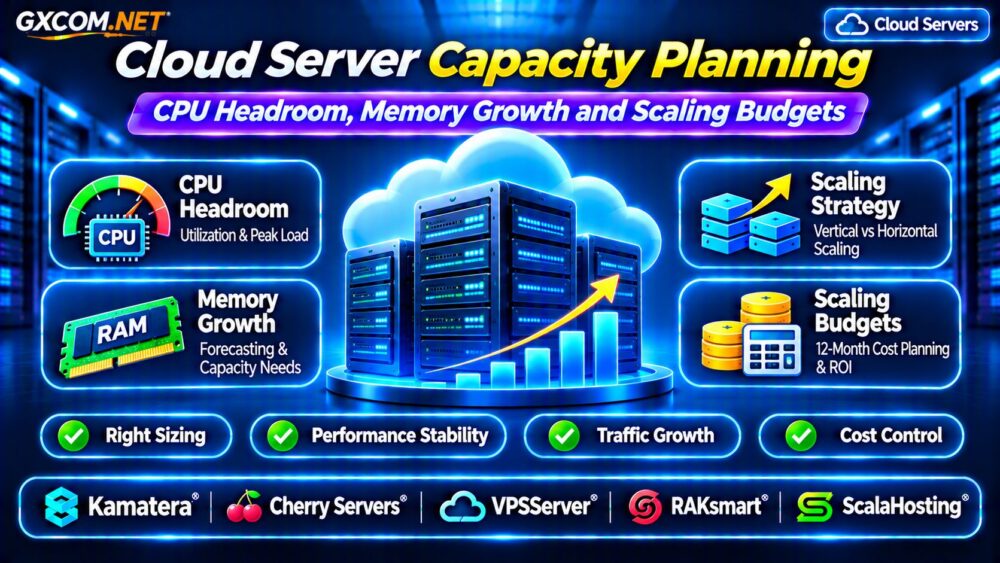
Cloud server cost optimization is essential for businesses that want predictable hosting expenses without sacrificing application performance. A cloud instance may appear affordable at checkout, but storage, data transfer, backups, software licenses, and idle resources can increase the final invoice.
The objective is not simply to purchase the cheapest server. It is to match infrastructure spending with actual workload requirements. This guide explains hidden charges, right-sizing, monthly budgets, and practical ways to compare cloud hosting providers.
Why Cloud Server Bills Exceed Expectations
Cloud pricing often separates computing resources from supporting services. A virtual machine’s advertised price may not represent the complete cost of running an application.
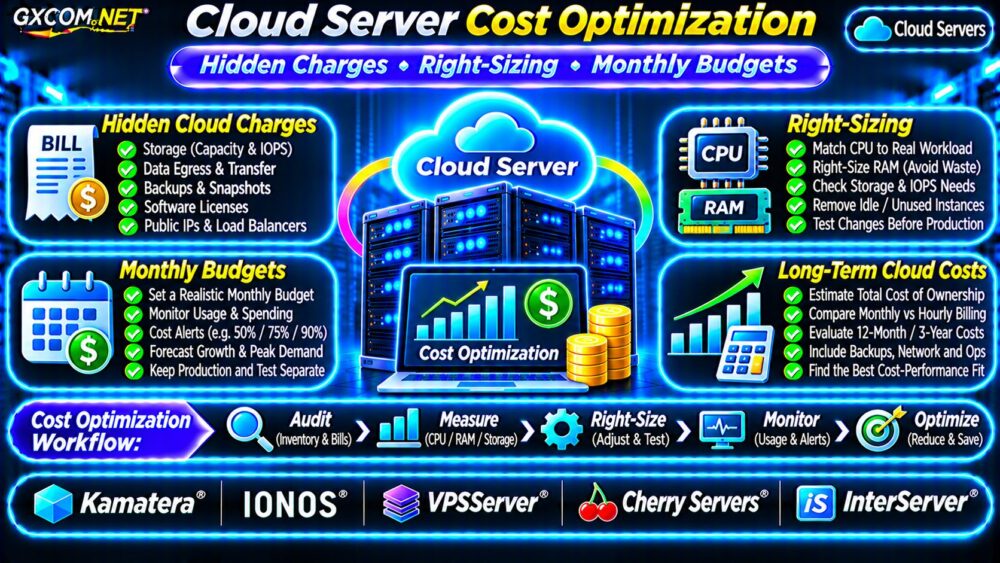
Common additional expenses include:
- Persistent storage volumes and provisioned performance.
- Outbound internet traffic and cross-region transfers.
- Snapshots, automated backups, and retained images.
- Public IPv4 addresses and load balancers.
- Operating system licenses and management services.
- Monitoring, logging, and unused infrastructure.
Charges depend on the provider, product, and location. Always review the full pricing documentation rather than comparing compute prices alone.
Audit Your Existing Cloud Infrastructure
Begin by collecting at least several weeks of billing and resource-utilization data. Include seasonal or monthly traffic peaks when available.
Group expenses by application, environment, owner, and service. Separate production resources from development, staging, and temporary testing systems.
Identify servers with low utilization, unattached storage, forgotten snapshots, and resources that continue billing after projects finish.
Track More Than CPU Usage
CPU utilization alone cannot determine whether a server is oversized. Monitor memory consumption, disk latency, network throughput, application response times, and peak concurrency.
A database server with low CPU usage may still need substantial RAM for caching. Reducing its size without measuring memory pressure could create serious performance problems.
Cloud Server Right-Sizing Explained
Right-sizing means selecting CPU, RAM, storage, and network resources that match measured application requirements.
Suppose an application runs on an eight-vCPU server but rarely needs more than two vCPUs. A smaller instance might reduce costs, provided memory, storage performance, and peak demand remain adequately supported.
Evaluate performance over representative business cycles before changing configurations.
Right-Sizing Decision Checklist
- Measure average and peak CPU utilization.
- Check memory usage, swapping, and OOM events.
- Review storage IOPS and latency requirements.
- Test application performance under realistic load.
- Confirm upgrade and rollback procedures.
Do not downsize production infrastructure solely because its average CPU utilization appears low.

Our Cloud Hosting vs VPS Comparison explains how infrastructure models influence purchasing decisions.
Eliminate Idle Cloud Resources
Unused development servers, temporary environments, and abandoned storage can generate recurring charges.
Where supported, schedule nonproduction instances to stop outside working hours. However, stopped instances may still incur charges for persistent disks, reserved addresses, or other attached services.
Before deleting resources, confirm ownership, dependencies, backup requirements, and retention policies.
Use resource labels and expiration dates to prevent temporary infrastructure from becoming permanent overhead.
Optimize Storage, Backups and Network Costs
Storage expenses depend on capacity, performance tier, redundancy, and retention. High-performance disks are valuable for demanding databases but may be unnecessary for archived files.
Review snapshot schedules and delete obsolete recovery points only after confirming retention requirements.
For network costs, monitor outbound transfer, regional traffic, and backup replication. Caching static content can reduce origin traffic, although CDN services introduce their own charges.
See our Cloud VPS Bandwidth Costs Guide for network billing considerations.
Build a Realistic Monthly Cloud Budget
A useful budget includes expected recurring expenses and a contingency allowance for usage changes.
| Expense | Illustrative Monthly Cost |
|---|---|
| Compute instance | $35 |
| Storage | $10 |
| Backups | $6 |
| Network transfer | $8 |
| Monitoring | $4 |
| Expected total | $63 |
Adding a 20% contingency produces a planning budget of $75.60 monthly. These figures are hypothetical, not actual provider quotations.
Set alerts at approximately 50%, 75%, 90%, and 100% of the budget where supported.
Budget notifications are warnings, not necessarily hard spending limits. Configure additional safeguards when strict financial controls are required.
Compare Monthly, Hourly and Committed Pricing
Monthly plans can simplify budgeting, while hourly billing may suit temporary or variable workloads. Longer commitments sometimes reduce rates but increase financial exposure.
Compare the effective cost of running a server continuously against the cost of operating it only when required.
Verify minimum billing periods, storage charges, renewal terms, and whether stopping an instance actually stops compute billing.
Five Cloud Infrastructure Providers to Compare
These GXCOM.NET-approved affiliate providers are relevant to cloud cost research. Evaluate specific products rather than assuming identical pricing models.
Kamatera: Configurable Cloud Resources
Kamatera is worth evaluating when flexible CPU, RAM, and infrastructure configurations matter. Compare resource combinations, backup options, and recurring charges.
IONOS: Predictable Infrastructure Budgeting
IONOS offers another comparison point for cloud server purchasing. Examine included resources, network policies, and the total cost of the selected configuration.
VPSServer: Cloud VPS Cost Planning
VPSServer may suit buyers comparing virtual server configurations. Review billing periods, storage requirements, and any separately charged services.
Cherry Servers: Infrastructure Resource Matching
Cherry Servers deserves consideration for workloads requiring particular compute, storage, or networking characteristics. Confirm product availability and contractual terms.
InterServer: VPS as a Budget Alternative
InterServer can be compared when a conventional VPS may meet workload requirements more economically than a complex cloud architecture.
For additional virtual infrastructure options, consult our Best VPS Providers Guide.
Calculate Three-Year Cloud Server Costs
Using the hypothetical $63 monthly operating estimate, thirty-six months would cost $2,268 if usage and pricing remain unchanged.

Suppose right-sizing reduces compute expenses by $10 monthly without affecting performance. The revised total becomes $53 monthly, saving $360 over three years.
Include migration labor, downtime exposure, licensing, and configuration changes before deciding whether optimization is financially worthwhile.
Our Cloud Server Migration Guide covers considerations when moving workloads between environments.
Cloud Cost Optimization Checklist
- Review complete invoices and resource inventories.
- Identify unused or oversized infrastructure.
- Measure performance before right-sizing.
- Audit storage, backups, licenses, and egress.
- Set monthly budgets and anomaly alerts.
- Compare providers using long-term total costs.
Frequently Asked Questions
What Is the Best Way to Reduce Cloud Costs?
Start with cost visibility, unused-resource cleanup, and measured right-sizing. Avoid changes that undermine reliability or security.
Are Cloud Budget Alerts Enough to Prevent Overspending?
No. Alerts generally notify users about spending thresholds but do not automatically prevent additional charges.
Is a VPS Cheaper Than a Cloud Server?
Sometimes. A simpler VPS can offer predictable pricing, while cloud infrastructure may provide flexibility or resilience worth paying for.
Final Verdict
Effective cloud server cost optimization combines accurate billing analysis, workload-aware right-sizing, disciplined resource cleanup, and realistic monthly budgets.
Compare Kamatera, IONOS, VPSServer, Cherry Servers, and InterServer according to actual resource needs and documented pricing. The right infrastructure delivers sustainable costs without compromising essential performance or recovery capabilities.