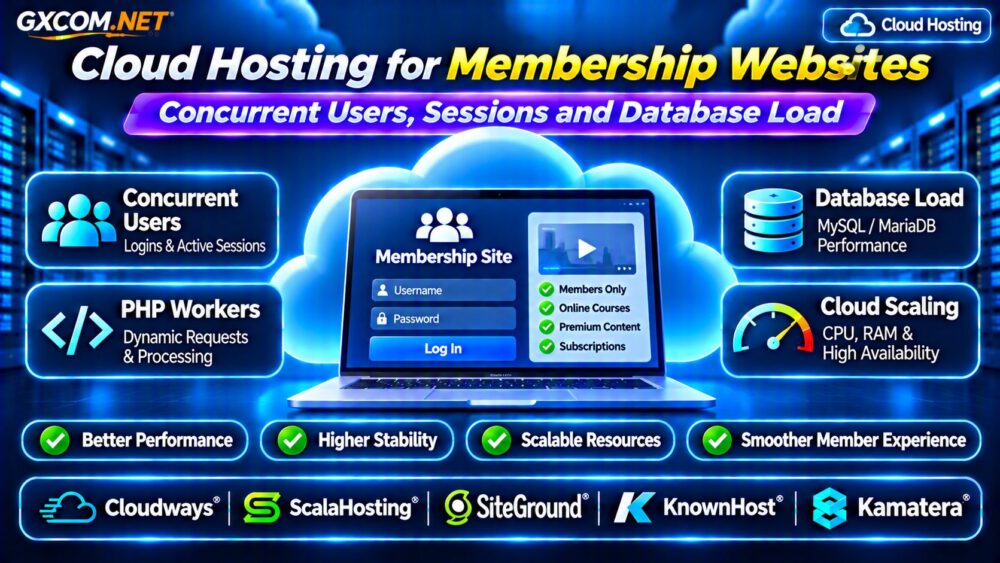
Cloud hosting for membership websites requires a different performance strategy from hosting an ordinary blog. Membership platforms serve logged-in users, personalized dashboards, course lessons, private communities, and subscription payments. These requests often bypass full-page caching, placing greater pressure on PHP workers, databases, and server memory.
A website with modest traffic can therefore experience slow logins or failed checkouts during busy periods. Understanding concurrent users, session handling, and database load helps you select hosting that supports growth without unnecessary spending.
Why Membership Websites Need Different Hosting
Traditional content websites can serve many visitors through cached HTML and a content delivery network. Membership websites frequently generate personalized responses that cannot safely be shared between users.
Login forms, account settings, restricted content, shopping carts, and subscription management create dynamic requests. Each may require application execution and database access.
Cloud hosting can provide flexible resources, but the correct configuration matters more than marketing claims about unlimited traffic.
Concurrent Users vs Monthly Visitors
Monthly visitors measure audience size, while concurrent users describe activity happening during overlapping periods.
Ten thousand monthly visitors spread evenly across a month may create less server pressure than 200 members logging in simultaneously after a course launch.
However, concurrent logged-in users are not identical to concurrent server requests. Members reading a page without making requests consume fewer active application resources than users repeatedly loading dashboards or submitting forms.
Measure requests per second, response time, active PHP processes, and database activity instead of relying on visitor counts alone.
PHP Workers: The Hidden Membership Hosting Limit
PHP workers execute dynamic WordPress requests. When all available workers are occupied, additional requests may wait in a queue or eventually time out.
Membership plugins, WooCommerce subscriptions, and learning management systems can increase execution time through database queries, authentication checks, and external integrations.
Adding CPU cores does not automatically increase PHP worker capacity if the hosting plan enforces separate worker limits.
Ask providers about worker allocation, PHP memory limits, process management, and upgrade options. Our Cloud Hosting for WooCommerce Performance Guide explains related dynamic checkout bottlenecks.
How User Sessions Affect Server Performance
Membership websites maintain authentication state through cookies, tokens, and application-specific session mechanisms.
WordPress authentication commonly relies on cookies and stored session tokens, while individual plugins may use additional session storage.
Large or inefficient session records can increase database activity. Poorly configured session handling may also create problems when requests move between multiple application servers.

For load-balanced deployments, ensure every server can validate authentication consistently. Shared session storage may be necessary depending on the application.
Never cache personalized member pages publicly or expose one user’s content to another user.
Database Load: MySQL and Membership Plugins
Membership applications frequently query user accounts, permissions, subscription status, purchases, and course progress.
These operations can become expensive when plugins generate repeated queries or database tables lack suitable indexes.
Common warning signs include slow dashboard loading, high database CPU usage, lock contention, and growing query execution times.
Before upgrading hosting, inspect slow query logs, plugin behavior, database connections, and frequently accessed tables.
For additional database infrastructure considerations, read our Managed Cloud Database Hosting Guide.
Redis Object Cache and CDN Configuration
Redis object caching can reduce repeated database work by storing suitable application objects in memory.
It is particularly useful when multiple requests repeatedly retrieve the same settings, metadata, or database results.
However, object caching does not eliminate every query, and poorly configured cache invalidation can create incorrect results.
A CDN remains valuable for images, scripts, stylesheets, and public content. Personalized dashboards, account pages, and payment flows need carefully configured cache exclusions.
Test authenticated and anonymous sessions separately before enabling aggressive caching.
How Much CPU and RAM Does a Membership Site Need?
There is no universal CPU or RAM requirement based solely on member count.
A small WordPress membership site may operate comfortably on modest resources, while a busy learning platform with video integrations and complex plugins may need substantially more capacity.
Start by measuring peak CPU utilization, memory consumption, PHP worker saturation, database latency, and request rates.
Increase resources when monitoring shows sustained bottlenecks, not merely because the membership database contains thousands of accounts.
Load Testing Before Membership Launches
Membership launches, enrollment deadlines, and subscription renewals can produce sudden traffic spikes.
Use realistic load tests that simulate authentication, dashboard navigation, course access, and checkout transactions.
Test with representative accounts and safe payment environments. Monitor response-time percentiles, error rates, database activity, and resource utilization.
Gradually increase load to identify the point where performance deteriorates. This produces more useful capacity estimates than a generic visitor limit.
Managed Cloud Hosting vs Cloud VPS
Managed cloud hosting can reduce operational responsibilities through provider-supported administration, monitoring, and platform maintenance.
A self-managed cloud VPS offers greater control over software configuration but requires expertise in security, updates, backups, and performance tuning.
Membership businesses should compare management scope, database support, backup retention, scaling flexibility, and total monthly costs.
Our Managed Cloud Hosting Comparison explores these purchasing considerations.
Five Hosting Providers Worth Comparing
1. Cloudways: Managed Cloud for Dynamic WordPress
Cloudways is worth evaluating for WordPress membership projects seeking managed cloud infrastructure and server management tools.
Confirm available resources, caching controls, database performance, and scaling procedures for your selected plan.
2. ScalaHosting: Managed Cloud VPS
ScalaHosting may suit growing membership platforms requiring dedicated virtual resources and managed server assistance.
Compare CPU allocation, RAM, backup policies, and application compatibility before purchasing.
3. SiteGround: WordPress Hosting
SiteGround is relevant for WordPress membership websites that prioritize a managed hosting experience and integrated performance tools.
Review plan-specific resource limits and authenticated-page caching behavior.
4. KnownHost: Managed VPS Support
KnownHost offers another option for membership businesses comparing managed virtual servers and technical support.

Verify database management, resource allocation, backup coverage, and support responsibilities.
5. Kamatera: Configurable Cloud Servers
Kamatera is appropriate for teams seeking configurable cloud compute resources and greater infrastructure flexibility.
Evaluate server management requirements, storage performance, network costs, and scaling options.
When Should You Upgrade Membership Hosting?
Consider upgrading when authenticated requests consistently slow down, PHP workers become saturated, database latency rises, or peak traffic produces errors.
First eliminate inefficient plugins, unnecessary queries, and incorrect caching configurations. Then compare additional resources with the cost of moving to a different hosting platform.
For broader infrastructure decisions, see our Cloud Hosting vs VPS Comparison.
Frequently Asked Questions
How Many Concurrent Users Can Cloud Hosting Support?
Capacity depends on request frequency, application complexity, PHP workers, database performance, and server resources. Realistic load testing provides the best estimate.
Is Redis Necessary for Membership Websites?
Not always. Redis can improve repeated database operations, but benefits depend on workload characteristics and correct configuration.
Can a CDN Cache Logged-In Membership Pages?
Some carefully designed private caching strategies are possible, but shared public caching of personalized pages risks exposing member data.
Final Verdict
The best cloud hosting for membership websites balances dynamic request capacity, efficient session handling, database performance, and reliable operational support.
Measure real workloads before upgrading. Compare Cloudways, ScalaHosting, SiteGround, KnownHost, and Kamatera using verified resource limits, management features, and total costs rather than advertised visitor numbers.