Choosing between a GPU server and a CPU server depends on the workload you need to run. Traditional CPU servers remain the foundation of web hosting, databases, business applications, and general-purpose computing, while GPU servers have become essential for artificial intelligence, machine learning, rendering, and other massively parallel workloads.
The key difference in the GPU Server vs CPU Server comparison is not simply which processor is faster. CPUs and GPUs are designed for different types of computing. A powerful GPU may dramatically accelerate AI training but provide little benefit to a typical WordPress website or database server.
This guide compares GPU and CPU servers by architecture, performance, cost, workloads, power requirements, and scalability to help you choose the right infrastructure.
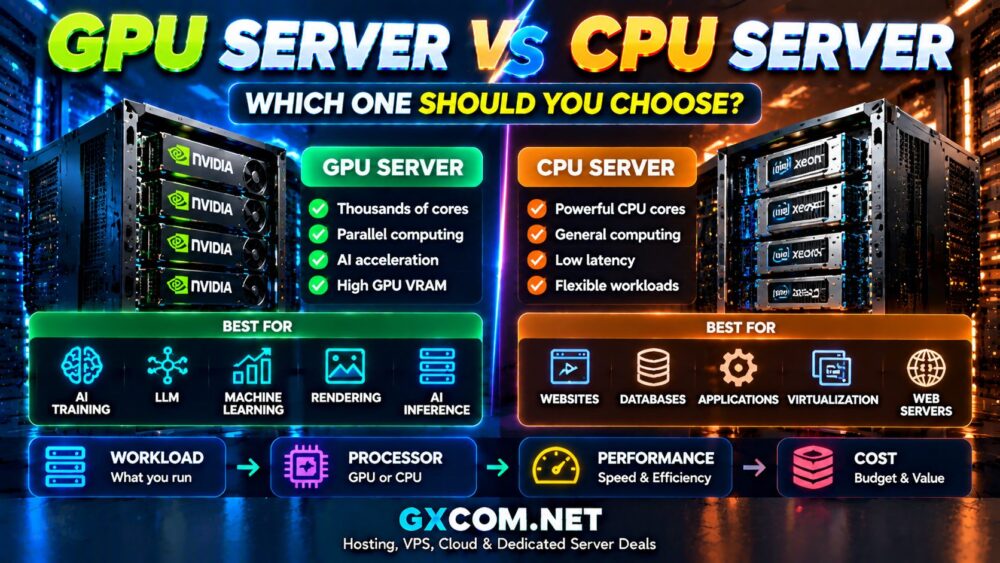
GPU Server vs CPU Server: Quick Comparison
| Feature | CPU Server | GPU Server |
|---|---|---|
| Processing Style | General-purpose, sequential | Massively parallel |
| Core Count | Relatively few powerful cores | Thousands of smaller processing cores |
| Best For | Websites, databases, applications | AI, ML, rendering, scientific computing |
| AI Training | Limited | Excellent |
| Database Workloads | Excellent | Usually unnecessary |
| Cost | Generally lower | Generally higher |
| Power Requirements | Lower | Higher |
What Is a CPU Server?
A CPU server uses one or more central processing units as its primary computing hardware. CPUs are designed to handle a wide variety of instructions efficiently and are particularly strong at workloads that depend on sequential processing, complex logic, and fast individual cores.
Common CPU server workloads include:
- Website hosting
- WordPress hosting
- SQL databases
- Web applications
- Email servers
- Virtual machines
- Business software
- Control panels
For most traditional hosting workloads, a modern CPU server provides better value than adding expensive GPU hardware.
What Is a GPU Server?
A GPU server combines conventional CPUs with one or more graphics processing units. The CPU still handles operating system processes and general application logic, while the GPU accelerates workloads that can be divided into large numbers of parallel calculations.
Typical GPU server workloads include:
- Artificial intelligence training
- Large language models
- Machine learning
- Deep learning
- AI inference
- Image generation
- 3D rendering
- Scientific computing
If you are comparing infrastructure for these workloads, see our NVIDIA GPU Server Providers guide.
CPU vs GPU Architecture
The fundamental difference between CPUs and GPUs is how they process work.
A CPU contains a relatively small number of powerful cores optimized for complicated instructions and low-latency processing. A GPU contains many more processing units designed to perform large numbers of similar calculations simultaneously.
A simplified way to think about the difference is:
CPU = fewer powerful cores for general computing
GPU = massive parallel processing for specialized workloads
This architectural difference explains why GPUs have become so important for modern AI.
GPU Server vs CPU Server for AI
Artificial intelligence is one of the clearest examples of where GPU acceleration can provide major advantages.
Training neural networks involves huge numbers of matrix and tensor calculations. These operations can be processed in parallel, which matches GPU architecture extremely well.
| AI Workload | CPU Server | GPU Server |
|---|---|---|
| Small AI Testing | Possible | Better |
| Machine Learning Training | Limited | Excellent |
| Deep Learning | Slow | Excellent |
| LLM Training | Not practical for most workloads | Recommended |
| AI Inference | Suitable for some light workloads | Better for demanding workloads |
GPU Server vs CPU Server for Website Hosting
For normal website hosting, GPU hardware usually provides little advantage.
Website performance normally depends more heavily on:
- CPU speed
- Available RAM
- NVMe storage
- Database optimization
- Caching
- Network performance
A high-performance CPU server is therefore usually the more sensible choice for WordPress, ecommerce, forums, and conventional web applications.
GPU Server vs CPU Server for Databases
Traditional database systems generally depend heavily on CPU performance, memory, and storage latency.
MySQL, PostgreSQL, and similar databases usually benefit more from fast CPU cores, sufficient RAM, and NVMe storage than from a GPU.
Specialized analytics and GPU-accelerated database technologies can use GPUs, but these are different from typical web database workloads.
GPU Server vs CPU Server for Rendering
Rendering is an area where GPU servers can provide substantial performance advantages.
GPU acceleration is commonly used for:
- 3D rendering
- Video processing
- Visual effects
- Computer graphics
- AI image generation
Applications designed for GPU acceleration can distribute rendering operations across many GPU cores simultaneously.
GPU Server Cost vs CPU Server Cost
GPU servers generally cost more because high-performance accelerators add substantial hardware and infrastructure costs.
The total cost may include:
- GPU hardware
- GPU VRAM
- High-capacity system RAM
- Powerful CPUs
- High-speed NVMe storage
- High-bandwidth networking
- Additional power and cooling
However, buying the cheapest hardware is not always the best strategy. For smaller AI workloads, Affordable GPU Servers can provide a better balance between computing power and cost.
Which NVIDIA GPU Do You Need?
GPU requirements vary significantly depending on workload size.
| GPU Class | Typical Workload |
|---|---|
| RTX-class GPU | Development, image generation, smaller AI workloads |
| NVIDIA L40S | Inference, graphics and AI applications |
| NVIDIA A100 | Machine learning and professional AI workloads |
| NVIDIA H100 | Large-scale AI training and advanced generative AI |
The most expensive GPU is not automatically the best choice. Matching the GPU to the workload can significantly improve cost efficiency.
When Should You Choose a CPU Server?
Choose a CPU server when your main workloads include:
- Website hosting
- Databases
- Business applications
- Web servers
- Virtualization
- General-purpose computing
CPU servers remain the most practical infrastructure for the majority of traditional server workloads.
When Should You Choose a GPU Server?
Choose a GPU server when your workload involves:
- AI model training
- Large language models
- Machine learning
- Deep learning
- AI inference at scale
- Rendering
- GPU-accelerated scientific computing
For temporary or smaller projects, cloud GPU infrastructure may also be more economical than maintaining dedicated GPU hardware.
Do You Need Both CPU and GPU?
A GPU server does not eliminate the need for a CPU. Modern GPU servers use both processors together.
The CPU typically manages the operating system, storage, networking, application logic, and workload coordination. The GPU handles the highly parallel calculations that benefit from acceleration.
For this reason, a balanced AI server should consider CPU performance, system RAM, GPU VRAM, storage, and networking rather than focusing only on the GPU model.
GPU Server vs CPU Server: How to Decide
Before choosing your infrastructure, ask:
- What workload will the server run?
- Can the software use GPU acceleration?
- How much GPU VRAM is required?
- Is the workload continuous or temporary?
- How important is parallel processing?
- What is the infrastructure budget?
- Will the workload need to scale later?
For conventional hosting, CPU infrastructure is usually sufficient. For AI and massively parallel workloads, GPU acceleration can dramatically change performance.
Final Thoughts
There is no universal winner in the GPU server vs CPU server comparison because the two architectures are designed for different workloads.
CPU servers remain ideal for websites, databases, virtualization, and general-purpose applications. GPU servers are better suited to AI training, machine learning, deep learning, rendering, and other workloads that benefit from massive parallel processing.
The smartest infrastructure strategy is to start with the workload, determine the resources it actually needs, and then choose the CPU or GPU architecture that delivers the best balance of performance and cost.