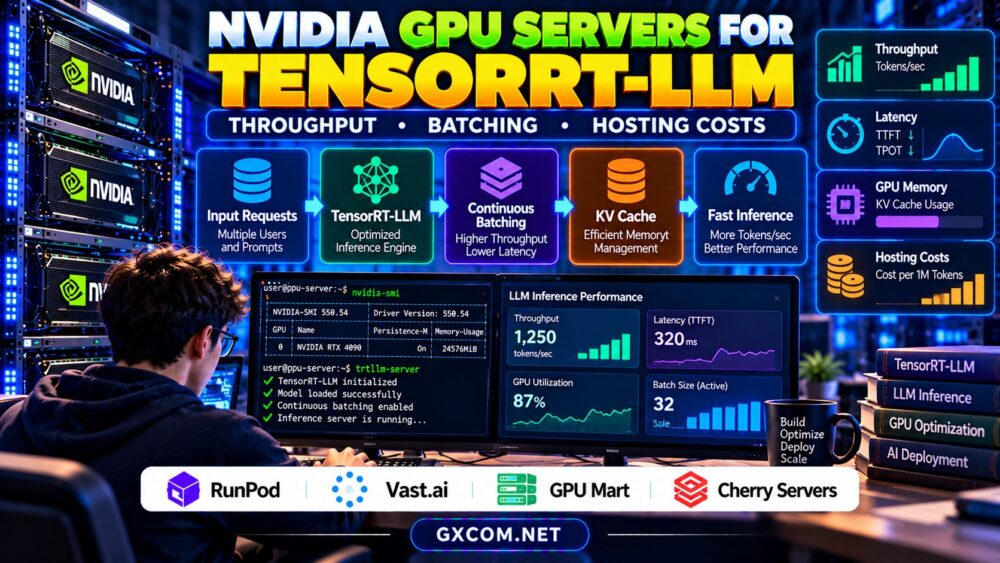
Choosing NVIDIA GPU servers for TensorRT-LLM requires more than comparing GPU memory and hourly rental prices. Large language model inference depends on throughput, request concurrency, batching efficiency, memory management, and latency targets. A powerful accelerator can still deliver poor economics when workloads are configured inefficiently.
TensorRT-LLM provides NVIDIA-optimized components for building and running LLM inference workloads. However, actual performance depends on model architecture, precision, GPU hardware, software versions, and serving configuration. This guide explains how to evaluate those factors before choosing GPU hosting.
What Is TensorRT-LLM?
TensorRT-LLM is an NVIDIA software framework designed to optimize large language model inference. It supports techniques such as optimized attention, quantization, and efficient management of inference execution, depending on the model and supported configuration.
It is not a universal performance shortcut. Some models require specific conversion procedures, supported kernels, or compatible software releases. Teams should validate their intended model against the current framework documentation before renting expensive hardware.
Start with our NVIDIA GPU driver compatibility guide to understand CUDA, container, and deployment requirements.
Throughput vs Latency: Measure Both
Inference throughput is commonly measured in generated tokens per second, while latency describes how long users wait for responses. These metrics are related but not interchangeable.
Time to first token (TTFT) measures the delay before generation begins. Time per output token (TPOT) describes the pace of subsequent generation. Total request latency also depends on prompt length and output size.
A server may achieve excellent aggregate throughput with many simultaneous requests while delivering slower responses to individual users. Production teams should define acceptable latency before maximizing batch sizes.
Our AI inference server sizing guide explains concurrency and capacity planning in greater detail.
Continuous Batching and GPU Utilization
Traditional static batching groups requests together before processing. Continuous, or in-flight, batching allows a serving system to manage requests as generation progresses, potentially improving accelerator utilization.
The benefit depends on traffic patterns. High concurrency can improve throughput, but excessive scheduling pressure may increase latency or exhaust available memory.
Test realistic combinations of input length, output length, and concurrent users. Do not rely solely on benchmark results produced with short prompts or unusually favorable batch sizes.
KV Cache, VRAM, and Model Precision
During autoregressive generation, the key-value (KV) cache stores attention information needed for subsequent tokens. Its memory footprint grows with active sequences and context requirements, although the exact relationship depends on model architecture and cache implementation.

TensorRT-LLM supports memory-management approaches, including paged KV cache mechanisms in applicable configurations. These can improve allocation efficiency but do not eliminate physical VRAM limits.
Quantization may reduce model memory requirements and improve certain workloads, although accuracy and performance tradeoffs require validation.
Before selecting hardware, review our GPU VRAM requirements for LLM inference guide.
Single GPU vs Multi-GPU Inference
A single GPU can simplify deployment, monitoring, and cost allocation when the model fits comfortably in memory. Larger models or higher throughput targets may require multiple accelerators.
Tensor parallelism distributes model computation across GPUs, introducing communication overhead. Performance depends on supported GPU interconnects, topology, software configuration, and workload characteristics.
Multi-GPU hardware is not automatically more cost-efficient. Measure completed requests, latency, and useful tokens per dollar before expanding infrastructure.
Compare NVIDIA GPU Hosting Options
The following approved infrastructure providers offer different purchasing approaches. Current GPU inventory, TensorRT-LLM compatibility, and available configurations must be verified individually.
| Provider | Relevant Approach | Verify Before Buying |
|---|---|---|
| RunPod | GPU cloud deployment | GPU availability, container support, storage |
| Vast.ai | Marketplace GPU rental | Host hardware, connectivity, reliability |
| GPU Mart | Persistent GPU infrastructure | GPU model, driver control, billing |
| Cherry Servers | Dedicated infrastructure evaluation | GPU product availability and administration |
RunPod: Flexible Inference Experimentation
RunPod is worth evaluating for containerized inference experiments and changing GPU capacity requirements. Compare deployment options, supported hardware, persistent storage, and billing behavior.
Read our RunPod GPU cloud review for additional provider context.
Vast.ai: Cost-Sensitive GPU Selection
Vast.ai provides a marketplace approach that may suit teams comparing GPU rental configurations. Individual listings can differ in hardware, network characteristics, and operating conditions.
Validate the complete software environment and benchmark your own model before committing to sustained inference traffic.
GPU Mart: Longer-Lived Server Environments
GPU Mart is relevant when considering persistent GPU server environments. Investigate operating-system access, NVIDIA driver requirements, storage retention, and available GPU configurations.
Persistent infrastructure can simplify repeat deployments, although unused capacity may increase operating costs.
Cherry Servers: Dedicated Deployment Considerations
Cherry Servers is an approved infrastructure provider for dedicated server evaluation. Confirm suitable GPU-enabled offerings before considering it for TensorRT-LLM workloads.
Dedicated deployment may provide administrative flexibility, but support responsibilities and provisioning terms require careful review.
Calculate TensorRT-LLM Hosting Costs
Hourly GPU pricing alone cannot establish the cheapest inference platform. Teams should compare total spending against completed workloads and service quality.
Consider a hypothetical server costing $0.80 per hour and generating 100 useful output tokens per second under a measured workload. Over one fully utilized hour, it would produce 360,000 output tokens.
Compute cost would therefore equal approximately $2.22 per million output tokens. This simplified example excludes input processing, idle time, storage, networking, and other charges.
Real applications rarely maintain constant utilization. Include request variability, reserved capacity, and deployment overhead when building a financial model.
For additional expenses, consult our GPU cloud idle costs guide.
Benchmark Before Committing
Use representative prompts, output lengths, and concurrency levels. Record TTFT, TPOT, aggregate throughput, GPU memory usage, error rates, and hourly spending.

Repeat measurements after changing batch sizes, quantization settings, or GPU configurations. Preserve software versions and test datasets so comparisons remain reproducible.
Evaluate both peak throughput and performance under sustained, realistic demand.
Compare GPU Hosting for TensorRT-LLM
Evaluate GPU memory, CUDA compatibility, batching performance, storage, and total inference costs before selecting your deployment platform.
Frequently Asked Questions
Does TensorRT-LLM always improve inference speed?
No. Benefits depend on supported models, GPU architecture, optimization settings, and workload characteristics. Benchmark against your existing serving stack.
Is more GPU VRAM always better?
Additional VRAM can support larger models and more concurrent sequences, but performance also depends on compute capacity, memory bandwidth, and scheduling efficiency.
Should I prioritize batching or latency?
Prioritize your service objectives. Interactive applications often require strict latency limits, while offline processing may favor maximum throughput.
Final Verdict
The best NVIDIA GPU servers for TensorRT-LLM balance throughput, batching efficiency, memory capacity, latency, and total hosting costs. Compare RunPod, Vast.ai, GPU Mart, and verified Cherry Servers options against actual benchmark results rather than advertised GPU specifications alone. A tested deployment with predictable economics is the strongest foundation for scalable LLM inference.