NVIDIA GPU server driver compatibility is essential for reliable AI training, inference, and containerized deployment. A powerful GPU cannot run your workload correctly when its driver, CUDA runtime, container configuration, or machine learning framework is incompatible.
These problems frequently appear when migrating applications between GPU cloud providers, updating Docker images, or deploying newer AI frameworks. Understanding compatibility before renting hardware can prevent wasted computing hours, failed installations, and unexpected production downtime.
How NVIDIA Drivers and CUDA Compatibility Work
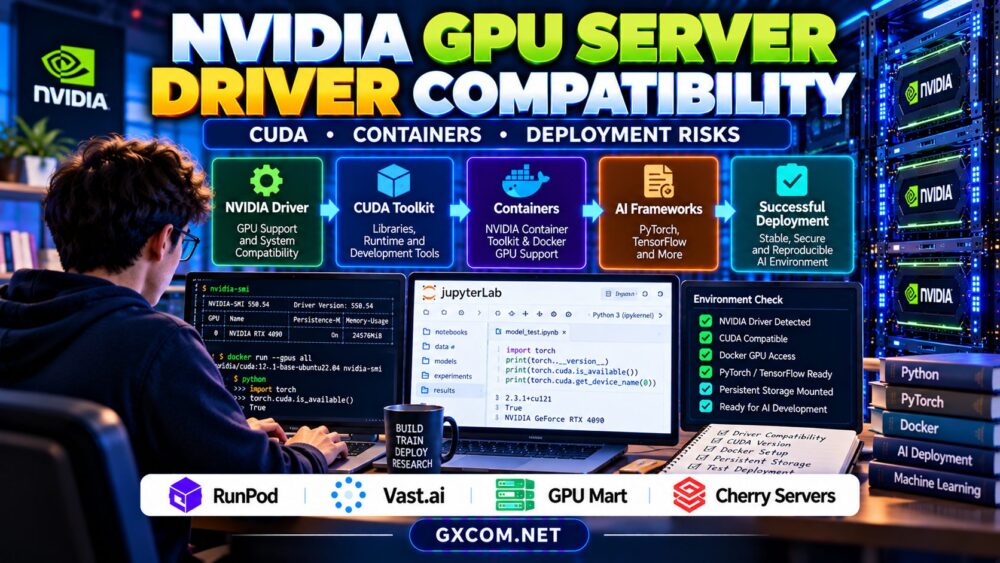
The NVIDIA driver provides the interface between the operating system and GPU hardware. CUDA applications also depend on compatible runtime libraries, while developers may install the CUDA Toolkit for compilation and debugging.
Importantly, the CUDA version displayed by nvidia-smi represents the maximum CUDA version supported by the installed driver, not necessarily the CUDA Toolkit installed on the server.
A newer driver generally supports applications built with older CUDA toolkits, subject to NVIDIA’s compatibility rules. Some newer CUDA applications can operate with older drivers under specific compatibility mechanisms, but these exceptions have limitations.
Always check NVIDIA’s official compatibility documentation for the exact toolkit, driver branch, GPU architecture, and application requirements.
Check GPU Drivers Before Installing AI Software
Begin by confirming that the operating system detects the GPU and that the driver is functioning. On supported NVIDIA Linux systems, run:
nvidia-smiReview the GPU name, driver version, memory capacity, and reported CUDA compatibility level. Then inspect the requirements of your PyTorch, TensorFlow, or inference framework installation.
If the CUDA Toolkit is installed, nvcc --version can report its compiler version. However, many inference environments do not require a system-wide CUDA Toolkit installation.
For broader hardware selection, see our NVIDIA GPU server providers comparison.
Docker GPU Containers and NVIDIA Container Toolkit
Docker containers can package application dependencies, but they still rely on compatible host GPU drivers. A container image cannot independently replace the kernel-level NVIDIA driver.
On supported Linux hosts, NVIDIA Container Toolkit enables compatible container runtimes to expose GPU devices and required driver interfaces to containers.
After the toolkit and Docker runtime are configured, a basic verification command is:
docker run --rm --gpus all \
  nvidia/cuda:12.4.1-base-ubuntu22.04 \
  nvidia-smi
This example uses a specific CUDA container tag; verify that the image remains available and matches your host driver before execution.

If Docker cannot access the GPU, inspect runtime configuration, device permissions, driver health, and whether the hosting product supports GPU-enabled containers.
Common CUDA and GPU Deployment Errors
| Problem | Possible Cause | Recommended Check |
|---|---|---|
| CUDA driver insufficient | Driver too old for application | Driver and runtime requirements |
| No CUDA devices available | GPU inaccessible to application | Device visibility and permissions |
| Docker GPU error | Container runtime misconfigured | NVIDIA Container Toolkit |
| Unsupported GPU architecture | Missing compatible kernels | Framework build and GPU support |
| Out of memory | Insufficient VRAM | Model size and batch settings |
Do not treat every CUDA failure as a driver problem. Memory exhaustion, unsupported architectures, and incorrect framework packages require different solutions.
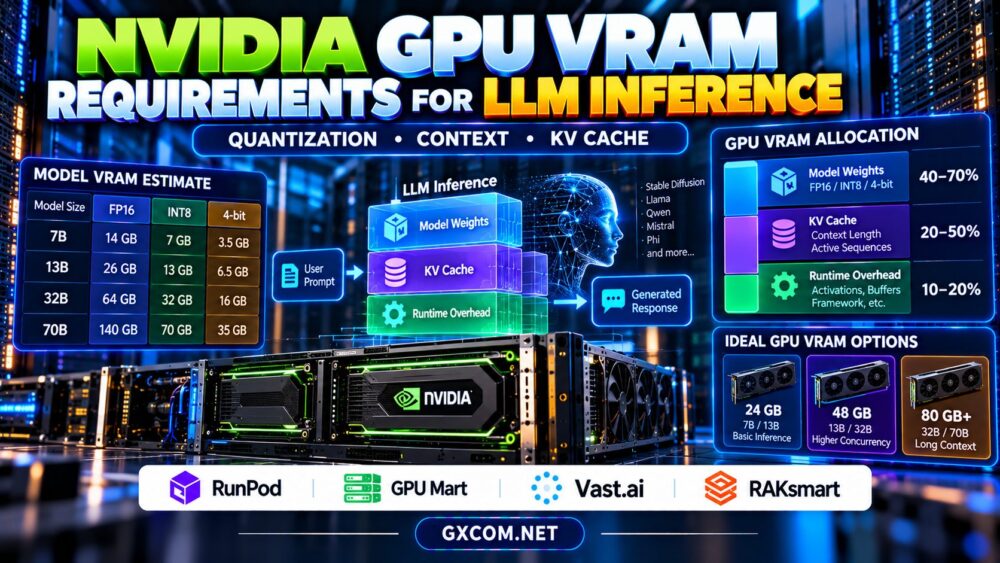
Our GPU VRAM requirements for LLM inference guide explains how memory constraints affect deployment.
GPU VPS, Passthrough, and Driver Control
Driver administration depends on the hosting architecture. A dedicated GPU server may provide direct control over the operating system and drivers, while managed containers often depend on drivers maintained by the provider.
GPU passthrough, virtual GPU technology, and shared container access have different compatibility and isolation characteristics.
Before purchasing, confirm whether you can select drivers, install custom kernels, reboot the environment, and use privileged container features.
Our GPU VPS vs dedicated GPU server guide compares these deployment models.
Four Approved GPU Hosting Providers to Evaluate
RunPod: Container-Based AI Deployment
RunPod is relevant for developers using GPU containers and AI workloads. Evaluate the available deployment types, supported images, GPU specifications, and restrictions on host-level driver management.
For managed environments, confirm compatibility between your application image and the provider’s underlying GPU software stack.
Vast.ai: Marketplace GPU Configurations
Vast.ai offers GPU rental through individual marketplace listings. Hardware and host environments can differ, making configuration verification especially important.
Check the selected GPU, supported container environment, driver compatibility, storage, and reliability before running production-sensitive workloads.
GPU Mart: Persistent GPU Server Environments
GPU Mart is worth evaluating when projects require longer-lived GPU infrastructure and potentially greater control over development environments.
Verify operating-system access, driver installation permissions, supported accelerators, and recovery options before selecting a configuration.
Cherry Servers: Dedicated Infrastructure Requirements
Cherry Servers is an approved infrastructure provider to consider for dedicated deployment requirements. Confirm whether suitable GPU-enabled products are currently available.
When evaluating dedicated hardware, request information about supported drivers, remote administration, provisioning, and recovery procedures.
Deployment Risks and Driver Upgrade Planning
Updating drivers can resolve compatibility problems, but uncontrolled upgrades may interrupt running workloads or introduce regressions.
Maintain a tested software inventory containing GPU model, driver version, container image digest, framework version, and application dependencies.
Test upgrades in staging before production. Preserve configuration files and establish a rollback procedure appropriate to the operating system and hosting platform.
For practical remote development workflows, see our GPU VPS for remote AI development guide.
How Compatibility Problems Increase GPU Costs
Failed deployments consume engineering time and may generate billable GPU hours. Repeated container downloads, environment rebuilding, and storage retention can add expenses.
For example, six wasted hours at a hypothetical $0.80 per GPU hour equal $4.80 in compute charges, excluding storage and engineering effort.

Use validated container images, automated environment checks, and short test runs before launching expensive training jobs.
Compare NVIDIA GPU Hosting for AI Deployment
Check driver compatibility, CUDA requirements, container support, GPU memory, and administrative access before choosing your next GPU server.
Frequently Asked Questions
Does the CUDA version in nvidia-smi mean CUDA is installed?
No. It indicates the driver’s supported CUDA compatibility level. The CUDA Toolkit and compiler may not be installed.
Can Docker containers use a different CUDA version?
Yes, compatible containers can include different CUDA user-space libraries, provided the host driver and hardware satisfy their requirements.
Should I always install the newest NVIDIA driver?
Not necessarily. Choose a supported driver that meets your application requirements and has been tested with your deployment environment.
Final Verdict
NVIDIA GPU server driver compatibility should be verified before production deployment or long-term hosting commitments. Compare RunPod, Vast.ai, GPU Mart, and verified Cherry Servers configurations based on CUDA support, container compatibility, administrative control, and recovery options. A tested environment is more valuable than impressive hardware specifications that cannot reliably run your application.