Choosing the best GPU servers for enterprise AI requires a different approach from selecting hardware for small experiments or short-term AI development. Enterprise organizations must consider private infrastructure, sensitive data protection, GPU performance, regulatory obligations, operational reliability, and the ability to scale AI workloads across teams and locations.
While cloud GPU platforms offer flexibility, dedicated GPU servers and private AI infrastructure can provide greater control over hardware allocation, network design, software configuration, and data-handling policies. However, dedicated hardware alone does not guarantee security, compliance, or lower operating costs.
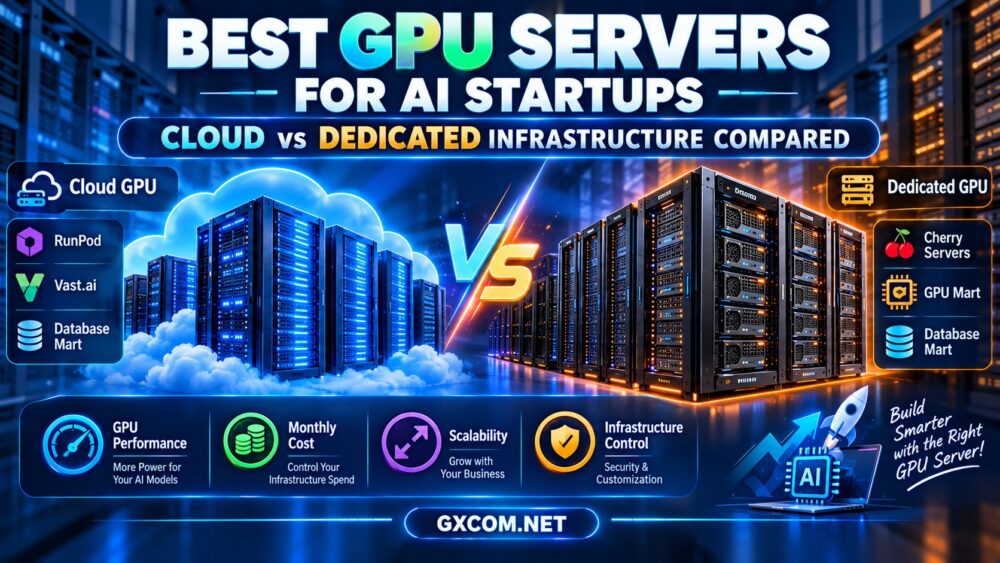
This guide compares enterprise GPU infrastructure models, explains the technical and security requirements for production AI, and examines how providers such as Cherry Servers, RunPod, ServerMania, and DediXLAB may fit different deployment strategies.
Best GPU Servers for Enterprise AI: Infrastructure Options Compared
Enterprise GPU infrastructure can be deployed through several models. The right choice depends on workload sensitivity, hardware requirements, utilization, compliance obligations, and internal operational capabilities.
| Infrastructure Model | Main Advantage | Primary Limitation | Typical Enterprise Fit |
|---|---|---|---|
| Public cloud GPU | Flexible capacity and deployment | Variable costs and provider-specific controls | Experimentation and variable demand |
| Dedicated GPU server | Defined physical hardware resources | Capacity commitments and administration | Steady production workloads |
| Private GPU cluster | Customized infrastructure and governance | Greater operational complexity | Large-scale internal AI platforms |
| Hybrid GPU infrastructure | Combines baseline and elastic capacity | Complex networking and workload placement | Organizations with changing demand |
| On-premises GPU servers | Direct physical infrastructure control | Hardware procurement and maintenance | Strict internal deployment requirements |
Private infrastructure should be evaluated as an architectural and operational model rather than a marketing label. A dedicated server can still depend on shared network equipment, management systems, and provider-operated facilities.
What Makes a GPU Server Enterprise-Ready?
Enterprise readiness involves more than installing a powerful NVIDIA or AMD accelerator.
Reliable GPU Compute Resources
Production AI workloads require predictable access to the GPU memory and compute resources specified in the deployment plan.
Organizations should confirm whether a server provides full physical GPU allocation, a partitioned GPU instance, or another form of virtualized access.
Suitable GPU Memory Capacity
Large language models, retrieval-augmented generation systems, and AI training pipelines can require substantial GPU memory.
Memory planning must include model weights, KV cache, temporary buffers, batch size, and concurrency.
For detailed model sizing, read our LLM hosting requirements guide.
CPU, RAM, Storage, and Networking
GPU performance can be limited by slow data preprocessing, insufficient system memory, storage throughput, or network bottlenecks.
Enterprise configurations should be sized as complete systems, including:
- CPU cores and memory bandwidth.
- System RAM for preprocessing and caching.
- NVMe storage for datasets and model checkpoints.
- Network throughput and latency.
- Redundant storage and backup arrangements where required.
- Monitoring and operational management.
Operational Support and Reliability
Organizations should examine service-level agreements, support coverage, incident escalation procedures, replacement policies, and disaster recovery responsibilities.
A powerful GPU server is not production-ready if a hardware failure can leave a critical AI application unavailable without a documented recovery plan.
Private GPU Infrastructure for Enterprise AI
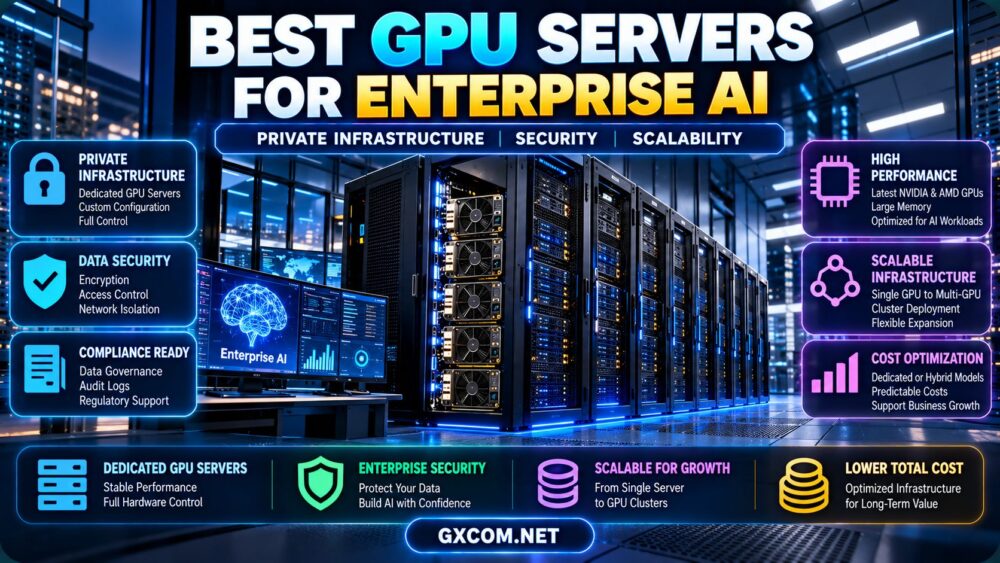
Private GPU infrastructure allows organizations to establish greater control over how AI workloads are deployed and managed.
Depending on the architecture, this may involve dedicated bare-metal servers, isolated network environments, private clusters, or on-premises hardware.
Why Enterprises Consider Private GPU Servers
- Greater control over operating systems and AI software.
- Defined hardware allocation for important workloads.
- Custom network segmentation and access policies.
- Support for organization-specific monitoring and logging.
- Potentially predictable capacity for continuous inference.
- Greater flexibility to implement internal data governance requirements.
However, private infrastructure does not automatically provide data protection. Encryption, authentication, access controls, patching, monitoring, and incident response must still be designed and maintained.
Dedicated Servers vs Private AI Clusters
A dedicated GPU server can support a specific production application or team.
A private GPU cluster combines multiple compute nodes, networking, storage, and workload orchestration into a larger environment.
Clusters can support resource sharing, distributed training, and higher aggregate throughput, but require additional engineering expertise.
For organizations evaluating physical infrastructure, see our bare-metal server providers comparison.
Enterprise AI Security: What GPU Hosting Providers Must Support
Security is a major consideration when choosing the best GPU servers for enterprise AI, especially when models process confidential documents, customer information, financial data, or proprietary research.
Organizations should define their security requirements before evaluating hosting providers.
1. Data Encryption
Review encryption for data at rest and in transit, along with key management, rotation, and access policies.
Where necessary, organizations should evaluate customer-managed encryption keys and documented procedures for deleting sensitive data.
2. Network Isolation
Private networks, firewalls, segmentation, and restricted management interfaces can reduce unnecessary exposure.
However, a private IP address alone is not a complete security architecture.
3. Identity and Access Management
Enterprise GPU environments should support appropriate authentication, role-based access, and administrative controls.
Where supported, integrate infrastructure access with organizational identity systems and enforce least-privilege permissions.
4. Logging and Auditability
Security and operational logs help organizations investigate incidents and demonstrate that required controls are operating.
Relevant logs may include administrative access, configuration changes, workload activity, and security events.
5. Vulnerability and Patch Management
GPU servers include operating systems, drivers, container runtimes, libraries, and AI frameworks.
Each layer requires vulnerability management and a controlled update process.
6. Data Residency and Regulatory Requirements
Organizations should verify where data is stored and processed, whether contractual requirements can be met, and which party is responsible for specific controls.

GDPR, HIPAA, and other regulatory frameworks may apply depending on the organization, jurisdiction, and data involved.
Do not assume that a dedicated server is automatically compliant. Request relevant contractual documentation, security evidence, and independent assessments where necessary.
Choosing GPUs for Enterprise AI Workloads
Different enterprise workloads require different accelerator characteristics.
Some applications prioritize GPU memory, while others depend on compute throughput, numerical precision, video processing capabilities, or multi-GPU communication.
Enterprise LLM Inference
Production language model inference should be evaluated using latency, throughput, concurrent requests, and cost per completed request.
Large models may require high-memory accelerators or multi-GPU deployments.
For production deployment considerations, read our AI inference server hosting guide.
Model Fine-Tuning and Training
Fine-tuning workloads may require additional memory for activations, gradients, and optimizer states.
Full model training can require multiple GPUs and fast interconnects, depending on the model and training method.
Enterprise teams should benchmark representative training jobs rather than selecting hardware solely by peak theoretical compute performance.
Computer Vision and Video AI
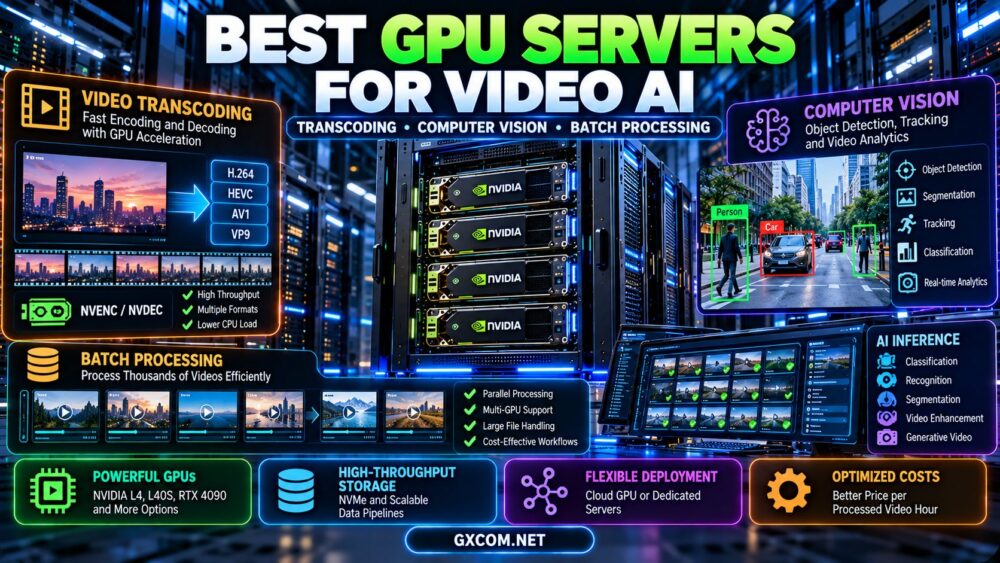
Video analytics and computer vision workloads may benefit from dedicated hardware encoding and decoding engines.
Relevant requirements include video codec support, concurrent streams, preprocessing, and inference throughput.
Retrieval-Augmented Generation
RAG applications combine model inference with retrieval systems, databases, storage, and networking.
GPU performance is only one component of overall application latency and reliability.
NVIDIA vs AMD GPU Servers for Enterprise AI
Enterprise buyers often evaluate NVIDIA data center GPUs alongside AMD Instinct accelerators.
Neither vendor is universally the best choice. Hardware requirements and software compatibility must be considered together.
NVIDIA Data Center GPU Infrastructure
NVIDIA's ecosystem includes CUDA, supported AI libraries, inference tools, and data center accelerators such as the H100, H200, and B200.
These products differ in GPU memory, architecture, power requirements, and system configuration.
Organizations should verify software compatibility, networking, and the actual server platform rather than comparing accelerator names alone.
AMD Instinct GPU Infrastructure
AMD Instinct accelerators provide another path for large-memory AI workloads and accelerated computing.
ROCm compatibility is important for PyTorch, inference frameworks, optimized kernels, and deployment tools.
Enterprises should validate the exact AMD GPU, ROCm release, operating system, and framework versions before committing to production infrastructure.
Which Ecosystem Should an Enterprise Choose?
Evaluate:
- Model and framework compatibility.
- GPU memory requirements.
- Training and inference performance.
- Availability of optimized libraries.
- Operational skills within the organization.
- Provider support and infrastructure costs.
A successful proof of concept on the actual production software stack is more useful than relying only on theoretical hardware specifications.
Scaling Enterprise AI: Single GPU, Multi-GPU, and GPU Clusters
Scalability is one of the defining requirements for enterprise AI infrastructure.
Organizations may begin with one GPU server but later require multiple accelerators, distributed inference, or large training clusters.
Single-GPU Deployment
A single accelerator can be sufficient for smaller models, departmental applications, and early production services.
This approach minimizes infrastructure complexity but creates capacity limits.
Multi-GPU Servers
Multiple GPUs in one server can provide additional compute capacity or enable supported model parallelism.
However, GPU memory does not automatically combine into one universally accessible pool.
Software must manage memory placement and communication between accelerators.
Multi-Node GPU Clusters
Distributed training and large-scale inference may require multiple GPU servers connected by high-performance networks.
Network latency, bandwidth, topology, storage, and distributed software efficiency become increasingly important.
For a deeper explanation of GPU scaling, see our multi-GPU server hosting guide.
When Should Enterprises Scale?
Scale when measured demand exceeds available capacity or when additional resources demonstrably improve performance and reliability.
Before adding GPUs, investigate software bottlenecks, batching, quantization, memory usage, and request scheduling.
Best GPU Servers for Enterprise AI: Provider Options
The following providers represent different infrastructure approaches that enterprise buyers may evaluate.
Provider inclusion is not a claim that a particular GPU model, compliance certification, security control, or enterprise SLA is available under every product.
| Provider | Infrastructure Focus | Enterprise Evaluation Priority |
|---|---|---|
| Cherry Servers | Dedicated and bare-metal infrastructure | GPU availability, hardware control, networking |
| RunPod | Cloud GPU computing | Deployment model, workload flexibility, isolation |
| ServerMania | Dedicated infrastructure | Custom configuration, support, commercial terms |
| DediXLAB | Dedicated server solutions | Hardware specifications, availability, management |
Cherry Servers: Dedicated GPU Infrastructure
Cherry Servers is relevant for enterprises evaluating dedicated GPU and bare-metal infrastructure.
Buyers should verify the exact accelerator, physical allocation, server management responsibilities, private networking options, and contractual service commitments.
For sensitive workloads, request documentation covering security controls, data handling, and incident response before making procurement decisions.
RunPod: Flexible GPU Cloud Capacity
RunPod may be relevant for development environments, AI experimentation, and flexible GPU compute requirements.
Enterprises should verify the exact deployment model, resource isolation, network access, data persistence, administrative controls, and support terms.
Cloud GPU availability does not automatically establish compliance with an organization's security or regulatory requirements.
ServerMania: Dedicated Server Requirements
ServerMania can be considered when evaluating dedicated infrastructure and custom server requirements.
Enterprise buyers should request confirmation of available GPU configurations, network capabilities, hardware replacement procedures, and support commitments.
Do not assume that a standard dedicated server includes a GPU unless the product specification explicitly confirms it.
DediXLAB: Dedicated Infrastructure Evaluation
DediXLAB is another candidate for organizations comparing dedicated server configurations.
Before considering it for enterprise AI, confirm whether suitable GPU-equipped hardware is offered and whether the required networking, storage, management, and support options are available.
Procurement reminder: Request written confirmation of GPU availability, security responsibilities, support arrangements, and contractual terms before placing an order.
Enterprise GPU Hosting Costs and Total Cost of Ownership
The best GPU servers for enterprise AI should be evaluated using total cost of ownership rather than the advertised GPU rental price alone.
Enterprise AI infrastructure can generate costs across compute, networking, storage, software, administration, security, and operational support.
Cloud GPU Cost Components
- Billable GPU compute hours.
- Persistent storage and snapshots.
- Network transfer and connectivity.
- Additional platform services.
- Security and monitoring tools.
- Operational engineering time.
Dedicated GPU Server Cost Components
- Recurring server rental or capital expenditure.
- Setup and provisioning charges.
- Operating system and software licenses.
- Networking and storage.
- Support and hardware maintenance responsibilities.
- Security, monitoring, and backup systems.
- Infrastructure administration.
Illustrative Enterprise GPU Cost Comparison
Assume two hypothetical infrastructure options deliver sufficiently comparable useful performance for a specific workload:
- Cloud GPU compute: $2.00 per billable hour.
- Dedicated GPU server: $900 per month.
The simplified compute-only break-even point is:
$900 / $2.00 = 450 billable hours per month
| Monthly Usage | Cloud GPU Compute | Dedicated Server Base Cost |
|---|---|---|
| 100 hours | $200 | $900 |
| 250 hours | $500 | $900 |
| 450 hours | $900 | $900 |
| 600 hours | $1,200 | $900 |
| 720 hours | $1,440 | $900 |
These are hypothetical figures, not current provider quotations. The example assumes equivalent useful performance and excludes storage, networking, licensing, support, and other operational costs.
In practice, a dedicated server may offer better value for sustained workloads, while cloud GPU infrastructure may remain attractive for variable demand or temporary capacity.
Cost per Completed AI Workload
For production inference, calculate cost per million output tokens or cost per completed request at the required latency.
For training, compare the total cost of completing a reproducible training run.
For video processing, measure cost per processed video hour.
These workload-based metrics provide a more meaningful comparison than GPU hourly pricing alone.
Enterprise AI Procurement Checklist
- Define the workload: Identify inference, training, fine-tuning, video AI, or mixed applications.
- Estimate GPU memory: Include model weights, runtime buffers, and concurrency.
- Confirm hardware allocation: Verify dedicated or virtualized GPU resources.
- Check software compatibility: Validate drivers, frameworks, and application dependencies.
- Review data security: Confirm encryption, access controls, and network isolation.
- Assess compliance: Obtain relevant evidence and contractual documentation.
- Verify networking: Review bandwidth, latency, private connectivity, and transfer charges.
- Evaluate scalability: Understand GPU expansion and multi-node options.
- Review service commitments: Check SLA terms, support coverage, and hardware replacement.
- Calculate total costs: Include compute, storage, networking, administration, and security.
- Test disaster recovery: Validate backups, restoration, and recovery objectives.
- Run a proof of concept: Benchmark the actual application before committing.
Frequently Asked Questions
What are the best GPU servers for enterprise AI?
The best GPU servers for enterprise AI are configurations that meet the organization's model requirements, security policies, performance targets, and operational needs. Dedicated servers, private clusters, and cloud GPU infrastructure can all be appropriate depending on the workload.

Are dedicated GPU servers more secure than cloud GPUs?
Dedicated hardware can provide greater control over resource allocation and system configuration, but security depends on implemented controls. Encryption, access management, network isolation, monitoring, and patching remain essential.
Does private GPU hosting guarantee GDPR or HIPAA compliance?
No. Compliance depends on the complete processing arrangement, applicable laws, contractual obligations, technical safeguards, and organizational procedures. A private server alone is not sufficient.
Should enterprises use NVIDIA or AMD GPUs?
The choice depends on model requirements, software support, available hardware, performance, and total cost. Benchmark the intended workload on a compatible deployment before choosing.
When does an enterprise need a GPU cluster?
A cluster may become necessary when one server cannot meet compute, memory, throughput, or availability requirements. Multi-node deployments also introduce networking and orchestration complexity.
Is bare-metal GPU hosting suitable for private AI?
Bare-metal GPU servers can be useful for private AI infrastructure when the deployment includes appropriate security controls, network design, operational procedures, and contractual protections.
Can enterprise AI use a hybrid GPU architecture?
Yes. Organizations may combine dedicated baseline capacity with cloud GPU resources for temporary workloads or additional demand. Hybrid systems require careful data governance, connectivity, and workload placement.
What is the most important enterprise GPU cost metric?
Cost per completed workload at the required performance and reliability target is often more useful than the lowest advertised hourly GPU rate.
Final Verdict: Best GPU Servers for Enterprise AI
The best GPU servers for enterprise AI must deliver more than raw accelerator performance. Successful enterprise deployments require appropriate GPU memory, secure infrastructure, reliable operations, scalable architecture, and predictable long-term costs.
Dedicated GPU servers can be attractive for stable production workloads that require defined hardware resources and greater system control.
Private GPU clusters may be appropriate for organizations operating large-scale AI platforms, distributed training, or multiple internal workloads.
Cloud GPU infrastructure remains valuable when workloads are variable, experimentation is frequent, or temporary capacity is needed.
Cherry Servers, RunPod, ServerMania, and DediXLAB represent different infrastructure approaches to investigate. Enterprise buyers should confirm exact GPU configurations, security capabilities, support arrangements, and contractual commitments before selecting a provider.
AI WORKLOAD → GPU REQUIREMENTS → PRIVATE INFRASTRUCTURE → SECURITY → SCALABILITY → TOTAL COST → PRODUCTION RELIABILITY
The strongest enterprise AI infrastructure strategy is one that meets today's application requirements while preserving the security, operational control, and flexibility needed for future growth.