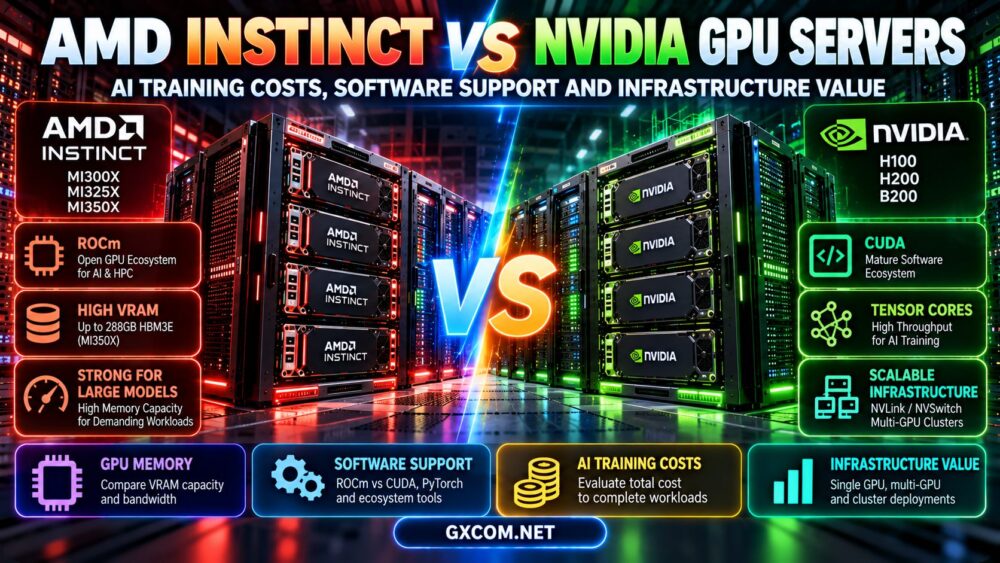
AMD Instinct vs NVIDIA GPU is an increasingly important comparison for businesses choosing AI training servers, cloud GPU instances, and dedicated infrastructure. AMD Instinct accelerators offer high-memory computing options and the ROCm software ecosystem, while NVIDIA data center GPUs benefit from the established CUDA platform and a broad selection of AI development tools. However, the best GPU server for AI training depends on more than hardware specifications or hourly rental prices.
AI teams must consider model compatibility, GPU memory, training precision, interconnect performance, software engineering requirements, and the total cost of completing a workload. A lower-priced GPU may not provide better value if application compatibility problems or slower training increase the time required to finish a project.
This guide compares AMD Instinct and NVIDIA GPU servers across hardware architecture, PyTorch support, software deployment, distributed training, hosting models, and infrastructure economics. It also explains what to verify before selecting a GPU hosting provider.
AMD Instinct vs NVIDIA GPU: Key Differences
AMD and NVIDIA both develop accelerators for demanding AI and high-performance computing workloads. Their products differ in architecture, memory configurations, software ecosystems, and supported system designs.
| Factor | AMD Instinct GPU Servers | NVIDIA GPU Servers |
|---|---|---|
| GPU architecture | CDNA family in Instinct accelerators | Hopper, Blackwell, and other supported architectures |
| Primary software platform | ROCm and HIP | CUDA |
| PyTorch | Supported through compatible ROCm builds | Supported through compatible CUDA builds |
| GPU memory | High-memory options on selected Instinct models | Varies across H100, H200, B200, and other products |
| Training precision | Depends on Instinct generation and software | Depends on Tensor Core generation and software |
| Multi-GPU connectivity | Architecture- and system-specific GPU interconnects | PCIe, NVLink, NVSwitch in supported configurations |
| Deployment challenge | Verify ROCm support across the application stack | Verify CUDA, driver, and library compatibility |
| Best purchasing metric | Cost per successfully completed workload | Cost per successfully completed workload |
Neither platform is universally superior. A successful comparison requires equivalent training objectives, compatible software, and representative system configurations.
AMD Instinct GPU Architecture for AI Training
AMD Instinct accelerators are designed for demanding compute workloads, including AI training, inference, and scientific computing.
Different generations use different CDNA architectures and support different memory technologies, numerical formats, and system interconnect capabilities.
AMD Instinct MI300X
The MI300X is a CDNA 3 accelerator with 192GB of HBM3 memory. Its substantial memory capacity makes it relevant to workloads where fitting a larger model or batch on one accelerator is valuable.
However, available memory alone does not determine training performance. Framework support, kernels, bandwidth, and the complete server design still matter.
AMD Instinct MI325X
The MI325X builds on the CDNA 3 family and offers 256GB of HBM3E memory.
It may be attractive for memory-intensive AI workloads, but the actual benefit over MI300X depends on the model, software optimization, and system configuration.
AMD Instinct MI350X and Newer Generations
The MI350X belongs to AMD's CDNA 4 generation and provides 288GB of HBM3E memory.
Newer architecture support and additional memory can be valuable, but organizations must confirm that their chosen ROCm release and AI frameworks support the exact accelerator.
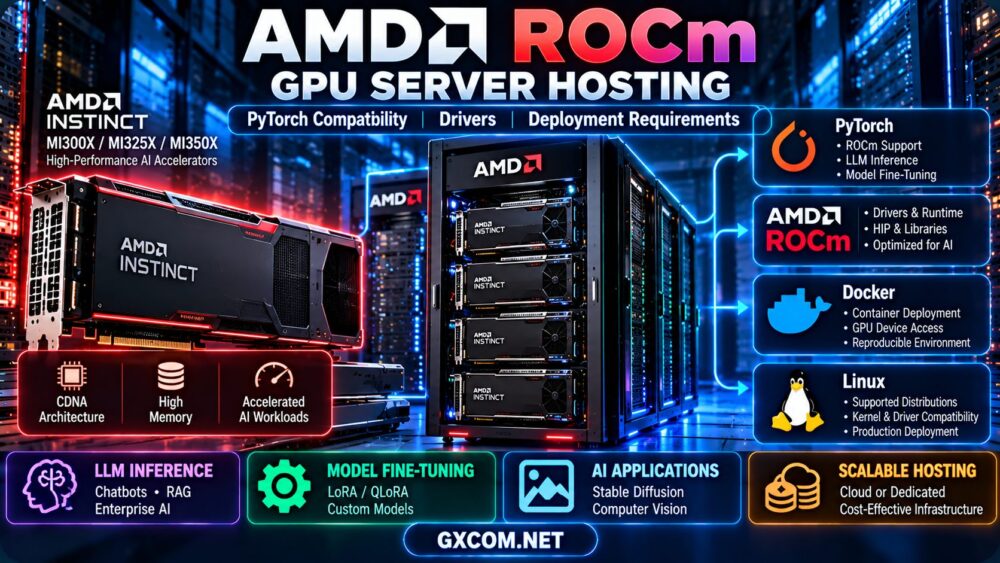
For a closer hardware comparison, see our AMD Instinct MI300X vs MI325X vs MI350X server comparison.
NVIDIA GPU Architecture for AI Training
NVIDIA offers data center accelerators designed for large-scale AI workloads, including the H100, H200, and B200.
These GPUs differ in architecture, memory capacity, supported precision formats, and system-level connectivity.
NVIDIA H100
H100 uses NVIDIA's Hopper architecture and is available in multiple form factors and configurations.
Common H100 configurations provide 80GB of HBM memory, but memory bandwidth, power, and interconnect capabilities depend on the specific product.
NVIDIA H200
H200 also belongs to the Hopper family and offers 141GB of HBM3E memory in common configurations.
Its additional memory capacity and bandwidth can benefit workloads that are constrained by GPU memory, although gains vary by application.
NVIDIA B200
B200 uses NVIDIA's Blackwell architecture and provides 180GB of HBM3E memory per GPU in its data center configuration.
Blackwell platforms introduce architectural changes and supported numerical formats that can benefit optimized AI workloads.
However, buyers should compare complete systems rather than assuming that any B200 server provides identical connectivity or performance.
For additional specifications, read our NVIDIA H100 vs H200 vs B200 server comparison.
AMD Instinct vs NVIDIA GPU Memory Comparison
GPU memory capacity can determine whether a model fits on one accelerator, requires sharding, or needs a multi-GPU system.
| GPU Model | Memory | Architecture |
|---|---|---|
| AMD Instinct MI300X | 192GB HBM3 | CDNA 3 |
| AMD Instinct MI325X | 256GB HBM3E | CDNA 3 |
| AMD Instinct MI350X | 288GB HBM3E | CDNA 4 |
| NVIDIA H100 | 80GB in common configurations | Hopper |
| NVIDIA H200 | 141GB HBM3E in common configurations | Hopper |
| NVIDIA B200 | 180GB HBM3E | Blackwell |
These figures describe representative accelerator specifications, not complete server configurations. Product variants, available memory, and system-level characteristics must be checked before purchase.
Why More VRAM Does Not Automatically Mean Faster Training
Training performance depends on GPU compute throughput, memory bandwidth, numerical precision, kernel optimization, batch size, and communication overhead.
A GPU with more memory may reduce the need for model partitioning, but a different accelerator may complete a smaller compatible workload faster.
Model Weights Are Only Part of Training Memory
Full-parameter training also requires memory for gradients, optimizer states, activations, and temporary workspaces.
For example, a 70-billion-parameter model stored at 16-bit precision requires approximately 140GB for parameter values alone, using decimal units.
This estimate excludes other training memory requirements and does not imply that the model can be fully trained on a single GPU with slightly more than 140GB of memory.
ROCm vs CUDA: Software Support Compared
Software compatibility is one of the most important factors in the AMD Instinct vs NVIDIA GPU decision.
NVIDIA's CUDA platform and AMD's ROCm platform provide different software ecosystems for accelerated computing.
NVIDIA CUDA Ecosystem
CUDA includes programming interfaces, development tools, libraries, and runtime components used by supported GPU applications.
Many AI projects provide CUDA-focused installation instructions, optimized kernels, and deployment examples.
However, CUDA compatibility still depends on the exact GPU, driver, framework build, and application requirements.
AMD ROCm Ecosystem
ROCm provides AMD's GPU computing software stack, including HIP and supporting libraries.

Compatible PyTorch builds can execute supported workloads on AMD accelerators.
ROCm has become an important alternative for organizations considering AMD Instinct infrastructure, but support for individual extensions and optimized AI kernels must be verified.
Can CUDA Applications Run on AMD GPUs?
Not automatically.
Some applications use portable framework operations and can run on both platforms with compatible builds. Others depend on CUDA-specific libraries, custom kernels, or extensions that require adaptation.
HIP can assist with certain porting workflows, but it does not guarantee that every CUDA application can run unchanged on AMD hardware.
Software Compatibility Checklist
- Does the framework support the exact GPU architecture?
- Is the required PyTorch build available?
- Are custom kernels compatible?
- Does the training framework support the required numerical precision?
- Are quantization and optimization libraries supported?
- Can the application run inside the intended container environment?
- Are distributed communication libraries compatible?
For installation and deployment considerations, read our AMD ROCm GPU server hosting guide.
PyTorch Compatibility: AMD vs NVIDIA GPU Servers
PyTorch supports GPU acceleration through compatible CUDA and ROCm builds.
For NVIDIA deployments, users typically select a PyTorch build compatible with the intended CUDA runtime and driver environment.
For AMD deployments, users must choose a supported ROCm-enabled build and verify the GPU, driver, and operating system combination.
Basic PyTorch GPU Validation
A simple validation script can help confirm that PyTorch detects an available GPU:
import torch

print("PyTorch version:", torch.__version__)
print("CUDA build:", torch.version.cuda)
print("ROCm/HIP build:", torch.version.hip)
print("GPU available:", torch.cuda.is_available())

if torch.cuda.is_available():
    print("Device:", torch.cuda.get_device_name(0))
    x = torch.randn(1024, 1024, device="cuda")
    y = torch.matmul(x, x)
    print("Output:", y.shape)
PyTorch's torch.cuda interface is also used by ROCm-enabled builds. Therefore, the presence of torch.cuda does not necessarily indicate an NVIDIA GPU.
Successful device detection is only the first step. Teams should run the actual model, training method, and required extensions before committing to production.
AI Training Performance: What Should You Benchmark?
Comparing AMD and NVIDIA accelerators using theoretical TFLOPS alone can be misleading.
Training performance is influenced by the complete application and server configuration.
Measure Useful Training Throughput
Depending on the workload, useful metrics include:
- Training tokens processed per second.
- Samples processed per second.
- Time required to complete an epoch.
- Time required to reach a defined validation target.
- GPU utilization and memory consumption.
- Communication overhead during distributed training.
Use Equivalent Test Conditions
A meaningful comparison should use the same model, dataset, training objective, precision policy, and acceptable output quality.
Batch size, optimizer configuration, gradient accumulation, and framework version should be controlled or documented.
Otherwise, apparent GPU performance differences may actually reflect different software settings.
Account for Software Optimization
A model may use highly optimized kernels on one platform but less mature implementations on another.
Application performance can improve as framework support changes, so benchmark results should include software versions and test dates.
AMD Instinct vs NVIDIA GPU for Distributed Training
Large training jobs may require multiple GPUs within one server or across multiple nodes.
Distributed training introduces communication, memory management, and orchestration requirements that go beyond the capabilities of an individual accelerator.
AMD Multi-GPU Infrastructure
AMD Instinct platforms can use supported high-bandwidth GPU interconnect technologies and distributed communication libraries.
However, the topology depends on the exact accelerator generation and server design.
Buyers should confirm whether the proposed system supports the required collective communication operations and framework configuration.
NVIDIA Multi-GPU Infrastructure
NVIDIA systems may use PCIe, NVLink, NVSwitch, and high-performance network technologies, depending on the platform.
NCCL is commonly used for supported distributed communication workloads.
Not every NVIDIA GPU server includes NVLink or NVSwitch, and these technologies should not be assumed from the accelerator name alone.
Multi-Node Networking
Distributed AI training can be limited by communication between nodes.
Important considerations include:
- Inter-node network bandwidth.
- Latency and congestion.
- RDMA support where required.
- GPU-to-GPU topology.
- Storage and checkpoint throughput.
- Distributed framework compatibility.
For infrastructure planning, see our multi-GPU server hosting guide.
AMD Instinct vs NVIDIA GPU: AI Training Costs
The AMD Instinct vs NVIDIA GPU cost comparison should focus on the total expense of completing a training workload rather than the lowest advertised hourly rate.
Cloud GPU pricing and dedicated server costs vary by provider, accelerator, region, availability, contract, and infrastructure configuration.
Calculate Cost per Completed Training Run
A practical formula is:
Total training cost = billable compute + storage + networking + software + recovery + attributable engineering and operations
For two GPU platforms, compare the total cost required to reach the same training objective and acceptable model quality.
Illustrative AMD vs NVIDIA Cost Example
Assume two hypothetical GPU server configurations complete an equivalent training workload.
| Metric | Hypothetical AMD Server | Hypothetical NVIDIA Server |
|---|---|---|
| Hourly compute rate | $2.50 | $3.50 |
| Training completion time | 60 hours | 40 hours |
| Compute cost | $150 | $140 |
These are hypothetical calculations, not real supplier prices, product benchmarks, or claims about AMD and NVIDIA performance.
In this illustration, the NVIDIA option has a higher hourly price but a lower total compute cost because it finishes the workload faster.
Different assumptions could produce the opposite result.
When Higher-Memory GPUs Can Improve Economics
A GPU with more memory may allow a workload to run with less model partitioning, reduced offloading, or a larger effective batch size.
These benefits can reduce operational complexity or improve throughput in some applications.
However, more memory does not guarantee lower total cost. The workload must be benchmarked.
Engineering Costs Matter
If a workload depends heavily on CUDA-specific extensions, adapting it to ROCm may require additional development and testing.
Conversely, an application already validated on ROCm may not incur those migration costs.
Include software porting, troubleshooting, framework updates, and maintenance when comparing infrastructure value.
Cloud vs Dedicated AMD and NVIDIA GPU Servers
Organizations can rent AMD or NVIDIA GPU infrastructure through different deployment models, subject to provider availability.
| Factor | Cloud GPU | Dedicated GPU Server |
|---|---|---|
| Billing | Often usage-based | Often monthly or contract-based |
| Provisioning | May support flexible deployment | Depends on hardware availability |
| Driver control | Depends on service model | May allow greater host control |
| GPU topology | Must verify instance configuration | Must verify physical server design |
| Best starting fit | Experiments and variable demand | Sustained or customized workloads |
Cloud infrastructure can be attractive for experimentation, while dedicated GPU servers may be appropriate for sustained workloads requiring defined hardware allocation.
Neither model guarantees lower costs or better performance without examining utilization, workload completion time, and service terms.
GPU Hosting Providers to Compare
When comparing AMD Instinct and NVIDIA GPU servers, evaluate hosting providers based on verified hardware availability, software compatibility, infrastructure controls, and commercial terms.
The following providers represent different purchasing models. Inclusion does not establish that every provider currently offers both AMD Instinct and NVIDIA data center GPUs.
Cherry Servers: Dedicated GPU Infrastructure
Cherry Servers is relevant for organizations evaluating dedicated GPU and bare-metal infrastructure.
Before ordering, confirm the exact accelerator, GPU memory, interconnect topology, operating system support, networking, and hardware management responsibilities.
For sustained training, compare the recurring cost against the useful training throughput of equivalent cloud alternatives.
RunPod: Cloud GPU Development and Testing
RunPod is relevant for developers comparing GPU cloud environments and flexible compute resources.
Check the current GPU catalog, software image compatibility, storage persistence, and allocation model.
For an AMD-versus-NVIDIA comparison, first verify whether the required AMD accelerator is actually offered in the selected product.
Vast.ai: GPU Marketplace Comparison
Vast.ai provides marketplace-based GPU compute options with varying hardware configurations and host conditions.
Buyers should compare exact GPU models, memory, host reliability, storage, network specifications, and software compatibility.
A low rental rate should not outweigh significant uncertainty about whether the application can complete successfully.
GPU Mart: GPU Server Configuration Evaluation
GPU Mart can be considered when evaluating GPU server configurations and dedicated computing requirements.
Request written confirmation of the accelerator model, Linux and driver support, administrative access, and available storage and networking resources.
Do not assume that a general GPU hosting offer includes a specific AMD Instinct or NVIDIA data center product.
ServerMania: Dedicated Infrastructure Planning
ServerMania is relevant when investigating dedicated servers and customized infrastructure requirements.
For AI workloads, verify whether suitable GPU-equipped configurations are available and whether the server meets the required memory, networking, software, and support specifications.
Procurement rule: Verify exact GPU inventory, driver access, deployment location, service terms, and cluster features before purchasing. Product availability and pricing can change.
Which GPU Platform Is Better for Different AI Workloads?
| Workload | Primary Evaluation Priority | Suggested Approach |
|---|---|---|
| LLM fine-tuning | VRAM, framework compatibility, optimizer support | Benchmark supported AMD and NVIDIA options |
| Large-model inference | Memory capacity, latency, throughput | Compare cost per completed request |
| Full model training | Compute, memory, communication, reliability | Evaluate complete multi-GPU systems |
| Research experimentation | Software flexibility, setup time, rental economics | Start with compatible cloud resources |
| Production enterprise AI | Security, reliability, operational support | Compare private, dedicated, and cloud options |
| Distributed training | GPU topology, networking, collective communication | Benchmark representative cluster configurations |
These are evaluation guidelines, not universal recommendations for one GPU manufacturer.

AMD vs NVIDIA GPU Server Buying Checklist
- Define the workload: Identify training, fine-tuning, inference, or mixed requirements.
- Estimate GPU memory: Include model parameters, optimizer states, gradients, and activations.
- Verify software support: Confirm CUDA or ROCm compatibility for the actual application.
- Check framework versions: Validate PyTorch and required extensions.
- Review numerical precision: Ensure the accelerator supports the required formats.
- Inspect GPU topology: Confirm multi-GPU interconnect capabilities.
- Evaluate networking: Check distributed communication requirements.
- Benchmark the workload: Measure useful throughput and completion time.
- Include engineering effort: Account for migration and maintenance costs.
- Review hosting terms: Confirm availability, support, billing, and operational responsibilities.
- Calculate total cost: Compare equivalent completed workloads.
- Test recovery: Validate checkpoints, backups, and restart procedures.
Frequently Asked Questions
Is AMD Instinct better than NVIDIA for AI training?
Neither platform is universally better. The right choice depends on GPU memory, model compatibility, software optimization, training throughput, infrastructure requirements, and total cost.
Are AMD Instinct GPUs cheaper than NVIDIA GPUs?
Not necessarily. Rental prices vary by provider, configuration, and availability. A lower hourly rate may not result in lower training costs if completion time or engineering overhead increases.
Does PyTorch support AMD Instinct GPUs?
Yes, PyTorch supports compatible AMD GPUs through ROCm-enabled builds. The exact accelerator, ROCm release, driver, operating system, and framework version must be supported.
Can CUDA software run directly on AMD GPUs?
Not universally. Some framework-level workloads can run on both platforms, while CUDA-specific applications or extensions may require porting or alternative implementations.
Why do AMD Instinct GPUs have so much memory?
High memory capacity can support large models, bigger working sets, and certain memory-intensive AI workloads. However, useful performance also depends on compute throughput, bandwidth, software, and communication.
Is NVIDIA CUDA more compatible with AI software than ROCm?
Many AI applications have extensive CUDA-focused tooling and optimized implementations. ROCm supports a growing range of AI workloads, but compatibility should be evaluated at the level of the exact application and software version.
Which GPU is better for LLM fine-tuning?
Choose based on the model size, training method, available VRAM, supported quantization libraries, optimizer compatibility, and measured cost per completed fine-tuning run.
Do AMD and NVIDIA GPU clusters use the same networking?
Both may use high-performance networking technologies, but GPU interconnects, communication libraries, and supported system architectures differ. Verify the complete cluster design.
Should businesses rent AMD or NVIDIA dedicated GPU servers?
Businesses should compare validated workload performance, operational control, provider support, software compatibility, and long-term infrastructure costs before choosing.
What is the best way to compare AMD and NVIDIA AI training costs?
Run equivalent training workloads and calculate the total cost to reach the same objective, including compute, storage, networking, recovery, and engineering effort.
Final Verdict: AMD Instinct vs NVIDIA GPU Servers
The AMD Instinct vs NVIDIA GPU decision is ultimately about infrastructure value, not brand preference.
AMD Instinct deserves consideration for compatible AI workloads that benefit from high GPU memory capacity and the ROCm software ecosystem.
NVIDIA GPU servers remain important options for teams relying on CUDA-based applications, optimized libraries, and supported data center training platforms.
However, neither higher VRAM nor a larger theoretical performance figure guarantees better economics.
Organizations should validate the actual software stack, benchmark representative training workloads, inspect multi-GPU connectivity, and compare total completion costs.
Cherry Servers, RunPod, Vast.ai, GPU Mart, and ServerMania represent different GPU infrastructure options to investigate, subject to current product availability and technical requirements.
AI WORKLOAD → GPU MEMORY → CUDA OR ROCm → SOFTWARE COMPATIBILITY → TRAINING PERFORMANCE → TOTAL COST → INFRASTRUCTURE VALUE
The best GPU server is the one that reliably completes the intended AI workload with acceptable performance, operational complexity, and long-term cost.