AMD ROCm GPU server hosting is becoming an important consideration for developers and businesses deploying AI workloads on AMD accelerators. However, choosing an AMD GPU server involves more than comparing GPU memory, theoretical performance, and rental costs. The operating system, AMDGPU driver, ROCm software stack, PyTorch build, container runtime, and application libraries must all work together.
A powerful AMD Instinct GPU cannot deliver useful AI performance if the software environment does not recognize the accelerator or the required framework lacks support for its architecture.
This guide explains how ROCm works, which compatibility checks matter, how to validate PyTorch GPU access, and what to ask a hosting provider before renting an AMD GPU server. It also examines infrastructure considerations for cloud GPU environments, dedicated servers, and production AI workloads.
What Is AMD ROCm GPU Server Hosting?
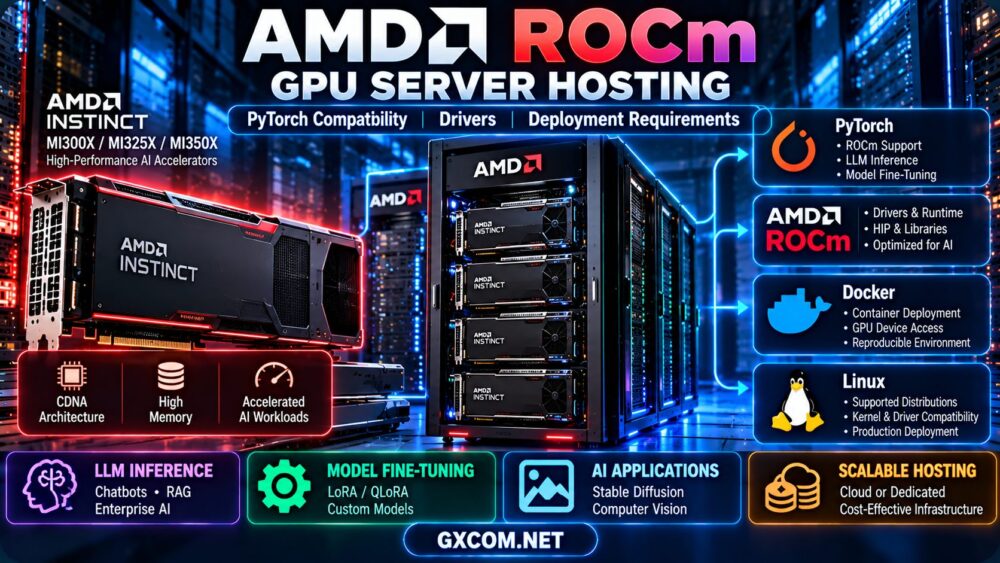
AMD ROCm is an open software platform for GPU-accelerated computing. It includes programming tools, runtime components, libraries, and integrations used by supported machine learning and high-performance computing applications.
In an AMD GPU hosting environment, ROCm provides the software foundation that allows compatible frameworks to execute supported operations on AMD accelerators.
For AI developers, the most important components typically include:
- AMDGPU kernel driver: Provides the operating system's interface to supported AMD graphics and compute hardware.
- ROCm runtime: Supplies GPU compute runtime functionality and supporting software components.
- HIP: AMD's programming interface and portability framework for GPU computing.
- rocBLAS and related libraries: Accelerate supported mathematical and machine learning operations.
- PyTorch with ROCm support: Enables compatible PyTorch workloads to use AMD GPU acceleration.
- Container tooling: Helps package and reproduce application environments.
ROCm is not simply an AMD equivalent of installing a graphics driver. It is a coordinated software environment whose components must match the selected hardware and operating system.
AMD ROCm GPU Server Hosting: Compatibility Checklist
Before ordering AMD ROCm GPU server hosting, validate the complete hardware and software stack.
| Component | What to Verify | Why It Matters |
|---|---|---|
| GPU model | Exact AMD Instinct or Radeon accelerator | ROCm support differs by GPU |
| GPU architecture | Supported target such as gfx942 or gfx950 | Compiled kernels may require architecture support |
| Operating system | Supported Linux distribution and release | Driver and ROCm compatibility |
| Kernel and driver | Compatible AMDGPU driver stack | Hardware access and runtime stability |
| ROCm release | Supported release for the GPU and OS | Library and framework integration |
| PyTorch build | ROCm-enabled wheel or container | GPU acceleration inside PyTorch |
| Container access | Required device nodes and permissions | GPU visibility inside containers |
| AI application | Supported kernels, extensions, and libraries | Successful inference or training |
The correct order is to select a supported GPU and operating system combination, confirm driver compatibility, choose a matching ROCm release, and then install the appropriate AI framework.
For official requirements, consult the AMD ROCm compatibility matrix before deployment.
Which AMD GPUs Support ROCm for AI Servers?
AMD Instinct accelerators are important options for enterprise AI, large language models, and high-performance computing.
However, buyers must distinguish general ROCm support from support for a specific software release.
| AMD GPU | Architecture | GPU Target | Deployment Consideration |
|---|---|---|---|
| Instinct MI210 | CDNA 2 | gfx90a | Check supported ROCm and OS combinations |
| Instinct MI250X | CDNA 2 | gfx90a | Validate multi-GPU and framework requirements |
| Instinct MI300X | CDNA 3 | gfx942 | Relevant for large-memory AI workloads |
| Instinct MI325X | CDNA 3 | gfx942 | Verify release-specific OS and driver support |
| Instinct MI350X | CDNA 4 | gfx950 | Requires a compatible newer ROCm stack |
| Instinct MI355X | CDNA 4 | gfx950 | Validate framework and optimized kernel support |
This table identifies architecture families, not a universal compatibility guarantee. Check the current official matrix for the exact GPU, ROCm version, and operating system.
AMD Radeon GPUs require additional care. A Radeon card that works for graphics is not automatically supported for every ROCm compute workflow or enterprise deployment.
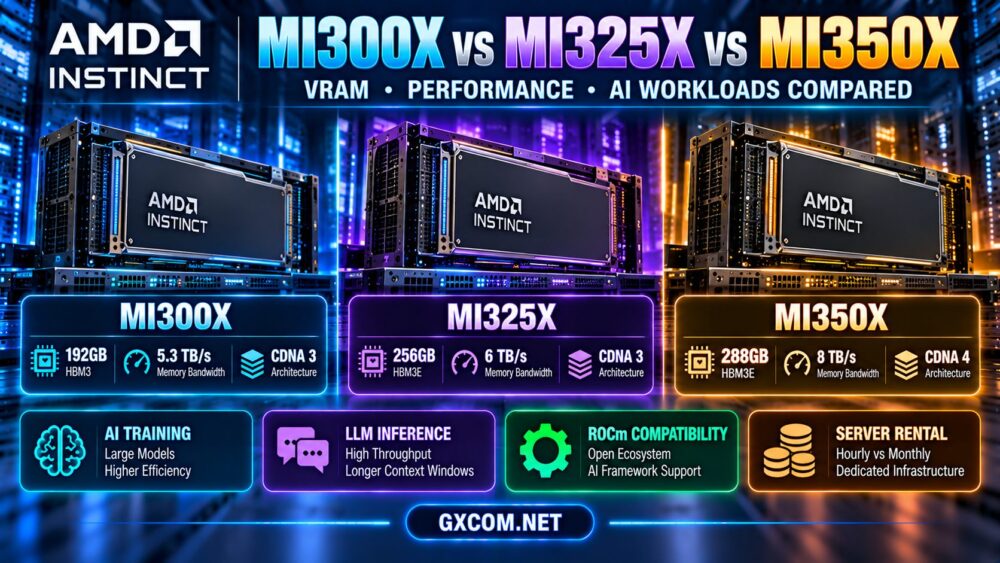
For a comparison of high-memory AMD accelerators, read our AMD Instinct MI300X vs MI325X vs MI350X server comparison.
ROCm Operating System and Driver Requirements
Linux is a central deployment environment for ROCm-based AI infrastructure. Supported distributions and kernel versions depend on the selected ROCm release and accelerator.
Choose a Supported Linux Distribution
AMD documents support for specific releases of distributions such as Ubuntu, Red Hat Enterprise Linux, and other Linux environments, depending on the hardware and ROCm version.
Do not assume that every Ubuntu, Debian, Rocky Linux, or RHEL version is supported simply because the distribution name appears in ROCm documentation.
Before provisioning a server, record:
- The exact Linux distribution and release.
- The installed kernel version.
- The AMDGPU driver version.
- The target ROCm release.
- The accelerator model and GPU architecture.
Understand Driver and ROCm Version Compatibility
The AMDGPU kernel driver and ROCm user-space components are related but separately versioned.
Some combinations offer supported compatibility across releases, but the acceptable range must be confirmed in AMD's published driver compatibility documentation.
Installing a newer ROCm runtime without checking the host driver may produce initialization errors or unsupported configurations.
Useful Linux Inspection Commands
cat /etc/os-release
uname -r
lspci | grep -i amd
ls -l /dev/kfd /dev/dri
These commands help identify the operating system, kernel, detected hardware, and relevant GPU device nodes. They do not independently prove that the full ROCm stack is working.
AMD ROCm GPU Server Hosting With PyTorch
One of the most important questions in AMD ROCm GPU server hosting is whether PyTorch can successfully execute the intended workload on the selected AMD GPU.
PyTorch supports ROCm-enabled builds for compatible hardware and software environments.
However, an ordinary CPU-only installation or a build intended for another acceleration platform may not provide AMD GPU access.

Install a Compatible PyTorch Build
Use the official PyTorch installation instructions or an AMD-supported container corresponding to the selected ROCm release.
Do not assume that a generic pip installation automatically installs the correct ROCm-enabled build.
The exact installation command can change as ROCm and PyTorch releases evolve. Select the supported combination first, then follow its published instructions.
Verify GPU Access in PyTorch
After installation, run a basic Python test:
import torch

print("PyTorch:", torch.__version__)
print("ROCm/HIP:", torch.version.hip)
print("GPU available:", torch.cuda.is_available())

if torch.cuda.is_available():
    print("GPU:", torch.cuda.get_device_name(0))
    x = torch.randn(1024, 1024, device="cuda")
    y = torch.matmul(x, x)
    print("Result:", y.shape)
PyTorch uses the torch.cuda interface for supported ROCm backends as well as CUDA. Seeing this interface in ROCm-enabled PyTorch is expected and does not mean the application is necessarily running on an NVIDIA GPU.
A successful test should show a ROCm/HIP version, detect a GPU, and complete the matrix multiplication without errors.
Even then, production readiness requires testing the actual model and application libraries.
Why PyTorch Can Detect a GPU but an Application Still Fails
Basic GPU detection confirms only part of the environment.
Application failures can result from unsupported custom kernels, incompatible compiled extensions, missing optimized libraries, or assumptions that certain operations are CUDA-specific.
For this reason, teams should validate the complete training or inference pipeline rather than stopping after a successful device detection test.
Docker and Container Deployment for ROCm GPU Servers
Containers can simplify dependency management and make AI deployments more reproducible.
However, a ROCm container still depends on compatible host hardware, drivers, and device access.
Container Requirements
Typical Linux ROCm container deployments require access to relevant GPU device nodes, including:
/dev/kfdfor compute access./dev/drifor GPU device interfaces.
Container permissions and security policies must also allow the required GPU operations.
Illustrative Docker Configuration
docker run --rm -it \
  --device=/dev/kfd \
  --device=/dev/dri \
  --group-add video \
  --group-add render \
  <compatible-rocm-image>
This is an illustrative command, not a complete production deployment. Replace the image placeholder with an appropriate official image and verify device permissions, group mappings, driver compatibility, and security requirements. Group names and IDs may differ across systems.
A container cannot resolve an unsupported GPU architecture or an incompatible host driver merely by including newer ROCm libraries.
Production Container Practices
- Pin container images to tested versions.
- Use the minimum necessary device permissions.
- Keep application dependencies reproducible.
- Validate GPU access after container updates.
- Monitor memory utilization and application failures.
- Test rollback procedures before production upgrades.
Common ROCm and PyTorch Errors on GPU Servers
Compatibility problems are a major source of deployment delays for AMD GPU hosting.
| Problem | Possible Cause | Recommended Check |
|---|---|---|
| PyTorch cannot find the GPU | CPU-only build, driver issue, or missing device access | Check PyTorch build, ROCm, and device nodes |
| Unsupported GPU architecture | Framework or kernel lacks target support | Check GPU target and supported releases |
| ROCm initialization failure | Driver/runtime mismatch or permission problem | Inspect host driver and ROCm compatibility |
| Container works on one server but not another | Different GPU, driver, or host configuration | Compare complete environment versions |
| Model loads but inference fails | Unsupported operation or extension | Test framework kernels and model dependencies |
| Out-of-memory error | Model or runtime exceeds available VRAM | Review model size, precision, and memory usage |
| Unexpectedly low throughput | Unoptimized kernels or system bottlenecks | Profile the complete application |
Check the GPU With ROCm Tools
Depending on the installed ROCm environment, useful tools may include:
rocminfo
amd-smi list
amd-smi monitor
Tool availability and command syntax can vary by software version. Consult the documentation for the installed release.
If the operating system detects the GPU but ROCm tools cannot access it, investigate driver support, permissions, and the selected ROCm version before changing application code.
ROCm for LLM Inference and Fine-Tuning
AMD GPU servers can be relevant for language model inference and training when the required frameworks, libraries, and accelerator architectures are supported.
LLM Inference
Production inference requires more than enough GPU memory for model weights.
Applications also need runtime memory for attention caches, batching, temporary buffers, and concurrent requests.
ROCm compatibility should be checked for the exact serving engine and model architecture. Support for PyTorch does not automatically guarantee that every inference optimization is available.
Our AI inference server hosting guide covers memory, latency, throughput, and cost considerations.
LoRA and QLoRA Fine-Tuning
Parameter-efficient fine-tuning methods can reduce some training memory requirements compared with full-parameter training.
However, the complete software stack must support the chosen quantization method, optimizer, and training libraries.
Some workflows rely on extensions whose GPU support differs between ROCm and CUDA environments.
For practical memory planning, read our LLM fine-tuning GPU requirements guide.
Framework Support Is Not the Same as Model Support
When evaluating AMD GPU infrastructure, distinguish among:
- Official support for the physical GPU.
- Compatibility with the ROCm release.
- Support in the installed PyTorch build.
- Compatibility with the inference or training framework.
- Availability of optimized kernels for the specific model.
Each layer can affect successful deployment and useful performance.
Cloud vs Dedicated AMD ROCm GPU Server Hosting
Both cloud GPU infrastructure and dedicated GPU servers can support AMD-based AI workloads when the selected product provides compatible hardware and software access.
| Factor | Cloud GPU Hosting | Dedicated GPU Hosting |
|---|---|---|
| Provisioning | May offer flexible deployment | Typically provisions defined hardware |
| Driver control | Depends on provider and instance type | Often greater host-level control |
| GPU access | Varies by virtualization and allocation | Defined physical resources, subject to terms |
| ROCm environment | May use predefined images or containers | May permit customized installation |
| Billing | Often usage-based | Often recurring or contract-based |
| Best starting fit | Experiments and variable demand | Stable workloads and custom environments |
The most important question is whether the hosting environment gives the customer the access needed to deploy and maintain a supported ROCm stack.
For startups comparing infrastructure models, see our cloud vs dedicated GPU servers for AI startups comparison.
AMD ROCm GPU Hosting Providers: What to Compare
When evaluating AMD ROCm GPU server hosting, select providers based on the exact hardware and software requirements of the workload rather than generic GPU hosting claims.
The following providers represent different infrastructure models to investigate. Inclusion does not establish that a particular AMD Instinct model or ROCm-ready image is currently available.
Cherry Servers: Dedicated Infrastructure Evaluation
Cherry Servers is relevant for organizations considering dedicated GPU infrastructure and greater control over server configuration.
Ask whether the required AMD accelerator is available and whether the operating system, driver installation, and administrative access meet the application's requirements.
RunPod: Cloud GPU Development Environments
RunPod is relevant for developers evaluating flexible GPU cloud environments and container-based AI workflows.
Before selecting a deployment, confirm the exact AMD GPU model, current availability, ROCm compatibility, and supported software images. General cloud GPU availability does not imply AMD hardware availability.
GPU Mart: GPU Server Configuration Requirements
GPU Mart can be considered for GPU-oriented server hosting requirements.
Request confirmation of the exact AMD accelerator, Linux distribution, driver support, and whether the customer can manage the necessary ROCm software components.
Vast.ai: Marketplace GPU Infrastructure
Vast.ai provides marketplace-based GPU compute where individual hardware listings and host environments may differ.
For ROCm workloads, verify that a suitable AMD GPU listing actually exists and that the host environment provides the required driver and device access.
Important: Do not purchase a GPU server for ROCm workloads until the provider confirms the physical accelerator, compatible operating system, driver environment, and required administrative or container access.
AMD ROCm GPU Server Hosting Costs and Hidden Requirements
The total cost of AMD ROCm GPU server hosting includes more than the advertised rental price.
Compatibility problems, deployment delays, unsupported libraries, and inefficient kernels can increase the effective cost of completing an AI workload.
Cost Factors to Consider
- GPU compute rental or recurring server charges.
- Persistent storage and dataset transfer.
- Operating system and software administration.
- Framework compatibility testing.
- Model optimization and engineering time.
- Monitoring, recovery, and operational support.
- GPU utilization and useful application throughput.
Calculate Cost per Completed Workload
Cost per completed workload = total attributable infrastructure and operational cost / successfully completed workloads
For LLM inference, this can be expressed as cost per million output tokens at a defined latency and quality target.

For training, teams may compare the total cost required to complete a reproducible training run.
A lower hourly GPU rental price is not automatically better if compatibility problems or slower application throughput increase total execution time.
Production Deployment Checklist for AMD ROCm Servers
- Confirm the GPU model: Identify the exact AMD Instinct or supported Radeon accelerator.
- Verify the GPU target: Check the architecture identifier against ROCm support documentation.
- Select a supported operating system: Match the exact distribution and release.
- Check the AMDGPU driver: Confirm compatibility with the selected ROCm software stack.
- Choose a supported ROCm release: Avoid arbitrary version combinations.
- Install a matching PyTorch build: Use official instructions or a compatible container.
- Verify GPU access: Test device visibility and execute a basic GPU operation.
- Validate application libraries: Check inference engines, custom kernels, and extensions.
- Benchmark the real workload: Measure throughput, latency, memory usage, and errors.
- Review security and operations: Pin versions, restrict device permissions, and test rollback procedures.
Frequently Asked Questions
What is AMD ROCm GPU server hosting?
AMD ROCm GPU server hosting provides access to supported AMD GPU hardware in an environment where compatible drivers, ROCm components, and AI frameworks can be deployed for accelerated computing.
Does PyTorch work with AMD ROCm?
Yes. PyTorch supports ROCm-enabled builds for compatible AMD hardware and software environments. The exact GPU, ROCm release, PyTorch build, and operating system must be supported.
Why does PyTorch use torch.cuda with AMD GPUs?
PyTorch uses its established CUDA-style device interface for ROCm-enabled builds. Applications can use torch.cuda functions while executing on a supported AMD GPU.
Does every AMD GPU support ROCm?
No. Official support depends on the GPU model, architecture, ROCm release, and operating system. Always consult AMD's compatibility matrix.
Can ROCm run inside Docker?
Yes, on supported Linux environments with compatible host drivers, device access, permissions, and container images. Containers do not eliminate host-level compatibility requirements.
Is AMD ROCm suitable for LLM inference?
ROCm can support compatible LLM inference workloads on supported AMD accelerators. Performance and application compatibility depend on the serving engine, model, kernels, and software versions.
Can I use ROCm for LoRA and QLoRA fine-tuning?
Some LoRA and QLoRA workflows can run on supported ROCm environments. However, quantization libraries, optimizers, and custom extensions must be checked individually.
Is an AMD Instinct server always cheaper than an NVIDIA GPU server?
No. Rental pricing, workload performance, software compatibility, engineering time, and utilization determine total value. Compare cost per completed task using equivalent application requirements.
Should I choose cloud or dedicated AMD GPU hosting?
Cloud infrastructure may be suitable for experimentation and variable demand. Dedicated servers may be attractive for sustained workloads or customized software environments. The required ROCm access and compatibility should be verified first.
Final Verdict: AMD ROCm GPU Server Hosting
AMD ROCm GPU server hosting can be a valuable infrastructure option for AI inference, model development, and GPU-accelerated computing when the complete software environment is compatible.
The most important decision is not simply which AMD accelerator offers the most GPU memory or compute performance. Buyers must confirm hardware support, operating system compatibility, AMDGPU driver requirements, ROCm versions, PyTorch integration, and application-level functionality.
Cherry Servers, RunPod, GPU Mart, and Vast.ai represent different infrastructure options to investigate, but current AMD GPU availability and ROCm readiness must be confirmed for each specific product.
Before committing to a hosting plan, test the actual workload on the intended GPU and software stack. A verified, reproducible deployment is more valuable than a promising hardware specification that cannot support the required application.
AMD GPU → SUPPORTED OS → AMDGPU DRIVER → ROCm → PYTORCH → APPLICATION VALIDATION → COST PER WORKLOAD
The best AMD GPU server is the one that runs your AI application reliably, delivers the required performance, and provides sustainable total infrastructure value.