Artificial intelligence has transformed GPU servers from specialized computing systems into essential infrastructure for machine learning, large language models, generative AI, computer vision, and AI inference.
But choosing the Best GPU Servers for AI and Machine Learning is not simply a matter of buying the most powerful GPU available. An H100 server designed for large-scale AI training can be unnecessary for a smaller inference workload, while a lower-cost GPU may become inefficient when a model requires more VRAM or faster multi-GPU communication.
The right GPU server depends on the workload, GPU memory, software ecosystem, scalability, deployment model, and total computing cost.
This guide compares leading NVIDIA and AMD GPU options, explains dedicated versus cloud deployment, and examines several GPU infrastructure providers to help you choose the right AI server.
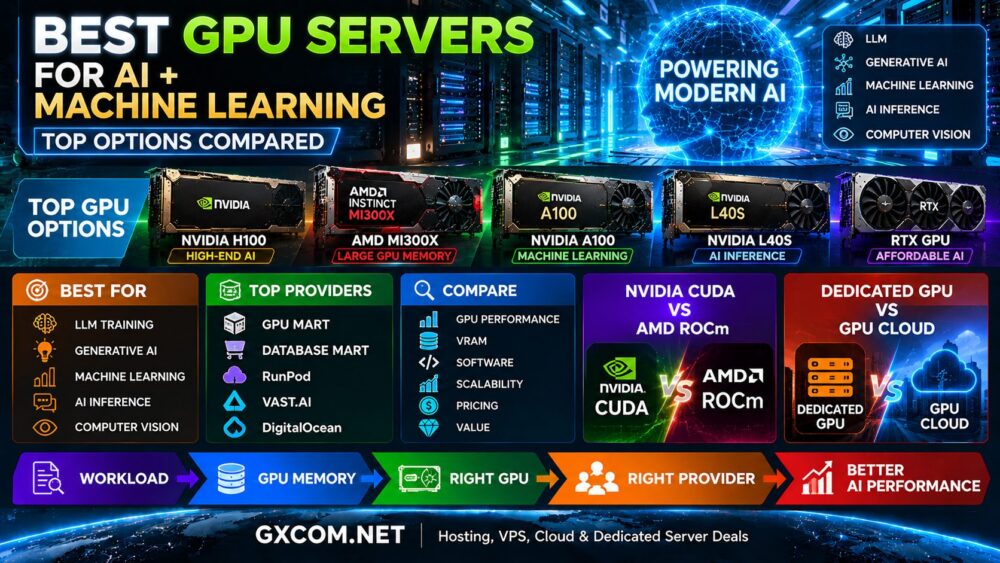
Best GPU Servers for AI at a Glance
| GPU | Best For | Key Strength | Typical Workload |
|---|---|---|---|
| NVIDIA H100 | High-End AI | AI performance and mature ecosystem | LLM training, generative AI, HPC |
| AMD Instinct MI300X | Large Models | Large GPU memory | LLMs, inference, generative AI |
| NVIDIA A100 | Machine Learning | Established AI platform | Training, research, deep learning |
| NVIDIA L40S | AI Inference | AI + graphics versatility | Inference, visualization, generative AI |
| RTX-Class GPU | Budget AI | Performance per dollar | Development, image generation, testing |
What Is a GPU Server?
A GPU server is a physical or virtual server equipped with one or more graphics processing units designed to accelerate highly parallel workloads.
Traditional CPUs are optimized for general-purpose computing, while GPUs can process large numbers of calculations simultaneously. This makes them particularly useful for:
- Artificial intelligence
- Machine learning
- Large language models
- Deep learning
- Generative AI
- AI inference
- Computer vision
- Scientific computing
- 3D rendering
Modern GPU servers combine accelerators with powerful CPUs, large amounts of system RAM, NVMe storage, and high-speed networking to create complete AI computing platforms.
NVIDIA H100: Best for High-End AI Workloads
NVIDIA H100 remains an important data center accelerator for demanding artificial intelligence workloads.
Based on NVIDIA's Hopper architecture, H100 infrastructure is designed for AI training, inference, large language models, and high-performance computing.
It is particularly relevant for:
- Large-scale LLM training
- Generative AI
- Transformer models
- Enterprise AI
- Multi-GPU computing
- High-performance computing
The main consideration is cost. Smaller projects may not generate enough utilization to justify premium H100 infrastructure.
For a deeper comparison of H100 hosting options, see our
NVIDIA H100 Server Hosting
guide.
AMD Instinct MI300X: Best for Memory-Intensive AI
AMD Instinct MI300X provides an important alternative to NVIDIA-centric AI infrastructure.
One of its standout characteristics is 192GB of HBM3 memory, making it particularly interesting for large language models and other workloads where GPU memory capacity is a major constraint.
MI300X can be considered for:
- Large language models
- Generative AI
- AI inference
- Machine learning
- Memory-intensive AI
- HPC
The major software consideration is AMD ROCm. Organizations should verify that their frameworks, models, libraries, and production applications work efficiently within the ROCm ecosystem.
See our
AMD Instinct MI300X Server
guide for a detailed look at its AI capabilities.
NVIDIA A100: Best for Established Machine Learning Workloads
NVIDIA A100 remains relevant for organizations running established machine-learning, deep-learning, research, and data science workloads.
Although newer accelerators have entered the market, an older GPU generation does not automatically become a poor choice.
If A100 infrastructure is available at attractive pricing and delivers sufficient performance for the workload, it can still provide strong value.
Typical use cases include:
- Machine-learning training
- Deep learning
- AI research
- Data science
- Inference
NVIDIA L40S: Best for AI Inference and Graphics
NVIDIA L40S occupies a useful position between pure AI acceleration and graphics-intensive computing.
It can be attractive for:
- AI inference
- Generative AI
- Image generation
- Rendering
- Virtual workstations
- Visualization
For workloads that do not require premium training infrastructure, L40S can offer a more balanced combination of AI and graphics capabilities.
RTX GPU Servers: Best for Affordable AI Development
Not every AI application requires a data center accelerator.
RTX-class GPU servers can provide substantial performance for developers, startups, researchers, and creative workloads while reducing infrastructure costs.
They are commonly considered for:
- AI development
- Model experimentation
- Image generation
- Computer vision
- Rendering
- Smaller inference workloads
For cost-sensitive deployments, see our
Cheap GPU Servers
guide.
H100 vs A100 vs L40S vs MI300X
| GPU | Primary Strength | Software Ecosystem | Best Fit |
|---|---|---|---|
| NVIDIA H100 | High-end AI acceleration | CUDA | LLMs, training, enterprise AI |
| NVIDIA A100 | Mature ML platform | CUDA | ML, deep learning, research |
| NVIDIA L40S | AI + graphics | CUDA | Inference, graphics, generative AI |
| AMD MI300X | Large GPU memory | ROCm | LLMs, inference, memory-intensive AI |
There is no universal winner. Real-world performance depends on the model, precision, framework, software optimization, memory requirements, and complete server architecture.
For NVIDIA-specific comparisons, read
H100 vs A100 vs L40S.
Best GPU Server Providers for AI
Selecting the GPU is only half of the decision. The provider determines deployment flexibility, hardware availability, storage, networking, billing, support, and upgrade options.
GPU Mart
GPU Mart specializes in GPU hosting and is operated by Database Mart LLC. Its GPU-focused model is particularly relevant for users looking for GPU VPS and dedicated GPU server infrastructure.
It can be worth comparing when persistent GPU resources and traditional server-style hosting are more important than purely on-demand cloud deployment.
Database Mart
Database Mart has a broader infrastructure portfolio spanning VPS, dedicated servers, and GPU computing.
This makes it relevant to organizations that want GPU infrastructure alongside more conventional server hosting options.
RunPod
RunPod focuses on GPU computing for AI developers and provides flexible infrastructure for development, training, inference, and model experimentation.
Its cloud-oriented approach can be particularly useful when GPU requirements change over time.
Vast.ai
Vast.ai uses a marketplace approach where users can compare GPU resources available from different hosts.
This can be attractive for price-sensitive AI computing, although users should evaluate individual host reliability, storage, networking, and complete machine specifications rather than comparing GPU prices alone.
DigitalOcean
DigitalOcean integrates GPU computing into a broader developer cloud ecosystem.
This can be useful for teams that need GPU acceleration alongside cloud servers, storage, networking, databases, and application infrastructure.
GPU Server Provider Comparison
| Provider | Infrastructure Style | Best For |
|---|---|---|
| GPU Mart | GPU-focused hosting | Dedicated and persistent GPU workloads |
| Database Mart | Traditional + GPU infrastructure | Server-oriented deployments |
| RunPod | GPU cloud | Flexible AI workloads |
| Vast.ai | GPU marketplace | Cost-sensitive GPU computing |
| DigitalOcean | Developer cloud + GPU | Cloud-native AI applications |
Dedicated GPU Server vs GPU Cloud
Another major decision is whether to rent dedicated GPU hardware or use flexible GPU cloud infrastructure.
| Feature | Dedicated GPU Server | GPU Cloud |
|---|---|---|
| Resources | Dedicated | Service dependent |
| Deployment | Usually slower | Fast |
| Scaling | Hardware dependent | Flexible |
| Billing | Often monthly | Often usage based |
| Control | High | Platform dependent |
| Best For | Stable workloads | Variable workloads |
Continuous high-utilization workloads may justify dedicated infrastructure, while development, experimentation, and variable demand often benefit from cloud flexibility.
Our
NVIDIA GPU Server vs GPU Cloud
guide explores this deployment decision in more detail.
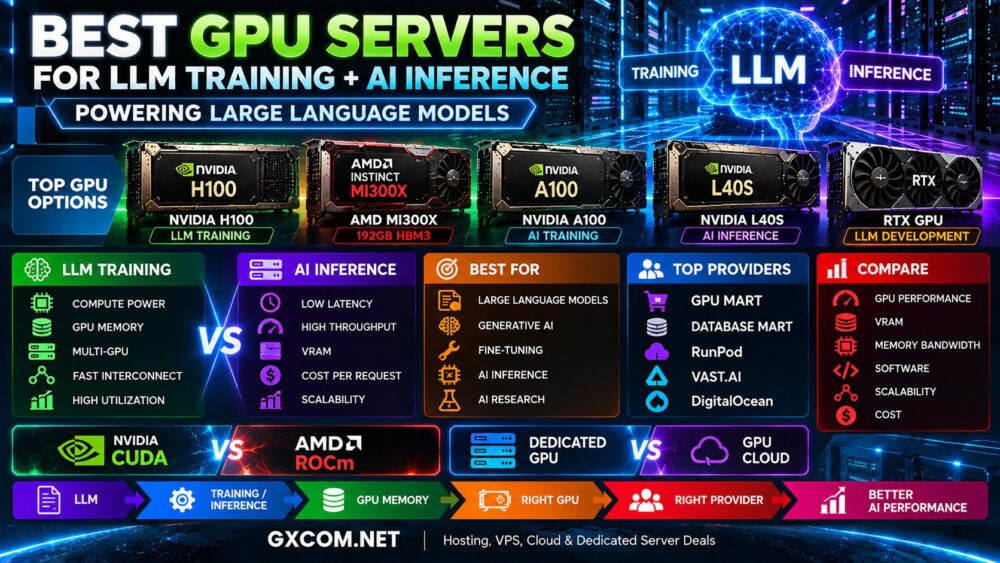
Best GPU Server for LLM Training
LLM training is among the most demanding AI workloads.
Important factors include:
- GPU compute performance
- VRAM capacity
- Memory bandwidth
- Multi-GPU interconnect
- System RAM
- NVMe storage
- Network performance
High-end accelerators such as H100-class infrastructure and suitable AMD Instinct platforms are relevant for large training workloads, but the exact choice should be validated against the model and software stack.
Best GPU Server for AI Inference
Inference does not always require the same GPU used to train a model.
Production inference should be evaluated using metrics such as:
- Latency
- Throughput
- GPU memory
- Batch size
- Cost per request
- Power or infrastructure efficiency
Depending on the model, L40S, H100, MI300X, or less expensive GPUs may provide the right balance.
Best GPU Server for Machine Learning
Machine learning covers a much wider range of workloads than large-scale generative AI.
A smaller training model may run efficiently on an A100 or RTX-class GPU without requiring premium H100 infrastructure.
The correct approach is:
Model → Framework → VRAM → Performance → GPU → Cost
CUDA vs ROCm
Software compatibility is one of the most important differences between NVIDIA and AMD GPU servers.
NVIDIA uses the CUDA ecosystem, which has broad adoption across AI and GPU computing. AMD Instinct relies on ROCm, which has continued to expand its AI and HPC support.
Before choosing a GPU, check:
- Framework compatibility
- Required libraries
- Model support
- Containers
- Operating system
- Custom CUDA dependencies
- ROCm compatibility
For a deeper comparison, see
AMD GPU Server vs NVIDIA GPU Server.
How Much Does a GPU Server Cost?
GPU server pricing varies dramatically because a GPU is only one component of the complete system.
Total cost can depend on:
- GPU model
- Number of GPUs
- GPU memory
- CPU configuration
- System RAM
- NVMe storage
- Network bandwidth
- Data transfer
- Cloud or dedicated deployment
- Hourly or monthly billing
The lowest hourly GPU price does not necessarily produce the lowest project cost. A faster GPU can sometimes complete a workload in substantially less time.
For a broader breakdown, read our
AI Server Cost Guide.
How to Choose the Best GPU Server
| Workload | GPU Direction to Evaluate |
|---|---|
| Large LLM Training | H100 / high-end Instinct |
| Large-Model Inference | H100 / MI300X / workload-specific alternatives |
| Machine Learning | A100 / H100 / suitable lower-cost GPU |
| Generative AI | H100 / L40S / MI300X / RTX depending on scale |
| Image Generation | L40S / RTX-class GPU |
| AI Development | Affordable cloud or RTX-class GPU |
| Rendering | L40S / RTX-class GPU |
Common GPU Server Buying Mistakes
Buying the Most Powerful GPU Automatically
Premium hardware can deliver poor value when the workload cannot fully utilize it.
Ignoring GPU Memory
VRAM can determine whether a model fits efficiently on the accelerator. Compute performance alone is not enough.
Ignoring Software Compatibility
CUDA and ROCm requirements can have a major impact on deployment and migration.
Comparing Only GPU Prices
Storage, bandwidth, CPU, RAM, utilization, and workload duration all contribute to total computing cost.
Ignoring the Upgrade Path
AI projects can grow quickly. Consider whether the provider can support additional GPUs, larger servers, or cloud scaling later.
Best GPU Server Selection Checklist
- Define the AI workload.
- Determine GPU memory requirements.
- Check CUDA or ROCm compatibility.
- Estimate expected GPU utilization.
- Choose between cloud and dedicated infrastructure.
- Compare complete server specifications.
- Check provider reliability and networking.
- Calculate total workload cost.
- Plan for future scaling.
Final Thoughts
The best GPU servers for AI and machine learning are not necessarily the servers with the largest or newest accelerators.
NVIDIA H100 targets demanding AI training and large-model workloads. AMD Instinct MI300X provides an important high-memory alternative. A100 remains relevant for established machine-learning environments, while L40S and RTX-class GPUs can provide better value for inference, graphics, development, and smaller AI projects.
Provider and deployment model matter just as much as the GPU. GPU Mart and Database Mart represent more traditional GPU hosting approaches, while RunPod, Vast.ai, and DigitalOcean provide different forms of flexible GPU and cloud infrastructure.
Start with your workload, determine the required GPU memory and software ecosystem, estimate utilization, and then compare performance, scalability, and total cost.
The most useful decision path is:
Workload → GPU Memory → Software → GPU → Provider → Infrastructure → Cost.