How much RAM does a dedicated server need? Is 16GB enough, or should you choose 32GB, 64GB, or even 128GB?
The answer depends on your workload. Too little memory can cause slow applications, excessive swapping, and database errors. Too much RAM increases hosting costs without necessarily improving performance.
This guide explains dedicated server RAM requirements for websites, databases, virtualization, and business applications, helping you choose the right memory capacity without overspending.
How Much RAM Does a Dedicated Server Need?
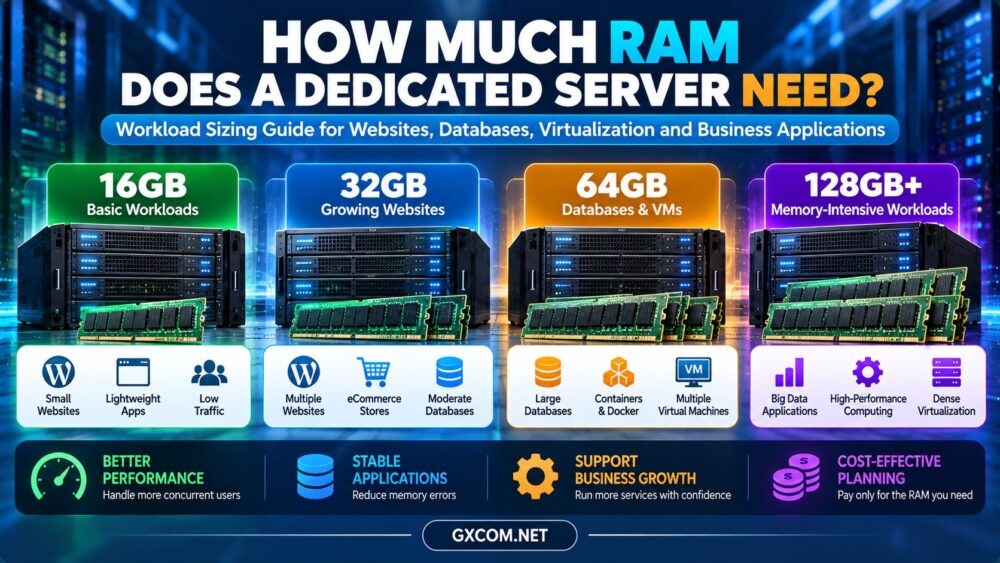
For lightweight workloads, 16GB may be sufficient. A 32GB server offers additional capacity for growing websites and applications, while 64GB or more may benefit memory-intensive databases and virtual machines.
Use the following table as an initial planning guide, not a guaranteed minimum requirement.
| RAM | Typical Workloads | Best For |
|---|---|---|
| 16GB | Small websites, lightweight applications | Basic dedicated hosting |
| 32GB | Multiple websites, moderate databases | Growing business workloads |
| 64GB | Larger databases, containers, several VMs | Memory-intensive applications |
| 128GB+ | Large databases, dense virtualization | Specialized infrastructure |
Key takeaway: Choose RAM based on peak memory demand, application concurrency, and realistic growth—not simply the number of websites hosted.
What Determines Dedicated Server RAM Requirements?
1. Operating System and Background Services
Linux and Windows Server require memory for system processes, security services, and background tasks. Windows workloads may also include additional application and licensing considerations.
2. Website Traffic and PHP Workers
WordPress and other dynamic websites consume memory through PHP workers, plugins, and database requests.
A cached website may require fewer application resources than a WooCommerce store processing many simultaneous checkout requests.
3. Database Size and Activity
MySQL, MariaDB, and PostgreSQL use RAM for caching and query processing. Larger useful caches can reduce disk access, but total database size alone does not determine memory requirements.
4. Virtual Machines and Containers
Virtual machines require guest memory plus host overhead. Containers consume memory according to their applications and resource limits.
5. Peak Demand and Future Growth
Backups, imports, scheduled jobs, and traffic spikes can temporarily increase memory usage. Leave reasonable capacity for these events.
For a broader hardware perspective, see our Bare Metal Server Comparison.
How Much RAM Does WordPress Need on a Dedicated Server?
WordPress requirements vary considerably between websites.

A small content website with effective caching may operate comfortably with modest resources. A busy WooCommerce store, membership platform, or multisite installation can require substantially more memory.
Important factors include:
- Concurrent PHP workers
- Plugin and theme resource usage
- Database caching requirements
- Dynamic requests and checkout activity
- Scheduled tasks and background processing
If your website is outgrowing basic hosting, our VPS vs Shared Hosting Guide explains when additional resource control becomes useful.
16GB vs 32GB vs 64GB Server RAM
When Is 16GB Enough?
Choose 16GB when measurements show that your applications, database, and operating system can run comfortably with adequate headroom.
When Should You Choose 32GB?
32GB can be a sensible option for multiple websites, growing applications, or workloads requiring additional database cache and PHP worker capacity.
When Is 64GB Worth It?
Consider 64GB when memory monitoring reveals sustained pressure, your applications need larger caches, or your virtualization environment requires greater guest allocations.
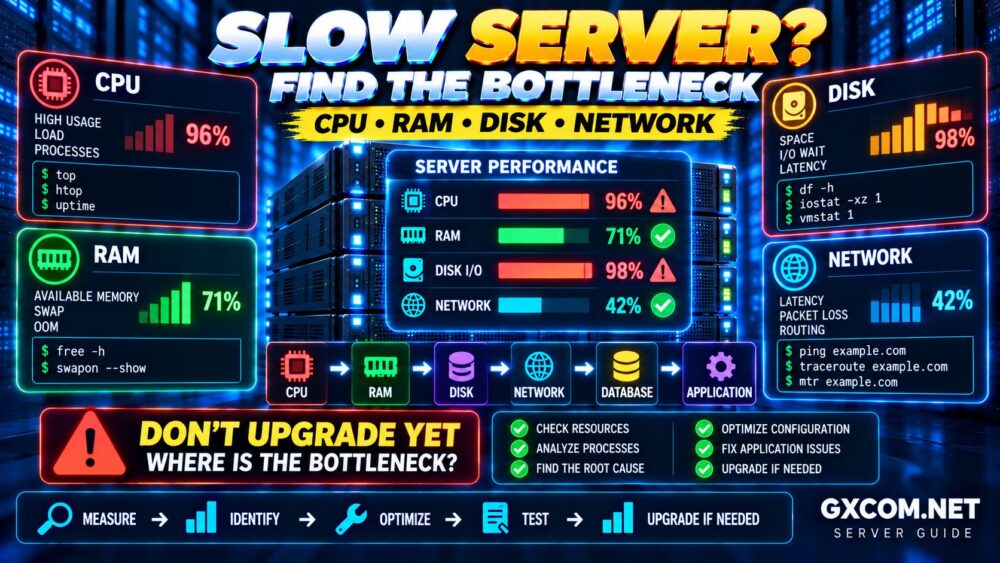
Important: Doubling RAM does not automatically double server performance. CPU, storage, and network bottlenecks must also be considered.
How to Calculate Dedicated Server RAM Requirements
Start by estimating memory consumption across your main services.
Required RAM = Operating System + Applications + Database + Background Tasks + Headroom.
Consider this hypothetical WordPress hosting workload:
| Component | Estimated RAM |
|---|---|
| Operating system | 2GB |
| PHP application workers | 8GB |
| Database | 6GB |
| Background services | 2GB |
| Subtotal | 18GB |
| 25% planning headroom | 4.5GB |
| Estimated requirement | 22.5GB |
In this example, a 32GB dedicated server offers a more suitable capacity than 16GB.
These figures are illustrative, not measured benchmarks. Actual component usage should be verified under representative peak load, without double-counting shared memory.
How to Know When Your Server Needs More RAM
Watch for these warning signs:
- Repeated out-of-memory errors
- Sustained swapping or paging
- High memory pressure during peak traffic
- Database slowdowns linked to insufficient cache
- Application failures during imports or backups
On Linux, free -h and vmstat 1 can help investigate memory availability and swap activity.
Do not interpret high reported memory usage alone as a problem: Linux may use available RAM for reclaimable filesystem caching.
Dedicated Server Providers to Consider
When choosing a server, compare memory capacity alongside CPU performance, storage, support, and upgrade flexibility.
Cherry Servers
Cherry Servers is worth evaluating for bare-metal infrastructure where hardware configuration and memory capacity are important purchasing factors.
ServerMania
ServerMania may suit businesses comparing dedicated infrastructure for sustained application and database workloads.
Hostwinds
Hostwinds is relevant for buyers considering dedicated hosting alongside management and support requirements.
DediXLAB
DediXLAB can be included when evaluating budget-conscious dedicated server options.
For every provider, verify the actual RAM configuration, ECC support, upgrade availability, and current service terms before purchasing.
For a direct provider comparison, read our Cherry Servers vs ServerMania Guide.
Is More Dedicated Server RAM Worth the Cost?
Additional RAM is worthwhile when it solves a measurable resource limitation or supports a planned workload.
For example, suppose a hypothetical 32GB server costs $90 per month and an otherwise comparable 64GB configuration costs $115.
The additional cost is $25 monthly, or $900 over 36 months.
That upgrade may be justified if it prevents memory-related failures or enables valuable additional workloads. Otherwise, the smaller configuration may be more economical.

These prices are hypothetical examples, not current provider quotations.
If you are still choosing between virtualized and physical infrastructure, see our Dedicated Server vs VPS Comparison.
Frequently Asked Questions
Is 16GB RAM enough for a dedicated server?
Yes, for some lightweight websites and applications. Measure peak usage before deciding.
Is 32GB or 64GB better for web hosting?
32GB may be sufficient for moderate workloads. Choose 64GB when actual application demand requires additional capacity.
How much RAM does a MySQL server need?
It depends on active data, caching, concurrent queries, and other services sharing the server.
Does more RAM make a dedicated server faster?
Only when memory capacity is limiting performance. CPU-bound or network-bound applications may see little improvement.
Can dedicated server RAM be upgraded later?
Often, but availability depends on the hardware and hosting provider. Physical upgrades may require downtime.
Should I buy 128GB RAM for future growth?
Only when expected workloads justify it. Compare the cost of unused capacity with future upgrade options.
Final Verdict: Choose RAM for Your Workload
For many modest workloads, 16GB or 32GB may be sufficient. More demanding databases, applications, and virtual machines may justify 64GB, 128GB, or higher configurations.
The smartest approach is to measure memory consumption, identify the actual bottleneck, and leave realistic operating headroom.
Workload → Memory Demand → Peak Usage → Headroom → RAM Capacity → Total Cost.