Choosing the best GPU hosting for AI image generation APIs requires more than comparing accelerator names or hourly rental prices. Production applications must deliver predictable image generation times, manage concurrent requests, and scale without wasting expensive GPU capacity.
Whether your platform uses Stable Diffusion, SDXL, FLUX, or another image generation model, the right hosting environment depends on model memory requirements, inference optimization, traffic patterns, and operational control. This guide compares four GPU hosting options and explains how to evaluate latency, VRAM, scaling, and total cost before deploying a commercial image API.
What Makes GPU Hosting Suitable for Image Generation APIs?
An interactive image API differs from a personal image generation workstation. Customers expect reliable responses, while your application must handle authentication, request queues, image storage, failures, and usage spikes.
Evaluate five requirements before selecting infrastructure: model compatibility, GPU memory, generation latency, concurrency management, and predictable billing. A powerful accelerator is valuable only when the surrounding infrastructure supports your workload.
For smaller experiments, virtualized hosting may be sufficient. For sustained demand, dedicated resources can offer greater control. Our GPU VPS vs dedicated GPU server comparison explains the architectural tradeoffs.
GPU VRAM Requirements: SDXL, FLUX, and Custom Models
VRAM requirements vary considerably between image generation pipelines. Model architecture, precision, resolution, batch size, attention implementation, and additional components all influence memory consumption.
SDXL deployments may fit within relatively modest GPU memory budgets when optimized, while larger FLUX pipelines can require substantially more memory or offloading strategies. Custom fine-tuned models, ControlNet components, and multiple loaded pipelines can increase requirements further.
Do not select a GPU solely because a model can load once. Production deployments need headroom for concurrent processing, runtime overhead, and occasional larger requests.
Start with the exact model version and inference framework. Measure peak allocated VRAM during representative generation jobs, then test whether increasing batch size improves throughput without exceeding memory limits.
Image Generation Latency vs GPU Throughput
Latency measures how long one request takes to complete. Throughput measures how many images the system produces over time. These metrics are related but should not be treated as interchangeable.
For example, batching multiple requests may improve total images per minute while increasing the waiting time experienced by an individual customer. A commercial API must balance throughput against its promised response time.
Measure end-to-end latency, including queueing, preprocessing, model inference, image encoding, and delivery. Report median and p95 results instead of relying on a single successful generation.
Keep test conditions consistent: identical model weights, image dimensions, sampling steps, scheduler, precision, and output format. Otherwise, provider comparisons can become misleading.

Best GPU Hosting Providers for AI Image Generation APIs
1. RunPod: Flexible AI Deployment Workflows
RunPod is a strong candidate to evaluate for teams building GPU-backed inference applications. Its GPU infrastructure and deployment-oriented options make it relevant to prototyping and production planning.
Check the selected service’s model loading behavior, endpoint configuration, storage persistence, concurrency controls, and scaling features. Product capabilities differ, so confirm that the specific offering supports your required API architecture.
Our RunPod GPU cloud review provides additional provider-focused context.
2. Vast.ai: Cost-Sensitive GPU Capacity
Vast.ai is worth evaluating when rental flexibility and infrastructure costs are major considerations. Its marketplace approach makes individual listing quality especially important.
Compare GPU specifications, host reliability, network performance, storage arrangements, and availability before selecting capacity. For customer-facing APIs, plan how workloads will recover if a particular host becomes unavailable.
3. GPU Mart: Persistent GPU Server Deployments
GPU Mart is another option for teams considering persistent GPU infrastructure. Review available accelerator configurations, operating-system access, storage performance, and management responsibilities.
This approach may suit applications that require customized inference environments or predictable access to a specific server configuration. Confirm actual GPU allocation and software compatibility before ordering.
4. Database Mart: Broader Infrastructure Evaluation
Database Mart can be considered when comparing hosting arrangements for applications that combine inference services with supporting infrastructure.
Verify whether a suitable GPU-enabled configuration is currently available. Standard VPS or dedicated hosting should not be assumed to include GPU acceleration. Compare deployment control, storage, networking, and technical support against the requirements of your image API.
GPU Hosting Comparison Table
| Provider | Primary Evaluation Angle | What to Verify |
|---|---|---|
| RunPod | AI inference deployment flexibility | Endpoint features, scaling, startup behavior |
| Vast.ai | GPU rental cost optimization | Host reliability, networking, availability |
| GPU Mart | Persistent GPU infrastructure | GPU allocation, drivers, server management |
| Database Mart | Supporting infrastructure and hosting | GPU product availability, configuration, support |
No single provider wins every category. Select the service that meets your latency target, operational requirements, and measured cost per successful image.
Autoscaling, Request Queues, and Cold Starts
Image generation traffic often arrives in bursts. A marketing campaign or new feature launch can produce a sudden queue of expensive GPU jobs.
Autoscaling helps match capacity to demand, but new workers may need time to start, download model weights, and initialize inference pipelines. These cold starts can create noticeable delays.
Use request queues, sensible timeouts, retry policies, and capacity limits. Consider keeping a minimum number of warm workers for latency-sensitive applications while scaling additional capacity during busy periods.
For a broader approach to capacity planning, see our AI inference server sizing guide. Its concurrency principles also apply to image generation workloads.
Calculate Cost per Generated Image
Hourly GPU pricing is only the starting point. Calculate cost per successful image using total infrastructure spending divided by completed billable outputs.
Suppose a hypothetical deployment costs $1 per GPU hour and produces 120 successful images during that hour. Its GPU-only cost is approximately $0.0083 per image. This example excludes storage, bandwidth, idle time, retries, and other expenses; it is not a provider quotation.
Failed jobs and idle workers can significantly change the economics. Measure actual throughput at your target image resolution and quality settings rather than extrapolating from marketing benchmarks.
For additional budget planning, compare options in our affordable GPU servers guide.
Production Deployment Checklist
Before launch, test realistic traffic spikes, model initialization, queue recovery, GPU memory peaks, and API error handling. Monitor generation latency, successful images per hour, GPU utilization, and cost per output.

Separate temporary generation files from durable customer storage. Establish authentication, rate limits, data retention policies, and safeguards against abusive workloads.
Finally, benchmark at least two hosting configurations using identical generation settings. A cheaper GPU may deliver worse economics if slower inference requires more workers.
Compare GPU Hosting for Your Image Generation API
Evaluate deployment flexibility, GPU memory, generation throughput, and total infrastructure costs before committing to a hosting plan.
Frequently Asked Questions
How much VRAM does an AI image generation API need?
It depends on the model, precision, resolution, and concurrency. Benchmark your complete pipeline and allow memory headroom.
Is serverless GPU hosting better than dedicated GPU rental?
Serverless-style deployment can suit variable traffic, while dedicated capacity may be attractive for sustained workloads. Compare cold starts, utilization, and total costs.
What is the most important GPU hosting metric?
For commercial image APIs, prioritize successful images delivered within your latency target at an acceptable total cost.
Final Verdict
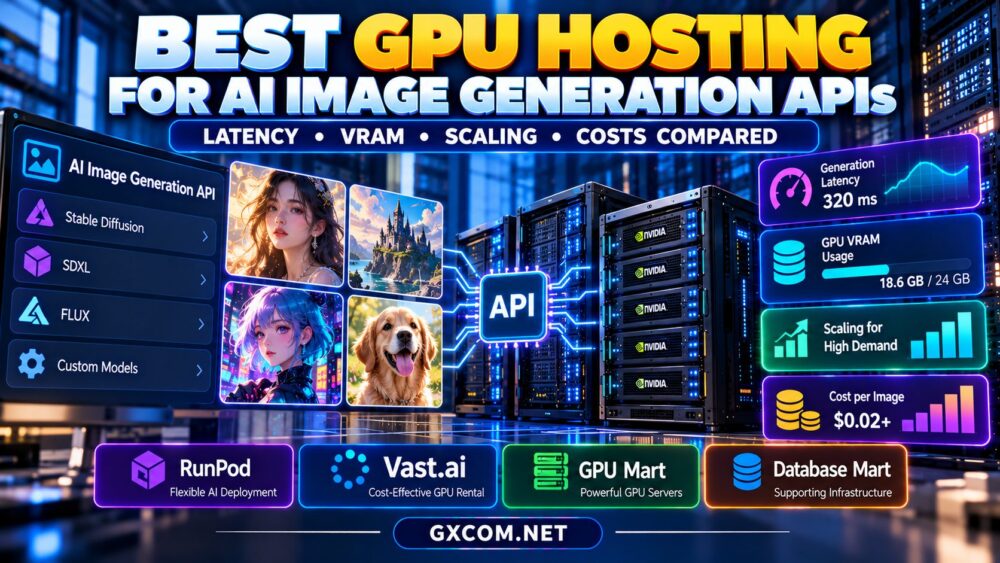
The best GPU hosting for AI image generation APIs is the configuration that balances VRAM capacity, predictable latency, scaling behavior, and cost per completed image. Evaluate RunPod, Vast.ai, GPU Mart, and Database Mart using identical workloads, verified product specifications, and realistic traffic tests before making a purchasing decision.