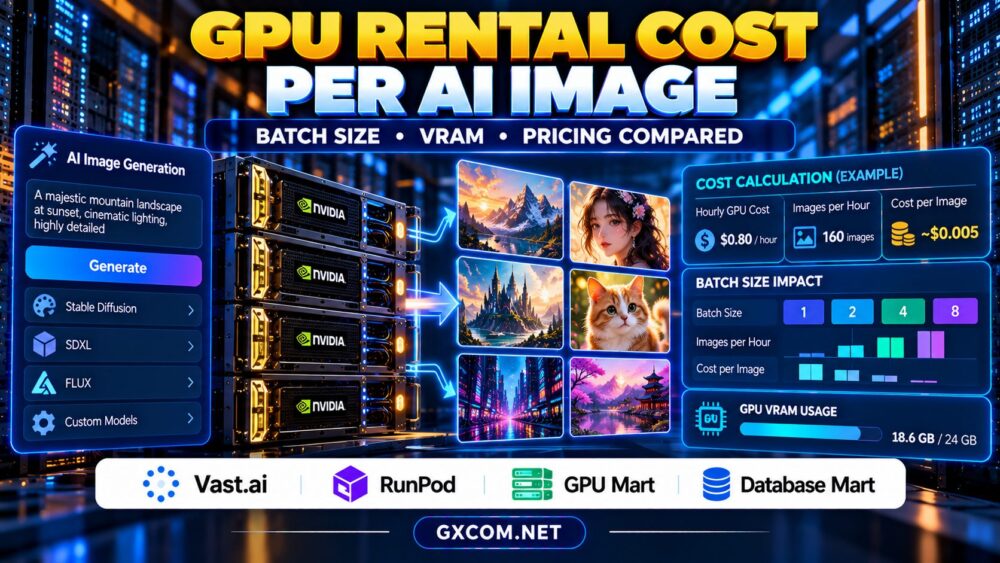
GPU rental cost per AI image is one of the most useful metrics for developers running Stable Diffusion, SDXL, FLUX, and commercial image generation services. Hourly GPU prices may look attractive, but they rarely reveal how much each completed image actually costs.
Batch size, GPU VRAM, generation speed, idle time, and failed requests can dramatically change your expenses. A cheaper GPU is not necessarily the most economical choice if it produces fewer usable images per hour.
This guide explains how to calculate image generation costs, compare rental configurations, and evaluate four approved hosting providers without relying on misleading headline prices.
How to Calculate GPU Rental Cost per AI Image
The basic calculation is straightforward:
GPU cost per image = Total GPU rental cost / Number of successfully generated images.
Suppose a hypothetical GPU instance costs $0.80 per hour and generates 160 successful images during that hour. Its GPU-only cost is $0.005 per image.
However, this figure excludes storage, bandwidth, software expenses, idle periods, and unsuccessful jobs. For commercial operations, divide your total infrastructure spending by the number of usable images delivered to customers.
Always measure throughput using your actual model, resolution, sampling steps, and image quality requirements. Published benchmark results may not reflect your production workload.
GPU Hourly Price vs Real Image Generation Throughput
Comparing hourly prices alone can produce the wrong purchasing decision. Consider two illustrative configurations operating under identical generation settings.
| Metric | GPU A | GPU B |
|---|---|---|
| Hypothetical hourly cost | $0.40 | $0.90 |
| Successful images per hour | 60 | 180 |
| GPU cost per image | $0.0067 | $0.0050 |
| Cost for 10,000 images | About $66.67 | $50.00 |
GPU B costs more per hour but produces images at a lower unit cost. These numbers are examples, not measured provider benchmarks or current market quotations.
For a broader look at production infrastructure, see our GPU hosting comparison for AI image generation APIs.
How Batch Size Changes GPU Image Generation Costs
Batch size determines how many images a model processes together. Increasing the batch size may improve hardware utilization and reduce overhead per image, particularly when the GPU has unused compute capacity.
However, larger batches consume more memory and can increase individual request latency. An API serving interactive customers may benefit from smaller batches, while an offline image production pipeline can prioritize maximum throughput.
Test batch sizes of one, two, four, and higher values only when supported by your model and available VRAM. Record total generation time, successful output count, memory usage, and cost per image.

Do not assume doubling the batch size doubles throughput. Actual gains depend on model architecture, inference framework, scheduler, and GPU memory bandwidth.
GPU VRAM Requirements and Their Cost Impact
GPU VRAM affects which image generation models can run efficiently. Memory demand depends on model weights, precision, image resolution, batch size, and additional components such as ControlNet or adapters.
When memory is insufficient, a deployment may require offloading to system RAM, reducing batch size, or choosing a larger GPU. Offloading can make a model usable but may increase generation time substantially.
Paying for more VRAM is worthwhile when it prevents bottlenecks or enables better throughput. Yet unused memory does not automatically make image generation faster.
Before renting hardware, benchmark peak memory consumption and leave practical headroom for runtime overhead. Our NVIDIA AI GPU servers guide provides additional hardware selection context.
Idle Time, Failed Jobs, and Hidden GPU Expenses
Idle GPU capacity can be expensive. A server may continue generating charges while waiting for customer requests, even if it produces no images.
Persistent storage, reserved resources, data transfers, and other services may also incur charges when GPU computation stops. Billing behavior differs between providers and products.
Failed generations increase unit costs because consumed GPU time produces no billable output. Track errors, retries, model initialization, and wasted inference time.
For example, if infrastructure costs $100 and delivers only 8,000 usable images instead of 10,000 attempted generations, the effective cost is $0.0125 per successful image.
Compare flexible rentals with persistent servers based on actual utilization. Our affordable GPU servers guide covers additional budget considerations.
Four GPU Hosting Providers to Compare
Vast.ai: Marketplace GPU Rental
Vast.ai is worth evaluating for cost-sensitive image generation experiments. Its marketplace approach makes individual GPU listings, host reliability, storage, and network conditions important comparison factors.
Calculate effective image costs for a specific listing rather than assuming all instances with the same GPU model perform identically.
RunPod: Flexible GPU Deployment
RunPod is relevant for developers comparing GPU deployment workflows and inference infrastructure. Examine the selected product’s billing model, startup behavior, persistent storage, and scaling capabilities.
Its suitability depends on whether your application prioritizes interactive API responses, scheduled batch generation, or continuous GPU utilization.
GPU Mart: Persistent GPU Infrastructure
GPU Mart can be considered when evaluating GPU-oriented server configurations for sustained workloads. Verify GPU specifications, available VRAM, administrative access, and contract terms.
A persistent server may be attractive when image production runs consistently, but monthly commitments should be evaluated against expected utilization.
Database Mart: Supporting Hosting Infrastructure
Database Mart provides another infrastructure comparison option. Confirm the availability of an appropriate GPU-enabled product before including it in a direct accelerator price comparison.
For image generation applications, supporting storage, application hosting, and operational requirements can also affect total spending.
Hourly GPU Rental vs Monthly GPU Servers
Hourly rental is often useful for experiments, unpredictable demand, and occasional batch jobs. Monthly hosting may provide more predictable expenses when GPU utilization remains consistently high.
Calculate the break-even point by dividing the effective monthly server price by the comparable hourly rental rate. Then adjust for differences in hardware, storage, bandwidth, and support.
Do not compare unlike GPU generations or assume that dedicated hardware automatically delivers better image throughput. Benchmark the actual configurations.
Our GPU VPS vs dedicated GPU server comparison explains the infrastructure tradeoffs.
Practical Ways to Reduce AI Image Generation Costs
Start by matching GPU capacity to the model rather than selecting the most expensive accelerator. Test supported precision settings, efficient attention implementations, and suitable batch sizes.
Group nonurgent jobs into scheduled batches, reduce unnecessary retries, and avoid keeping expensive GPUs idle without a clear latency requirement.

Cache reusable assets where appropriate and monitor the percentage of completed images that customers actually accept. Measure cost per usable output, not merely cost per attempted generation.
For commercial APIs, balance savings against response time. Our AI inference server sizing guide explains how workload concurrency influences infrastructure planning.
Compare GPU Rental Options for AI Image Generation
Benchmark image throughput, VRAM requirements, utilization, and total billing before choosing a GPU rental plan.
Frequently Asked Questions
How much does GPU image generation cost?
Costs vary by GPU, model, settings, throughput, and utilization. Divide total infrastructure expenses by successfully delivered images to calculate your actual unit cost.
Does a larger batch size always reduce cost?
No. Larger batches can improve utilization, but memory limits, latency, and diminishing throughput gains may offset the benefits.
Is the cheapest hourly GPU the best choice?
Not necessarily. Compare successful images per hour, reliability, idle charges, and total cost per completed output.
Final Verdict
The best GPU rental value comes from low cost per successful image, not simply the lowest advertised hourly price. Benchmark batch size, VRAM usage, generation throughput, and idle expenses before comparing Vast.ai, RunPod, GPU Mart, and Database Mart. Choose infrastructure that delivers acceptable image quality and performance at a sustainable operating cost.