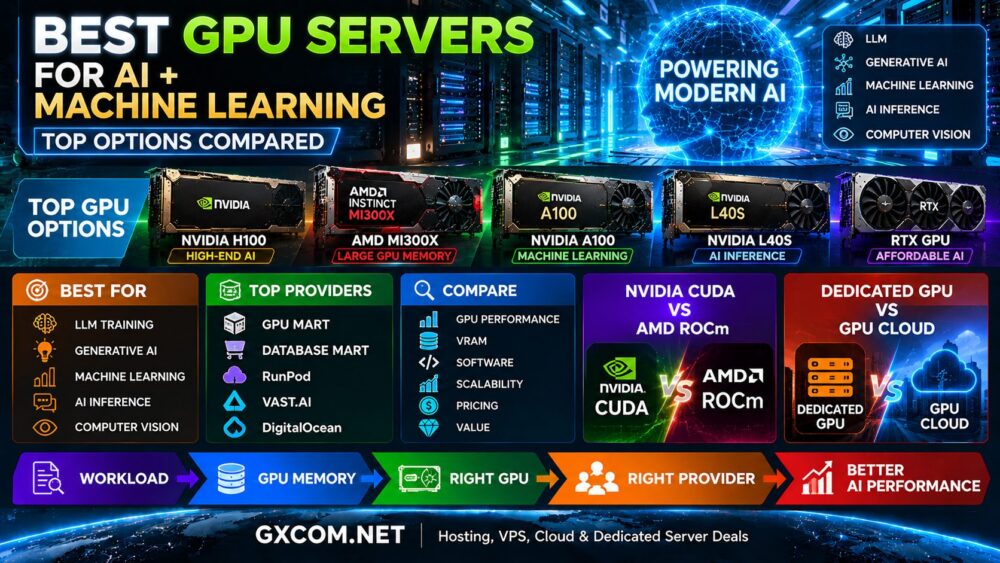
GPU cloud services have become essential for many artificial intelligence and machine learning workloads.
Training large language models, fine-tuning open-source models, running inference, generating images and video, and processing large datasets can require far more computing power than a conventional VPS or CPU-based cloud server can provide.
The good news is that you do not necessarily need to purchase your own GPU hardware.
GPU cloud providers allow businesses, developers, researchers and AI teams to rent GPU computing resources on demand. Depending on the provider, you can launch a single GPU for a short experiment, reserve a multi-GPU machine for production workloads, or deploy a large cluster for distributed AI training.
The challenge is choosing the right provider.
Price is important, but GPU model, VRAM, availability, networking, storage, billing, reliability and deployment flexibility can matter just as much.
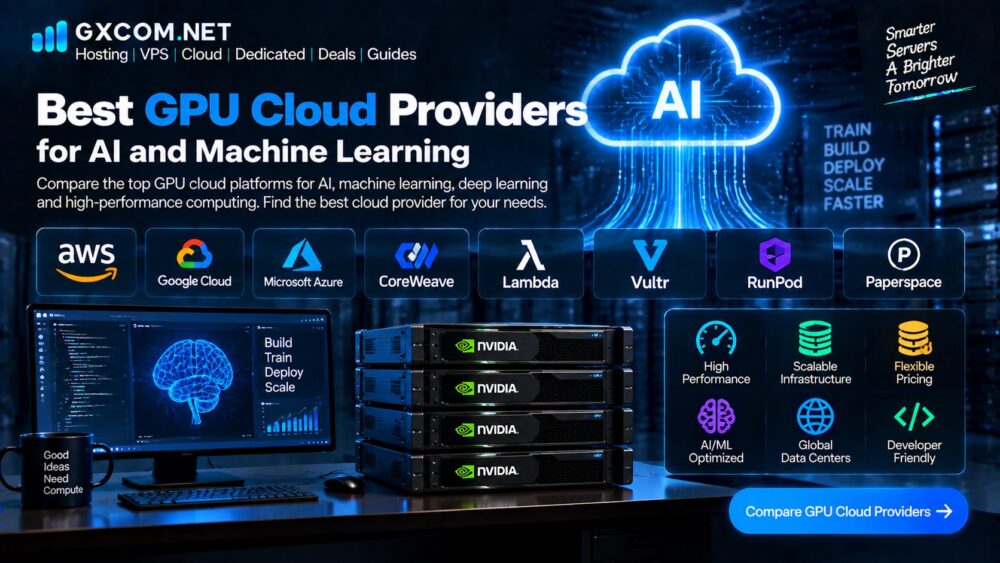
GXCOM Verdict: RunPod is particularly attractive for flexible on-demand GPU workloads, Lambda is a strong AI-focused option for users who want dedicated GPU infrastructure, and CoreWeave is especially relevant for demanding production and large-scale AI workloads. AWS, Google Cloud and Azure remain important choices when GPU computing must integrate with a broader enterprise cloud architecture.
Best GPU Cloud Providers Compared
| Provider | Best For | Main Strength |
|---|---|---|
| RunPod | Developers and flexible GPU rental | Broad on-demand GPU choices |
| Lambda | AI developers and ML teams | AI-focused GPU infrastructure |
| CoreWeave | Production AI workloads | Large-scale GPU infrastructure |
| AWS | Enterprise cloud applications | Broad cloud ecosystem |
| Google Cloud | AI, data and ML | Strong AI and data services |
| Microsoft Azure | Enterprise and Microsoft workloads | Enterprise cloud integration |
No provider is universally best. The right platform depends on whether you need occasional GPU access, continuous inference, model training, multi-GPU clusters or enterprise cloud integration.
What Is a GPU Cloud?
A GPU cloud provides access to computing instances equipped with graphics processing units rather than relying only on conventional CPUs.
GPUs are particularly effective for highly parallel workloads such as:
- Machine learning
- Deep learning
- Large language models
- AI inference
- Computer vision
- Generative AI
- 3D rendering
- Scientific computing
Instead of purchasing physical GPUs, users can rent GPU resources from a cloud provider and pay according to usage or an agreed capacity model.
GPU Cloud vs Traditional Cloud
A normal cloud virtual machine may be sufficient for a website or API.
An AI training workload can require multiple GPUs with high-speed memory and high-bandwidth networking.
This creates a different set of infrastructure requirements.
The most important factors are often:
GPU model
VRAM
GPU interconnect
CPU and system RAM
Storage
Network bandwidth
Availability
Price
1. RunPod
RunPod has become one of the most visible GPU-focused cloud platforms for developers and smaller AI teams.
Its current platform provides GPU Pods for dedicated GPU instances, Serverless infrastructure for inference workloads and multi-GPU clusters for larger jobs. RunPod says its Pods span more than 30 regions and offers GPUs including H100, H200, B200, B300 and RTX Pro 6000 configurations.
One reason developers use RunPod is flexibility.
You can select different GPU types according to the workload rather than committing to one enterprise architecture.
Best For
- AI experimentation
- Model inference
- Fine-tuning
- Developers
- Startups
- Short-term GPU workloads
Strengths
- Broad GPU selection
- On-demand deployment
- Flexible pricing models
- Serverless inference option
- Multi-GPU clusters
Considerations
Different GPU environments can have different pricing and availability, so compare the exact GPU VPS, region and service tier before deploying a workload.
GXCOM View: RunPod is one of the first providers worth checking when the priority is flexible GPU access rather than building a large enterprise cloud architecture.
2. Lambda
Lambda focuses specifically on AI infrastructure rather than treating GPUs as just another cloud product.
Its current cloud platform offers NVIDIA A100, H100, B200, GH200 and other GPU instances, while its 1-Click Clusters support larger interconnected deployments for AI training, fine-tuning and inference.
Lambda’s current on-demand offering can be deployed from one to eight GPUs, while larger 1-Click Clusters scale from 16 GPUs into the thousands.
Best For
- Machine learning teams
- LLM training
- Fine-tuning
- AI inference
- Research teams
- Production AI workloads
Strengths
- AI-focused infrastructure
- Modern NVIDIA GPU options
- Multi-GPU configurations
- Cluster support
- API and CLI access
Considerations
Large GPU clusters may involve reservation or sales processes rather than simple self-service deployment.
GXCOM View: Lambda is particularly interesting when AI is the primary workload and you want a provider focused on GPU infrastructure rather than a general-purpose cloud platform.
3. CoreWeave
CoreWeave is one of the most important specialized GPU cloud providers for larger AI workloads.
Its current infrastructure includes NVIDIA H100, H200, B200, GB200 and other GPU systems, with both on-demand and spot capacity available for selected configurations.

The platform is designed around AI compute, storage and networking rather than traditional website hosting.
Its infrastructure can therefore be considerably more relevant to AI teams that need large-scale compute.
Best For
- Large AI workloads
- Model training
- Large-scale inference
- Enterprise AI
- Multi-GPU infrastructure
Strengths
- Strong focus on AI infrastructure
- Modern NVIDIA GPU systems
- Multi-GPU environments
- Large-scale capacity
Considerations
Some configurations are priced through sales rather than simple self-service purchasing, and the infrastructure can be excessive for a small developer project.
GXCOM View: CoreWeave is better suited to serious production AI workloads than someone who simply needs a GPU for occasional experimentation.
4. Amazon Web Services
AWS approaches GPU computing differently from GPU-first providers.
Instead of focusing exclusively on GPU rental, AWS integrates accelerated computing into a much larger cloud ecosystem.
Users can access GPU-powered EC2 instances while also combining those resources with storage, databases, networking, monitoring, security and other AWS services.
For users who already operate infrastructure on AWS, this integration can be more important than the raw GPU hourly rate.
Best For
- Enterprise AI
- Existing AWS customers
- Large applications
- Complex infrastructure
- Production deployments
Strengths
- Huge cloud ecosystem
- Extensive infrastructure services
- Enterprise security and networking
- Broad global infrastructure
Considerations
AWS can be significantly more complex than GPU-specialized providers.
Pricing also needs to be evaluated at the architecture level rather than just looking at the GPU instance price.
GXCOM View: Choose AWS when your AI workload is part of a broader AWS architecture, not simply because it offers GPU instances.
5. Google Cloud
Google Cloud is particularly relevant for AI, machine learning and data-intensive applications.
Its Compute Engine platform supports GPU-accelerated workloads, while Google Cloud also provides a broader AI and data ecosystem.
This can make Google Cloud attractive for companies building AI applications that also depend on data processing, analytics and machine learning services.
Best For
- AI applications
- Machine learning
- Data science
- Enterprise AI
- Developers already using Google Cloud
Strengths
- AI-focused cloud ecosystem
- Compute Engine GPU support
- Data and analytics services
- Enterprise infrastructure
Considerations
Cloud hosting pricing can become complicated when compute, storage, networking and additional managed services are combined.
GXCOM View: Google Cloud makes more sense when GPU computing is part of a wider data and AI environment.
6. Microsoft Azure
Azure is another major option for organizations that need GPU computing integrated into a broader enterprise environment.
Its GPU-enabled virtual machines can support AI, machine learning, visualization and other accelerated workloads.
Azure’s strongest advantage is its integration with the Microsoft ecosystem.
Best For
- Enterprise AI
- Microsoft customers
- Windows workloads
- Hybrid cloud
- Business applications
Strengths
- Enterprise integration
- Microsoft ecosystem
- Broad infrastructure services
- Hybrid cloud options
Considerations
Like AWS and Google Cloud, Azure can be more complex and expensive than specialized GPU cloud providers for a simple standalone GPU workload.
GXCOM View: Azure is particularly compelling when your company already relies heavily on Microsoft services.
GPU Cloud Pricing: What Should You Compare?
GPU pricing can be surprisingly difficult to compare.
A provider may advertise a low hourly price, but the actual cost can depend on:
- GPU model
- GPU memory
- CPU
- System RAM
- Storage
- Network traffic
- Billing method
- Region
- Spot or on-demand pricing
- Minimum commitment
For example, current public pricing from specialist providers shows substantial differences between GPU generations and providers. RunPod currently lists H100, H200, B200 and other GPUs at different on-demand rates, while Lambda publishes separate prices for its H100, B200 and A100 instances.
That means you should never compare providers using only the headline price.
H100 vs H200 vs B200: Which GPU Should You Choose?
The GPU itself can have a greater impact on your total cost than the cloud provider.
NVIDIA H100
The H100 remains a major choice for serious AI workloads.
It is suitable for:
- LLM training
- Fine-tuning
- High-throughput inference
- Deep learning
NVIDIA H200
The H200 expands GPU memory capacity and is attractive for larger AI models and memory-intensive workloads.
NVIDIA B200
Blackwell-generation B200 hardware targets newer large-scale AI training and inference workloads.
For some applications, newer hardware can provide significantly better performance per GPU, but higher hourly rental costs can offset those gains.
The right comparison is therefore not:
Which GPU is fastest?
but:
Which GPU completes my workload at the lowest practical total cost?
GPU Cloud for AI Inference
Inference is different from training.
Training typically requires sustained high GPU utilization and may run for hours or days.
Inference can be:
- Continuous
- Bursty
- API-driven
- Latency-sensitive
- GPU Server Reviews
This is why serverless GPU offerings can be attractive for certain inference applications.
RunPod, for example, currently separates Pods from Serverless GPU infrastructure and publishes separate pricing for inference workers.
For intermittent inference workloads, paying only while workers are active can potentially be more efficient than maintaining a permanently running GPU server.
GPU Cloud for LLM Training
LLM training typically requires considerably more infrastructure.
Important considerations include:
- GPU memory
- GPU interconnect
- Multi-GPU scaling
- Storage throughput
- Network bandwidth
- Checkpoint storage
- Distributed training support
At this level, the difference between a single-GPU cloud server and an interconnected multi-GPU cluster becomes substantial.
Lambda currently offers 1-Click Clusters using interconnected NVIDIA GPUs for production AI training, fine-tuning and inference at larger scale.
CoreWeave similarly focuses its infrastructure on large-scale AI computing.
GPU Cloud for Small AI Projects
You do not need an H100 or B200 for every AI project.
A smaller GPU can be enough for:
- Model experimentation
- Development
- Computer vision
- Stable Diffusion
- Smaller LLM inference
- Fine-tuning smaller models
For these workloads, a lower-cost GPU can sometimes deliver better economics than renting the newest accelerator.
The key is matching GPU memory and performance to the actual workload.
How to Choose the Best GPU Cloud Provider
1. Start With VRAM
VRAM is often one of the most important specifications for AI workloads.
If a model does not fit into GPU memory, the performance penalty can be substantial or the workload may not run at all.
Do not choose a GPU only because it has a newer architecture.
2. Compare Total Cost
Look beyond the GPU rental rate.
Calculate:
GPU + CPU + RAM + storage + network + data transfer + management
This gives you a more realistic cost.
3. Check Availability
A cheap GPU is not useful if it cannot be provisioned when your project needs it.
GPU availability can change rapidly.
Specialist providers may have certain accelerators available in one region while another region is sold out.
4. Compare Billing Models
Look at whether the provider charges:
- Per second
- Per minute
- Per hour
- Per reservation
- Spot or interruptible pricing
For short workloads, granular billing can make a meaningful difference.
5. Look at Networking
Multi-GPU training depends heavily on communication between GPUs.

Large distributed workloads may therefore require specialized high-speed networking and GPU interconnects rather than simply adding more independent GPU instances.
6. Consider Storage
AI workloads can involve very large model files and datasets.
Fast local storage, attached volumes and high-throughput data access can become important bottlenecks.
GPU Cloud vs Buying Your Own GPU Server
Renting a GPU in the cloud has several advantages.
You can:
- Start immediately
- Avoid large hardware purchases
- Scale capacity up or down
- Test different GPU models
- Avoid datacenter infrastructure costs
Buying hardware can make more sense when GPU utilization is consistently high and the business has the resources to manage the equipment.
The right choice depends on utilization, capital budget, power costs, maintenance and expected hardware lifespan.
Final Verdict
The best GPU cloud provider depends on the type of AI workload you need to run.
RunPod is a strong option for developers and teams looking for flexible GPU access and different service models.
Lambda is a compelling choice for teams focused primarily on AI and machine learning infrastructure.
CoreWeave is better suited to larger production AI workloads and multi-GPU infrastructure.
AWS, Google Cloud and Azure become more attractive when GPU computing needs to integrate with larger cloud architectures, enterprise services, networking, data platforms and existing infrastructure.
For smaller AI projects, the most expensive GPU is rarely the automatic winner.
For large model training, however, GPU memory, interconnect, networking and multi-GPU scalability become increasingly important.
The best strategy is to define the workload first, choose the GPU class second, and then compare providers based on total cost, availability, performance and infrastructure.
GPU cloud pricing changes frequently, so GXCOM recommends checking current provider pricing and availability before launching a significant AI workload.
Frequently Asked Questions
What is the best GPU cloud provider?
There is no single provider that is best for every workload. RunPod, Lambda and CoreWeave are strong specialist options, while AWS, Google Cloud and Azure are useful for larger cloud architectures.
What is the cheapest GPU cloud?
The cheapest option depends on the GPU model, region, billing method and whether you use on-demand, spot or other pricing. A lower hourly GPU price is not necessarily the lowest total cost.
Is GPU cloud good for AI?
Yes. GPU cloud services allow AI teams to rent accelerated computing resources without purchasing physical hardware.
Which GPU is best for AI?
The right GPU depends on the model and workload. H100, H200 and B200 are designed for demanding AI workloads, while lower-cost GPUs can be more economical for development and smaller inference tasks.
Is H100 better than A100?
The H100 is a newer generation designed for demanding AI workloads, but whether it is more cost-effective depends on the workload and rental price.
Is RunPod good for AI?
RunPod is designed specifically around GPU cloud workloads and currently offers Pods, Serverless inference and multi-GPU cluster options, making it a strong option for developers and AI teams.
Is Lambda good for machine learning?
Lambda focuses specifically on AI infrastructure and currently provides NVIDIA GPU instances and larger interconnected clusters for training, fine-tuning and inference.
Is CoreWeave good for large AI workloads?
CoreWeave is focused on GPU-accelerated cloud infrastructure and offers large NVIDIA GPU configurations for AI computing, making it particularly relevant to larger training and inference workloads.