Should you rent GPUs from a cloud platform or choose a dedicated GPU server for artificial intelligence? The answer depends on more than GPU specifications or advertised hourly prices.
AI workloads have very different resource requirements. A developer experimenting with an open-source language model may need a powerful GPU for only a few hours. A production inference service may process requests around the clock. A training team may need several interconnected GPUs for a fixed period, while a creative studio may require predictable rendering capacity every working day.
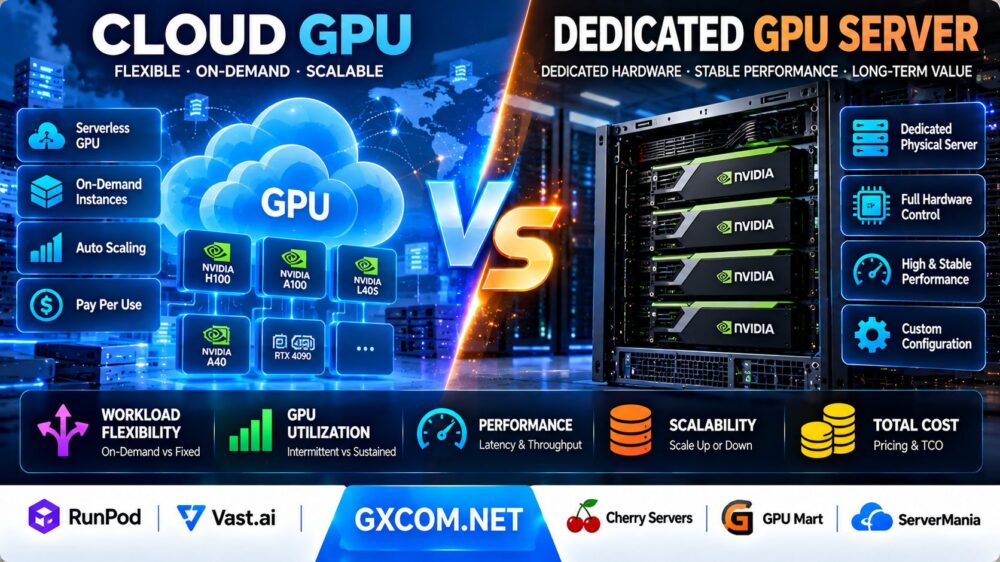
In this Cloud GPU vs Dedicated GPU Server comparison, we examine workload flexibility, GPU utilization, deployment speed, hardware control, performance consistency, scalability, and total cost of ownership.
We also explore infrastructure options from RunPod, Vast.ai, Cherry Servers, GPU Mart, and ServerMania, helping buyers understand which type of provider may fit their workloads.
Editorial methodology: This article compares infrastructure models using provider documentation, technical characteristics, and illustrative cost calculations. GXCOM.NET has not independently benchmarked equivalent cloud and dedicated GPU systems. Pricing, hardware inventory, availability, and contract terms change. Cost examples are hypothetical and should not be interpreted as live provider quotes.
Cloud GPU vs Dedicated GPU Server: Quick Verdict
Choose cloud GPU hosting when workloads are temporary, unpredictable, experimental, or require rapid access to different GPU models.
Choose a dedicated GPU server when workloads are sustained, utilization is consistently high, and direct control over hardware, storage, networking, and the operating environment is important.
Cloud GPU services can reduce the financial risk of reserving expensive hardware that remains idle for much of the month.
Dedicated GPU servers can become economically attractive when a workload uses the accelerator continuously and the contracted server delivers sufficient performance at a competitive effective hourly cost.
However, neither approach is always cheaper. Some cloud products offer reserved capacity, while some bare-metal providers offer hourly billing. The correct comparison must consider the exact product rather than relying on the provider category alone.
| Comparison Factor | Cloud GPU | Dedicated GPU Server |
|---|---|---|
| Primary resource model | On-demand or metered GPU compute | Dedicated physical server or contracted hardware |
| Typical deployment | GPU instances, containers, serverless endpoints | Physical server with dedicated hardware |
| Scaling | Launch or release instances, subject to inventory | Add or replace physical capacity, subject to provisioning |
| Hardware control | Platform-dependent | Usually greater system-level control |
| Idle capacity | Some products allow compute to scale down | Reserved hardware may remain billable while idle |
| Billing | Usage-based, reserved, or serverless | Hourly, monthly, or contract-based |
| GPU performance | Depends on hardware and allocation model | Depends on dedicated hardware configuration |
| Hardware changes | Often easier to switch instance types | May require hardware replacement or a new server |
| Operational work | Varies from managed endpoints to self-managed VMs | Often greater server administration responsibility |
| Best fit | Variable and experimental AI workloads | Predictable, sustained AI workloads |
What Is Cloud GPU Hosting?
Cloud GPU hosting provides access to GPU-accelerated compute through a service platform.
Customers can deploy compatible AI applications without purchasing physical accelerators or building their own GPU servers.
Depending on the provider, cloud GPU products may include virtual machines, GPU containers, serverless inference endpoints, dedicated GPU instances, and multi-node clusters.
On-Demand GPU Instances
On-demand instances allow users to provision GPU resources for development, training, inference, or batch processing.
Billing may be based on seconds, minutes, or hours, depending on the service.
Serverless GPU Inference
Serverless platforms execute compatible inference workloads through API endpoints.
Some services scale workers down when traffic disappears, reducing idle compute charges.
However, model loading, worker initialization, and active capacity settings can affect both latency and cost.
GPU Marketplaces
GPU marketplaces connect customers with available accelerator capacity from different hosts.
Hardware selection, pricing, network characteristics, and host reliability can vary between listings.
Reserved Cloud GPUs
Some cloud providers offer reserved or committed capacity for customers with predictable workloads.
These products may reduce the effective compute rate but introduce commitment or cancellation considerations.
Important Distinction
A cloud GPU instance can provide exclusive access to a physical accelerator without giving the customer an entire physical server.
Therefore, cloud GPU and dedicated GPU are not always mutually exclusive descriptions.
The more precise comparison is between metered cloud GPU services and dedicated physical GPU server infrastructure.
What Is a Dedicated GPU Server?
A dedicated GPU server is a physical server equipped with one or more GPUs allocated to a customer.
It typically includes dedicated CPU resources, system memory, storage devices, network interfaces, and operating system access.
Customers can rent dedicated GPU servers from infrastructure providers rather than purchasing and maintaining the hardware themselves.
Bare Metal GPU Servers
Bare metal hosting gives customers access to a physical machine without the same virtual machine abstraction commonly used in cloud hosting.
This can be attractive when workloads require direct access to GPU drivers, operating system settings, storage layouts, or specialized software.
Single-GPU Servers
Single-GPU dedicated servers may suit smaller inference applications, rendering, development environments, and specialized compute tasks.
Multi-GPU Servers
Multi-GPU servers can support larger models, parallel training, and applications that benefit from several accelerators.
However, GPU count alone does not guarantee efficient scaling.
Dedicated Infrastructure Control
Dedicated servers may provide more flexibility over the operating system, drivers, container runtime, networking, and storage configuration.
Available control depends on the provider and management arrangement.
Cloud GPU vs Dedicated GPU: Workload Flexibility
Flexibility is one of the strongest reasons to choose cloud GPU infrastructure.
Short-Term AI Experiments
Developers testing model architectures may need different GPUs during different development stages.
Cloud hosting can make it easier to test several accelerator models without maintaining multiple physical servers.
Temporary Training Jobs
A training job that runs for a limited number of hours may be better suited to metered cloud capacity.
Customers should still consider startup time, data transfer, and checkpoint storage.
Continuous Production Workloads
Applications that run continuously may benefit from dedicated hardware, particularly when resource utilization remains high.
However, reserved cloud GPU products can also be competitive for sustained demand.
Changing GPU Requirements
Cloud platforms may allow developers to move from one GPU generation to another more easily.
With dedicated servers, a hardware upgrade may require a new server or physical reconfiguration.
Demand Spikes
Cloud platforms can be attractive when additional instances are needed during demand spikes.
Nevertheless, scaling depends on actual inventory, account quotas, deployment time, and application architecture.
GPU Utilization: The Most Important Economic Variable
GPU utilization is central to infrastructure cost efficiency.
However, utilization must be defined carefully.
GPU Compute Utilization
GPU compute utilization measures how busy the accelerator is during a workload.
A GPU may show high memory usage while performing relatively little computation.
Billable Utilization
Billable utilization measures how much of the paid infrastructure time produces useful work.
For example, a dedicated GPU server may be rented for an entire month even if applications run only during working hours.
Productive Utilization
Productive utilization considers the amount of useful output generated relative to the total capacity purchased.
Failed jobs, repeated model initialization, idle reservations, and inefficient batching can reduce productive utilization.
Why High Utilization Matters
When a dedicated server is used consistently, its fixed cost can be spread across more useful GPU-hours.
When the server remains idle, the effective cost of productive work increases.
Why Cloud Utilization Is Different
Cloud users can sometimes release resources when work is finished.
However, retained storage, minimum billing periods, reserved commitments, and warm serverless workers can still create costs.
Cloud GPU vs Dedicated GPU Server: Total Cost of Ownership
Total cost of ownership, or TCO, includes more than compute charges.
It also includes storage, networking, administration, software licensing, monitoring, downtime, and the cost of keeping capacity available.
Cloud GPU Cost Components
- GPU compute time
- CPU and system memory where billed separately
- Persistent storage
- Data transfer
- Reserved capacity commitments
- Worker initialization and idle periods
- Monitoring and operational services
- Software and model-serving licenses
Dedicated GPU Server Cost Components
- Recurring server rental
- Setup or provisioning fees where applicable
- Network traffic and bandwidth upgrades
- Additional storage
- Backup infrastructure
- Managed administration services
- Software licensing
- Hardware replacement and recovery procedures
- Unused reserved capacity
Do Not Compare Only GPU Hourly Rates
A lower GPU hourly price does not necessarily mean lower total workload cost.

The cheaper GPU may process fewer tokens per second, require more instances, or incur additional storage and networking charges.
Similarly, a dedicated server may appear inexpensive per calendar hour but become costly when utilization is low.
Cloud GPU vs Dedicated GPU: Break-Even Utilization Formula
A simple break-even model can help estimate when a dedicated GPU server becomes competitive.
Define the following variables:
C = Cloud GPU price per productive GPU-hour.
D = Monthly dedicated GPU server cost.
H = Productive GPU-hours required per month.
Ignoring other costs and assuming comparable performance:
Cloud cost = C × H.
Dedicated cost = D.
The break-even workload is:
Break-even GPU-hours = D / C.
Hypothetical Cost Example
Assume a cloud GPU costs $2.50 per productive hour.
Assume a comparable dedicated GPU server costs $900 per month.
The break-even point is:
$900 / $2.50 = 360 productive GPU-hours per month.
In a 720-hour illustrative month, that represents:
360 / 720 × 100 = 50% billable utilization.
Under these simplified assumptions, the dedicated server becomes less expensive above 360 productive GPU-hours per month.
These values are hypothetical and do not represent quotes from any provider.
Why the Real Break-Even Point Changes
The actual break-even point changes when the systems deliver different performance.
It also changes with storage charges, network transfer, management costs, reserved cloud discounts, server setup fees, and capacity commitments.
When the two systems have different throughput, compare the cost per completed job or per million tokens instead of treating one GPU-hour as equivalent.
Cloud GPU vs Dedicated GPU: Monthly Cost Scenarios
Using the same hypothetical $2.50 cloud rate and $900 dedicated monthly cost, the following scenarios illustrate the importance of utilization.
| Monthly Productive GPU-Hours | Cloud GPU Cost | Dedicated Server Cost | Lower Simplified Cost |
|---|---|---|---|
| 100 hours | $250 | $900 | Cloud GPU |
| 200 hours | $500 | $900 | Cloud GPU |
| 300 hours | $750 | $900 | Cloud GPU |
| 360 hours | $900 | $900 | Equal |
| 500 hours | $1,250 | $900 | Dedicated server |
| 720 hours | $1,800 | $900 | Dedicated server |
These scenarios assume equivalent performance, perfect ability to release unused cloud compute, and no additional charges.
They illustrate a decision framework rather than actual market prices.
Cloud GPU vs Dedicated GPU for LLM Inference
Large language model inference requires a careful balance of latency, throughput, GPU memory, and cost.
Low-Volume Inference
Applications receiving occasional requests may benefit from serverless GPU services that reduce compute usage during idle periods.
However, cold starts may affect the first request after inactivity.
High-Volume Inference
Applications serving continuous traffic may benefit from persistent GPU capacity.
Dedicated servers can be attractive when GPUs remain highly utilized and predictable throughput is important.
Time to First Token
Time to first token measures how quickly a model begins generating output.
For interactive applications, this metric may matter more than peak benchmark throughput.
Tokens per Second
Output token throughput measures how quickly the model generates tokens.
Compare throughput using the same model, precision, input length, output length, and concurrency.
Batching Efficiency
Continuous batching can increase throughput for compatible inference engines.
However, larger batches can also affect individual request latency.
Cost per Million Tokens
Use the formula:
Cost per million output tokens = Total attributable inference cost / Output tokens × 1,000,000.
Include idle capacity, worker startup, storage, and failed requests where relevant.
Cloud GPU vs Dedicated GPU for AI Training
Training workloads differ significantly from inference.
They may require long-running jobs, multiple GPUs, fast storage, checkpointing, and high-bandwidth communication.
Short Training Experiments
Cloud GPU infrastructure can be convenient for limited experiments and model testing.
Repeated Fine-Tuning
Organizations running repeated fine-tuning jobs should calculate their cumulative monthly GPU-hours.
If utilization is consistently high, dedicated hardware may become worth evaluating.
Multi-GPU Training
Distributed training performance depends on GPU interconnects, networking, memory, and software efficiency.
Eight GPUs connected through a suitable high-bandwidth topology may behave very differently from eight GPUs spread across poorly connected systems.
Checkpointing
Training jobs should save checkpoints to reduce losses from interruptions or failures.
Checkpoint frequency and storage throughput can affect performance.
Preemptible Capacity
Interruptible cloud GPU offers may reduce costs for fault-tolerant training jobs.
However, jobs must be designed to resume after interruptions.
GPU Memory, Hardware Generations and Software Compatibility
GPU memory and software support often matter more than the provider category.
VRAM Capacity
Large models require sufficient GPU memory for weights, activations, runtime buffers, and KV cache.
Insufficient VRAM can prevent deployment or require slower offloading techniques.
NVIDIA CUDA
Many AI applications depend on NVIDIA CUDA and related optimized libraries.
Verify that the selected GPU generation supports the required software stack.
AMD ROCm
AMD accelerators can be relevant for supported ROCm workloads.
However, not every CUDA-oriented application works on ROCm without changes.
GPU Interconnects
Multi-GPU training and inference can depend on PCIe, NVLink, or other communication technologies.
Check the exact hardware topology rather than assuming every multi-GPU server has the same interconnect performance.
CPU and RAM
GPU workloads also need sufficient CPU resources and system memory for preprocessing, data loading, orchestration, and application services.
Performance Consistency: Cloud vs Bare Metal
Dedicated hardware can offer greater control over resource allocation, but it does not guarantee superior performance in every benchmark.
Shared Infrastructure Effects
Some cloud environments share host-level resources, while others allocate dedicated GPU capacity.
Actual isolation depends on the service architecture.
Virtualization Overhead
Virtualization overhead varies by platform, GPU allocation method, and workload.
It should be measured rather than assumed.
Thermal and Power Limits
GPU power limits, cooling conditions, and sustained clock behavior can affect throughput.
Storage Bottlenecks
Slow dataset loading can leave an expensive GPU waiting for data.
Network Bottlenecks
Distributed workloads can be limited by inter-node communication rather than GPU compute capacity.
Benchmark Recommendation
Compare completed jobs per hour, tokens per second, latency percentiles, and total cost under representative conditions.
Raw GPU specifications alone are not sufficient.
Scalability and GPU Availability
Cloud GPU platforms are often associated with rapid deployment, but inventory is not unlimited.
Cloud GPU Availability
Specific accelerator models may be unavailable in a desired region.
High-demand GPU generations can experience capacity constraints.
Dedicated GPU Availability
Dedicated servers depend on physical hardware inventory, deployment capacity, and sometimes contract approval.
Scaling Up
Cloud platforms may make it easier to select a larger instance or launch additional workers.
Dedicated infrastructure may require provisioning a new physical server.
Scaling Down
Cloud compute can often be released when no longer needed.
Dedicated servers may remain billable until the agreed cancellation or contract end date.
Capacity Planning
Production systems should consider how quickly replacement GPU capacity can be obtained after a failure.
Storage, Networking and Data Transfer Costs
Data movement is an important part of AI infrastructure economics.
Model Storage
Large models may require substantial persistent storage.
Repeatedly downloading weights can increase startup time and network consumption.
Training Datasets
Large datasets can take significant time to move between regions or providers.
Checkpoint Storage
Training checkpoints can consume substantial disk space and network bandwidth.
Cloud Storage Billing
Some cloud GPU providers continue charging for retained volumes after compute stops.
For example, RunPod documents product-specific storage charges, and Vast.ai describes ongoing storage charges for retained instances.
Dedicated Server Storage
Dedicated servers may include local NVMe or SSD storage, with additional drives or network storage available depending on the provider.
Network Egress
Review data transfer allowances and billing rules for the exact service.
Some providers include transfer in their compute products, while others charge for certain network usage.
Cloud GPU Providers Worth Considering
RunPod: Pods, Serverless and Clusters
RunPod offers GPU Pods for development and long-running workloads, Serverless endpoints for compatible inference applications, and cluster products for larger jobs.
Its Serverless flex workers can scale down when idle, which may be useful for unpredictable inference traffic.
However, active workers, initialization time, and storage can contribute to total cost.
Read our RunPod Serverless GPU Review for a deeper look at cold starts, worker behavior, and inference costs.
Vast.ai: GPU Marketplace Flexibility
Vast.ai provides GPU capacity through a marketplace with host-dependent prices and hardware characteristics.
Its products include on-demand, interruptible, reserved, and serverless options.
Marketplace buyers should evaluate host reliability, GPU specifications, network conditions, storage charges, and interruption policies.
Our Vast.ai GPU Marketplace Review explains additional purchasing considerations.
Dedicated GPU Server Providers Worth Considering
Cherry Servers: Configurable Bare Metal
Cherry Servers offers dedicated GPU infrastructure for AI, machine learning, and other accelerated workloads.
Its published offerings include configurable dedicated servers and both hourly and fixed-period billing options for eligible products.
Customers should confirm the GPU model, server configuration, location, network allowance, and minimum billing commitment.
For additional hardware considerations, see our Cherry Servers Bare Metal Review.
GPU Mart: Dedicated GPU Hosting
GPU Mart focuses on GPU hosting products, including dedicated GPU servers and GPU VPS offerings with dedicated accelerator access.
Its bare-metal GPU servers may be relevant for long-running AI inference, training, and rendering workloads.
Check the exact GPU model, VRAM, physical configuration, support scope, and recurring cost.
Read our GPU Mart Dedicated GPU Server Review for further information.
ServerMania: Dedicated Infrastructure Evaluation
ServerMania offers dedicated server infrastructure and custom hosting options.
It may be worth evaluating for organizations seeking a customized physical server deployment.
However, buyers should not assume that a particular GPU model is available without obtaining a current hardware quotation.
Confirm accelerator availability, deployment timelines, management responsibilities, and network specifications before treating an offer as a GPU server alternative.
Cloud GPU vs Dedicated GPU Server: Provider Comparison
| Provider | Infrastructure Approach | Potential Use Case | Key Buying Consideration |
|---|---|---|---|
| RunPod | GPU Pods, Serverless, Clusters | Elastic inference, development, training | Worker billing, storage and GPU inventory |
| Vast.ai | GPU marketplace and Serverless | Flexible GPU selection and batch jobs | Host reliability, interruption and total charges |
| Cherry Servers | Dedicated bare-metal GPU infrastructure | Sustained workloads and hardware control | GPU configuration and contract terms |
| GPU Mart | GPU VPS and dedicated GPU servers | Persistent AI compute and rendering | VRAM, hardware allocation and recurring cost |
| ServerMania | Dedicated and custom server infrastructure | Custom physical infrastructure evaluation | Confirm actual GPU availability by quotation |
Cloud GPU vs Dedicated GPU for Different AI Workloads
| Workload | Initial Infrastructure Preference | Why |
|---|---|---|
| Occasional model testing | Cloud GPU | Release compute between experiments |
| Bursty API inference | Serverless cloud GPU | Request-driven scaling may reduce idle compute |
| Continuous LLM inference | Compare dedicated and reserved cloud | High utilization can change unit economics |
| Short fine-tuning jobs | Cloud GPU | Temporary access to suitable accelerators |
| Repeated daily training | Compare dedicated and cloud | Predictable GPU-hours support TCO modeling |
| Multi-GPU distributed training | Topology-specific evaluation | Interconnect and networking dominate some workloads |
| Continuous rendering | Dedicated GPU worth evaluating | Stable resource usage may favor fixed capacity |
| Rapid hardware experimentation | Cloud GPU | Easier to evaluate different GPU models |
How to Choose the Right GPU Infrastructure
Before ordering cloud or dedicated GPU infrastructure, answer the following questions.
- Is the workload inference, training, fine-tuning, rendering, or development?
- How many GPU-hours are required each month?
- What percentage of reserved capacity will produce useful work?
- How much GPU memory does the model require?
- Which CUDA or ROCm software stack is needed?
- Is multi-GPU communication important?
- Does the workload require low latency?
- Can jobs tolerate interruption?
- How much persistent storage is required?
- What are the data transfer requirements?
- How quickly must additional capacity become available?
- Is unrestricted system administration required?
- What backup and recovery arrangements are needed?
- Are there minimum contracts or setup fees?
- What is the cost per completed job or million tokens?
For a broader understanding of hardware selection, read our GPU vs CPU Server Comparison.

Cloud GPU vs Dedicated GPU: Pros and Cons
Cloud GPU Advantages
- Access to GPU compute without buying hardware
- Useful for temporary and unpredictable workloads
- Potentially easier GPU model experimentation
- Metered and serverless billing options
- Rapid deployment when inventory is available
- Flexible instance scaling
Cloud GPU Limitations
- Hourly rates can become expensive for sustained workloads
- GPU availability varies by region and product
- Storage and network charges may continue
- Serverless cold starts can affect latency
- Platform restrictions may limit system control
- Marketplace offers can vary in reliability
Dedicated GPU Server Advantages
- Direct access to dedicated physical infrastructure
- Potentially attractive economics for sustained utilization
- Greater operating system and hardware control
- Predictable physical resource allocation
- Useful for specialized storage and networking requirements
- Suitable for long-running training and inference
Dedicated GPU Server Limitations
- Fixed capacity can be expensive when idle
- Hardware upgrades may require reprovisioning
- Provisioning can depend on physical inventory
- Some products have minimum commitments
- Server administration may require more expertise
- Scaling across multiple machines can add complexity
Frequently Asked Questions
Is cloud GPU cheaper than a dedicated GPU server?
Cloud GPU can be cheaper for intermittent workloads because compute may be released when not needed. Dedicated servers may become more economical for sustained, highly utilized workloads. The result depends on actual pricing and performance.
What is the difference between cloud GPU and dedicated GPU?
Cloud GPU describes a service delivery model, while dedicated GPU describes resource allocation. A cloud GPU instance can sometimes provide exclusive accelerator access without giving the customer an entire physical server.
When should I rent a dedicated GPU server?
Consider a dedicated server when GPU demand is predictable, utilization remains high, and hardware control or sustained performance is important.
Is a dedicated GPU server faster than cloud GPU?
Not necessarily. Performance depends on the accelerator model, allocation, power limits, software stack, storage, networking, and workload.
Is cloud GPU better for AI startups?
Cloud GPU may help startups avoid long-term infrastructure commitments while workloads are uncertain. Dedicated infrastructure may become attractive as usage stabilizes.
Which is better for LLM inference?
Serverless cloud GPUs can suit irregular traffic. Dedicated or reserved GPU capacity may suit continuously running inference services. Compare latency and cost per million tokens.
Which is better for AI training?
Cloud GPUs can suit short experiments, while dedicated servers may be competitive for repeated long-running jobs. Multi-GPU topology and storage performance are important.
What is GPU utilization?
GPU utilization commonly describes accelerator activity. For cost decisions, also measure the proportion of paid capacity used to produce useful results.
How do I calculate GPU break-even utilization?
Divide monthly dedicated server cost by the comparable cloud GPU price per productive hour. Adjust for performance differences and additional costs.
Can cloud GPUs scale automatically?
Some serverless services support automatic worker scaling. Standard GPU virtual machines may require separate orchestration and autoscaling configuration.
Can I use multiple GPUs on a dedicated server?
Yes, when the selected server supports multiple accelerators. Verify interconnect topology, power capacity, cooling, and software compatibility.
Are GPU marketplace instances reliable?
Reliability varies by host, hardware, and service tier. Review listing characteristics and interruption policies before deploying important workloads.
Does a dedicated GPU server require buying hardware?
No. Dedicated GPU servers can be rented from hosting providers. Purchasing and colocating hardware is a separate infrastructure model.
Does stopping a cloud GPU eliminate all charges?
Not always. Persistent storage, reserved commitments, or other retained resources may continue billing after compute stops.
Which providers offer cloud GPUs?
RunPod and Vast.ai are examples of providers offering cloud GPU services, although their deployment and billing models differ.
Which providers offer dedicated GPU servers?
Cherry Servers and GPU Mart advertise dedicated GPU server products. Custom infrastructure providers may also offer GPU configurations subject to quotation and availability.
Final Verdict: Cloud GPU or Dedicated GPU Server?
The best choice between cloud GPU and dedicated GPU server infrastructure depends on workload predictability, GPU utilization, hardware requirements, and total cost.
Cloud GPU platforms are particularly attractive for experimentation, intermittent inference, short training jobs, and applications that benefit from flexible access to different accelerators.
Dedicated GPU servers deserve consideration when AI workloads run consistently, hardware control matters, and high utilization makes fixed capacity economically attractive.
RunPod and Vast.ai provide different approaches to flexible GPU compute. Cherry Servers and GPU Mart offer dedicated GPU infrastructure, while ServerMania may be worth contacting for custom server requirements where appropriate hardware is available.
Do not select infrastructure solely from a GPU hourly rate or advertised specification.
Instead, benchmark the intended model, calculate useful output, include storage and networking charges, and estimate realistic monthly utilization.
AI WORKLOAD → GPU MEMORY → UTILIZATION → PERFORMANCE → DEPLOYMENT FLEXIBILITY → TOTAL COST → INFRASTRUCTURE DECISION
Always confirm current hardware inventory, GPU specifications, service terms, billing rules, and availability directly with the provider before purchasing.