A cheap Windows VPS gives you a remote Windows Server environment without the cost of renting an entire dedicated server. It can be used for Remote Desktop, ASP.NET applications, IIS websites, development environments and Windows-only business software.
Finding Cheap Windows VPS Hosting is more complicated than finding a low-cost Linux server. Windows licensing, RDP access, RAM requirements, backups and server management can all increase the real monthly price.
In this 2026 comparison, we look at affordable Windows VPS and RDP servers from AccuWeb Hosting, InterServer, Hostwinds, Contabo and Kamatera. Rather than ranking providers only by headline price, we compare what you actually receive for the money.
Pricing checked in September 2026. Promotions, currencies, Windows licensing, locations and configurations can change. Always verify the final checkout price and license terms before ordering.
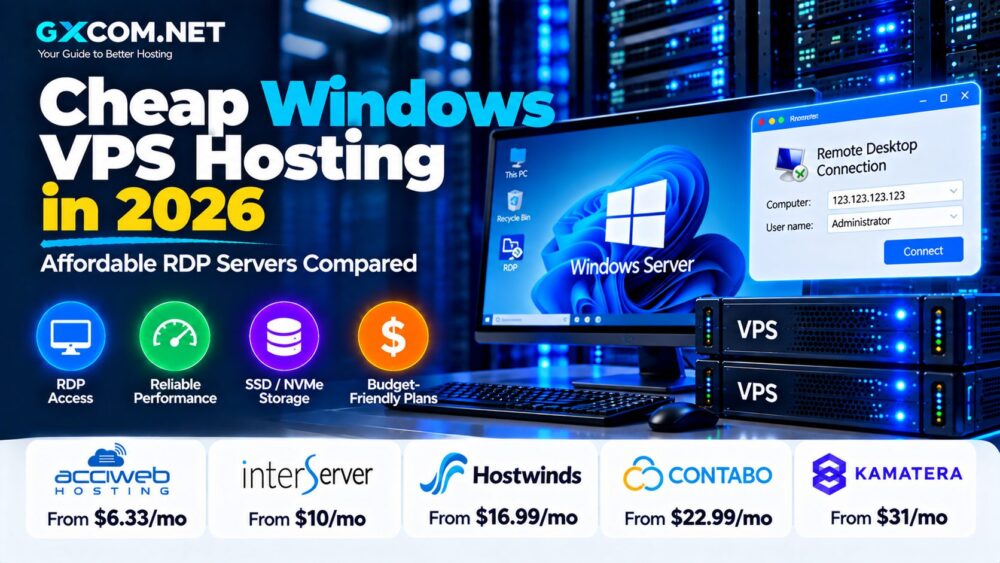
Cheap Windows VPS Hosting 2026: Quick Comparison
| Provider | Example Price* | RAM | Storage | Best For |
|---|---|---|---|---|
| AccuWeb Hosting | $6.33/mo | 1 GB | 40 GB SSD | Low-cost Windows + RDP |
| InterServer | $10/mo | 4 GB | 80 GB SSD | RDP value |
| Hostwinds | $16.99/mo unmanaged | 1 GB | 30 GB SSD | Self-managed Windows |
| Contabo | Region/term dependent | 8 GB+ | 100 GB SSD+ | Higher resource allocations |
| Kamatera | $31/mo Basic | 2 GB | 30 GB NVMe | Flexible cloud infrastructure |
*Representative prices checked in September 2026. Plans are not directly equivalent. Licensing, management, CPU, bandwidth, regions and contract terms differ.
What Is Cheap Windows VPS Hosting?
A Windows VPS is a virtual machine running Microsoft Windows Server. The provider supplies virtual CPU, RAM, storage and network resources while you access and administer the server remotely.
Most Windows VPS users connect through Remote Desktop Protocol (RDP), which provides a familiar graphical Windows environment.
Common uses include:
- Remote Windows applications
- ASP.NET development
- IIS web hosting
- Microsoft SQL Server
- Development and testing
- ERP and CRM software
- Accounting applications
- Windows-specific business tools
If your software does not require Windows, Linux can often provide a lower-cost environment. Our Cheap Linux VPS Hosting comparison covers those alternatives.
1. AccuWeb Hosting – Windows VPS from $6.33/Month
AccuWeb Hosting currently has one of the lowest long-term entry prices in this comparison.
Its VPS Opal plan is advertised at $6.33 per month and renews at $6.99 per month. The current configuration includes:
- 1 GB RAM
- 1 vCPU
- 40 GB SSD storage
- 500 GB bandwidth
- 1 IP address
- Windows Server 2019/2022 license
- Remote Desktop access
That last point matters because a very cheap cloud server is not necessarily a cheap Windows server if you must purchase the Windows license separately.
AccuWeb also lists a $2.99-per-GB Windows Evaluation product, but it is valid for only 180 days and cannot be continued after that period. It should be viewed as a development or testing option rather than the normal long-term starting price.
Best for: lightweight Windows workloads where a licensed Windows Server and RDP access are required at a low ongoing price.
2. InterServer – Strong RDP Resources for $10/Month
InterServer's Windows Cloud Compute is particularly interesting for value-focused RDP users because its entry Windows configuration starts with more memory than many budget competitors.
The minimum Windows configuration uses two slices and currently costs $10 per month:
- 1 CPU core
- 4 GB RAM
- 80 GB SSD storage
- 4 TB transfer
- Hyper-V virtualization
- Remote Desktop access
- Administrator control
InterServer specifically requires at least two slices for Windows because the operating system needs more base resources than its smallest Linux configuration.
Scaling is straightforward. Three slices cost $15 per month and provide 2 CPU cores, 6 GB RAM, 120 GB SSD and 6 TB transfer. Four slices cost $20 per month with 2 CPU cores, 8 GB RAM, 160 GB SSD and 8 TB transfer.
Best for: users who want a low-cost RDP environment with more RAM and storage than extremely small entry-level Windows VPS plans.
3. Hostwinds – Affordable Unmanaged Windows VPS
Hostwinds offers both managed and unmanaged Windows VPS hosting. The unmanaged option is designed for users comfortable administering Windows Server themselves.
The current entry unmanaged Windows VPS costs $16.99 per month and provides:
- 1 CPU
- 1 GB RAM
- 30 GB SSD storage
- 1 TB bandwidth
- 1 Gbps port
- Snapshots
- Enterprise firewall
The next configuration increases memory to 2 GB and storage to 50 GB for $21.99 per month.
Hostwinds also sells managed Windows VPS. The managed entry configuration is currently displayed at a promotional price, although promotions can change and should not be treated as permanent pricing.
Best for: experienced Windows administrators who want to reduce management costs by maintaining the operating system themselves.
4. Contabo – More Resources for Windows Workloads
Contabo takes a different approach to budget VPS hosting by emphasizing larger resource allocations.
Its current Windows VPS page advertises Windows Server configurations based on its Cloud VPS platform, including plans with 8 GB RAM and 100 GB SSD at the lower end of the current Windows lineup.
However, Contabo pricing is highly sensitive to region, currency, selected Windows license and contract term. Its current page also displays long-term promotional pricing tied to a 24-month period.
For this reason, compare the final checkout price rather than treating a promotional number as a universal monthly rate.
Potential advantages include:
- Larger RAM allocations
- Multiple CPU cores
- SSD storage
- Snapshots
- Multiple international locations
- Scalable VPS configurations
Best for: users who prioritize RAM and server resources and are willing to compare location, license and term-specific pricing carefully.
5. Kamatera – Affordable Scaling Rather Than the Lowest Price
Kamatera is not the cheapest provider in this comparison, but it is useful as a benchmark for users who need a more configurable Windows cloud server.
Its current Basic Windows VPS configuration costs $31 per month and includes:
- 1 availability core
- 2 GB RAM
- 30 GB NVMe SSD
- 5 TB internet traffic
- Windows Server 2022 Datacenter 64-bit
The Plus configuration costs $37 per month with 2 availability cores and 4 GB RAM.
Kamatera supports hourly or monthly billing and allows users to adjust CPU, RAM and storage as requirements change.
Best for: users who value flexible Windows cloud infrastructure and NVMe storage more than obtaining the absolute lowest monthly price.
What Makes a Windows VPS Cheap?
The headline server price is only one component of the total cost.
Before deciding that a Windows VPS is cheap, check:
- Windows Server license
- RAM
- CPU resources
- RDP access
- SSD or NVMe storage
- Bandwidth
- Backups
- Management
- Control-panel licensing
- Renewal pricing
A $7 VPS with 1 GB RAM and a $10 VPS with 4 GB RAM serve very different workloads. Comparing price alone can produce a misleading conclusion.
Windows License: The Hidden Cost to Check
Windows Server licensing is one of the main reasons Windows VPS pricing differs from Linux VPS pricing.
Some providers include a Windows Server license in the advertised configuration. Others may calculate Windows licensing separately depending on CPU resources, edition or configuration.
Before buying, ask:
- Is Windows Server included in the displayed price?
- Which Windows Server version is included?
- Does changing the version affect the price?
- Is the license permanent for the life of the VPS?
- Are additional RDP licenses required for multiple users?
AccuWeb explicitly includes Windows Server licensing in its standard Windows VPS plans, while configurable cloud platforms may calculate the operating system as part of the selected configuration.
How Much RAM Does an Affordable RDP Server Need?
Windows Server with a graphical Remote Desktop environment generally benefits from more RAM than a minimal command-line Linux server.
| RAM | Typical RDP Use |
|---|---|
| 1 GB | Very light workloads and testing |
| 2 GB | Light applications |
| 4 GB | General RDP and development |
| 8 GB+ | Multiple applications and business workloads |
These are practical starting points, not universal system requirements. Application requirements should determine the final configuration.
For many users, a 4 GB configuration provides a more comfortable Remote Desktop environment than an extremely cheap 1 GB server.
SSD vs NVMe Windows VPS
Most budget Windows VPS providers now use solid-state storage, but SSD and NVMe should not automatically be treated as the same thing.
NVMe uses PCIe and can provide higher storage I/O performance. This can be useful for databases, development environments and applications that frequently access storage.
Kamatera currently advertises NVMe on its Windows VPS configurations. Other affordable providers in this comparison use SSD storage on their entry plans.
NVMe can be valuable, but paying for fast storage will not compensate for insufficient RAM or CPU resources.
Cheap Windows VPS for Remote Desktop
RDP is one of the strongest search and buying intents behind affordable Windows VPS hosting.
Remote Desktop allows you to connect to the server and use a graphical Windows environment from another computer.
A good low-cost RDP VPS should provide:
- Enough RAM for Windows and your applications
- Low network latency
- Reliable CPU resources
- SSD or NVMe storage
- Administrator access
- Appropriate Windows licensing
Server location can be especially important for interactive RDP. A server located closer to the user generally reduces network latency.
Cheap Windows VPS for ASP.NET and IIS
Windows VPS is also useful for Microsoft web technologies.
A Windows server can support workloads involving:
- IIS
- ASP.NET
- .NET applications
- PowerShell
- Microsoft SQL Server
If your application only requires PHP, MySQL, WordPress or a conventional Linux web stack, paying for Windows may be unnecessary.
Managed vs Unmanaged Windows VPS
Unmanaged
An unmanaged VPS usually costs less because you handle server administration yourself.
You may be responsible for:
- Windows Update
- RDP configuration
- Windows Firewall
- Security hardening
- Application installation
- Monitoring
- Backup configuration
Managed
Managed Windows VPS adds provider assistance, although the exact scope differs significantly between hosting companies.
Businesses without an experienced Windows administrator should compare the management scope rather than automatically choosing an unmanaged plan to save a few dollars.
RDP Security: Cheap Should Not Mean Insecure
An internet-facing Remote Desktop server requires careful security configuration.
Basic precautions include:
- Use strong unique passwords
- Keep Windows Server patched
- Enable Network Level Authentication where appropriate
- Configure Windows Firewall
- Restrict RDP access where practical
- Use provider firewall controls
- Maintain backups
- Monitor failed login attempts
A cheap VPS that is poorly secured can become much more expensive if it results in compromised applications or lost data.
Watch for Promotional and Renewal Pricing
Hosting promotions can make the first term substantially cheaper than the long-term price.
AccuWeb's current Opal plan, for example, is advertised at $6.33 per month and renews at $6.99. Its Pearl plan is currently $9.99 but renews at $14.99.
Contabo currently displays term-based promotional pricing on selected Windows configurations, while Hostwinds also displays promotional pricing on its managed Windows VPS range.
When comparing servers, calculate the expected cost over 12 or 24 months rather than comparing only the first payment.
Windows VPS Backup Costs
Backups are another area where headline pricing can be misleading.
Some plans include backup features only in selected locations. Others sell backups separately or provide snapshots rather than a complete backup service.
For important workloads, maintain an independent backup of critical application data even if the provider offers server-level backups.
Cheap Windows VPS vs Cheap Linux VPS
| Feature | Windows VPS | Linux VPS |
|---|---|---|
| Remote Management | RDP / PowerShell | SSH |
| OS License Cost | Can increase price | Usually no commercial OS fee |
| Minimum Practical RAM | Generally higher | Can run very lightweight |
| IIS / Microsoft Apps | Strong fit | Not the primary platform |
| Typical Entry Price | Higher | Lower |
Choose Windows because your application requires Windows, not simply because you prefer a graphical desktop.
How to Choose a Cheap Windows VPS
1. Define the application. Determine whether you need RDP, IIS, .NET, SQL Server or another Windows-specific technology.
2. Check the license. Verify whether Windows Server is included in the displayed price.
3. Compare RAM. For general RDP use, consider whether 4 GB provides better practical value than an ultra-cheap 1 GB configuration.
4. Check CPU resources. The number of cores alone does not describe processor performance.
5. Compare storage. Look at both storage capacity and SSD/NVMe technology.
6. Check bandwidth. Included transfer varies dramatically between providers.
7. Check the server location. Lower latency improves interactive RDP sessions.
8. Calculate renewal cost. Do not evaluate promotional plans only by the introductory rate.
9. Check backup pricing. Include backup costs in the real monthly budget.
10. Decide on management. Saving money with an unmanaged VPS only makes sense if you can maintain Windows Server securely.
Which Cheap Windows VPS Offers the Best Value?
The answer depends on the workload rather than a single headline price.
AccuWeb is notable for its low long-term entry price with Windows licensing and RDP included. InterServer stands out when RAM, storage and bandwidth per dollar matter, with its $10 Windows configuration providing 4 GB RAM and 80 GB SSD. Hostwinds offers an unmanaged route for administrators wanting direct control, while Contabo emphasizes larger resource allocations. Kamatera costs more but provides configurable cloud resources and NVMe storage.
For a broader provider comparison that is not focused primarily on price, see our Windows VPS Hosting Providers guide.
Cheap Windows VPS Hosting 2026: Final Thoughts
Affordable Windows VPS hosting is available in 2026, but the lowest advertised number does not automatically represent the lowest real cost.
Windows Server licensing, RDP access, RAM, storage, bandwidth, backups, management and renewal pricing all need to be included in the comparison.
For lightweight workloads, a low-cost licensed Windows VPS can be sufficient. For regular Remote Desktop use, paying slightly more for 4 GB RAM may provide a substantially better experience. Businesses running important Windows applications should also consider support and backup quality rather than choosing entirely by price.
The best strategy is simple: identify the resources your Windows application actually requires, compare the complete long-term price and leave enough capacity for the workload to grow.