Cheap Windows VPS hosting can give you a remote Windows Server environment with administrator access, dedicated resources and Remote Desktop Protocol (RDP) without the cost of renting an entire physical server.
But finding an affordable Windows VPS is more complicated than finding a cheap Linux server.
Windows Server licensing can affect the final bill. The operating system itself consumes resources. RDP performance depends heavily on network latency, and a VPS with more vCPU cores or RAM is not automatically faster.
This means the lowest advertised server price may not be the cheapest Windows VPS to actually operate.
GXCOM.NET uses a different approach:
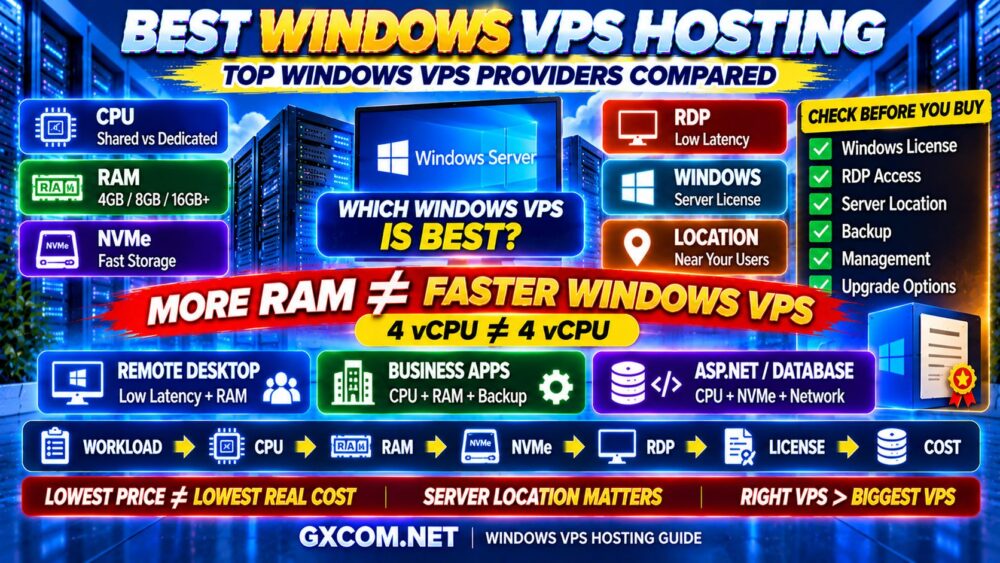
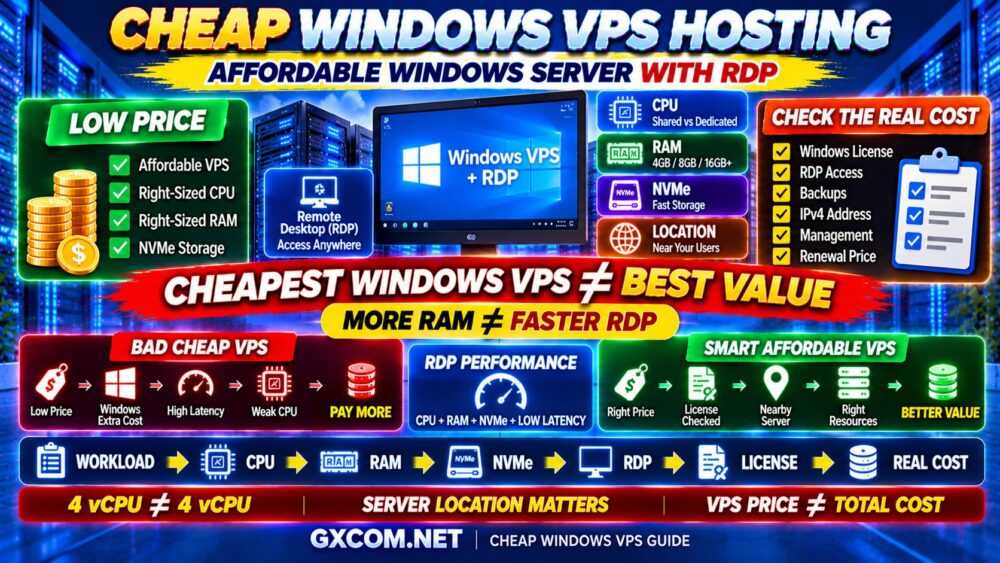
WINDOWS WORKLOAD → CPU → RAM → NVMe → RDP → LICENSE → TOTAL COST
In this guide, we compare affordable Windows VPS options from providers such as Database Mart, Hostwinds, AccuWeb Hosting, Kamatera, IONOS and VPSServer.com, while explaining what to check before choosing a low-cost Windows server.
Cheap Windows VPS Providers at a Glance
| Provider | Best For | What to Compare |
|---|---|---|
| Database Mart | Budget Windows Server Options | Windows configurations and resource value |
| Hostwinds | Managed/Unmanaged Choice | Management and Windows VPS flexibility |
| AccuWeb Hosting | Windows-Focused Hosting | RDP, Windows options and business features |
| Kamatera | Custom Windows Cloud VPS | Flexible CPU, RAM and storage sizing |
| IONOS | Budget Business Infrastructure | Entry cost and infrastructure ecosystem |
| VPSServer.com | Location Flexibility | Cloud deployment and network location |
Important: Windows Server licensing, available versions, RDP access, promotions and VPS specifications can change. Always verify the current configuration, licensing terms and total billing directly with the provider before ordering.
What Is Cheap Windows VPS Hosting?
A Windows VPS is a virtual machine running Microsoft Windows Server on shared physical infrastructure.
Unlike ordinary shared web hosting, a VPS generally gives you much greater control over the operating system and installed applications.
You can commonly use it for:
- Remote Desktop
- Windows business software
- ASP.NET applications
- IIS web hosting
- Microsoft-oriented development
- Database workloads
- Automation
- Testing
- Remote administration
RDP allows you to connect to the Windows desktop remotely, making the VPS behave much like a computer running inside a data center.
However, “cheap” should not simply mean the lowest monthly server price.
A better definition is:
AFFORDABLE WINDOWS VPS = ENOUGH PERFORMANCE + REQUIRED WINDOWS FEATURES + ACCEPTABLE RDP EXPERIENCE + LOW SUSTAINABLE COST.
Cheap Windows VPS vs Cheap Linux VPS
Windows and Linux VPS plans should not be compared by headline server price alone.
| Factor | Windows VPS | Linux VPS |
|---|---|---|
| Operating System | Windows Server | Ubuntu, Debian, AlmaLinux, etc. |
| Remote Access | RDP commonly used | SSH commonly used |
| Graphical Desktop | Common | Usually not required |
| OS Licensing | Can add cost | Common distributions usually avoid equivalent licensing cost |
| RAM Overhead | Generally higher | Can be very lightweight |
If your software does not require Windows, Linux may be the more resource-efficient option.
But if you need Windows applications, IIS, Microsoft-oriented software or a graphical Remote Desktop environment, the additional Windows cost may be justified.
1. Database Mart — Affordable Windows VPS for Multiple Server Needs
Best for: Buyers comparing Windows VPS configurations and users who may eventually need larger server resources.
Database Mart has a long history in the server-hosting market and offers Windows-oriented virtual and dedicated infrastructure.
This makes it relevant for buyers who want an upgrade path rather than a disposable entry-level VPS.
A possible growth path is:
CHEAP WINDOWS VPS
↓
LARGER WINDOWS VPS
↓
HIGH-PERFORMANCE WINDOWS SERVER
↓
DEDICATED SERVER
When comparing configurations, look beyond RAM.
Check:
- CPU resources
- Windows Server version
- RAM
- SSD/NVMe storage
- Bandwidth
- RDP access
- Windows licensing
- Backup options
MORE RAM ≠ FASTER WINDOWS VPS.
2. Hostwinds — Affordable Windows VPS With Management Options
Best for: Users comparing the cost of self-management with provider-assisted server management.
The cheapest Windows VPS can become expensive if you spend significant time administering it.
Windows server management can involve:
- Operating system updates
- Firewall configuration
- RDP security
- User management
- Monitoring
- Backup configuration
- Troubleshooting
Hostwinds is relevant because buyers can evaluate Windows VPS hosting together with different management requirements.
The correct calculation is:
SERVER + WINDOWS + MANAGEMENT + BACKUPS + YOUR TIME = REAL COST
For business use, a slightly higher infrastructure bill can sometimes reduce the total operating cost.
3. AccuWeb Hosting — Affordable Windows VPS for Business Workloads
Best for: Users looking specifically for Windows-oriented hosting and business applications.
AccuWeb Hosting is another provider worth comparing because Windows hosting has long been part of its broader product portfolio.
For business workloads, evaluate:
- Windows Server choices
- RDP access
- CPU and RAM
- Storage performance
- Data center location
- Backups
- Support
If a Windows application supports sales, customer service or daily operations, reliability can matter far more than saving a small amount on the VPS itself.
LOWER VPS PRICE ≠ LOWER BUSINESS COST.
4. Kamatera — Affordable Windows VPS With Custom Resources
Best for: Buyers who want to avoid paying for an oversized fixed VPS package.
Fixed packages can create an inefficient problem.
You may need:
4 vCPU + 8 GB RAM
but a provider may require you to buy a larger package simply to get one of those resources.
Flexible cloud infrastructure can help you size the virtual server closer to the actual workload.
Kamatera is therefore worth comparing when you need a customized Windows environment.
The principle is simple:
PAY FOR THE RESOURCES YOU NEED.
Not:
PAY FOR A BIGGER PACKAGE JUST TO GET ONE RESOURCE.
5. IONOS — Affordable Windows-Oriented Business Infrastructure
Best for: Cost-conscious businesses comparing VPS and broader cloud infrastructure.
IONOS operates across web hosting, VPS and cloud infrastructure, making it relevant for businesses that may eventually need services beyond one virtual server.
When evaluating an entry-level Windows environment, do not stop at the promotional cost.
Confirm:
- Windows availability
- Licensing
- CPU
- RAM
- Storage
- Backups
- Support
- Renewal or ongoing billing
This is particularly important when comparing introductory offers.
6. VPSServer.com — Affordable Cloud VPS for Location-Sensitive Workloads
Best for: Users who prioritize cloud deployment flexibility and server location.

Location is unusually important for Windows VPS users because many customers interact directly with the graphical desktop through RDP.
Every screen update, mouse action and keyboard input must travel between you and the server.
This means a smaller VPS located nearby can sometimes feel more responsive than a more powerful server located far away.
LOWER LATENCY CAN BE MORE VALUABLE THAN MORE RAM.
Best Cheap Windows VPS by Use Case
| Use Case | Providers to Compare |
|---|---|
| Budget Windows Server | Database Mart |
| Management Options | Hostwinds |
| Business Windows Hosting | AccuWeb Hosting |
| Custom Resource Sizing | Kamatera |
| Business Infrastructure | IONOS |
| Location-Flexible Cloud VPS | VPSServer.com |
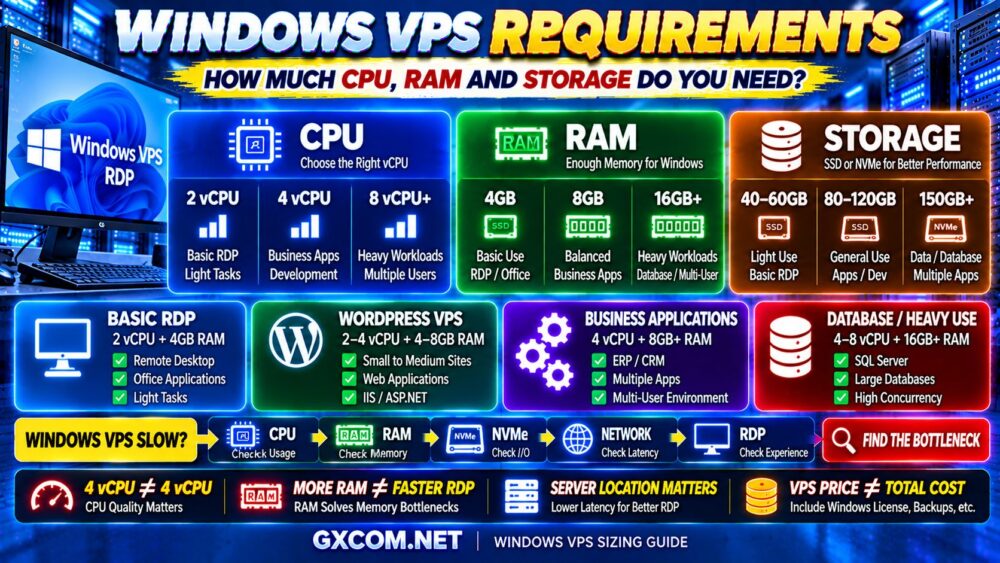
How Much RAM Does a Cheap Windows VPS Need?
RAM is one of the first specifications buyers compare, but it should not be evaluated in isolation.
| RAM | Typical Starting Use |
|---|---|
| 2 GB | Very lightweight Windows Server workloads |
| 4 GB | Basic RDP and lightweight applications |
| 8 GB | Business applications and multitasking |
| 16 GB | Heavier applications and databases |
| 32 GB+ | Memory-intensive workloads |
These are broad planning ranges rather than guaranteed requirements.
The correct amount depends on:
- Windows Server version
- Number of applications
- Database usage
- Background services
- Concurrent activity
Buying too little RAM can create performance problems.
Buying far more than your applications use wastes money.
RIGHT-SIZED RAM > MAXIMUM RAM.
How Many vCPU Cores Does a Cheap Windows VPS Need?
Do not compare Windows VPS providers by core count alone.
A four-vCPU server from one provider can behave very differently from a four-vCPU server elsewhere.
Performance depends on:
- CPU generation
- Clock speed
- Shared vs dedicated CPU
- Host-node utilization
- Virtualization architecture
- Workload behavior
This gives us one of the most important VPS rules:
4 vCPU ≠ 4 vCPU.
If your application continuously uses significant CPU resources, consistent compute performance may be more valuable than a larger headline core count.
Cheap Windows VPS With RDP: What Actually Matters?
Many people searching for cheap Windows VPS are really looking for an affordable remote Windows desktop.
In that case, RDP experience should be part of the buying decision.
Prioritize:
- Server location
- Network latency
- CPU responsiveness
- Enough RAM
- Fast storage
- Stable connectivity
A low-cost server on another continent may look excellent on paper but feel sluggish during interactive use.
For RDP:
LOW LATENCY + RIGHT RESOURCES > BIGGEST SPECIFICATIONS.
Does a Cheap Windows VPS Include a Windows License?
Never assume it does.
Windows Server licensing can materially change the total cost of a low-priced VPS.
Depending on the provider and product, Windows licensing may be:
- Included
- Added during checkout
- Charged separately
- Available only on certain configurations
This means an apparently cheaper server can become more expensive after Windows is added.
Compare:
BASE VPS
+
WINDOWS LICENSE
+
BACKUPS
+
MANAGEMENT
+
OTHER REQUIRED SOFTWARE
=
REAL MONTHLY COST
Our Windows Server Cost and Licensing Guide provides additional context for understanding Windows server licensing and infrastructure costs.
Cheap Windows VPS With Windows Server 2022 or 2025?
Do not automatically choose the newest Windows Server version simply because it is newer.
Start with your software requirements.
Check:
- Application compatibility
- .NET requirements
- Database compatibility
- Vendor support
- Provider availability
- Licensing
A production business application should run on the operating system version officially supported by the software vendor.
COMPATIBILITY > NEWEST VERSION.
NVMe vs SSD for Cheap Windows VPS
Storage can strongly influence how responsive a Windows VPS feels.
Windows and its applications frequently read and write:
- System files
- Application files
- Logs
- Databases
- Temporary files
- Virtual memory
NVMe can provide excellent I/O performance, especially for database-heavy or storage-intensive applications.
But the NVMe label alone does not guarantee fast real-world performance.
Storage contention and provider-side I/O limits can still matter.
Read our NVMe VPS Performance Explained guide for a deeper explanation.
Best Server Location for Cheap RDP VPS
For interactive Remote Desktop use, choose a data center reasonably close to the person operating the VPS.
For example:
US USER → US WINDOWS VPS
EUROPEAN USER → EUROPEAN WINDOWS VPS
ASIAN USER → ASIAN WINDOWS VPS
For a public website, the target audience's location may matter more than the administrator's location.
For RDP, however, your own latency to the server directly affects the desktop experience.
SERVER LOCATION MATTERS.
Cheap Managed vs Unmanaged Windows VPS
An unmanaged Windows VPS may have a lower direct hosting cost, but you take responsibility for server administration.
This can include:
- Updates
- Security
- RDP configuration
- Firewall
- Backups
- Monitoring
- Troubleshooting
If you are comfortable administering Windows Server, this can save money.
If you are not, the time spent troubleshooting can quickly eliminate the savings.
For a broader comparison, see Managed VPS vs Unmanaged VPS.
Cheap Windows VPS Security: Do Not Ignore RDP
A public Windows VPS can attract automated login attempts, making RDP security especially important.
Basic precautions include:
- Use strong unique credentials
- Keep Windows updated
- Configure Windows Firewall
- Limit unnecessary exposed services
- Restrict administrative accounts
- Maintain backups
- Monitor suspicious activity
A cheap VPS is not a bargain if poor security leads to compromise, downtime or data loss.
Cheap Windows VPS for Business Applications
Budget Windows VPS hosting can work well for small business applications when the workload is appropriately sized.
Before choosing the cheapest option, ask:
- How important is uptime?
- How many people use the application?
- How much RAM does it consume?
- Does it use a database?
- How much downtime can the business tolerate?
- How quickly can backups be restored?
If downtime stops business operations, the lowest-cost VPS may not provide the best economic value.
Cheap Windows VPS for Development and Testing
Development and testing are excellent use cases for lower-cost Windows VPS hosting.
You may not require:
- Large RAM allocations
- Dedicated CPU
- Premium support
- Extensive backup retention
A smaller Windows VPS can provide an isolated environment for:
- Software testing
- ASP.NET development
- Windows administration practice
- Application compatibility testing
- Temporary projects
For temporary or non-critical workloads, cost optimization can reasonably take higher priority.
Cheap Windows VPS for Websites
A Windows VPS can host websites through IIS and Microsoft-oriented application stacks.
For web workloads, consider:
- CPU performance
- RAM
- Storage I/O
- Database performance
- Bandwidth
- Server location
Do not size a server based solely on monthly visitor numbers.
Dynamic requests, database activity and concurrent traffic are more useful indicators of actual server load.
Cheap Windows VPS vs Shared Windows Hosting
| Feature | Shared Windows Hosting | Windows VPS |
|---|---|---|
| Server Control | Limited | High |
| Administrator Access | Usually No | Typically Available |
| Custom Applications | Limited | Flexible |
| RDP Desktop | Generally No | Common Use Case |
| Management Responsibility | Low | Higher |
If you only need conventional website hosting, shared Windows hosting may be simpler.
If you need a full Windows environment, custom software or RDP, VPS provides substantially more control.
Cheap Windows VPS vs Dedicated Windows Server
A budget VPS makes sense when:
- Your workload is relatively small
- You want to minimize infrastructure cost
- You do not require physical hardware
- You need easier resource scaling
A dedicated Windows server becomes more attractive when:
- CPU usage remains consistently high
- You need dedicated hardware
- RAM requirements become large
- You run demanding databases
- Predictable hardware performance is critical
A common upgrade path is:
CHEAP WINDOWS VPS → HIGH-PERFORMANCE WINDOWS VPS → DEDICATED WINDOWS SERVER
Cheap Windows VPS vs Cheap Linux VPS: Which Saves More Money?
If both operating systems can run your workload, Linux often deserves consideration because common distributions avoid the Windows Server licensing model and can operate with fewer system resources.
However, migrating to Linux simply to save money makes little sense if your application requires Windows.
The correct operating system is determined by:
APPLICATION COMPATIBILITY FIRST → COST SECOND.
For Linux alternatives, compare our broader Cheap VPS Providers guide.
How to Find a Cheap Windows VPS Without Sacrificing Performance
1. Start With the Application
Know exactly why you need Windows.
2. Avoid Oversized RAM
Buy enough memory for Windows and your applications, not simply the largest number available.
3. Compare CPU Quality
Core count alone does not determine performance.
4. Check Windows Licensing
Determine whether the license is included before comparing prices.
5. Check Storage Performance
NVMe can matter for responsive applications and databases.
6. Choose a Nearby Location for RDP
Low latency can dramatically improve interactive desktop responsiveness.
7. Check Bandwidth
Review traffic allowances and network policies.
8. Check Backups
Find out whether backups are included or cost extra.
9. Decide Managed or Unmanaged
Include your administration time in the real cost calculation.
10. Check the Upgrade Path
A good cheap VPS should allow you to grow without immediately rebuilding the entire environment.
Cheap Windows VPS Buying Checklist
Before purchasing, check:
- ✓ Windows Server version
- ✓ Windows license included or extra
- ✓ RDP access
- ✓ CPU generation
- ✓ Shared vs dedicated CPU
- ✓ RAM
- ✓ NVMe or SSD
- ✓ Storage capacity
- ✓ Network port
- ✓ Bandwidth
- ✓ Server location
- ✓ IPv4
- ✓ Backup policy
- ✓ Managed or unmanaged
- ✓ Upgrade options
- ✓ Total real cost
Then ask:
IS THIS REALLY A CHEAP WINDOWS VPS AFTER I ADD EVERYTHING I NEED?
Cheap Windows VPS Hosting FAQ
What is the best cheap Windows VPS hosting?
The best cheap Windows VPS depends on your workload. Database Mart is worth comparing for Windows-oriented server configurations, Hostwinds for management options, AccuWeb Hosting for Windows-focused hosting, Kamatera for customizable resources, and VPSServer.com when deployment location is important.
What is a cheap RDP VPS?
A cheap RDP VPS generally refers to a low-cost Windows virtual server that can be accessed using Remote Desktop Protocol. Performance depends on CPU, RAM, storage, network latency and server location.
Does Windows VPS come with RDP?
Windows VPS products commonly support Remote Desktop access, but exact access policies and configuration depend on the provider. Confirm RDP availability before purchasing.
Does cheap Windows VPS include a Windows license?
Not always. Licensing can be included, added during checkout or billed separately depending on the provider and server configuration.
How much RAM should I get for Windows VPS?
For interactive Windows use, 4 GB can be a practical starting point for lighter workloads, while 8 GB provides more room for business applications and multitasking. Heavier applications and databases may require 16 GB or more.
Is 2 GB RAM enough for Windows VPS?
It may be enough for very lightweight server tasks, but it can be restrictive for graphical Remote Desktop workloads and multitasking. Check the requirements of the Windows version and applications you intend to run.
Is NVMe worth it for a Windows VPS?
NVMe can improve storage-intensive operations and system responsiveness, particularly when databases or applications perform frequent disk I/O. It should still be evaluated together with CPU and RAM.
What location should I choose for an RDP VPS?
For interactive Remote Desktop use, choose a server reasonably close to the user whenever possible. Lower network latency generally produces a more responsive desktop experience.
Final Verdict: How to Choose the Best Cheap Windows VPS
The best cheap Windows VPS is not necessarily the server with the lowest advertised monthly price.
Database Mart is worth comparing when Windows-oriented server choices and future upgrade paths matter.
Hostwinds can appeal to buyers comparing management options, while AccuWeb Hosting is relevant to users looking specifically at Windows hosting.
Kamatera is particularly useful when custom resource sizing can prevent you from paying for an oversized fixed package. IONOS and VPSServer.com provide additional infrastructure options for business and location-sensitive workloads.
But provider selection should come after workload analysis.
Use this framework:
WINDOWS WORKLOAD
↓
CPU
↓
RAM
↓
NVMe
↓
RDP LATENCY
↓
WINDOWS LICENSE
↓
BACKUPS / MANAGEMENT
↓
REAL COST
↓
BEST VALUE WINDOWS VPS
Remember:
CHEAPEST WINDOWS VPS ≠ BEST VALUE.
4 vCPU ≠ 4 vCPU.
MORE RAM ≠ FASTER RDP.
VPS PRICE ≠ TOTAL WINDOWS VPS COST.
SERVER LOCATION MATTERS.
The goal is not to buy the cheapest virtual server available. It is to find an affordable Windows VPS that provides the right CPU, RAM, storage, RDP performance and Windows environment for your workload at the lowest sensible total cost.