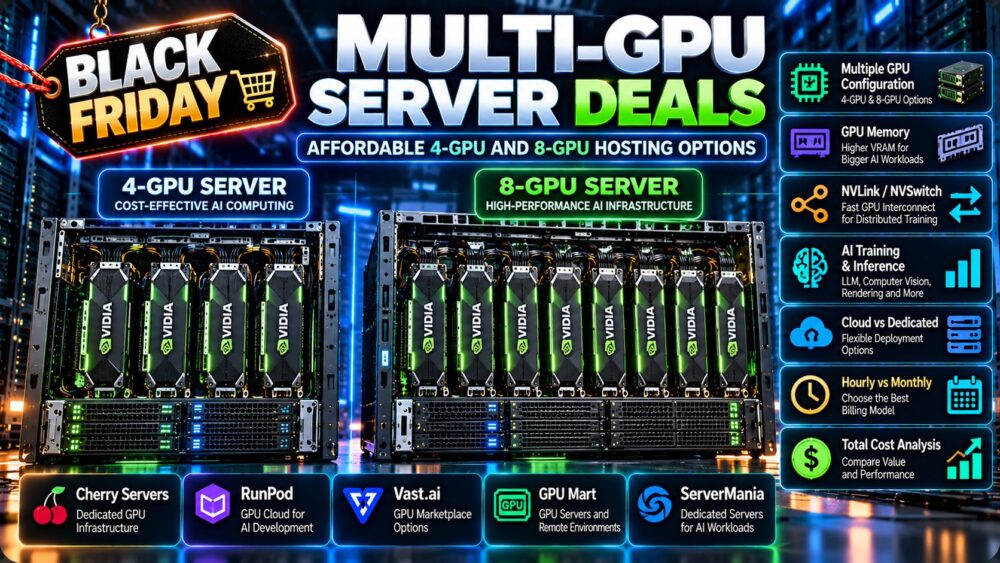
Multi-GPU server deals can help AI developers, research teams, and businesses access the computing power of four or eight GPUs without purchasing and maintaining expensive physical hardware. However, an affordable 4-GPU or 8-GPU server is not necessarily the configuration with the lowest advertised monthly price. GPU memory, interconnect bandwidth, CPU resources, storage performance, network connectivity, and actual workload utilization all affect the real cost of multi-GPU hosting.
For large language model training, distributed inference, computer vision, rendering, and high-throughput batch processing, renting multiple GPUs can provide valuable computing capacity. But not every application scales efficiently across multiple accelerators, and paying for eight GPUs when four would deliver similar useful throughput can significantly increase infrastructure expenses.
This guide compares 4-GPU and 8-GPU hosting options, explains the differences between cloud GPU instances and dedicated multi-GPU servers, examines relevant infrastructure providers, and shows how to calculate the cost of multi-GPU workloads before signing a rental contract.
Pricing and availability note: GPU server prices, accelerator models, available regions, and promotional terms change frequently. The providers discussed in this article are candidates for comparison, not a verified list of active discounts or guaranteed 4-GPU and 8-GPU inventory. Confirm the exact configuration and current commercial terms before purchasing.
Best Multi-GPU Server Deals: What Makes a Hosting Offer Worth It?
The best multi-GPU server deals combine sufficient GPU memory, strong compute performance, efficient communication between accelerators, and transparent billing.
When comparing offers, evaluate the complete system rather than the number of GPUs alone.
- GPU model: Identify the exact accelerator, generation, memory capacity, and supported compute features.
- GPU count: Determine whether four or eight GPUs are necessary for the workload.
- GPU memory: Confirm usable VRAM per accelerator and how the application distributes data.
- Interconnect topology: Check PCIe, NVLink, NVSwitch, or other relevant communication paths.
- CPU and system RAM: Ensure the host can prepare data and feed multiple GPUs efficiently.
- Storage: Review NVMe capacity, checkpoint performance, and persistent storage charges.
- Networking: Evaluate bandwidth, latency, and multi-node requirements.
- Allocation: Confirm whether the GPUs are dedicated physical devices or partitioned resources.
- Billing: Compare GPU-hour pricing, full-server pricing, minimum commitments, and idle charges.
- Reliability: Consider interruption policies, hardware replacement, and support responsibilities.
A lower-cost server can become a poor deal if its GPUs spend substantial time waiting for data or communicating with one another.
4-GPU vs 8-GPU Servers: Which Configuration Do You Need?
The difference between a 4-GPU and an 8-GPU server extends beyond raw accelerator count. The appropriate configuration depends on model size, memory requirements, parallelism strategy, and how efficiently the software uses additional devices.
| Factor | 4-GPU Server | 8-GPU Server |
|---|---|---|
| GPU count | 4 accelerators | 8 accelerators |
| Aggregate GPU memory | 4 × per-GPU VRAM | 8 × per-GPU VRAM |
| Potential throughput | Suitable for many parallel workloads | Higher potential if scaling is efficient |
| Communication complexity | Depends on workload and topology | Can be more demanding |
| Host requirements | Substantial CPU, RAM, and I/O | Potentially greater host and I/O requirements |
| Rental commitment | Depends on provider and GPU model | May require a larger budget or commitment |
| Best purchasing criterion | Workload fit and cost efficiency | Workload fit and scaling efficiency |
When a 4-GPU Server Makes Sense
Four GPUs may be appropriate when a project needs more memory or throughput than a single accelerator can provide but does not require a larger eight-device system.
Potential use cases include selected model fine-tuning tasks, multiple independent inference services, parallel rendering jobs, and development environments for distributed computing.
A 4-GPU server can also be useful for teams testing multi-GPU training techniques before committing to a larger cluster.
When an 8-GPU Server Makes Sense
Eight GPUs may be appropriate when the workload scales efficiently and requires greater aggregate compute capacity, model parallelism, or high-throughput processing.
Examples include demanding AI training, large-model inference configurations, and enterprise workloads that can keep all eight accelerators productive.
However, the extra hardware can be wasted when the application is limited by CPU preprocessing, storage, network communication, or inefficient parallel execution.
Does Eight GPUs Mean Twice the Performance of Four?
Not necessarily. Doubling GPU count increases theoretical hardware capacity, but actual speedup depends on the application.
Independent jobs may scale relatively well because each GPU can process separate work. Tightly coupled distributed training may experience communication overhead, synchronization delays, and memory constraints.
Always compare completed jobs per hour, training step time, or inference throughput rather than assuming linear scaling.
Multi-GPU Memory: Why 4 × 24GB Is Not One 96GB GPU
One of the most common mistakes in multi-GPU purchasing is assuming that memory across several graphics cards automatically behaves like a single large memory pool.
For example, four 24GB GPUs provide 96GB of aggregate installed VRAM, but an application cannot automatically allocate one continuous 96GB GPU memory region.
Software must distribute model weights, activations, requests, or other data across the available devices.
Examples of Aggregate GPU Memory
| GPU Configuration | Aggregate Installed VRAM | Important Consideration |
|---|---|---|
| 4 × 24GB GPUs | 96GB | Memory remains distributed across devices |
| 8 × 24GB GPUs | 192GB | Software and interconnect limitations apply |
| 4 × 48GB GPUs | 192GB | More memory per individual GPU |
| 8 × 80GB GPUs | 640GB | Suitable for evaluating larger distributed workloads |
| 8 × H200 SXM GPUs | 1,128GB | Platform topology and workload design are critical |
These values are arithmetic totals, not promises of unified usable memory. Actual capacity available to an application depends on the model, software framework, memory overhead, and communication architecture.
Data Parallelism
Data parallelism distributes work across GPUs, often with each device holding a copy of the model or a relevant portion of its state.
This approach can increase throughput when the model fits on individual devices and synchronization overhead remains manageable.
Tensor Parallelism
Tensor parallelism distributes portions of model computations across multiple GPUs.
It can enable larger workloads but introduces communication requirements that make GPU interconnect performance important.
Pipeline Parallelism
Pipeline parallelism places different model stages on different devices.
Its efficiency depends on workload scheduling, pipeline balance, and the amount of idle time between stages.
For an explanation of NVIDIA accelerator architectures and training infrastructure, read our NVIDIA GPU servers for AI training guide.
PCIe vs NVLink vs NVSwitch for Multi-GPU Hosting
Interconnect technology can determine whether an expensive multi-GPU server performs efficiently.
Not all four- or eight-GPU systems offer the same communication capabilities.
PCIe-Based Multi-GPU Servers
PCIe connects GPUs to the host system and may also support GPU-to-GPU transfers, subject to platform topology and software capabilities.
PCIe-based configurations can work well for independent jobs, some inference workloads, and distributed tasks with modest communication requirements.
However, workloads requiring frequent exchange of large amounts of data between GPUs may benefit from higher-bandwidth interconnects.
NVLink
NVIDIA NVLink provides high-bandwidth GPU communication on supported accelerator platforms.
Its availability and performance depend on the exact GPU model and system design.
Do not assume that every NVIDIA GPU supports NVLink. For example, the GeForce RTX 4090 does not support it.
NVSwitch
NVSwitch is used in supported NVIDIA multi-GPU platforms to provide high-bandwidth communication across connected accelerators.
It can be valuable for demanding model-parallel training and inference workloads.
However, not every eight-GPU server includes NVSwitch. Confirm the actual system topology before purchasing.
What Should Buyers Ask?
- Which GPU models and form factors are installed?
- Does the system support NVLink or NVSwitch?
- What is the GPU-to-GPU communication topology?
- Are GPUs connected through PCIe switches or directly to CPU root complexes?
- Does the intended software framework support the configuration?
- Can the provider supply benchmark results for a comparable workload?
For tightly coupled AI workloads, interconnect topology can matter more than a small difference in rental price.
Multi-GPU Server Hosting Providers to Compare
When searching for affordable 4-GPU and 8-GPU hosting, distinguish between cloud GPU platforms, GPU marketplaces, and dedicated physical infrastructure providers.
The following five companies are relevant candidates for research. Their inclusion does not guarantee that every provider currently offers a specific 4-GPU or 8-GPU configuration.

1. Cherry Servers: Dedicated Multi-GPU Infrastructure
Cherry Servers is relevant for businesses evaluating dedicated GPU infrastructure and physical server configurations.
For a multi-GPU requirement, request the exact accelerator model, number of GPUs, CPU generation, RAM capacity, NVMe storage, network specifications, and GPU interconnect topology.
Dedicated hardware can be attractive when workloads operate continuously and require predictable access to the same resources.
Before committing, compare provisioning time, hardware support, contract length, and the complete monthly cost.
Best fit to evaluate: Organizations planning sustained AI workloads or dedicated multi-GPU infrastructure.
2. RunPod: GPU Cloud and Multi-GPU Deployment
RunPod is a relevant platform for developers and AI teams investigating GPU cloud infrastructure.
When evaluating multi-GPU options, confirm the available GPU types, supported GPU counts, host resources, region availability, storage persistence, and billing model.
Cloud-style deployment may suit teams that need substantial computing power for limited periods rather than maintaining a dedicated server continuously.
Best fit to evaluate: AI experimentation, model development, and workloads requiring flexible GPU allocation.
3. Vast.ai: Marketplace-Based GPU Computing
Vast.ai provides a marketplace-oriented model for sourcing GPU compute resources.
Individual listings may vary in GPU count, CPU resources, memory, storage, network connectivity, host reliability, and availability.
For four- or eight-GPU workloads, verify that the selected listing provides the required number of GPUs in a suitable configuration and that its host conditions meet project requirements.
Price-sensitive teams should evaluate interruption risks and total job completion costs alongside the advertised rental rate.
Best fit to evaluate: Flexible AI workloads and budget-conscious experimentation where individual hosts can be assessed carefully.
4. GPU Mart: GPU Server and Remote Computing Options
GPU Mart is relevant for buyers researching GPU hosting and remote GPU server environments.
For multi-GPU requirements, confirm whether the desired four- or eight-card configuration is available and whether the GPUs are dedicated physical devices.
Also verify CPU and RAM resources, operating system support, storage, driver compatibility, remote access, and licensing conditions.
Best fit to evaluate: Teams comparing GPU server configurations and remote computing environments.
5. ServerMania: Dedicated Server and Enterprise Infrastructure Planning
ServerMania is another candidate for organizations evaluating dedicated infrastructure and specialized hardware requirements.
For multi-GPU procurement, ask whether the required accelerator model and GPU count can be supplied, along with details about system topology, networking, cooling, provisioning, and contract terms.
Do not assume that a general dedicated server offering includes the desired multi-GPU hardware.
Best fit to evaluate: Enterprises considering customized GPU infrastructure and longer-term dedicated server arrangements.
Provider Comparison by Service Model
| Provider | Relevant Hosting Model | Primary Evaluation Priority |
|---|---|---|
| Cherry Servers | Dedicated infrastructure | GPU topology, hardware configuration, contract |
| RunPod | GPU cloud | Instance availability, GPU count, billing |
| Vast.ai | GPU marketplace | Host reliability, price, hardware details |
| GPU Mart | GPU server hosting | Exact GPU configuration and remote access |
| ServerMania | Dedicated infrastructure inquiry | Custom hardware, network, provisioning |
Important: Only publish a provider as having an active multi-GPU deal after verifying its exact hardware, GPU count, availability, price, and commercial terms.
4-GPU and 8-GPU Server Deals: Cloud vs Dedicated Hosting
The right rental model depends on workload duration, scaling needs, management responsibilities, and budget.
| Factor | GPU Cloud or Marketplace | Dedicated Multi-GPU Server |
|---|---|---|
| Billing | May offer hourly or usage-based pricing | Often monthly or contractual |
| Deployment | Depends on instance availability | Depends on physical inventory |
| Hardware access | Platform-defined | Potentially greater server-level control |
| Scaling | May allow changing configurations | May require hardware changes |
| Storage | May be billed separately | Depends on included server configuration |
| Administration | Varies by platform | Managed or unmanaged arrangements |
| Best fit | Variable and intermittent demand | Stable, sustained workloads |
Cloud hosting may reduce the commitment required for short projects, while dedicated hosting may be attractive when GPUs remain busy for much of the month.
Neither model is universally cheaper. Compare equivalent hardware, productive utilization, storage, data transfer, and contract conditions.
Hourly vs Monthly Multi-GPU Server Rental
Hourly GPU pricing can appear affordable until several GPUs operate continuously for extended periods.
Conversely, a monthly contract can waste money when the GPUs remain idle.
Understand GPU-Hours
A GPU-hour represents one GPU allocated for one hour.
Running four GPUs for one hour consumes four GPU-hours. Running eight GPUs for one hour consumes eight GPU-hours.
GPU-hours = number of GPUs × allocation hours
For example, an eight-GPU server allocated for 100 hours represents 800 GPU-hours.
Hypothetical Hourly Cost Example
Assume a fictional rental rate of $1.00 per GPU-hour for equivalent accelerators:
| Usage | 4-GPU Server | 8-GPU Server |
|---|---|---|
| 50 hours | $200 | $400 |
| 100 hours | $400 | $800 |
| 200 hours | $800 | $1,600 |
| 400 hours | $1,600 | $3,200 |
| 600 hours | $2,400 | $4,800 |
All figures are hypothetical examples, not real provider quotations or current GPU rental prices. They exclude storage, networking, taxes, and additional services.
When Monthly Rental Becomes Attractive
Suppose a fictional four-GPU dedicated server costs $1,500 per month while equivalent hourly capacity costs $4.00 per server-hour.
The simplified break-even point is:
$1,500 / $4.00 = 375 server-hours per month
This calculation assumes equivalent hardware and does not account for differences in availability, storage, networking, support, or contract conditions.
For broader guidance on GPU rental economics, see our cheap GPU server rental cost comparison.
Multi-GPU Servers for Large Language Model Training
Large language model training is one of the most demanding use cases for multi-GPU infrastructure.
Training requires memory and compute resources for model weights, activations, gradients, optimizer states, and distributed communication.
Full-Parameter Training
Full training of large models can require substantial GPU memory and high communication bandwidth.
The number of GPUs needed depends on model architecture, parameter count, numerical precision, optimizer, sequence length, batch size, and parallelism strategy.
An eight-GPU server may provide more capacity than a four-GPU server, but efficiency depends on the software and interconnect architecture.
LoRA and QLoRA Fine-Tuning
Parameter-efficient fine-tuning techniques can reduce trainable memory requirements.
Some projects that initially appear to require several high-end GPUs may be practical on fewer devices using suitable optimization techniques.
Before renting eight GPUs, test whether the model can be fine-tuned efficiently on one or four accelerators.
Training Throughput and Scaling Efficiency
Measure training steps per second, tokens processed per second, GPU utilization, communication overhead, and total cost to reach the target model quality.
A larger server is worthwhile only when its performance improvement justifies the additional cost.
Multi-GPU Servers for AI Inference
Multi-GPU inference can serve two different purposes: increasing throughput for independent requests or distributing models that do not fit within one GPU's memory.
Independent Inference Workers
When each GPU runs a separate model replica or inference worker, scaling can be relatively straightforward.
This approach may suit image generation, embeddings, computer vision, and language model serving when each workload fits on one GPU.
Model Parallel Inference
When a model is too large for one GPU, its weights and computation may be distributed across several devices.
In this case, interconnect bandwidth and software efficiency become important because GPUs must exchange data during execution.
Batch Size and Context Length
Inference memory requirements depend on model weights, context length, key-value cache, concurrent requests, and runtime overhead.
More GPUs may increase capacity, but the best configuration depends on the inference framework and workload.
For high-memory model hosting, explore our NVIDIA H200 GPU rental deals comparison.
4 × RTX 4090 vs 8 × RTX 4090: Affordable Multi-GPU Options
Consumer GPU configurations can be relevant for cost-sensitive workloads, but their limitations must be understood.
The NVIDIA GeForce RTX 4090 provides 24GB of GDDR6X memory per GPU and does not support NVLink.
| Configuration | Aggregate Installed VRAM | Key Consideration |
|---|---|---|
| 4 × RTX 4090 | 96GB | PCIe topology, cooling, workload parallelism |
| 8 × RTX 4090 | 192GB | Physical platform design, power, communication overhead |
Eight high-power consumer GPUs introduce substantial system design challenges involving power delivery, cooling, physical space, and PCIe connectivity.
Not every hosting provider offers or supports such configurations.
When RTX 4090 Multi-GPU Hosting Makes Sense
RTX 4090 configurations may be attractive for independent inference workers, selected fine-tuning tasks, rendering, and parallel image generation.
They are less straightforward for workloads requiring high-bandwidth GPU-to-GPU communication.
When Data Center GPUs Are Preferable
Data center accelerators may offer platform features better suited to demanding distributed training, large-model inference, and enterprise operations.
However, their rental costs and availability can differ substantially.
Compare the complete workload cost rather than assuming either consumer or data center hardware is always superior.
For a deeper look at the 24GB GPU category, read our RTX 4090 GPU server deals guide.
Hidden Costs of Multi-GPU Server Hosting
Affordable multi-GPU server deals can become expensive when additional infrastructure requirements are overlooked.
Idle GPU Time
Four or eight GPUs can continue generating rental charges while waiting for data, downloading models, or running no productive computation.
Automated scheduling and shutdown procedures can reduce waste where supported.
Persistent Storage
Training datasets, model checkpoints, container images, and generated outputs can require substantial storage.
Check whether storage remains billable after compute resources are stopped.
Network and Data Transfer
Large training datasets and checkpoint transfers may consume bandwidth and incur additional charges.
Multi-node training can also require specialized networking that may not be included in standard hosting packages.
CPU and System RAM
Multiple GPUs need adequate CPU resources for data preprocessing, application orchestration, and input pipelines.
Insufficient system RAM or CPU capacity can cause expensive accelerators to remain underutilized.
Storage Throughput
Slow disks or poorly configured storage pipelines can reduce GPU utilization during training and batch processing.
NVMe storage may help, but actual benefits depend on the workload and complete storage architecture.
Software and Administration
Distributed GPU workloads may require compatible drivers, CUDA libraries, communication frameworks, containers, monitoring tools, and troubleshooting expertise.
Include engineering time and administration requirements when comparing managed and unmanaged infrastructure.
How to Calculate Multi-GPU Cost per Completed Workload
The most meaningful comparison is the total cost of producing a useful result.
Example: Distributed Training
Consider two fictional servers completing the same training task:
| Metric | 4-GPU Server | 8-GPU Server |
|---|---|---|
| Server rental rate | $4/hour | $8/hour |
| Time to complete task | 20 hours | 12 hours |
| Total rental cost | $80 | $96 |
| Relative completion time | Baseline | 40% shorter |
| Lower rental cost | Yes | No |
This is a hypothetical example, not a measured GPU benchmark or a real provider offer.
The eight-GPU server completes the job faster but costs more in rental charges.
It may still be preferable when deadlines, engineering productivity, or operational requirements justify the additional expense.
Example: Independent Batch Processing
For independent jobs, additional GPUs may deliver stronger scaling if the workload can keep each device busy.
Measure completed tasks per hour and cost per completed task.
Example: Continuous Inference
For production inference, compare requests per second, tokens per second, latency, GPU utilization, and cost per million tokens.
A server with more GPUs is not automatically more economical when average traffic is low.

When Should You Rent Four GPUs Instead of Eight?
Choose a four-GPU configuration when it meets the application's memory and throughput requirements without creating unnecessary rental expenses.
Four GPUs may be sufficient when:
- The workload fits within the available distributed memory arrangement.
- Training speed meets project deadlines.
- Inference demand does not justify eight devices.
- CPU, storage, or communication overhead limits scaling.
- The budget prioritizes cost efficiency over maximum throughput.
Consider eight GPUs when the workload can use them effectively and the additional throughput or memory capacity creates measurable value.
Before upgrading, benchmark a representative job on the smaller configuration whenever possible.
When Should You Avoid Multi-GPU Hosting?
Multi-GPU hosting is not necessary for every AI or GPU-accelerated workload.
- Small models: A single suitable GPU may provide enough memory and throughput.
- Low utilization: Paying for several idle GPUs can increase costs substantially.
- Poor parallel scaling: Communication overhead may eliminate expected speed gains.
- CPU-bound workloads: Additional GPUs may not solve host-side bottlenecks.
- Limited budgets: Hourly single-GPU instances may offer greater flexibility.
- Unstable experiments: Large prepaid commitments can be risky before software requirements are validated.
For interruption-tolerant workloads, consider whether spot GPU instances versus on-demand servers offer a better balance between cost and reliability.
Multi-GPU Server Deals: Buying Checklist
- Define the workload: Identify the model, precision, memory requirements, and target throughput.
- Choose the GPU model: Compare accelerator generation, VRAM, and software compatibility.
- Validate GPU count: Determine whether four or eight devices are necessary.
- Check interconnects: Confirm PCIe, NVLink, NVSwitch, and relevant topology.
- Inspect host resources: Review CPU, system RAM, and storage.
- Evaluate networking: Confirm bandwidth, latency, and multi-node capabilities.
- Verify allocation: Understand whether the GPUs are dedicated or partitioned.
- Compare billing: Calculate server-hours, GPU-hours, and monthly commitments.
- Account for extras: Include storage, transfer, administration, and idle allocation.
- Review reliability: Check interruption policies, recovery options, and hardware support.
- Benchmark scaling: Measure the actual benefit of additional GPUs.
- Verify the offer: Confirm the current hardware, price, availability, and contract terms.
Frequently Asked Questions
What is a multi-GPU server?
A multi-GPU server contains multiple graphics processing units that can accelerate compatible workloads. The GPUs may operate independently or cooperate through software-based parallelism.
Is a 4-GPU server cheaper than an 8-GPU server?
A four-GPU configuration often requires fewer accelerator resources, but actual rental pricing depends on GPU models, hardware allocation, provider terms, and included infrastructure.
Does eight GPUs mean eight times the performance?
No. Performance scaling depends on the workload, communication overhead, CPU and storage resources, and the software's ability to use multiple devices.
Can four GPUs combine their VRAM?
Four GPUs provide aggregate installed memory, but the memory does not automatically become one unified pool. Applications require compatible parallelism or data distribution techniques.
Is NVLink necessary for multi-GPU AI training?
Not every multi-GPU workload requires NVLink. However, high-bandwidth GPU communication can be important for tightly coupled distributed training and model-parallel inference.
Can I rent four or eight RTX 4090 GPUs?
Availability depends on the provider and hardware configuration. Multi-RTX 4090 systems require suitable PCIe connectivity, cooling, power delivery, and software support.
Is hourly or monthly multi-GPU rental better?
Hourly rental may be more economical for intermittent jobs, while monthly hosting can be attractive for sustained utilization. Compare the total cost of equivalent configurations.
Are multi-GPU servers useful for AI inference?
Yes. They can increase throughput through independent inference workers or support models distributed across multiple GPUs. Actual benefits depend on model architecture and deployment software.
What is the biggest hidden cost of multi-GPU hosting?
Common overlooked costs include idle GPU allocation, persistent storage, data transfer, insufficient host resources, and time spent managing distributed software.
Which provider offers the cheapest multi-GPU server deals?
There is no permanently cheapest provider. Prices and availability change, and configurations may differ in GPU models, interconnects, reliability, and contract terms. Compare verified offers using the same workload requirements.
Final Verdict: Affordable 4-GPU and 8-GPU Server Hosting
The best multi-GPU server deals provide the right combination of accelerator capacity, memory, interconnect performance, host resources, and total rental cost.
Cherry Servers and ServerMania are relevant candidates for dedicated infrastructure inquiries, while RunPod and Vast.ai offer GPU cloud or marketplace approaches worth investigating. GPU Mart is another provider to evaluate for GPU server hosting requirements. Exact four- and eight-GPU configurations must be verified individually.
For many teams, a well-configured four-GPU server may provide better value than an eight-GPU system with low utilization. For demanding distributed training and high-throughput inference, eight GPUs can be worthwhile when software scaling and infrastructure design justify the cost.
Before purchasing, benchmark the actual workload, verify GPU interconnect topology, compare hourly and monthly pricing, and calculate the cost per completed training run, inference request, or batch job.
WORKLOAD → GPU MODEL → GPU COUNT → VRAM → INTERCONNECT → SCALING EFFICIENCY → TOTAL COST → REAL VALUE